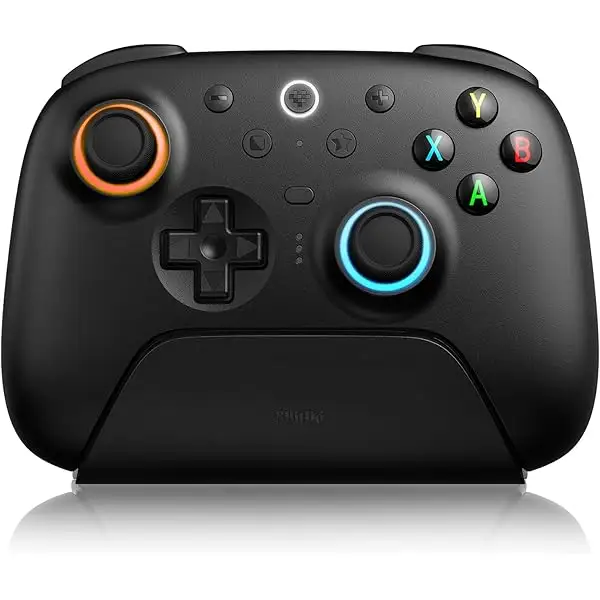
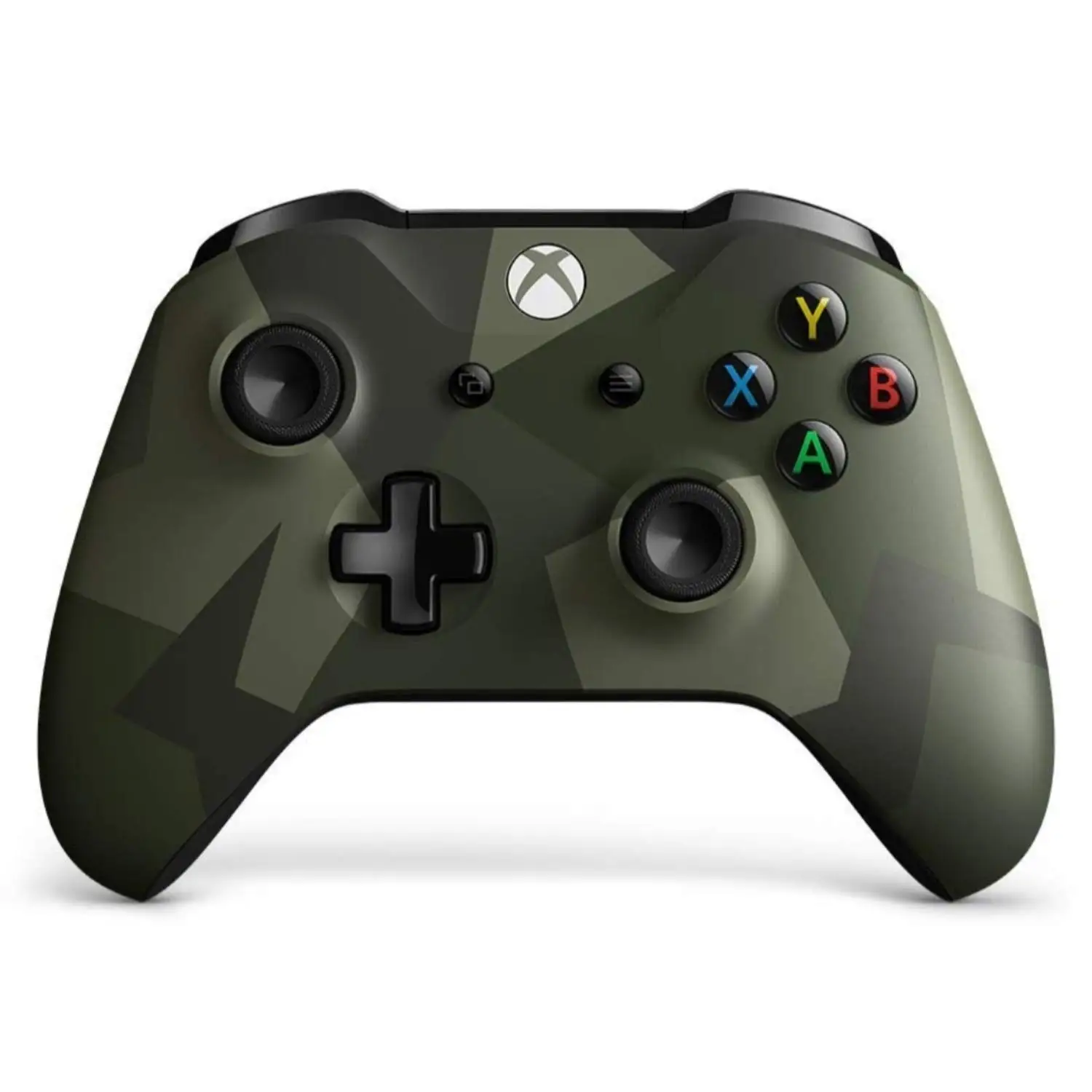
Xbox Wireless Controller – Black Review: Conditional 7.9/10
A controller that’s “the best you can get” to one buyer can still be “sticks drift uncontrollably” to another—Xbox Wireless Controller – Black lands as a Conditional buy at 7.9/10 based on the provided reviews and listings, with comfort and compatibility repeatedly praised but quality consistency and power expectations driving the sharpest complaints.
Quick Verdict
Conditional — great feel and broad device support, but be realistic about batteries, occasional defects, and unit-to-unit variability.
| What buyers highlight | What it means in real use | Source |
|---|---|---|
| Comfortable grip + ergonomics | Better for long sessions, less slipping | Amazon reviews; Best Buy reviews |
| Strong PC/Bluetooth versatility | Easier couch gaming on Windows/phone | Reddit; Best Buy |
| Improved D-pad and controls | Favored for fighters/menus by some | Best Buy; Amazon |
| Battery approach frustrates some | AA dependency annoys, recharge confusion | Best Buy |
| Stick drift/quality decline reports | Risk of early failure for heavy users | Best Buy; Amazon; Fakespot |
| Occasional input/connectivity quirks | Random disconnects or missed presses | Best Buy |
Claims vs Reality
Microsoft’s marketing leans hard on a modernized, comfortable design—“experience the enhanced comfort and feel,” plus “textured grip,” Bluetooth play, and “up to twice the wireless range” compared to older Xbox One controllers (tested on Xbox One S). Digging deeper into user reports, the comfort part is the most consistently echoed. A verified purchase on Amazon wrote: “the plastic housing… is smooth and relatively fingerprint resistant” and highlighted the “slightly textured grip on the back” along with “the best clickly dpad i have ever felt.” On Best Buy, another reviewer called it “comfortable to hold, with a textured grip that prevents it from slipping out of your hands.”
Where the story gets messier is around expectations of “wireless” power and reliability. Some buyers assume USB-C or a wall charger means built-in recharge; others already expect AA batteries. A Best Buy reviewer complained: “unclear how to recharge without replacing battery… it eats batteries fast… I haven't figured out how to charge it using a wall outlet,” describing the frustration of needing “a lot of extra batteries” or buying separate solutions. That clashes with listings emphasizing wireless freedom, even though the product pages also show AA usage depending on model/region.
The other gap is durability consistency. While many users describe years of solid use, a recurring pattern emerged in negative accounts: early stick drift, sticky buttons, or perceived lower-quality parts. A Best Buy reviewer rated it 3/5 and said: “quality has gone downhill… I have had this controller now for 3 months and the sticks drift uncontrollably, the buttons stick.” Meanwhile, another verified purchase on Amazon compared it favorably against a pricier sibling, saying the Elite Series 2 was “very fragile” and that this standard controller “builds really sturdy and i haven't had any troubles like analog drift.” The split suggests the experience can hinge on the specific unit you receive.
Cross-Platform Consensus
Universally Praised
The most consistent praise across platforms is how familiar-yet-refined the controller feels—especially for people switching between console and PC. On Reddit, one commenter framed it as hassle reduction for PC players: “it’s actually really easy to set up bluetooth on them now if you get the newest model so you don't need to buy the wireless dongle… can also just run a usb cable if you like.” That “plug-and-play” theme shows up again on Best Buy, where a reviewer described it as a controller “designed to work with all generations of Xbox One… as well as PC… the bluetooth works on any device that has bluetooth built in.”
Comfort and grip show up as the “why” behind long sessions. A verified Amazon buyer praised tactile feel and control details—“the bumpers are clicky… the triggers are also the best ive ever used”—and even tied immersion to trigger rumble: “when you play a game like Forza and can actually ‘feel’ the texture of the cement… it becomes hard to play without it.” On Best Buy, another reviewer kept it simple but pointed: “textured grip… helps with long play sessions and sweaty hands.” For players who do marathon nights or sweatier competitive sessions, grip texture reads less like a gimmick and more like a practical upgrade.
A third common positive is broad compatibility—especially for “couch PC gaming” and multi-device households. A Best Buy reviewer summed up the appeal for Windows users: “best controller ever… compatible with all games in my laptop (Windows 11).” Another Best Buy customer described the controller as “old reliable… the gold standard when it comes to PC compatible controllers.” Even when people aren’t hardcore gamers, ease-of-setup becomes the story: “comfortable, easy to set up and use,” wrote one Best Buy reviewer who said they were “not a gamer” but wanted to try PC gaming.
Quick themes people praise most
- Comfort/grip for long sessions (Amazon, Best Buy)
- Bluetooth/PC versatility (Reddit, Best Buy)
- D-pad and control feel for certain genres (Best Buy, Amazon)
Common Complaints
The loudest complaint category is quality inconsistency—especially stick drift and buttons. A recurring pattern emerged where some users report a steep drop-off within months. A Best Buy reviewer wrote: “sticks drift uncontrollably, the buttons stick” after about three months. On the renewed market, Fakespot’s pulled examples include “after 2 weeks of playing it started to drift,” and it also flags issues like “major corrosion on the battery contacts” and a controller with a “‘sticky’ down output” that caused menus and aiming to “suddenly plummet.”
Connectivity and input reliability also surface, particularly in newer models. One Best Buy reviewer warned of “known issue… random disconnects, buttons registering being pressed,” adding that one unit had “random disconnects with the system but says it’s connected still.” Even in cases where it’s not a full disconnect, missed inputs can be maddening in fast games: the same reviewer noted “the A button not registering if I push it too fast.” For competitive players—or anyone playing timing-heavy titles—these reports read less like minor annoyances and more like session-breaking problems.
Battery expectations are the other repeated friction point, especially among buyers expecting true rechargeable wireless by default. A Best Buy reviewer explained they gave 4/5 because “it eats batteries fast” and they “haven't figured out how to charge it using a wall outlet.” Another reviewer advised the practical workaround: “you will need a rechargeable battery that is sold separately.” The throughline is not that the controller can’t be powered; it’s that the “wireless controller” framing clashes with the reality of AA batteries unless you add your own recharge kit or stay tethered via cable.
Most-cited frustrations
- Stick drift or early defects (Best Buy, Amazon, Fakespot)
- Random disconnects / missed button presses (Best Buy)
- AA battery dependency and recharge confusion (Best Buy)
Divisive Features
Size and feel are surprisingly polarizing. Some describe it as a sweet spot—especially for smaller hands. A Best Buy reviewer said: “the actual size of the controller is a fraction smaller. good for kids or if you have small hands.” But a verified Amazon buyer who expected an older Xbox One version disliked receiving what they viewed as the newer successor: “slightly smaller, lighter, and more fragile,” and complained that “attachments you bought in the past… will not fit these.”
The D-pad is another split. Some celebrate the redesign for multi-directional inputs—“redesigned better for multi directional use (fighting games),” said a Best Buy reviewer—while another Amazon buyer disliked what they saw as a step backward: “they decided to revert to the Xbox 360 style 8 directional dpad… pressing one… would sometimes hit… adjacent ones.” The contradiction here isn’t about official specs; it’s about personal fit and genre preference, especially for players sensitive to diagonals.
Trust & Reliability
On renewed units, scam concerns show up less as “fake controller” allegations and more as condition and functionality risk—corrosion, sticky inputs, drift soon after purchase. Fakespot’s summary includes complaints like “major corrosion on the battery contacts” and “after 2 weeks of playing it started to drift,” suggesting buyers see renewed listings as higher variance even when the product “works well” for others.
For long-term durability, the stories are split between “years of reliability” and “planned replacement cadence.” A Best Buy reviewer wrote: “i only have to buy a new one every so often,” while another described a more frequent cycle: “maybe every 6 mos to a year i’ll need a new one” due to stick wear from “continuously play.” That’s less a single verdict on the controller and more a signal that heavy use can accelerate wear—prompting repeated mentions of buying warranties or backups.
Alternatives
Only competitors explicitly referenced in the data are DualShock 4 and Xbox Elite Series 2. For PC players, Reddit discussion positions DualShock 4 as workable but less direct: “the dualshock 4 also is plug & play wireless if you use ds4windows or inputmapper,” implying extra software steps compared with the newer Xbox controller’s Bluetooth ease.
The Elite Series 2 shows up as the premium alternative—praised for customization and paddles—but also criticized for fragility and bumper issues. A verified Amazon buyer said their Elite Series 2 had a “right shoulder bumper [that] won’t work sometimes unless you press firmly,” calling it “very fragile,” and they switched back to the standard controller for sturdiness. Meanwhile, Best Buy Elite-core reviews are full of praise like “best back paddles, comfort, and customization ever,” yet the cons list includes “stick drift” and “bumpers,” and one reviewer warned “the lb button… eventually gives out… within a year.” The trade-off, as reflected in user stories, is customization versus risk and cost.
Price & Value
Pricing in the provided listings spans typical new-controller territory: Amazon shows around “$59.01” to “$62.99” for the black controller, while Best Buy lists “$61.99” for the carbon black version. Reddit users repeatedly frame it as a “wait for deals” product—one mentions Amazon UK pricing like “£37.99” and another says “go go go!” when stock drops appear, signaling deal-chasing behavior in the community.
Resale pricing on eBay looks meaningfully lower for used/open box controllers (examples include “$35.99 new / $25.20 used” for a Series X/S wireless controller carbon black), but the market also shows “parts or repair” listings—an indirect sign that failures do happen and can affect value. The buying tip that keeps resurfacing is protection: Best Buy reviewers explicitly recommend warranties due to drift risk. One wrote: “I do suggest paying for the geek squad protection plan in any case you’re given a faulty controller,” and another echoed: “always suggest getting a warranty… drifting is inevitable.”
FAQ
Q: “Do these controllers have Bluetooth, or do I need a dongle?”
A: Many users say newer models pair via Bluetooth without the Xbox wireless dongle. Reddit commentary notes: “easy to set up bluetooth… so you don't need to buy the wireless dongle,” though they add you still need Bluetooth hardware on your PC. Best Buy reviewers also describe Bluetooth working across laptop, tablet, and phone.
Q: “How do you recharge the Xbox Wireless Controller – Black?”
A: Some buyers expect wall charging, but user feedback suggests AA batteries are the default unless you buy a rechargeable pack or play wired. A Best Buy reviewer wrote: “unclear how to recharge without replacing battery… it eats batteries fast,” while another recommends “a rechargeable battery… sold separately.”
Q: “Is stick drift a real problem on this controller?”
A: Multiple sources mention it. A Best Buy reviewer said: “sticks drift uncontrollably” after three months, and Fakespot’s renewed feedback includes “after 2 weeks of playing it started to drift.” At the same time, other buyers report no drift and describe the controller as sturdy.
Q: “Does it work well for PC gaming on Steam?”
A: Several Best Buy reviewers specifically praise PC use, calling it “the gold standard when it comes to pc compatible controllers,” and others mention easy setup on Windows. Reddit users also describe Bluetooth setup as straightforward on newer models, reducing the need for the wireless adapter.
Q: “Is the D-pad better than older Xbox controllers?”
A: Opinions split by preference and expectations. One Best Buy reviewer praises a D-pad “redesigned better for multi directional use (fighting games),” but an Amazon reviewer complained about an “8 directional dpad” causing accidental adjacent inputs. The benefit depends on how you use diagonals and what you’re coming from.
Final Verdict
Buy Xbox Wireless Controller – Black if you’re a PC-and-console player who values familiar ergonomics, textured grip, and straightforward Bluetooth pairing—especially if you’re upgrading from older controllers and want something many call “old reliable.” Avoid if you’re highly sensitive to stick drift risk or you specifically want built-in rechargeable wireless without extra purchases.
Pro tip from the community: plan for power and protection—several Best Buy reviewers advise rechargeable AAs or a battery pack, and more than one recommends a warranty because “drifting is inevitable” for heavy use.