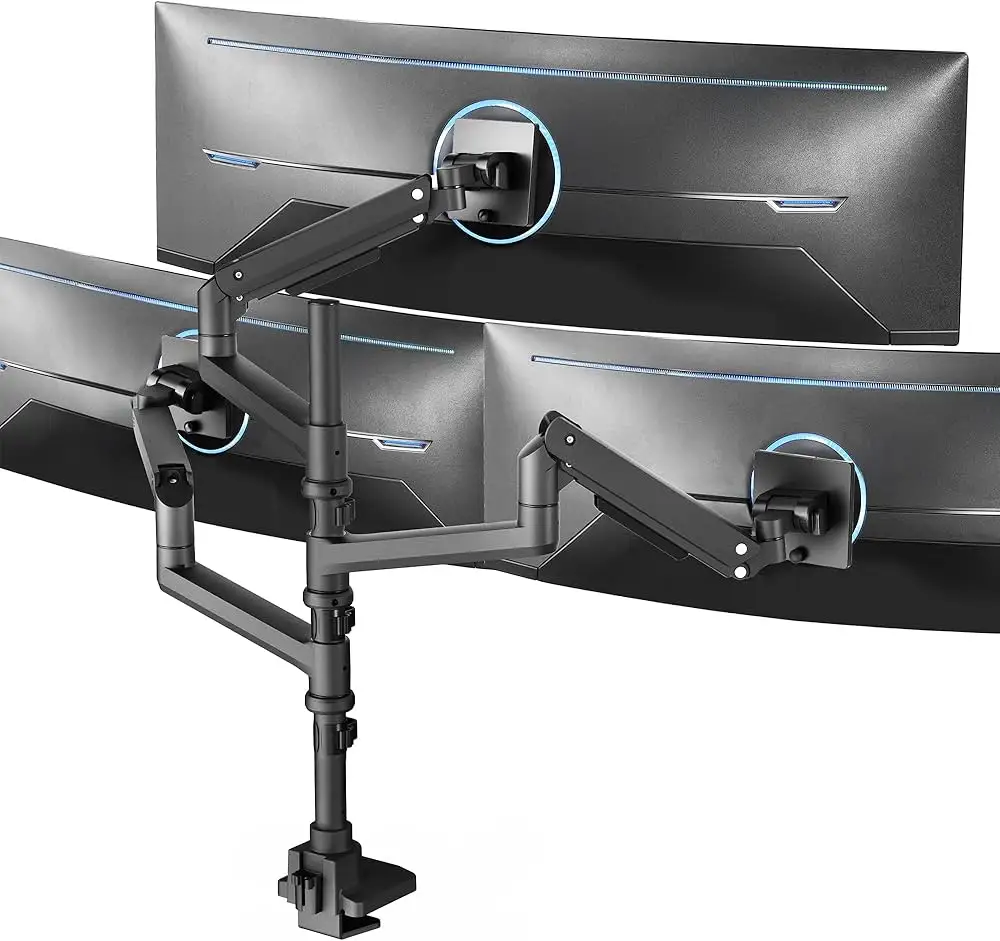
VIVO Ultrawide Monitor Arm Review: Strong Value, Minor Flaws
One Reddit user summed it up simply: “I’ve been using this arm with my CRG9 for about a year and a half. No issues and much cheaper than Ergotron.” That sets the tone for the VIVO Premium Aluminum Full Motion Ultrawide Monitor Desk Mount Stand — a well-regarded, budget-friendly alternative that still aims to handle the massive footprint and weight of ultrawide screens. Across hundreds of verified user reviews, both single and dual-arm variants show consistent performance, especially with monitors up to 49 inches and weights in the 30+ lb range. Averaging 4.3 to 4.6 stars across platforms, this monitor arm earns an investigative score of 8.5/10.
Quick Verdict: Conditional buy — excellent for most ultrawides, but tilt tension can be a weak spot for very heavy monitors.
| Pros | Cons |
|---|---|
| Solid aluminum and steel construction holds up over time | Forward/back tilt often requires over-tightening, limiting adjustability |
| Works with heavy ultrawide monitors up to 49" | Cable management channels slightly cramped |
| Affordable compared to Ergotron HX and similar | Initial stiffness requires manual bolt adjustments |
| Wide range of motion for ergonomic positioning | Some arrived with misaligned VESA plates (fixable by users) |
| Dual mounting options (clamp or grommet) | Larger desks or thicker tops may need reinforcement |
Claims vs Reality
Marketing materials promise “smooth height adjustment with just the touch of a hand” thanks to pneumatic and mechanical spring arms. While this holds true for many mid-weight monitors, heavier models require pre-adjustment. A Reddit user admitted: “Took my wife and I a good 15 mins adjusting the mount to get it to move nicely. The clamp is good but it’s definitely pushing the limit with that monitor.”
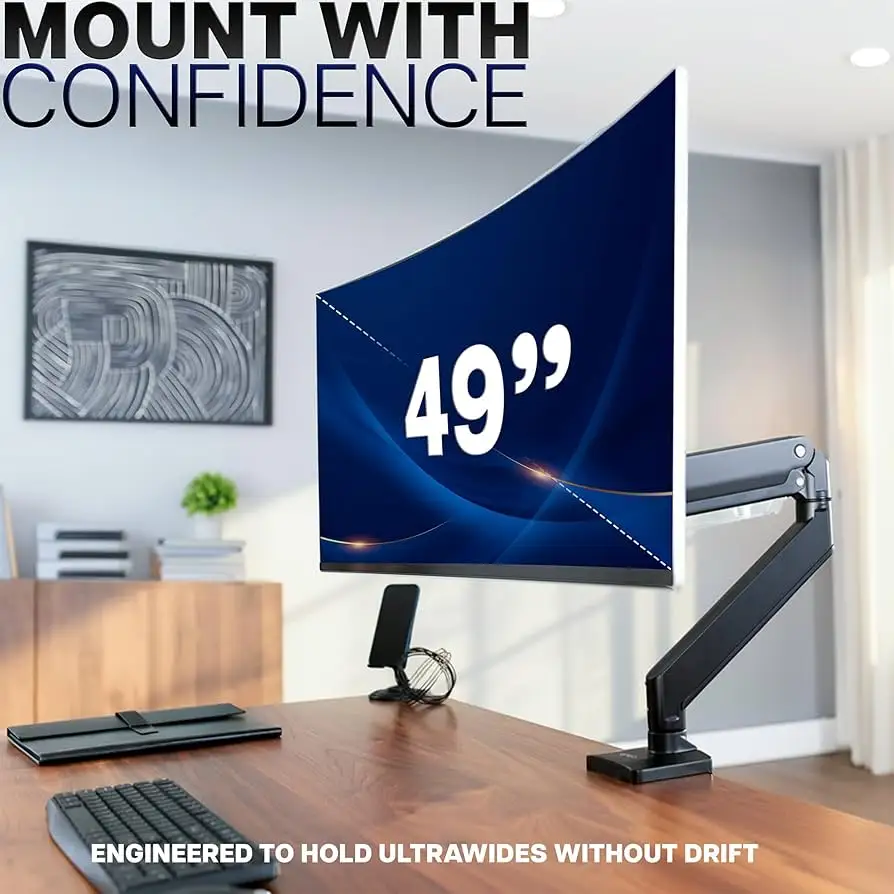
Another key claim is compatibility with ultrawide screens up to 49 inches. In practice, numerous users successfully mounted Samsung G9 and CRG9 monitors, some weighing over 31 lbs. An Amazon reviewer wrote, “I have a 43 inch 4K monitor… it is well built and can handle my monitor. Tilt works equally well once at the right tension.”
However, VIVO’s boast about fluid tilt adjustment is contradicted by several owners. A Reddit post cautioned, “You have to really crank on the tilt with all your might so it basically locks permanently… center of gravity on curved displays overloads the friction tilt.” This nuance matters for those wanting frequent tilt changes.
Cross-Platform Consensus
Universally Praised
Across Amazon, Reddit, and Trustpilot, sturdiness is the standout praise. Owners of notoriously heavy displays like the Odyssey G9 OLED call it “perfect… the range and ease of motion are outstanding” (Amazon, verified purchase). Reddit user reports repeatedly mention long-term stability: “Works perfectly… no wobble either” even after a year of use.
Ergonomic benefits are real, especially for standing desk setups. A verified buyer explained that freeing desk space was transformative: “No longer does a monitor stand limit my work surface to being a PC workstation.” The height range — often exceeding 10 inches in adjustment — allows personalized setups for drafting, gaming, or coding.
The budget appeal is also significant. Many chose VIVO over Ergotron HX because of cost. One Canadian buyer noted, “Only CAD $139.99. Works flawlessly… will last me forever.”
Common Complaints
Tilt control, especially forward tilt for curved ultrawide monitors, is the recurrent frustration. Users often over-tighten until the adjustment ceases to be functional, trading flexibility for stability. An Amazon reviewer was blunt: “To control tilt I had to tighten it to the point it wasn’t adjustable… it flops like a fish otherwise.”
Another issue is initial arm stiffness. Multiple accounts detail the need to loosen factory-tight joints before the arm moves smoothly. One detailed Amazon review even provided step-by-step bolt locations, warning of a tedious process without included metric hex keys.
Cable management earns mixed reviews — functional but cramped. Heavy-duty setups with multiple HDMI and power cables exceed the channel capacity. “Not enough room for the power cable and two display cables,” lamented a dual-monitor owner.
Divisive Features
The dual mounting option (top-side clamp or grommet) is a hit for versatility but leads to debate over stability. Those with thicker desks find the clamp effective; thinner or particleboard desks may require reinforcement brackets. A Reddit comment emphasized drilling directly into the desk for ultimate security.
VESA plate quality splits opinions. Some dislike the use of plastic over aluminum, while others appreciate the quick-release design for its convenience. Misaligned plates occasionally occur, but one Amazon user shared a fix: flipping the internal spring to correct a bad batch.
Trust & Reliability
Trustpilot and Fakespot data show over 80% high-quality reviews with minimal deception, a strong signal in the crowded accessories market. Durability stories carry weight: Reddit builds from 2022 continue in daily use without sagging.
Several long-haul owners shared six-month and one-year updates confirming stability with no droop, provided tilt tension was maintained. Others mimic “failsafe” tactics — like placing a book just under the monitor — to catch any developing sag before it damages equipment.
Alternatives
The Ergotron HX is repeatedly mentioned as the premium competitor, with superior tilt performance under heavy loads — but at roughly triple the price. Users who switched to VIVO accepted the tilt limitation in exchange for hundreds in savings. The WALI heavy-duty mount appears in threads but lacks the documented G9 success stories that VIVO has amassed.
Price & Value
Prices vary between $99.99 and $149.99 depending on version (USB port models cost more). Community sentiment agrees it’s “way below the $300 for the HX” while still providing confidence for expensive setups.
On eBay, resale listings hover around $80, indicating decent value retention. Bargain hunters should watch for stock-outs, particularly of the dual-arm variant.
FAQ
Q: Can it hold the Samsung Odyssey G9 or CRG9 reliably?
A: Yes — many users report these 49" monitors are stable when tilt tension is set correctly. Assembly is easier with two people for weight handling.
Q: Will the tilt stay in place for heavy curved screens?
A: It can, but often requires very tight adjustment, which limits future tilt changes without re-tightening.
Q: Is installation straightforward?
A: For most, yes — but factory-tight joints may need loosening. All necessary tools aren’t included, so having a full hex key set helps.
Q: Does it work on standing desks?
A: Compatible, especially via clamp mount, but reinforcement brackets are advised for thinner tops.
Q: How is cable management?
A: Functional for minimal setups, but can be cramped for multi-cable configurations.
Final Verdict: Buy if you want a robust, affordable mount for ultrawide monitors up to ~33 lbs and accept that tilt adjustments may be infrequent. Avoid if constant tilt repositioning is essential for your workflow — premium arms like the Ergotron HX handle that better. Community pro tip: pre-adjust tension and enlist a second person during install to avoid strain or mishandling.