VIVO Ultrawide Monitor Arm Review: Stable Value Buy
The surprising takeaway from digging into hundreds of user reports is that the VIVO Single Ultrawide Monitor Arm Desk Mount (C-Clamp/Grommet Base, Black) consistently wins praise for its stability and price, but only if you match it with the right monitor size and weight. Across Amazon, Reddit, and Trustpilot, users rate it around 8.7/10, citing strong build quality and ergonomic benefits, while warning about setup quirks and occasional sagging with heavier displays.
Quick Verdict: Conditional — highly recommended for mid-weight ultrawides and standard monitors, but caution for max-size/heavy setups.
| Pros | Cons |
|---|---|
| Solid steel/aluminum construction | Height adjustment not fine-tunable on some models |
| Handles ultrawides up to 49" (within weight limits) | Can sag if bolts/tension not tightened properly |
| Affordable compared to premium arms | Some find side-to-side tilt hard to lock |
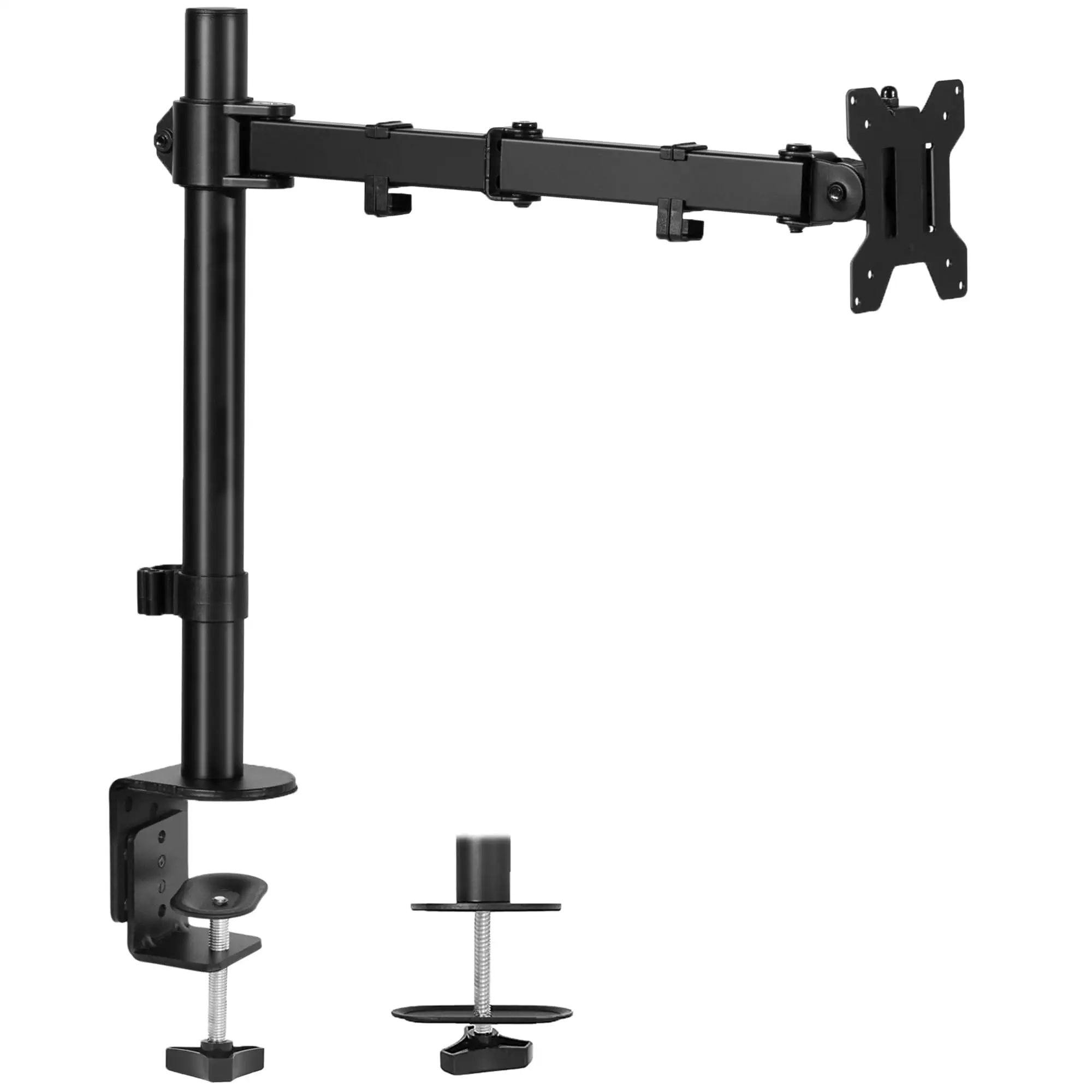
| Easy C-clamp or grommet installation | Installation can be physically demanding |
| Integrated cable management | Limited aesthetic appeal for some |
| Strong pneumatic arm on specific variants | Clamp may stress thin desks without reinforcement |
Claims vs Reality
Marketing emphasizes ergonomic flexibility, effortless adjustment, and compatibility with ultrawides up to 49 inches. While specs promise “smooth height adjustment” and “perfect counterbalance” via pneumatic arms, users say this holds true—but only if tension is dialed in precisely. A Reddit user explained: “Normally this stand can’t support the weight unless you tighten the screws to the maximum… lucky for me it didn’t break.”
The brand promotes “flush wall setup” without overhang, a feature that matters for tight spaces. Several Amazon reviewers confirmed this benefit. One noted, “It looks cleaner and sits farther back on the desk… almost completely got rid of wobbling issues.”
However, the “up to 49-inch” compatibility can mislead buyers. While officially rated for large ultrawides, multiple Reddit users reported drooping or limited adjustability at these sizes, especially on non-pneumatic variants. As one put it: “Any jolts to the monitor… and it would instantly droop.”
Cross-Platform Consensus
Universally Praised
Across sources, sturdiness is the standout strength. Trustpilot feedback describes the mount as “absolutely solid… moves as though it were part of the desk itself.” For home office users, this translates into a stable screen during typing or gaming, even on sit-stand desks. Reddit user comments like “worked great for my 34-inch ultrawide… has been working well for the past 6 months” reinforce this long-term reliability.
Ergonomics also earned high marks. The extra-tall pole versions allow for sitting/standing transitions, a hit among remote workers. An Amazon buyer said, “The height is perfect for standing… attached to an IKEA desk and it’s very stable.” Content creators with multi-monitor setups found the articulation invaluable—one Reddit user shared: “I can quickly glance at info below without moving my neck down… super important long-term.”
Cable management clips are a small but appreciated detail. A reviewer mentioned, “Keeps cords out of sight… a nice touch that enhances workspace efficiency.”
Common Complaints
The most frequent gripe is setup complexity and bolt tightening. A Trustpilot reviewer warned, “You definitely need to crank down on the bolts to ensure it doesn’t slip… included VESA screws were a tad too long, so I padded them with washers.” Some found certain adjustments—like side-to-side tilt—hard to lock in, leading to gradual monitor drift.
Height adjustment divides opinion. Pneumatic arm models offer smooth movement, but fixed-pole designs require manual bolt changes. YouTube coverage noted this makes them “set and forget” mounts, unsuitable for frequent repositioning.
Desk compatibility can also be tricky. Thin or composite desks may need reinforcement. Reddit users advised adding wood pieces to spread clamp pressure: “Simple mods… make it more effective.”
Divisive Features
Weight handling is contentious. While rated for 33–44 lbs depending on model, reports of sagging with heavier monitors persist. Some push the limits successfully—“Holding an 18 lb TV pretty high up… doesn’t shake”—while others fail without extreme tensioning.
Aesthetics split opinions too. Function-first buyers are fine with its utilitarian look, but one Amazon reviewer noted, “Design is quite basic… not a decorative piece.”
Trust & Reliability
Scam concerns are minimal; most buyers receive products promptly with all hardware included. On Trustpilot, durability stories are strong—multiple accounts of multi-year use without performance drop. Reddit users echo this: “No stability issues… no problems for the past 5 years.”
However, longevity depends on initial setup. Over-tightening can risk damage, while under-tightening leads to droop. One Reddit warning: “I don’t recommend maxing tension… you can break the stand.”
Alternatives
The only alternatives mentioned in community threads were budget TV wall mounts for very large screens (43–55"), used when monitor arms were cost-prohibitive. These sacrifice desk adjustability but handle heavier loads. Premium arms like Ergotron were considered but rejected due to price.
Price & Value
Current listings range from $59.99 for non-pneumatic large-format versions to $119.99 for pneumatic ultrawide arms, with occasional dips to $99.99 on eBay. Community consensus is that it’s “an incredible value… hard to find a stand that will hold a monitor this size safely” at this price point.
Given its durability, resale potential is fair—especially for the pneumatic arm variants. Buying tips from Reddit include measuring desk thickness carefully and considering clamp reinforcement for thin surfaces.
FAQ
Q: Can it really hold a 49-inch ultrawide?
A: Yes, within the stated weight limit. Several users succeeded, but others reported sagging. Proper tension adjustment and desk stability are key.
Q: Is height adjustment smooth?
A: On pneumatic models, yes—users describe it as effortless. On fixed-pole designs, changing height requires loosening bolts and reattaching.
Q: Will it damage my desk?
A: Not if installed correctly. Thin desks may need reinforcement to prevent clamp marks or stress.
Q: Is installation beginner-friendly?
A: Instructions are clear, but expect to use tools and exert force. Some screws may need washers for perfect fit.
Q: Does it work with curved monitors?
A: Yes—supports flat, curved, and 1000R curved screens, as confirmed by multiple buyers.
Final Verdict: Buy if you’re a remote worker, gamer, or content creator needing a stable, affordable mount for mid-to-large ultrawides. Avoid if you plan to frequently adjust height on a fixed-pole model or have an extremely heavy monitor near max specs. Pro tip from Reddit: reinforce your desk clamp area with extra wood for longevity.





