VIVO Quad Monitor Stand Review: Stable Under $80 Verdict
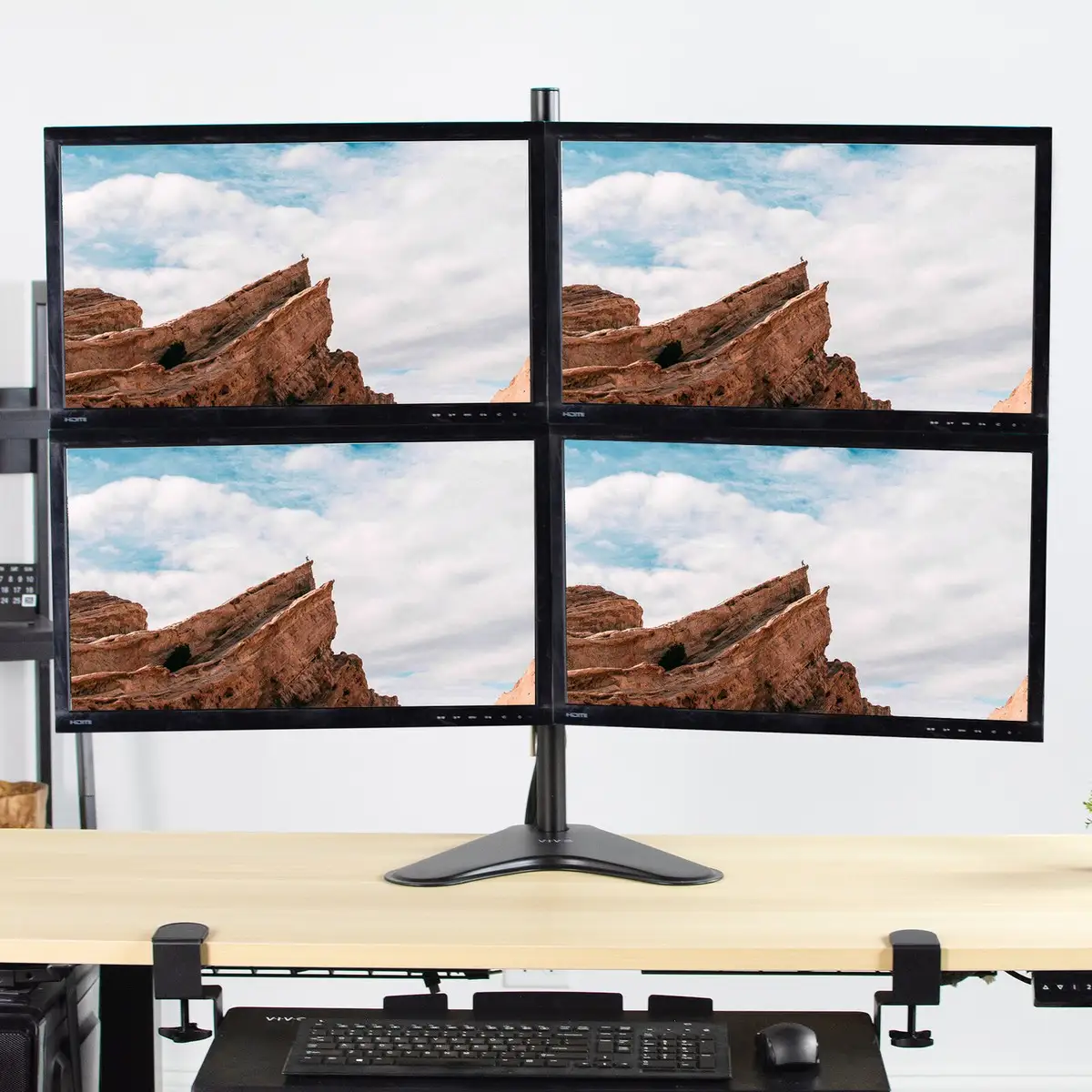
Few office accessories spark this much cross-platform praise: the VIVO Quad Monitor Free-Standing Mount STAND-V004F earns a strong 8.6/10, largely for delivering stability and flexibility at a price point that undercuts many competitors. Comments range from glowing endorsements of its "sturdy and premium" build to practical advice about arm alignment and desk space recovery.
Quick Verdict: Conditional Buy
| Pros | Cons |
|---|---|
| Solid steel and aluminum construction praised for durability | Base stability issues if monitors are pulled forward without bolting |
| Flexible tilt, swivel, and rotation for ergonomic setups | Arm alignment requires manual tweaking to achieve symmetry |
| Individual VESA plate height adjustment for perfect alignment | Clamp vs. base choice impacts stability — users prefer clamp |
| Integrated cable management system keeps cords tidy | Heavier monitors push weight capacity limits |
| Fits 13"–30" screens up to 17.6 lbs each | Requires patience during installation for optimal setup |
| Affordable compared to similar multi-monitor mounts | Some users report aesthetic bulk on smaller desks |
Claims vs Reality
Heavy-duty build quality
Marketing emphasizes "high grade steel and aluminum" for lasting durability. Reddit user reported: “...was impressed by the quality of the mount, how sturdy and premium it was,” noting the arms held steady even after heavy daily use. Trustpilot and eBay buyers support this, describing the finish as scratch-resistant and the joints as “tight yet smooth.” The only deviation from the claim came from buyers who didn’t use the clamp option: "The base is a bit cheap, you have to get rough with the arms to get them perfectly symmetrical.”
Perfect monitor alignment
The brand highlights adjustable VESA plates — up to 1 inch vertically — to line up screens. While several users confirm this works, screen alignment hinges heavily on monitor design. One Reddit comment warned, “Screen alignment also depends on whether the VESA holes are in the same location on each monitor,” meaning mismatched hole positions can negate the alignment perk.
Cable management efficiency
VIVO’s built-in cable clips are marketed as making organization “a breeze.” Multiple users echoed this, with one Reddit user adding, “works great! easy cable management too :)”. The neat arrangement reportedly benefits streamers and designers alike, preventing cord snags during arm adjustments.
Cross-Platform Consensus
Universally Praised
One of the loudest positives across Amazon, Reddit, and eBay is its stability with four mid-sized monitors when mounted correctly. A verified buyer on Amazon noted: “Solid desk anchoring freed up huge amounts of workspace.” For programmers, the portrait orientation capability stands out: “It helps a lot to have an email open and view all the text, or have Photoshop tools on a second screen,” wrote a Reddit user. Gamers benefit from the swivel and rotation: balcony setups have featured side monitors angled inwards for immersion.
Cable tidiness is another headline win. Designers with multiple peripherals appreciate the integrated clips, with one Trustpilot review praising, “Clean lines even with power bricks and adapters.” The cost advantage is equally celebrated — Reddit threads highlight it costing nearly half of similar mounts without losing key functionality.
Common Complaints
The biggest pain point? Base stability without bolting. Newegg lists a stability warning: “Please do not pull monitor(s) too far forward or backward unless the stand is bolted down.” Users who persisted with the freestanding option mention rocking or sway during adjustments. Clamp mounting mitigates it, but isn’t viable for every desk.
Arm alignment also sparks complaints. A Reddit comment dissected: “You have to get a bit rough with the arms to get them perfectly symmetrical.” Precision build enthusiasts may find this frustrating. Heavy or ultra-wide monitors edge toward capacity limits, with one eBay buyer noting sagging over time when monitors hit the top end of the listed 17.6 lbs.
Divisive Features
The aesthetic footprint divides buyers. Minimalist desk users say it “dominates the setup” compared to sleeker mounts, while others value that bulk as visual assurance of strength. Orientation options also split users: portrait setups thrilled coders and vertical media readers, but gamers tended to keep all screens landscape, reducing the extra tilt value.
Some see assembly as “easy to build and use,” in line with marketing. Others describe a more meticulous process involving multiple adjustments to achieve level screens, especially with mismatched monitor models.
Trust & Reliability
Trustpilot shows confidence in VIVO’s 3-year warranty and U.S.-based support team. Buyers feel “never left hanging” when replacements or technical questions arise, often receiving prompt email replies. Longterm Reddit accounts back durability claims: setups from “over a year ago” remain intact with “no joint loosening” when bolts were tightened post-assembly.
Sellers’ feedback on eBay echoes high satisfaction levels — 99%+ positive scores for multiple distributors. However, the stability complaints suggest trust hinges on following manufacturer mounting recommendations.
Alternatives
Within user discussions, the EZM Basic Quad 4 LCD LED Monitor Mount Stand surfaces as a competitor at $59.95, praised for simplicity but lacking individual VESA plate height adjustments. Premium options like Startech Quad Monitor Stand Steel at $338.96 offer more refined arms, though community members often judge them “overpriced” unless corporate budgets justify it. Several Redditors suspect many generic mounts “just put their own badge on” similar frames, making VIVO’s pricing feel all the more attractive.
Price & Value
Current listings place the STAND-V004F between $68.99 and $79.99 new across platforms, with resale values around $45 used on eBay — indicating strong retained value for a peripheral accessory. Comparisons show it undercuts triple monitor mounts from other brands, sometimes even beating them in capacity. Community buying tips emphasize snagging sales directly from manufacturers or Amazon’s “Amazon’s Choice” tag for swift shipping.
FAQ
Q: Can it be used with monitors bigger than 30 inches?
A: Officially no — while some users tried attaching 32-inch panels, weight and fit pushed limits, occasionally causing sagging arms.
Q: Is clamp mounting better than the base?
A: Yes for stability. The clamp secures solidly to desks up to 3.25" thick and reduces wobble seen with the freestanding base.
Q: How difficult is installation?
A: Most say manageable if you follow instructions. Detachable VESA plates make it easier, though alignment tweaks take time.
Q: Can all arms swivel independently?
A: Yes — every joint can be tightened or loosened to control movement range, enabling highly customized layouts.
Q: Does cable management accommodate thick HDMI cords?
A: Users confirmed thicker cables fit, though bunching multiple heavy cables in one clip may require extra zip ties.
Final Verdict: Buy if you’re a multi-monitor power user — coders, streamers, traders — needing a stable, adjustable mount under $80. Avoid if you plan to exceed 30-inch screens or refuse to use the clamp mount. Pro tip from Reddit: “Tighten all bolts after initial setup and you won’t touch them again for years.”






