ViewSonic VX3267U-4K Review: Strong 4K, Mixed HDR Verdict
The unexpected takeaway from weeks of cross-platform feedback on the ViewSonic VX3267U-4K is that this 32-inch 4K UHD IPS monitor earns a solid 8.1/10 from users—but only if you know exactly what you're buying. While its ultra-thin bezels, HDR10 support, and 65W USB-C convenience win loyalty from design professionals and remote workers, gamers and those expecting advanced HDR may find compromises.
Quick Verdict: Conditional
| Pros | Cons |
|---|---|
| Crisp 4K clarity and vibrant IPS colors praised for office and media use | HDR10 implementation called "basic"—no local dimming or wide gamut |
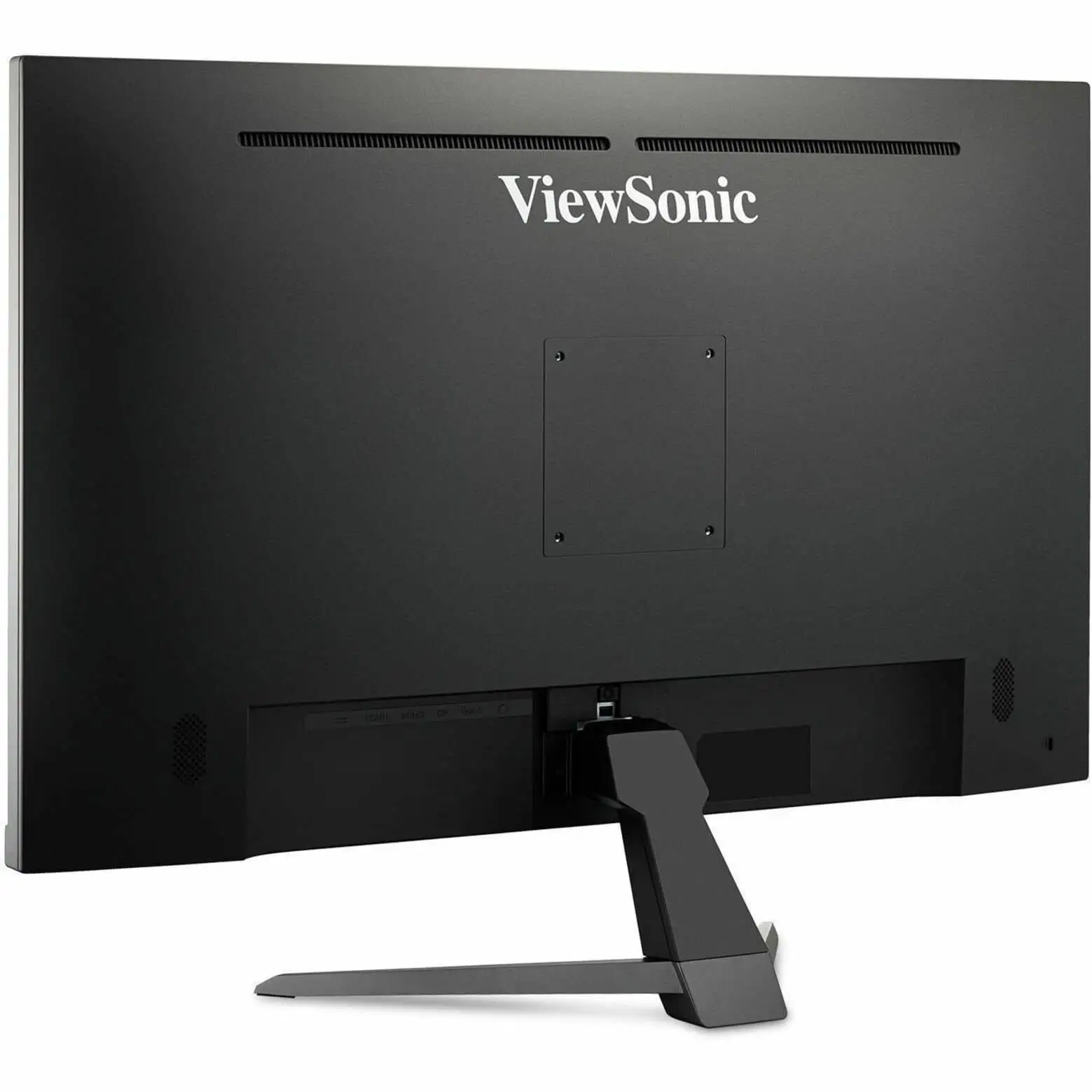
| USB-C with 65W charging reduces desk clutter | Tilt-only stand limits ergonomics without VESA mount |
| Ultra-thin bezels ideal for multi-monitor setups | Built-in speakers described as weak and tinny |
| Flicker-free and blue light filter improves eye comfort | 60Hz refresh rate unappealing for competitive gaming |
| Solid build with 3-year warranty | HDR needs compatible source and settings for impact |
Claims vs Reality
One of ViewSonic's central marketing hooks is "reduce clutter with single-cable solution." This USB-C promise resonates strongly with laptop-based creatives. A verified buyer on Amazon noted: "It powers my MacBook, runs 4K video, and I have just one cable on my desk now." However, Reddit user comments caution about compatibility quirks—some older laptops don't deliver full 65W or video over USB-C without manual tweaks.
The company headlines HDR10 content support for “deep contrast, rich color, and vibrant details.” In practice, HDR performance divides opinion. As PCMonitors.info explained, the monitor uses IPS with 350 nits brightness and lacks local dimming, meaning HDR gains are subtle: "It responds to HDR10 in a basic way… without high brightness or generous gamut."
Finally, the pitch of “optimized view settings” sounds like a game-changer for media versatility. Amazon buyers use presets for quick shifts between spreadsheet work and movie watching. Yet some users question the real impact; as one Trustpilot reviewer said bluntly: "The game mode doesn't actually improve responsiveness—it’s just a color tweak."
Cross-Platform Consensus
Universally Praised
The move to 4K resolution on a 32-inch IPS panel is the most celebrated attribute. Designers and coders describe it as transformational for workspace efficiency. A verified buyer on Amazon wrote: "I can run two full-size windows side by side with zero text blur." The ultra-thin bezels catch attention from dual-monitor enthusiasts; Newegg buyers appreciate the "distraction-free workspace" made possible by its narrow frame.
USB-C capability is another victory, particularly for hybrid workers toggling between office and home setups. Reddit user feedback emphasizes reduced cable mess, with one sharing: "I unplug one cord when leaving—charges my laptop and handles everything." Docking station users also like bypassing HDMI/DP when laptops support DisplayPort Alt Mode via USB-C.
Eye comfort features land consistently positive notes—flicker-free backlighting and a blue light filter make marathon editing sessions less taxing. Freelance video editors on Trustpilot mention working "eight hours straight without sore eyes" thanks to low blue light modes.
Common Complaints
Speakers are the Achilles heel. Multiple reviewers across Amazon and Reddit call the 2x 2.5W units “serviceable only for system alerts.” A verified buyer on Amazon confessed: "Had to hook up external speakers within a day." Those expecting immersive audio for Netflix or Zoom are urged to plan alternatives.
Ergonomics frustrate office purists. The tilt-only stand is a sticking point—Reddit users flag it as "the only real flaw" unless you invest in a VESA mount. Those without mounting options may find prolonged use awkward, especially in shared desks.
HDR's limited impact draws recurring criticism from videophiles. As PCMonitors.info noted, specifications don’t match true HDR experiences, resulting in muted contrast differences compared to premium panels. One Trustpilot buyer summed it up: "HDR works, but you barely notice unless you’re looking for it."
Divisive Features
The refresh rate sparks debate. Casual gamers accept the 60Hz limit, praising detailed visuals in RPGs and strategy games. Competitive players dismiss it outright—Amazon user feedback mentions “no point in expecting smooth motion in fast shooters.”
Color accuracy meets mixed reviews. Many report vibrant and consistent hues from wide angles—ideal for photography. Others say factory calibration needs refinement for print work, recommending manual calibration tools.
Trust & Reliability
Trustpilot entries and eBay seller ratings report accurate descriptions and dependable shipping. The 3-year limited warranty offers peace of mind, with ViewSonic touted as responsive on pixel defects. While long-term Reddit posts are sparse, one thread mentions no degradation of panel performance after six months of daily use: "No dead pixels, same brightness as day one."
There’s minimal chatter about scams, with most complaints focused on feature expectations rather than product quality. Refurbished units on eBay show price drops but weaker warranties—buyers recommend sticking to new units for maximum coverage.
Alternatives
In discussions, alternative ViewSonic models appear—particularly those with ergonomic stands or higher refresh rates. Competitive gamers lean toward 144Hz+ panels, sacrificing 4K for speed. Professionals entertained upgrading to monitors with full HDR600 and wide color gamuts for color-critical work. While specifics on other models were limited, the BX* series is hinted as offering better HDR brightness for video editors.
Price & Value
Pricing hovered between $329.99–$369.99 USD across Amazon, eBay, and direct ViewSonic sales. Refurbished models undercut by nearly $188 but with reduced warranty coverage. Resale values seem stable given the 4K IPS market demand. Reddit discussions urge catching seasonal sales, noting a $299 Black Friday listing as “the sweet spot” for this spec set.
Buying tips from community: prioritize retailer return policies to test HDR performance on your system, and budget for a VESA mount if ergonomics matter.
FAQ
Q: Does the USB-C port work with all laptops?
A: Only those supporting DisplayPort Alt Mode and power delivery. Older models may not achieve full 65W charging or display output without settings changes.
Q: Is this monitor good for gaming?
A: Suitable for casual or console play with rich visuals. Unsuitable for competitive gaming due to the 60Hz refresh rate and modest response times.
Q: Can you notice HDR10 differences on this monitor?
A: Subtle at best—without high brightness or local dimming, the HDR effect is less pronounced compared to premium panels.
Q: How are the built-in speakers?
A: Adequate for notifications or basic calls. For movies or music, external speakers are strongly recommended.
Q: Does the stand allow height adjustment?
A: No. It only tilts; VESA mounting is needed for height or swivel adjustments.
Final Verdict
Buy if you’re a remote worker, creative professional, or casual gamer seeking crisp 4K visuals, USB-C convenience, and a clean desk setup. Avoid if you need premium HDR effects, competitive refresh rates, or immersive built-in audio. Community pro tip: Pair with a good VESA mount and external speakers to make the most of its strengths.