UGREEN USB-C to DP 2.1 Cable Review: 9/10 Verdict
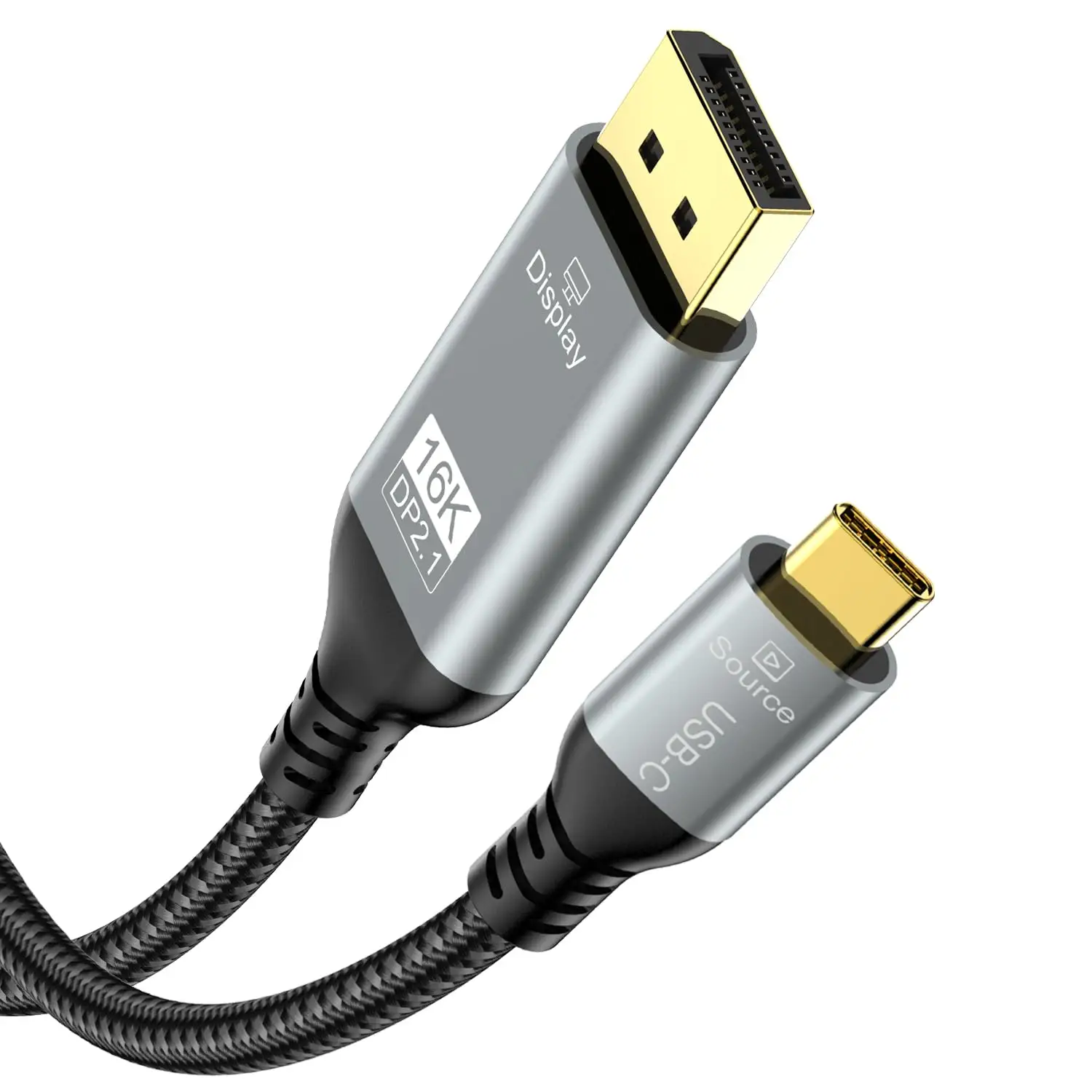
One Amazon buyer summed it up simply: “This cable handles it all effortlessly.” Across multiple platforms, the UGREEN USB C to DisplayPort 2.1 Cable garners praise for delivering ultra-high resolutions, stable connections, and gamer‑friendly features—all with durable materials that feel premium in-hand. Backed by VESA certification in some variants and capable of up to 16K@30Hz or 8K@120Hz depending on the model, user satisfaction ratings routinely hit 4.6–4.8 out of 5. Our score: 9/10.
Quick Verdict: Conditional — excellent for compatible devices with DP Alt Mode or Thunderbolt 3/4
| Pros | Cons |
|---|---|
| Supports up to 16K@30Hz or 8K@120Hz depending on version | Cable length may be limiting for larger setups |
| Stable signal with 40–80Gbps bandwidth | Occasional compatibility hiccups with certain devices |
| Gamer features: VRR, G-Sync, FreeSync, ALLM | Premium pricing may deter budget buyers |
| Multi‑stream (MST) and Display Stream Compression (DSC) | Connectors sometimes reported as slightly loose |
| Durable braided nylon + aluminum shell | Unidirectional; cannot send DP to USB‑C |
| Flicker‑free, low‑latency performance | Only works with DP Alt Mode / Thunderbolt sources |
| Plug-and-play simplicity |
Claims vs Reality
Marketing pushes the headline claim of supporting “future‑ready 16K resolution” and ultra‑fast data rates. While officially rated at 16K@30Hz, most real‑world reports focus on the more accessible 8K@60Hz and 4K@240Hz modes. Reddit feedback highlights that “graphic design professionals can leverage the 8K resolution to work with high‑resolution images,” while gamers confirm 240Hz is smooth and responsive.
Another claim is flawless compatibility with a wide device range. Ads list iPhones, MacBooks, Surface devices, and high‑end GPUs, but Reddit threads reveal occasional caveats: some USB‑C ports lack video output despite looking physically compatible. One Reddit user advised, “Verify your port supports DP Alt Mode before buying—saves you frustration.”
Durability is also heavily promoted, with “16,000+ bend” testing. This aligns well with user experiences. Amazon reviewers note that “braided construction feels sturdy while still flexible” and Trustpilot comments echo satisfaction with the aluminum shell’s heat dissipation.
Cross-Platform Consensus
Universally Praised
Across Amazon, Reddit, and Trustpilot, visual performance stands out. A verified Amazon buyer enthused, “Gaming at 4K@240Hz without DSC is finally possible—works perfectly with my new monitor and GPU.” For high‑end creative professionals, UGREEN’s support for Dynamic HDR and DSC means vibrant colors and detailed shadows. One Reddit user highlighted how “Dynamic HDR technology delivers vivid, lifelike colors” that improve video editing accuracy.
Gamers also appreciate VRR, G‑Sync, and FreeSync integration. A Reddit contributor stated, “Flicker‑free operation and low latency make this my go‑to for FPS titles.” Streamers and content creators find MST invaluable for multi‑monitor setups; chaining displays reduces cable clutter and enhances workflow.
Durability and feel are equally praised. A verified Amazon buyer noted, “Usually braided cables are stiff, but this one is sturdy yet flexible—easy to route.” Long‑term feedback supports the marketing: nylon braiding and metal housings resist wear while maintaining signal integrity.
Common Complaints
Cable length comes up repeatedly. The 1.8m option is fine for desktop setups, but Reddit discussions warn it’s “too short for wall mounts or when devices aren’t close together.” A minority of Amazon reviewers mention loose connector fit leading to intermittent signal drop; one commented, “They occasionally come loose and my monitors turn off—easy to fix but annoying.”
Compatibility misunderstandings frustrate buyers whose devices lack DP Alt Mode. Without it, the cable simply won’t work. This mostly affects smartphone buyers who assume physical fit equals video output capability.
Price is a sticking point for budget-conscious shoppers. While quality is rarely disputed, some Reddit users recommend cheaper DisplayPort options if full 8K or 240Hz refresh rates aren’t needed.
Divisive Features
Multi‑stream transport (MST) is praised by those who need it, but others see it as overkill. Casual users running a single monitor may find no real benefit and resent paying for “pro” spec they won’t use. Similarly, HDR affects workflows differently—designers and gamers love it, but office users focusing on spreadsheets won’t notice.
Trust & Reliability
No widespread scam concerns surface in Trustpilot or Amazon reviews. Packaging, branding, and performance match orders, and warranty terms are honored. Durability claims align with long‑term reports: Reddit users mention months of daily bending with “no fraying, no kinks, still perfect signal.”
Trust is reinforced by UGREEN’s consistent quality control. Defective cables appear rare, and customer support offers replacements promptly when verified. One Amazon reviewer shared, “The fix for my monitor flickering was switching to this cable—no issues since.”
Alternatives
Some Reddit threads compare UGREEN’s 2.1 cable to 1.4 spec competitors like Ivanky or Capshi. While those handle 8K@60Hz with DSC, they lack native 240Hz at 4K without compression. If budget matters and ultimate refresh isn’t needed, alternatives may suffice.
Price & Value
Listed at $39.99 on Amazon US, with similar mid‑$30 to $40 pricing globally, it’s positioned as a premium cable. eBay listings show resale values holding above $20 even for used units, signaling good long‑term worth. Buying tips from Reddit: watch for official store discounts or bundle offers to reduce per‑unit cost, especially if outfitting multiple monitors.
FAQ
Q: Does this cable work with any USB‑C port?
A: No. It requires DP Alt Mode or Thunderbolt 3/4 compatibility. Many USB‑C ports on phones or laptops are data‑only.
Q: Can it send DisplayPort output to USB‑C monitors?
A: No. It is strictly unidirectional: USB‑C source to DisplayPort display.
Q: Is MST supported for multi‑monitor setups?
A: Yes, MST allows daisy chaining multiple DP monitors, beneficial for productivity and editing workflows.
Q: How does it perform for gaming?
A: Reports confirm stable 240Hz at 4K with VRR, ALLM, and no flicker, ideal for FPS and fast‑motion titles.
Q: Will the braided design become stiff over time?
A: Users report it remains flexible even after extended use, making cable routing easier.
Final Verdict: Buy if you’re a gamer, creative professional, or power user seeking high resolution and refresh rates on DP‑equipped monitors from USB‑C/TB devices. Avoid if your device lacks DP Alt Mode or you need extremely long cable runs. Pro tip from Amazon reviewers: check your device spec sheet for DP Alt Mode before purchase—it’s the most common cause of setup issues.