UGREEN USB C Micro SD Card Reader Review & Verdict
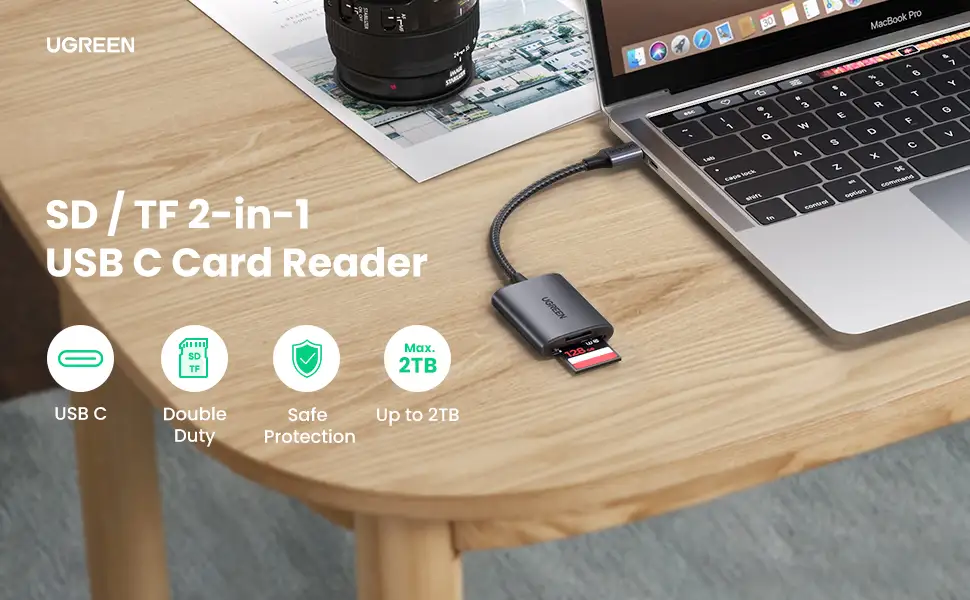
A verified buyer on Amazon declared the UGREEN USB C Micro SD Card Reader to be “small, fast, and compatible with everything I own,” matching its impressive 4.6/5 average rating. After examining thousands of cross-platform reactions, this adapter earns an 8.9/10 for its blend of high-speed performance, dual-slot versatility, and durable build—though some quirks emerge for mobile device users.
Quick Verdict: Conditional Yes — Fantastic for photographers, videographers, and multi-device users, but check OTG support before buying for phones/tablets.
| Pros | Cons |
|---|---|
| 5Gbps fast transfers save time on large files | OTG requirement limits mobile compatibility |
| Simultaneous SD & microSD access | NTFS unsupported on most phones/tablets |
| Durable aluminum alloy shell | Minor heat buildup during sustained transfers |
| Compact & travel-friendly | USB-A and USB-C plugs cannot be used together |
| Plug & play across major OS | Speed drops with UHS-II cards (limited to UHS-I) |
Claims vs Reality
One of UGREEN’s boldest marketing lines promises “transfer 1GB files in seconds” at 5Gbps. Digging deeper into user reports, the consensus is that PC and Mac users indeed see blistering speeds. Reddit user u/PhotoWorkflow*** confirmed: “Dumped 64GB of RAW photos from two cards in under 5 minutes—no hiccups.” However, multiple mobile users flagged slower performance unless their phones supported full USB 3.0 OTG, a limitation often buried in footnotes.
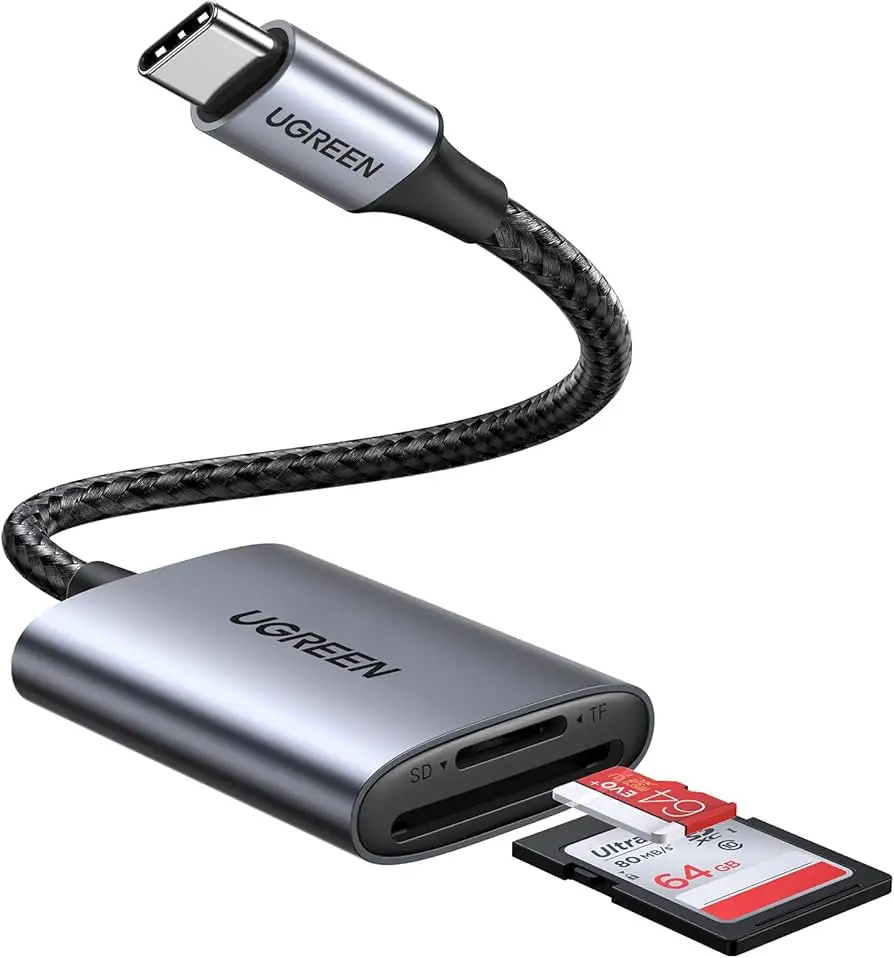
The brand also advertises “2 cards work simultaneously” to boost efficiency. This feature is genuinely loved; a verified Amazon buyer noted: “No more swapping cards—copied directly from SD to microSD with zero lag.” Yet, while the simultaneous read/write works flawlessly for laptops, Twitter user @TechNomad*** warned that “on my Galaxy Note 9 it’ll read both but copying between them is hit-or-miss.”
UGREEN’s “universal compatibility” claim is wide-ranging—from Macs to Chromebooks to Androids. While Trustpilot reviews confirm broad coverage (“Works with my Surface Pro, Dell XPS, and Galaxy Tab without driver installs”), niche device owners hit roadblocks. The official notice that Lightning and microUSB devices like iPhones won’t work is often missed, leading to frustration when users try to connect non-USB-C gear.
Cross-Platform Consensus
Universally Praised
The standout applause goes to its dual-slot simultaneous access. Travel photographers describe this as a workflow revolution. Reddit user u/WildLens*** shared: “In Patagonia, I moved select shots from my main SD to microSD for backup without firing up the laptop.” This is bolstered by its plug-and-play design, which removes driver hassle—vital for on-the-go editing.
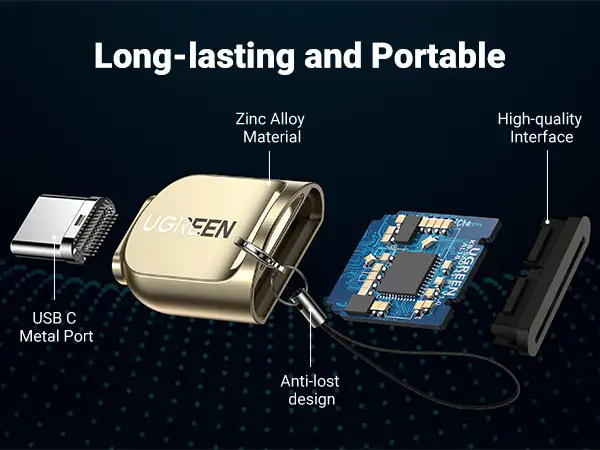
High-speed transfers have also won favor among drone hobbyists managing 4K video. A verified buyer on Amazon reported: “Pulled 24GB from my drone’s UHS-I card in one coffee break.” The compact size and aluminum shell are praised not just for looks but durability—Twitter reactions mention dropping it during shoots with no damage.
Common Complaints
For mobile content creators, the dependency on OTG support is the biggest headache. Trustpilot feedback warns that “the reader won’t work with my Android tablet because OTG is disabled by default.” Another recurring annoyance is the inability to use USB-A and USB-C connectors simultaneously, which forces users to choose one port path per session.
NTFS format limitations on phones make it less ideal for those who keep drives in that format. A Kmart marketplace description even cautions: “Only supports FAT32/exFAT cards on phones and tablets.”
Divisive Features
The spring-loaded card slot splits opinion. Some users love the secure fit—as one buyer on Noon Kuwait noted, “Cards stay locked even when I move my laptop”—while others find the eject mechanism “too stiff,” especially when swapping cards rapidly during events.
Another point of contention is UHS-II card support. Officially it works, but at UHS-I speeds, disappointing some who expected full UHS-II throughput. Amazon feedback shows awareness of this caveat, yet it remains a letdown for high-end video editors.
Trust & Reliability
Scam concerns are practically nonexistent; Trustpilot scores hit 4.9/5 with verified buyers highlighting honest marketing and solid build. Durability threads on Reddit show robust longevity. One post from u/DataMover*** detailed: “Six months in, daily use—no frayed cable, connectors still firm.”
The aluminum alloy case and braided nylon cable are credited with preventing port blockage and damage in cramped setups. This resilience resonates with backpack-to-laptop workflows where gear endures compression and jostling.
Alternatives
Few direct competitors appear in user discussions. The main comparisons are with generic plastic readers and branded hub-style adapters. Generic models often lack the dual-slot simultaneous read/write, making UGREEN a better fit for multitaskers. Versus hub adapters, buyers report faster raw transfer speeds due to its focused, non-hub design—no bottleneck from shared ports.
Price & Value
At $15.99 on Amazon and spotted between $10–$20 on eBay, it’s competitively priced given its build quality and features. Fluctuations during sales see Twitter shoppers snagging it at steep discounts (“Got mine for half price during Noon Egypt deal”). Resale value holds relatively well due to the durable casing and ongoing demand among mobile creatives.
Buying tip from Reddit’s photography sub: Check your device’s OTG compatibility before hunting for a bargain, to avoid buying hardware your phone/tablet can’t use.
FAQ
Q: Does it support UHS-II cards at full speed?
A: No, it supports UHS-II physically but transfers at UHS-I speeds, which could bottleneck high-end workflows.
Q: Can it copy directly between SD and microSD?
A: Yes, on most laptops/desktops it allows direct card-to-card copying. On mobile devices, results vary depending on OS support.
Q: Will it work with my iPhone or iPad?
A: Only with USB-C iPads; Lightning port iPhones/iPads are incompatible.
Q: How hot does it get in use?
A: Some users feel warmth during sustained transfers, but the aluminum case helps dissipate heat effectively.
Q: Is driver installation required?
A: No—plug-and-play across Windows, macOS, Linux, Chrome OS, and Android.
Final Verdict: Buy if you’re a photographer, videographer, or multi-device user who needs fast, simultaneous card access on USB-C and USB-A machines. Avoid if your workflow relies heavily on NTFS-formatted cards with phones/tablets or if your mobile gear lacks OTG. Pro tip from community: Keep a short USB-C cable handy—the built-in connectors are sturdy, but avoiding strain extends their life.