UGREEN USB Bluetooth 5.3 Adapter Review: Mixed Verdict
The surprising twist with the UGREEN USB Bluetooth 5.3 Adapter for PC is that while the product markets advanced Bluetooth 5.3 stability and low latency, multiple first-hand reports show driver limitations that undermine these promises. Across platforms, buyers rate it between 4.1 and 4.3 stars, but digging deeper reveals a score closer to 6.5/10 when factoring in real-world reliability, especially for mixed-device setups on Windows.
Quick Verdict: Conditional – Best for Windows users with straightforward headphone/speaker setups, but risky for gamers or multi-device professionals.
| Pros | Cons |
|---|---|
| Plug-and-play on Windows 11/10/8.1 | Driver uses generic Microsoft 2006 version – limits full Bluetooth 5.3 features |
| Compact, portable form factor | Frequent disconnections with controllers and phones on Windows |
| Supports multiple simultaneous devices | Latency issues reported vs older BT 4.0 adapters |
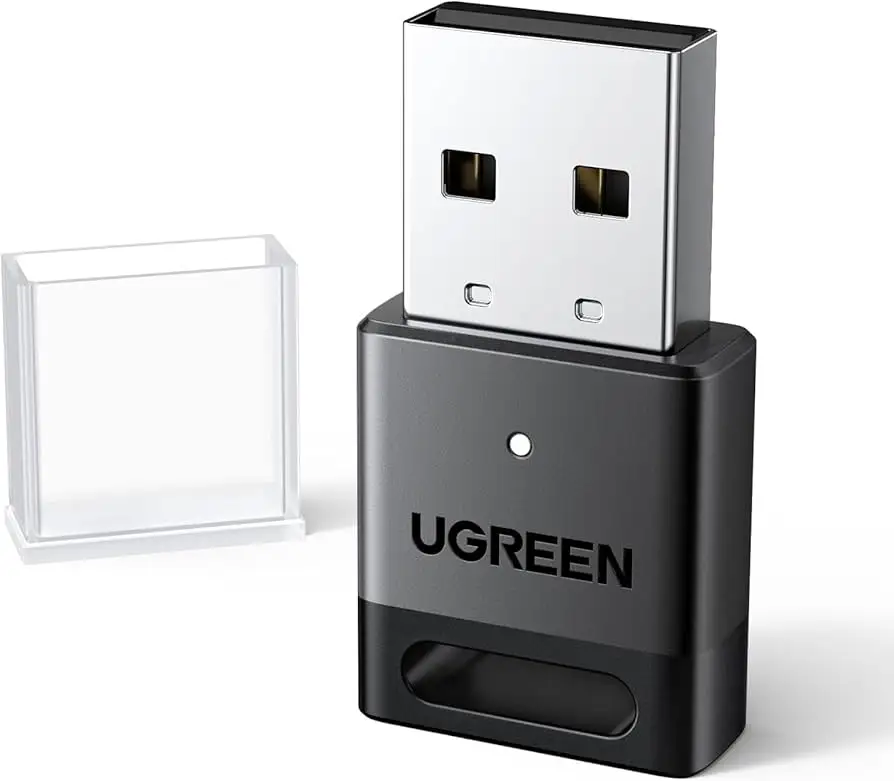
| Good performance with audio devices on compatible systems | Not compatible with macOS/Linux/consoles directly |
| Affordable pricing | Poor range and stability in some Windows environments |
Claims vs Reality
The central marketing claim is that the adapter’s Bluetooth 5.3 chip “greatly improves the stability of the connection” with “low latency” and “up to 5–7 devices simultaneously connected.” However, Reddit user comments challenge these points; one buyer shared: “I found out it uses a generic Microsoft driver from 2006 and it basically isn’t a 5.3 experience… my devices keep disconnecting.” This shows a stark gap between promoted performance and driver-dependent reality.
UGREEN also advertises “zero latency” for gaming and streaming. While an Amazon.de listing promotes “latency-free gaming,” users on Trustpilot and Reddit report different results. “Latency was way worse for the 5.3 BT adapter. One guy said his BT 4.0 was significantly better,” noted a Trustpilot contributor. This suggests the bottleneck isn't the hardware alone, but the Windows driver handling.
Another repeated promise is simultaneous multi-device pairing “without interference.” While officially possible, cautionary feedback states the limitation: two audio devices (like two headphones) cannot play at once. As an Amazon.de Q&A clarified, “Unfortunately not simultaneously with 2 identical Bluetooth devices.” This can be a deal-breaker for those wanting dual-headphone streaming.
Cross-Platform Consensus
Universally Praised
Even critical buyers agree on the physical design and ease of initial setup. A verified Amazon buyer wrote: “No driver installation is required under Windows 11/10/8.1, plug and play, worked instantly with my Bluetooth mouse.” The miniature profile means it can stay inserted without blocking other ports, attracting users who travel with laptops frequently. Reddit voices also mention that on Linux variants like Zorin OS, performance stabilizes: “I was able to connect 2 cell phones, 1 speaker and 1 headset perfectly.” This hints at solid hardware potential when paired with non-Windows drivers.
For single audio device use—such as Bluetooth headphones or speakers—the adapter often performs reliably. On Windows 11, users reported smooth playback without stutter, supporting community-endorsed scenarios like streaming music while browsing.
Common Complaints
Disconnection problems dominate negative feedback, particularly when pairing with controllers. Reddit user testimony highlights: “My devices keep disconnecting. I’m trying to connect 1 PS4 and 1 PS5 remote.” Trustpilot reviews echo this, noting that “constant disconnections to other devices” occur and troubleshooting is hampered by unavailable dedicated drivers.
Range and latency fail to meet advertised specs in certain environments. Buyers expecting advertised “20 m transmission” under ideal conditions sometimes report unstable connections beyond a few meters. Driver incompatibility also affects cross-device usage—cell phones, in particular, struggle. One Windows 11 adopter stated: “When pairing with a cell phone, it cannot connect or drops connection.”
Another frustration is the misleading perception of Bluetooth 5.3 performance. As Reddit discussions confirm, “there’s no way to verify it” because the adapter still uses older MS driver logic, making the numerical version more of a label than functional guarantee.
Divisive Features
Multi-device support is one area where feedback splits. Some users enjoy connecting the max supported (mouse, keyboard, headset, phone, gamepad) without interference, especially on desktop PCs. Others run into intermittent cutouts when juggling devices with heavy data needs (e.g., streaming audio while using a controller). The anti-interference claim enjoys partial support when tasks are lightweight (e.g., mouse + keyboard), but fragility shows up under dynamic loads.
Backward compatibility also draws mixed reactions. While it helps owners of older Bluetooth peripherals, some argue it negates the supposed speed benefits of 5.3 if used primarily with older standards.
Trust & Reliability
On Trustpilot, reliability concerns surface repeatedly: “None of the UGREEN wireless products I’ve had work properly even after updating drivers… save your time and money.” This skepticism is amplified by driver stagnation—UGREEN relies entirely on Microsoft’s stock Bluetooth driver, which maintains a nominal “2006” version tag. For buyers equating latest hardware with actively updated software, this is a mismatch.
Long-term use narratives are scarce, but short-term frustration is high enough to suggest limited confidence for mission-critical setups. The recurring workaround—disable built-in Bluetooth modules before connecting—adds a layer of hassle not seen in premium models.
Alternatives
Within community threads, only the Creative BT-W5 5.3 dongle is offered as a direct competitor. Reddit users note its limitation to audio devices only, but praise its latency and stability, leading some to run two dongles (Creative for sound, UGREEN for peripherals). This underscores a specialized niche: those needing multi-device support may stick with UGREEN, while audio purists migrate to Creative.
Price & Value
UGREEN’s pricing varies from $5.55 on sale (Amazon with code) to €12.99 in European markets. On eBay, resale values hover around $9.99–$12.00 plus shipping. This affordability wins it consideration for casual use, but as Reddit and Trustpilot suggest, “rather pay more and get a low-profile one” for guaranteed performance. Buyers who leverage sales find the cost–benefit ratio acceptable for basic audio/headphone usage on Windows.
FAQ
Q: Does the UGREEN 5.3 dongle work with consoles like PS5 or Xbox directly?
A: No, it cannot be used directly on consoles, but can connect supported controllers to a Windows PC. For consoles, the separate UGREEN audio transmitter version is required.
Q: Can I connect two headphones at the same time?
A: No, simultaneous playback is limited to one audio device. You can connect multiple different device types, but identical audio devices won’t stream concurrently.
Q: What’s the real range performance?
A: While advertised at up to 20 m in open space, multiple reports indicate stability drops significantly beyond a few meters in real-world home setups.
Q: Does it have its own driver for Bluetooth 5.3?
A: No, it uses Microsoft’s generic Bluetooth driver, which can limit full 5.3 feature access and affect performance with certain devices.
Final Verdict: Buy if you need a cheap, compact Bluetooth dongle for audio streaming or light peripheral use on Windows; avoid if you require verified low-latency multi-device gaming or stable controller connections. Pro tip from community: disable your PC’s built-in Bluetooth in Device Manager before plugging it in to minimize conflicts.