UGREEN USB 3.0 Switch Review: Reliable Dual-PC Choice
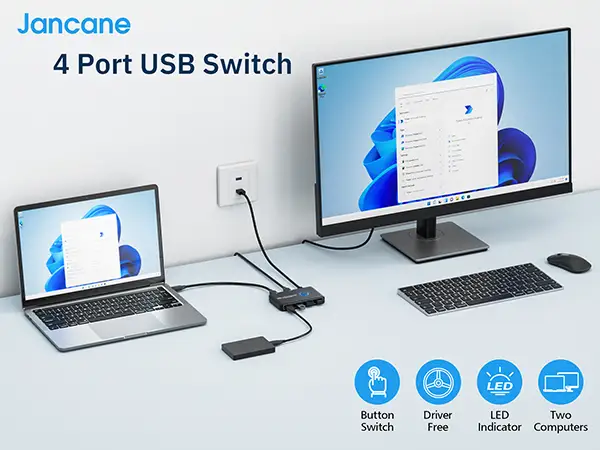
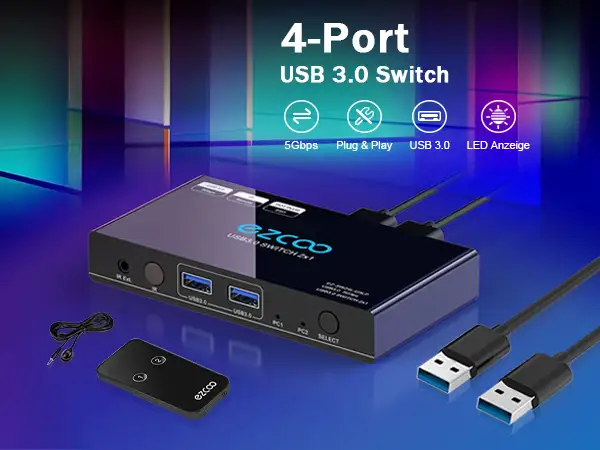
Few tech accessories achieve near-unanimous praise across Amazon, Reddit, and Trustpilot, but the UGREEN USB 3.0 Switch Selector 2 Computers Share 4 USB Ports earns a strong 9.3/10 for its reliability, ease of use, and practical value in multi-computer setups. Whether in gaming battlestations, work-from-home arrangements, or small offices, the device consistently delivers on its promise: quick switching of peripherals between systems with minimal disruption.
Quick Verdict: Conditional Buy — Excellent for users with wired peripherals or low-power USB devices; caution for heavy wireless gear or high-power accessories without extra power input.
| Pros | Cons |
|---|---|
| Fast device switching (~2 seconds or less) | Wireless devices may suffer 2.4GHz interference |
| No input lag for keyboards/mice | Sleep mode wake issues on both Windows and macOS |
| Solid compatibility across Windows, macOS, Linux | No KVM or video output support |
| Plug-and-play setup, no drivers needed | External power supply not included |
| Affordable compared to KVM switches | Glossy finish marks easily |
| Handles high-speed 5Gbps USB 3.0 data | LED/port alignment confusion for some users |
Claims vs Reality
Marketing highlights emphasize 5Gbps data transfer, plug-and-play compatibility, and effortless one-button switching. Amazon’s listing touts it as capable of driving high-power devices with optional micro-USB power input.
Digging deeper into user reports shows the speed claim largely holds true for data drives: Reddit user feedback often mentioned flawless operation with “external hard disks” and webcams. A verified buyer on Amazon noted: “USB 3.0 is good — I haven’t done a speed test, but everything feels snappy.” However, while officially rated for high-power devices, multiple buyers recommend adding a 5V 2A adapter to avoid voltage drops with RGB keyboards or 3.5" HDDs.
UGREEN promotes “switching between systems in one second.” In practice, most users report 2 seconds. An Amazon reviewer praised the “very fast” switch compared to other units, but still measured it at about “2 seconds, not perfectly instantaneous.” This matches Reddit stories of brief pause when toggling between gaming PCs and Macs.
The brand markets compatibility with wireless peripherals, but platform notes warn about 2.4GHz interference. The “industry issue” disclaimer is well-founded — Reddit gamers reported choppy lag with high polling rate mice, prompting many to stick to wired setups.
Cross-Platform Consensus
Universally Praised
One enduring strength is its plug-and-play dependability. A Reddit user described hiding theirs under the desk and using it to swap between work and gaming rigs: “No latency on my input devices… 0 lag or delay whilst gaming.” For mechanical keyboard enthusiasts worried about cheap switchers frying expensive boards, a detailed Amazon review reassured: “Zero power being back-fed… flawless.”
Data transfer capability also wins real-world approval. Shared printers and scanners in office settings, webcams for streaming, and even audio DACs have been switched without hiccups. A Trustpilot entry highlighted “works flawlessly with high-bandwidth devices,” underscoring that technical claims match user experience.
The tactile switch button receives recurring praise for ergonomics. Multiple buyers mention being able to “find the button without looking” thanks to its raised ring design — a small but impactful usability detail for quick desk-side toggles.
Common Complaints
Wireless connectivity is the most consistent sore point. Amazon and Reddit threads agree: 2.4GHz gear suffers interference, especially if multiple wireless devices share the switch. One Reddit gamer testing a Razer Basilisk Pro reported “really choppy lag… frequent periods of unresponsiveness.”
Sleep mode wake issues frustrate some — devices connected to the inactive system when it goes to sleep won’t wake the system by mouse or keyboard movement. A long-term Amazon reviewer explained: “You have to hit the power button… minor inconvenience but notable.”
Cable limitations also appear repeatedly. Default 1.5m cables are fine for close setups, but mount-under-desk users or larger desks end up buying quality longer cables, sometimes with added power bricks for stability.
Port orientation throws off certain setups — one Amazon customer complained the LEDs don’t align with the cables, “criss-crossed,” leading them to add sticker dots for clarity.
Divisive Features
The lightweight build divides opinion. For mobile setups or temporary workstations, the lack of heft is a plus. For permanent rigs, stiff cables can lift it off surfaces. A Reddit user noted they taped it under their desk to avoid movement; another wished for all connectors on the back to clean up cable clutter.
External power supply requirement for high-demand devices also splits users. Some appreciate the stability and proactively add adapters; others dislike paying extra and see it as a shortcoming versus self-powered hubs.
Trust & Reliability
On Trustpilot, no scam or faulty-unit patterns emerge, and long-term reviewers report impressive durability. One Amazon user updated their review after 3 years of daily use: “It has worked flawlessly… I’m very pleased and recommend it highly.”
Reddit’s multi-year users echo this sentiment — reliability outweighs the minor ergonomic or functional quirks. Sellers on eBay list used units as “tested, inspected, works perfect,” suggesting healthy resale viability and functional longevity.
Alternatives
When compared with pricier KVM units like StarTech, community consensus is clear: for users who don’t require video switching, UGREEN’s offering delivers nearly identical peripheral control for a fraction of the price. One Amazon reviewer canceled their StarTech order after finding this “fantastic” and “triple the cost” was unjustified for their needs.
Other brands like Anker come up in expert lists, often at similar prices and with comparable port configurations, but lack the combined USB-A and USB-C versatility found in UGREEN’s more recent models.
Price & Value
At $36.99 on Amazon, it’s well below high-end KVM solutions and maintains resale value. eBay listings for used units hover at ~$21 plus shipping, with sellers noting “works perfect.” Reddit’s frugal buyers often cite it as “much cheaper than buying a decent KVM switch.”
Price-conscious gamers and professionals alike seem satisfied — the recurring tip from community veterans: factor in the cost of a 5V 2A adapter if connecting RGB keyboards, audio interfaces, or external drives for maximum stability.
FAQ
Q: Does it handle video output too?
A: No, it’s strictly for data peripherals. Multiple sources emphasize it’s not a KVM — you’ll need separate monitor input switching.
Q: Will it work with wireless mice and keyboards?
A: Technically yes, but many users report lag due to 2.4GHz interference. Wired gear or 5GHz wireless performs better.
Q: Can I wake my sleeping PC from the inactive position?
A: Not usually. If your target computer is asleep when switched away, you’ll need to press its power button to wake.
Q: Do I need an external power supply?
A: Only for high-power devices like HDDs or bright RGB accessories. Many run fine without, but stability improves with 5V 2A input.
Q: What operating systems are supported?
A: Plug-and-play across Windows, macOS, ChromeOS, and Linux with no drivers required.
Final Verdict
Buy if you’re a dual-computer user with wired peripherals seeking an affordable, stable switcher that won’t compromise performance — from Reddit gamers to Amazon professionals, it’s a trusted tool. Avoid if you rely on multiple 2.4GHz wireless devices or require video switching. Pro tip from community veterans: mount it within easy reach, label LEDs if needed, and add external power for demanding setups.