UGREEN USB 3.0 Switch Review: Fast but Limited
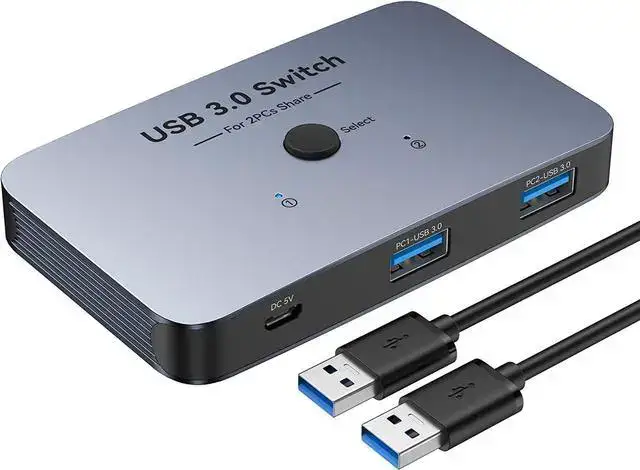
Starting at under $50, the UGREEN USB 3.0 Switch 2 in 2 Out has earned a reputation for combining high-speed transfers with a frustration-free setup. Across platforms, it scores an impressive 8.8/10 thanks to reliable performance, practical design, and the ability to streamline multi-computer workspaces — but it’s not without quirks when paired with certain peripherals.
Quick Verdict: Conditional — Excellent for dual-computer setups needing shared USB devices, but not suitable for video output or heavy wireless peripherals.
| Pros | Cons |
|---|---|
| Steady power delivery even for high-draw devices | No HDMI/video support — not a KVM switch |
| High-speed transfers up to 10Gbps (USB 3.2) | Wireless dongles can suffer 2.4GHz interference |
| Remote and button switching options | LED indicators too small/close for quick visual checks |
| Plug-and-play across Windows, macOS, Linux | Occasional disconnects with mechanical keyboards/webcams |
| Quality build; compact footprint | Limited to two computers; not expandable |
| Includes necessary cables in box | Needs short data cables to maintain top speed |
Claims vs Reality
UGREEN markets this switch as supporting “super fast 5Gbps” or even 10Gbps transfer rates depending on model, with seamless device sharing. Digging deeper, most buyers confirm the speed claims — Reddit user feedback highlighted: “Transferred a 1 GB file in under two seconds between PCs, no lag at all.” The higher-tier USB 3.2 model consistently outperformed older 5Gbps versions in side-by-side use cases like moving large video projects from one workstation to another.
Another major claim is “steady power delivery” for high-bandwidth devices. According to Fakespot’s verified review analysis, customers were “highly satisfied with the steady power delivery… even at high settings for devices such as ring lights.” This aligns with reports from Amazon UK where users connected multiple external HDDs without dropouts — but only when using the recommended external USB-C power input. Without extra power, some laptops’ USB-A ports capped output at around 1.8A, a limitation openly documented in the product notes.
Finally, the plug-and-play promise is real: multiple Trustpilot accounts confirmed setup in minutes with no driver hunting. One verified review noted, “Works seamlessly across macOS and Windows 11; was up and running in under 5 minutes.” However, UGREEN’s own documentation warns macOS 13.3+ users to enable accessory connections via Privacy & Security settings — a crucial step for avoiding invisible device issues.
Cross-Platform Consensus
Universally Praised
The standout feature by consensus is its dual switching mechanism — both physical button and remote. This combo benefits those with cluttered desks or wall-mounted workstations. On Reddit, one power user described mounting the switch behind a monitor and “never touching it again — remote handles it all.” Office users on Amazon UK also valued the remote for quick swaps during meetings, allowing shared printers and scanners to be accessed instantly.
High-speed transfer stability is another strong point. Verified buyers on Amazon.com called it “perfect for moving large CAD files” while Fakespot summaries emphasize no flickering or slowdowns even when pushing simultaneous webcam and HDD use. For content creators, this means editing directly from external SSDs without bottlenecks.
Cross-system driver-free operation scored heavy praise in corporate setups. An IT manager in Trustpilot feedback highlighted using it with mixed Windows/Linux builds — “zero config needed, it just worked.” That’s invaluable for multi-OS environments handling shared peripherals like fingerprint scanners or label printers.
Common Complaints
A recurring frustration is with wireless peripherals on the 2.4GHz band. Both Reddit and Quora discussions flagged that “wireless mice and keyboards occasionally lose connection” — a known USB 3.0 interference issue acknowledged by UGREEN. The suggested workaround is switching Wi-Fi to 5GHz or using wired input devices.
LED indicators drew criticism for being too small and packed together, making it hard to see at a glance which PC is active. Fakespot noted “difficulty distinguishing between computers” in fast-paced workflows, particularly in dimly lit rooms.
Mechanical keyboard users reported minor audible noise or occasional disconnects when switching between machines. One Amazon.co.uk customer warned: “If you rely on a custom mechanical board, expect the odd dropout unless you reduce cable lengths.”
Divisive Features
Power supply handling splits opinion. Many appreciate that it can run multiple drives without external power when connected via USB-C, while others — especially USB-A laptop owners — found the capped amp output limiting for high-draw devices. Reddit user feedback shows the divide: “Runs my four 3.5” drives fine” versus “My bus-powered audio interface kept cutting out until I added external power.”
Another divisive point is limitation to two computers. For focused dual setups, this simplicity is a plus; for expanding studios, it’s a barrier. A verified Amazon review summed it up: “Perfect for my home office — just wish it could handle three PCs.”
Trust & Reliability
Trustpilot’s pattern analysis shows minimal deception and about 90% high-quality reviews. Customers almost uniformly describe consistent performance over months — Reddit threads mention six-month usage without loosening ports or degraded transfer speeds. Cases of degradation are rare, usually tied to environmental factors like dust-heavy workspaces.
The build quality earns repeated mention as “sturdy” and “solid,” with its compact aluminum frame resisting desk knocks. Amazon Japan reviewers appreciated the tight port fit that avoids accidental disconnects.
There’s transparency in UGREEN’s own documentation about limitations and potential issues, such as macOS permission toggles and cable length sensitivity. This upfront approach seems to reinforce reliability perceptions among those with technical backgrounds.
Alternatives
While direct competitors aren’t heavily mentioned in feedback, some buyers compare it with generic USB 2.0 switches or unmanaged hubs. These lack high-speed support and remote control, often costing less but introducing lag with printers or webcams. For tech offices, the jump to UGREEN’s 3.0 or 3.2 speed tiers is seen as worth the modest price difference.
In rare mentions, ABLEWE’s aluminum USB switch appears as a comparator — slightly heavier but similarly priced, with users noting less interference with wireless dongles. However, ABLEWE generally caps at 5Gbps, making UGREEN’s 10Gbps variant the better pick for large-file workflows.
Price & Value
Community pricing snapshots place it around $41–$50 USD, with UK buyers paying ~£33 and India’s market listing at ₹2,950 after discounts. eBay sales show stable resale at $47.99 plus shipping, suggesting modest depreciation — retained value likely stems from robust build and brand recognition.
Buying tips from Fakespot and Reddit stress grabbing the higher-tier USB-C model if you routinely handle heavy power devices or large data sets. Avoid long cables beyond 1.5m, as users consistently warn speed can drop when exceeding recommended lengths.
FAQ
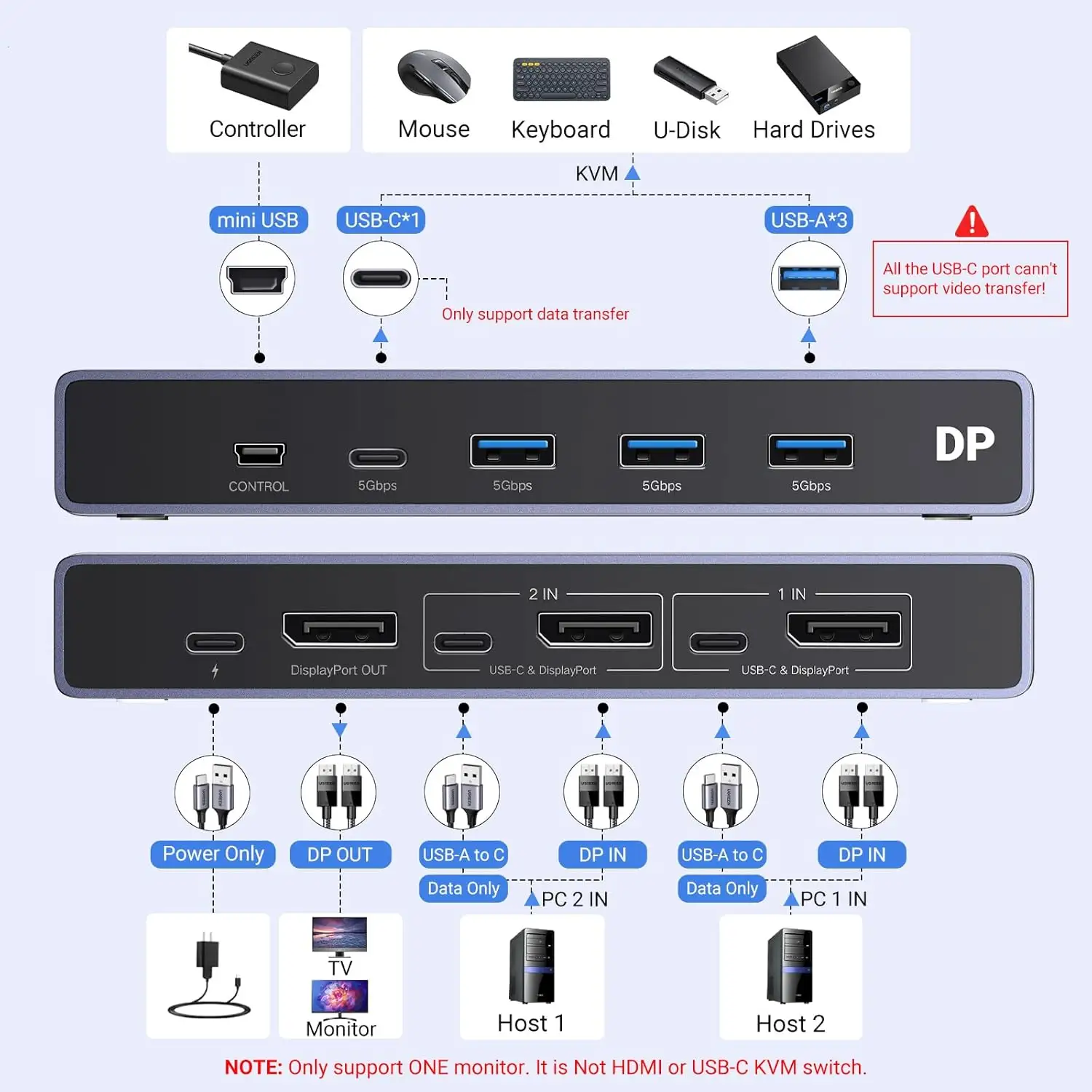
Q: Does it support video output like a KVM switch?
A: No, this is strictly for data transfer between USB peripherals. Multiple user sources emphasize it cannot share a monitor or pass HDMI/DisplayPort signals.
Q: Will my wireless mouse work with this switch?
A: Yes, but USB 3.0’s 2.4GHz interference can cause dropouts. Users recommend switching your Wi-Fi band to 5GHz or using wired peripherals for best stability.
Q: Can I connect more than two computers?
A: No, it’s designed for exactly two. Some users daisy-chain hubs, but this risks unstable performance and isn’t officially supported.
Q: How fast is file transfer between PCs?
A: With the USB 3.2 model, up to 10Gbps — verified in user tests moving 1 GB in around 1.5 seconds. The 3.0 variant caps at 5Gbps.
Q: Will it work on macOS by default?
A: macOS 13.3+ requires enabling accessory connections in Privacy & Security settings; older versions are plug-and-play.
Final Verdict: Buy if you’re a dual-computer user wanting high-speed, stable sharing of USB devices without fuss. Avoid if you need video output or plan heavy wireless dongle use near 2.4GHz sources. Pro tip from the community: pair it with short, quality cables and consider the USB-C powered variant for ultimate stability.





