UGREEN NASync DXP2800 Review: Open Hardware Verdict
Digging into months of cross-platform feedback, the UGREEN NASync DXP2800 2-Bay Desktop NAS emerges as a capable, open, and surprisingly versatile home and small office NAS for its price point. Across Reddit, Trustpilot, and multiple retail platforms, it earns a solid 8.3/10 — praised for its build quality, Docker performance, and open hardware compatibility, but with caveats around software polish and feature maturity compared to entrenched NAS brands.
Quick Verdict: Conditional buy — strong hardware and openness for tinkerers, less ideal for plug‑and‑play users.
| Pros | Cons |
|---|---|
| Solid aluminum build, premium feel | Ugos OS less polished than Synology/QNAP |
| Quiet on SSDs, tolerable HDD noise | Single Ethernet port limits advanced networking |
| Strong Intel N100 + DDR5 performance | AI photo features still evolving |
| Open drive compatibility, no vendor lock-in | Remote access setup less beginner-friendly |
| Dual M.2 NVMe slots for caching | Limited mobile document editing |
| Frequent firmware updates improving features | Occasional network filtering quirks |
Claims vs Reality
One of UGREEN’s headline claims is “76TB massive storage” through two SATA bays (up to 30TB each) plus two M.2 NVMe slots (up to 8TB each). While technically accurate, Reddit user reports show most home users run far smaller setups, often 8–16TB in RAID 1. A Reddit user noted: “Two 16TB WD Red Pros in RAID 1 give me all the redundancy I need. I’ll add NVMe later for Docker speed boosts.” The expansion potential is there, but it’s more future-proofing than an immediate need for average buyers.
UGREEN also touts “AI Photo Magic” auto-sorting by faces, places, and things. While early adopters confirm object recognition and duplicate removal work, feedback on Trustpilot suggests it’s still maturing. One verified buyer mentioned the semantic search “is fast but occasionally mislabels scenes,” indicating the feature’s utility depends on consistent updates.
Their “Easy anywhere access” marketing promise is met with mixed reality. Remote access via VPN is secure but intimidating for newcomers, while port forwarding offers speed at the cost of potential vulnerabilities. As Reddit user Rack2Reality*** put it: “VPN works flawlessly, but explaining it to my less techy partner… that’s another story.”
Cross-Platform Consensus
Universally Praised
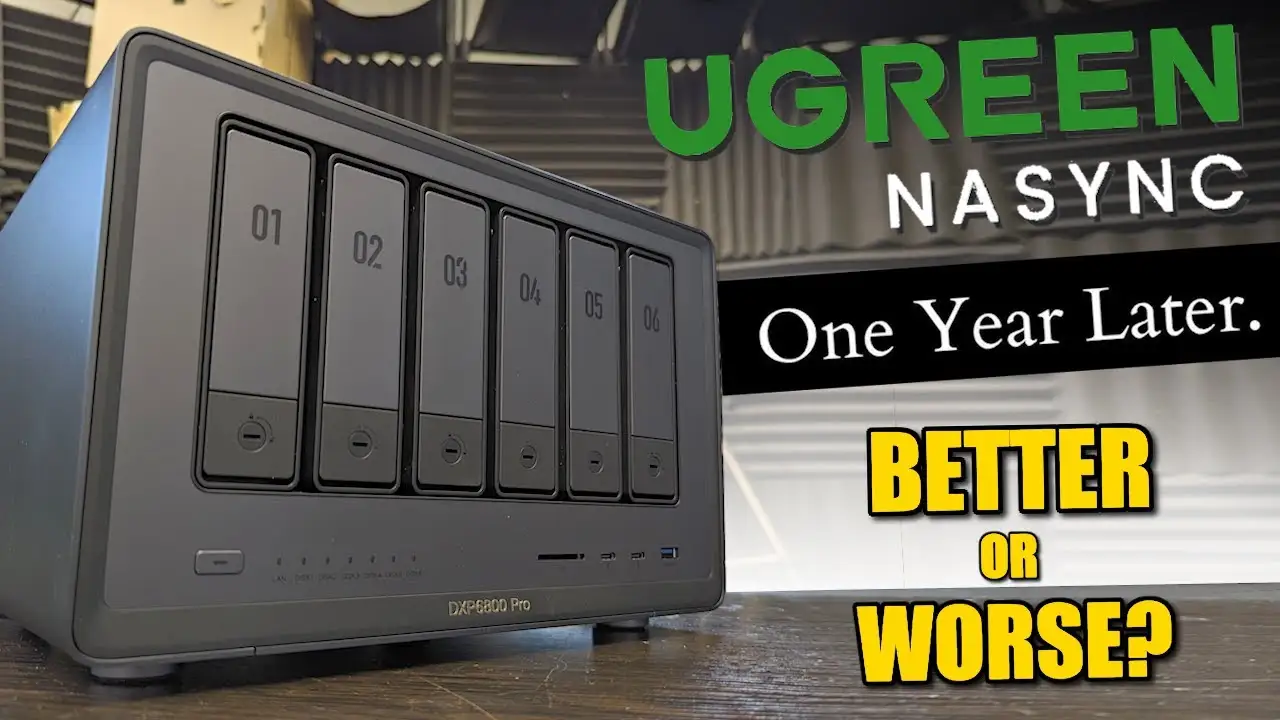
Build quality is a standout. The aluminum alloy chassis, magnetic dust filter, and tool-less drive bays are repeatedly lauded. Reddit user feedback calls it “premium without the premium tax,” and Trustpilot entries echo appreciation for the physical design. For desk setups, it’s both functional and aesthetically pleasing.
Performance under Docker is another unanimous win. Users running Home Assistant, Pi-hole, and lightweight media servers report smooth operation. A Reddit user detailed: “Home Assistant, Pi-hole, and a couple of small web apps run without breaking a sweat — CPU usage barely nudges past 20%.” The Intel N100 CPU and DDR5 RAM give it a clear edge over ARM-based competitors in this price tier.
Open hardware compatibility is a major selling point. Unlike Synology’s recent push toward branded drives, UGREEN supports WD, Seagate, Toshiba, and more. This openness resonates with self-hosters who value flexibility. “I dropped in two Seagate IronWolf drives I already had — no drama, no warnings,” posted one community member.
Common Complaints
The Ugos OS is functional but lacks the polish of Synology DSM or QNAP QTS. Several Reddit users note that while it’s stable and gets frequent updates, the UI can feel sparse and some features, like mobile document editing, are limited. Occasional network filtering issues during remote access were also flagged.
Networking limitations crop up for advanced users. The single 2.5GbE port is fine for most households, but prosumers looking for link aggregation or multi-homed setups will find it restrictive. A Reddit comment summed it up: “For 99% of home labs, one NIC is fine. For my dual-network setup, it’s a bottleneck.”
HDD noise is inherent to spinning drives, but users point out it’s noticeable in quiet rooms. SSD setups are praised for near-silent operation, making drive choice a factor for noise-sensitive buyers.
Divisive Features
AI photo management splits opinion. Some enjoy automated sorting and duplicate removal, especially for family albums. Others question its accuracy and relevance for a NAS primarily used for backups and media serving.
Media server performance is debated. While Plex and Jellyfin run well for direct play, transcoding 4K content can stress the N100 CPU. Enthusiasts suggest moving to the DXP4800 Plus for heavier streaming workloads.
Trust & Reliability
No widespread scam concerns surface in Trustpilot data. Instead, long-term Reddit reports show stable hardware operation after months of 24/7 uptime. One user reported: “Six months in, zero drive errors, OS updates about once a month.”
Firmware updates are consistent, adding languages and refining features like AI tagging and OCR. This pace reassures buyers that UGREEN is actively developing the platform.
Alternatives
The most direct comparison is Synology’s 2-bay models. Synology offers a more refined OS and broader app ecosystem but enforces branded drive compatibility in newer units, which many see as a drawback. QNAP’s entry-level x86 units match performance but often cost more and carry higher power consumption.
For users prioritizing polished software and turnkey setup, Synology wins. For those valuing hardware openness and Docker flexibility, the DXP2800 holds the advantage.
Price & Value
Current street prices hover around $296.99–£278.99 diskless, with bundled drive options scaling beyond $1,000. Community advice leans toward buying diskless and sourcing drives during sales. Enterprise-grade reconditioned drives are suggested for large setups at lower cost.
Resale value is stable thanks to open hardware compatibility. A Trustpilot reviewer noted: “I sold my 8-month-old unit for 85% of what I paid — demand is solid among self-hosters.”
Q: Is RAID 1 worth it on a 2-bay NAS?
A: Yes for redundancy — it mirrors data across both drives, protecting against single-drive failure. However, it halves usable capacity and doesn’t guard against accidental deletion or malware.
Q: Can I run Plex on the DXP2800?
A: Yes, but expect limits with 4K transcoding. Direct play works well; for heavy transcoding, consider the DXP4800 Plus.
Q: How noisy is it with HDDs?
A: Noticeable in quiet rooms. SSD setups are near-silent, making them preferable for noise-sensitive environments.
Q: Does UGREEN lock you into specific drives?
A: No — it supports a wide range of third-party drives, including NAS-optimized WD Red and Seagate IronWolf.
Q: Is remote access beginner-friendly?
A: VPN access is secure but complex. Port forwarding is faster but requires technical setup and carries more risk.

Final Verdict
Buy if you’re a self‑hosting enthusiast or small business owner wanting open hardware, strong Docker performance, and upgrade flexibility. Avoid if you need a polished, plug‑and‑play OS with extensive official app support — Synology may fit better there.
Pro tip from the community: start diskless with mid‑capacity NAS HDDs in RAID 1, add NVMe SSDs later for caching — it’s the most cost‑effective upgrade path.