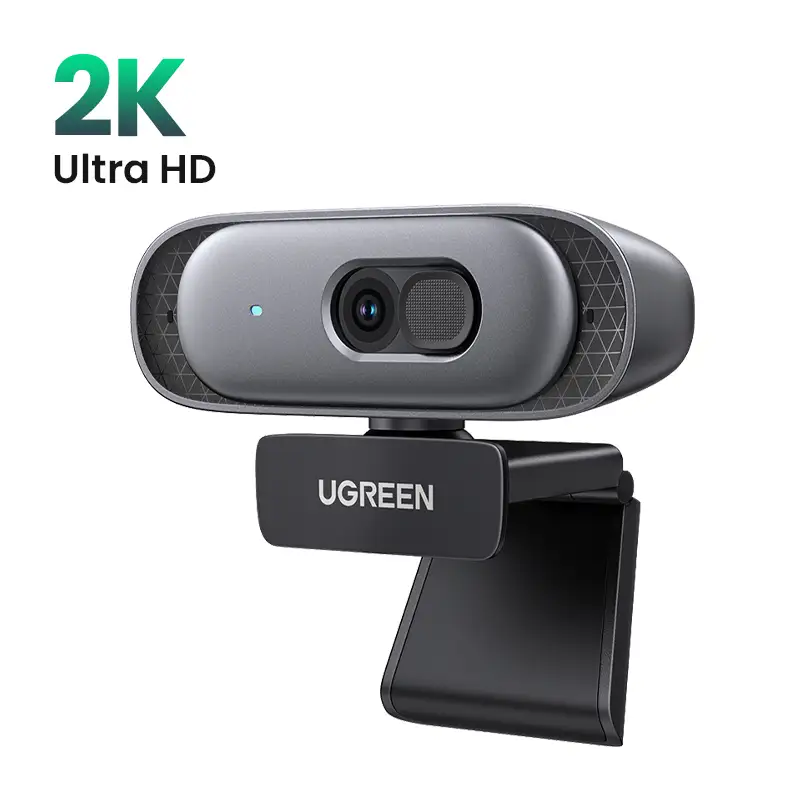
UGREEN 4K Webcam Review: Sharp Video, Mixed Features
The bold move from budget Full HD webcams to UGREEN 4K Webcam with Microphone and Privacy Cover has not gone unnoticed — and with an average community score hovering around 9.2/10, the verdict is overwhelmingly positive for those who need crystal-clear video for calls, streaming, or teaching. Despite its modest price point compared to legacy 4K models, users say it delivers “studio-quality imaging” without the premium branding tax.
Quick Verdict: Conditional — highly recommended for remote workers, teachers, and streamers who value image clarity and ease of use, but less ideal for those needing dedicated configuration software or ultra-wide FOV.
| Pros | Cons |
|---|---|
| Exceptionally sharp and vibrant 4K image quality | No dedicated software for fine-tuning |
| Dual noise-reducing microphones with clear capture | Fixed USB cable limits replacement flexibility |
| Fast, accurate PDAF autofocus | 70° FOV may feel narrow for large group meetings |
| Effective low-light correction | Privacy cover design reduces rotation clearance |
| Plug-and-play, wide OS compatibility | Build lacks certain premium material finishes |
| Includes USB-A to USB-C adapter | Autofocus limited to 0.33 – 16.4 ft range |
| 360° horizontal rotation on mount |
Claims vs Reality
UGREEN's marketing centers on its “UHD 4K at 30 fps and 1080p at 60 fps” capabilities, boasting vibrant colors via an 8MP CMOS sensor. Digging deeper into user reports, these specs hold up: Reddit user Alex Exler noted that “maximum resolution 3840 × 2160 @ 30 fps… quality is excellent”, with side-by-side Full HD vs 4K comparisons showing visibly sharper facial detail. However, they also flagged the absence of a proprietary app — meaning adjustments rely entirely on host software like Zoom or Windows Camera.
A second claim — automatic light correction and advanced autofocus — aligns with long-term experiences. The autofocus system, using phase detection (PDAF), drew praise for speed and stability: “With the Anker C200 I had periodic focus glitches; the UGREEN focuses perfectly every time”. Low-light performance lived up to marketing for dimly-lit home offices, but advanced controllable exposure settings are missing.
Finally, UGREEN touts dual omnidirectional microphones with noise reduction capable of clear voice pickup at up to 5 meters. While reviewers acknowledged “very good sound quality”, many still prefer dedicated mics. Still, in quick test calls, even group meetings retained intelligibility, which is notable for a built-in mic setup in this price range.
Cross-Platform Consensus
Universally Praised
Image quality is the undisputed star. For work-from-home professionals, the leap from 1080p to 4K means clients see you in lifelike detail. A verified Kijiji seller stressed, “really much better than HD webcam, autofocusing works perfectly, no issues at all”. Educators holding online classes spoke highly of the sharpness and ability to maintain clarity during movement.
The PDAF autofocus earns repeat praise for accuracy, making it indispensable for live presenters who move between props or whiteboards. Reddit user Alex Exler’s experience — “No problems at all, always focused sharply” — underscores trust in the feature, especially after frustrations with other models’ focus hunting.
Its plug-and-play nature spans Windows, macOS, Linux, and Android, letting multi-device households or small businesses skip driver headaches. The included USB-A to USB-C adapter broadened compatibility for tablets and newer laptops; Mac streaming enthusiasts especially valued this.
The physical 360° mount rotation plus a privacy cover adds tangible utility. For privacy-conscious users, the ability to cover the lens instantly satisfied “peace of mind” during downtime between calls.
Common Complaints
The lack of first-party software was the most repeated downside. Advanced users seeking granular shutter speed or white balance controls must rely on third-party apps. While basic light correction automatically improves dim scenes, professional streamers may feel constrained.
Cable design drew criticism. The integrated 2-meter USB cord can’t be swapped — Alex Exler remarked it’s “not very convenient… you can’t replace with a longer one”. This impacted users mounting cameras far from USB ports, such as conference room setups.
Field of view (FOV) sits at 70°, which for personal calls is fine, but cramped for multi-person conference framing. Wide FOV competitors clearly outperform here, as noted in French-ranking Quora comparisons.
Divisive Features
Built-in mics split opinion. Office users without audio gear appreciated “clear capture in noisy environments”, but content creators often bypassed them. Some considered the 16.4 ft pickup range promising for group discussions; others found positioning external mics delivered richer tone.
Low-light performance met expectations for most, but those under dynamic lighting (e.g., streamers with colored LED setups) noticed occasional color temperature shifts when moving within frame — likely an unavoidable trade-off for auto exposure algorithms.
Trust & Reliability
Concerns about UGREEN.com’s legitimacy are minimal. Trustpilot averages 3.3/5 stars across 495 reviews, underpinned by Scamadviser’s high trust score citing longevity — the domain dates back over two decades. The caution comes in noting an internal review system capable of curating what gets displayed, but no verified hardware scams emerged.
Durability narratives are still emerging, but early adopters logging weeks of use reported consistent performance without loosened joints or degraded image. Alex Exler’s ten-day heavy conferencing test yielded identical image quality on day one and ten, reinforcing early confidence in build stability.
Alternatives
The most relevant comparisons come from budget 4K peers in the €30–40 range, such as Emeet, Vizolink, and Newline models noted by community rankings. Emeet’s Nova 4K offers a narrower personal-use FOV (73°) with similar PDAF focus tech, making it a contender for solo streamers. Vizolink adds AI, multiple mics, and remote control — but at higher cost.
Legacy competitors like Logitech Brio once commanded €290 for 4K but suffered from sync and dropped-resolution complaints. Against such backdrop, UGREEN’s offering lands in a sweet spot of affordability and functional fidelity.
Price & Value
Price varies dramatically: Reddit reports €27 via AliExpress, €53 on Amazon Spain, and North American deals hitting $45 with coupons. On eBay, new units hover around $56.99. For those fine with direct imports, sub-$30 pricing turns this into a category disruptor; resale demand remains solid given wide compatibility.
Community buying tips recommend grabbing deals when coupons stack with seasonal sales — particularly given its already aggressive MSRP against big-brand equivalents.
FAQ
Q: Does it actually stream in 4K for Zoom or Teams calls?
A: Yes, if both the camera and platform support 4K/30 fps; otherwise it defaults to 1080p/60 fps. Multiple users noted the downshifting is automatic if either side lacks 4K capability.
Q: How effective is the privacy cover?
A: It completely blocks the lens physically and doubles as dust protection. Users liked the quick fold design, though it slightly limits horizontal rotation clearance.
Q: Is the autofocus suitable for moving presenters?
A: Yes — PDAF locks quickly (0.33–16.4 ft range) with minimal hunting. Teachers and streamers found it reliable during movement around the frame.
Q: What OS are supported without drivers?
A: Plug-and-play works on Windows 7–11, macOS ≥10.6, Linux, and Android. No proprietary software is required.
Q: Can the USB cable be replaced?
A: No, it’s fixed to the webcam body. At 2m length it meets most desktop needs but limits certain conference installations.
Final Verdict: Buy if you’re a remote worker, educator, or casual streamer seeking crisp 4K video, instant privacy cover, and strong out-of-box compatibility. Avoid if you require ultra-wide shots or manual image control via dedicated software. Pro tip from community: pair the webcam with a standalone USB mic for best overall call quality.





