Ubiquiti UniFi nanoHD Review: Strong Speeds, Mixed Range
A verified buyer described the Ubiquiti UniFi nanoHD Access Point as “a dream come true” for wireless in tricky layouts—yet others warned its real-world range can abruptly drop beyond 30 feet despite producing high speeds nearby. That mixed signal story puts this compact, low-profile enterprise-grade AP at a solid 8.4/10, best suited for users who can position it optimally or add complementary UniFi hardware.
Quick Verdict: Conditional buy
| Pros | Cons |
|---|---|
| Excellent speeds at close range | Noticeable range drop beyond ~30 feet in some setups |
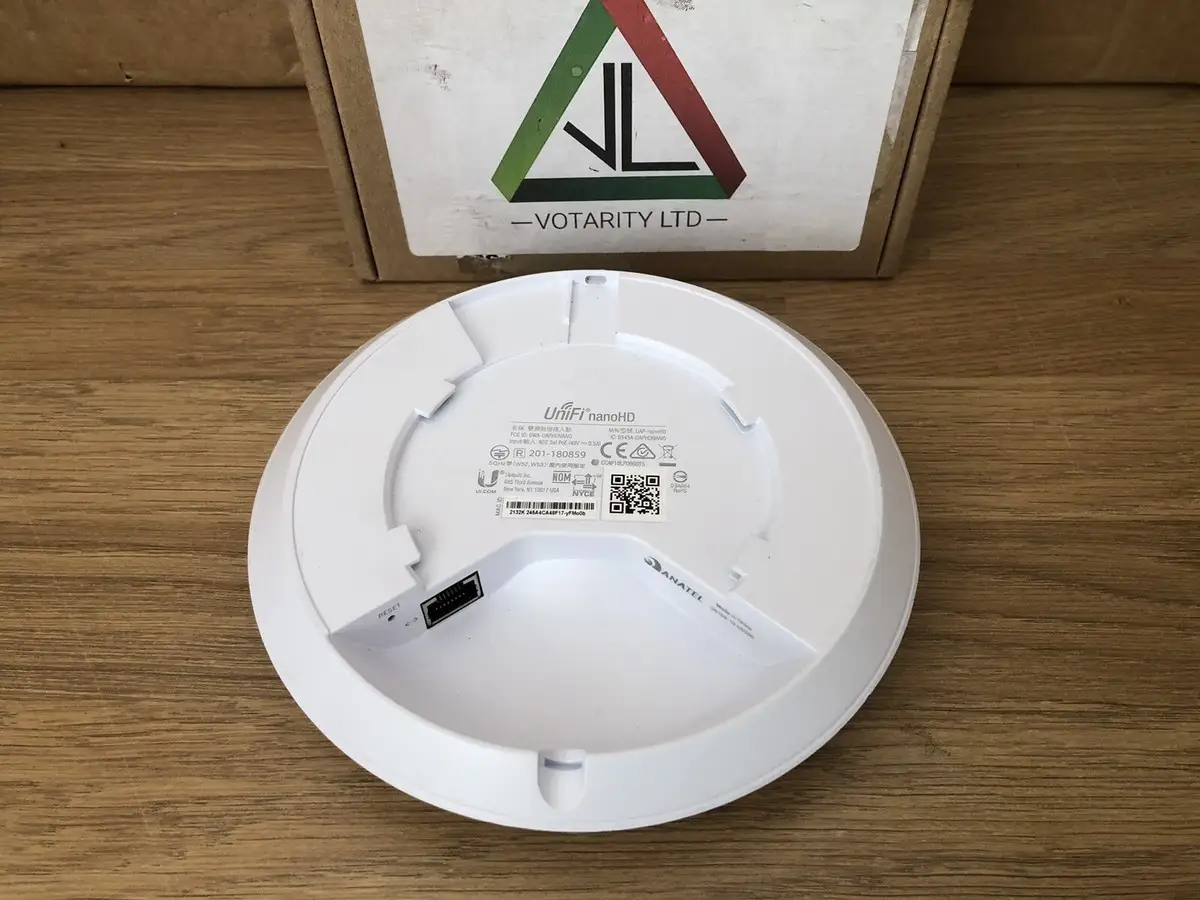
| Compact 160mm diameter, unobtrusive design | Management software may overwhelm non-technical users |
| Free cloud management via UniFi Network Controller | Needs extra UniFi hardware for full feature use |
| Strong enterprise-class features for SMBs | Guest captive portal requires always-on controller |
| PoE included with single-pack | Higher price than some consumer alternatives |
| Highly customizable SSIDs and portal options | Arrives without firmware in some shipments |
| Solid build quality and integration with UniFi ecosystem | Outdoors coverage less reliable than indoors |
Claims vs Reality
Marketing highlights the nanoHD’s 2+ Gbps aggregate throughput and ability to support “over 200 concurrent clients.” On paper, this Wi-Fi 5 Wave 2 MU-MIMO AP promises enterprise performance in a minimal form factor. In practice, Reddit user "drunk_showerhead" argued it offers "better range and throughput than the old wave 1 APs… and it will remain their top Wi-Fi 5 product"—but the gap between theoretical and practical speed became clear in field use.
A Trustpilot reviewer noted: "Sure, I get incredibly high speeds around the device, but move 30 feet away and the signal drops off quickly." This suggests while officially rated for broad coverage, placement and building materials drastically affect results. Thick stone walls? One cottage owner found “far better coverage” than prior gear using two nanoHDs—but range was extended only through multiple AP deployment.
Another claim: “Plug-and-play simplicity.” Many agreed—setup took “less than five minutes” via UniFi Controller with instant cloud visibility. But PCComponentes buyers cautioned: "Management… can result complicated for the average user" because the software is “predisposed to manage large networks,” requiring some networking knowledge to exploit fully.
Cross-Platform Consensus
Universally Praised
Speed came up repeatedly as a selling point. On Reddit, one user recorded “1300 Mbps connection to a 3x3 MIMO MacBook Pro… performance advantage over the older AC-Pros is immediately noticeable.” For SMB offices, Tech buyers loved how “close-range file copies… averaged 70 MB/sec at close range, only dropping slightly to 65 MB/sec at 10 meters.” This level of throughput meets the demands of creative teams transferring large media files in real time.
Its discreet appearance and customization options also won praise. Amazon ads highlight a 30% size reduction compared to the AC Pro, and Reddit discussions favored the optional ‘skins’—from matte black to camouflage—that help blend into interiors. For hotel deployments, a Quora contributor recounted setting up “coverage in 22 rooms… in less than 2 hours,” benefiting from both aesthetic flexibility and quick rollout.
Management capabilities via the UniFi Controller stood out: “Great visibility… you can add metrics from a generous library of 35 widgets,” one Trustpilot reviewer explained. For IT admins, this means centralizing monitoring for APs, switches, and gateways, with integrated troubleshooting tools. The free remote cloud management option added value, enabling offsite adjustments without recurring license fees.

Common Complaints
Range limitations were the primary issue in residential settings. One verified buyer compared it unfavorably to a three-year-old TP-Link for outdoor coverage, saying: “I have to wave my phone in the air and hope the connection doesn’t drop.” Indoors, furniture and floor layout still impacted signal penetration, requiring a secondary AP or LR model to blanket larger homes.
Some shipments arrived without firmware, causing initial setup friction. A PCComponentes customer complained: “It’s arrived without firmware and I had to install it manually,” undercutting the 'instant setup' promise. Likewise, captive portals for guest networks depend on the controller staying online; if it sleeps or powers down, sign-in breaks—fixable only with additional hardware like the Cloud Key Gen 2.
For non-technical buyers, UniFi’s enterprise-focused interface could be daunting. As one review put it, “It can be complicated… predisposed for large networks” which may discourage casual home users. That’s compounded by the need for complementary UniFi switches or gateways to unlock the most advanced features.
Divisive Features
The cost-to-benefit ratio divided opinion. Enthusiasts swore by its future-proof Wi-Fi 5 performance, pointing out five-year support lifecycles and cloud integration. Others suggested cheaper models like the AC-Lite for homes: “The extra spend… doesn’t add up for home use,” said Reddit user "thefleeg1".
Its MU-MIMO support was praised by those with dozens of active IoT nodes—one household ran “80 devices… and they work perfectly in mesh”—but irrelevant for minimal-device homes. Here, the hardware’s capability went underutilized, turning it into an expensive overbuy.
Trust & Reliability
Trustpilot and Reddit feedback shows consistent reliability over long-term use. A Spanish buyer reported: “10 years using this brand… 0 problems” with APs once adopted into the controller system. Connections remained stable without frequent resets, and one owner noted, “Muy estable en el tiempo… enlaza con mucha rapidez.”
No major scam reports appeared, but buyers advised validating seller sources—especially for used units on eBay, where missing mounting hardware or PoE injectors is common. Delivery speed was occasionally flagged as slow, but functionally, durability and integration with other UniFi gear remained excellent.
Alternatives
The AC Pro came up often as the main alternative. The nanoHD’s 5 GHz throughput (1733 Mbps vs AC Pro’s 1300 Mbps) and smaller size tilted performance discussions in nanoHD’s favor for high-density environments. However, the AC-Lite and AC-LR scored points for price-conscious buyers with modest coverage needs.
As Reddit’s “drunk_showerhead” summarized: “NanoHD is the one to pick… better range and throughput” than older Wave 1 APs, whereas “the extra spend… doesn’t add up for home use” according to others. This positions the nanoHD as ideal for SMBs, hospitality, or tech-heavy homes, but less so for casual internet use.
Price & Value
On eBay, new units list around $206 plus shipping, with Amazon pricing near $179 for singles and around $489 for three-packs. Used device prices vary from $69 to $125 for tested units—indicating reasonable resale value if maintained. PCComponentes listed it at €197, aligning with retail norms.
Community tips: buy single units if you need the included PoE injector; multi-packs omit it. For network expansion, factor in costs of UniFi switches or controllers to maximize feature use—especially for guest networks and VLAN-based setups.
FAQ
Q: Does the UniFi nanoHD work well in homes with thick walls?
A: Yes, if using multiple APs. One cottage user with 750mm stone walls saw far better coverage inside and outside with two units versus prior gear.
Q: Can it operate outdoors?
A: Not officially rated for outdoor use. Some buyers use it under sheltered areas, but range and durability may drop in exposed conditions.
Q: Is PoE included?
A: Only with single-pack purchases. Multi-packs omit the PoE injector, requiring a compatible switch or separate adapter.
Q: Does it require a UniFi Controller to function?
A: For full management and captive portals, yes. Once adopted, APs continue broadcasting, but advanced functions need a running controller.
Q: Can non-technical users configure it easily?
A: Basic setup is straightforward, but taking advantage of advanced options may overwhelm those without networking experience.
Final Verdict: Buy if you’re an SMB, hotel operator, or tech-savvy homeowner needing high-density, high-speed Wi-Fi in a compact form. Avoid if you want simple plug-and-play for a small home—cheaper UniFi models may suffice. Community pro tip: invest in strategic AP placement and UniFi ecosystem hardware to unlock the nanoHD’s full potential.