TP-Link UH720 USB Hub Review: Mixed Reliability Verdict
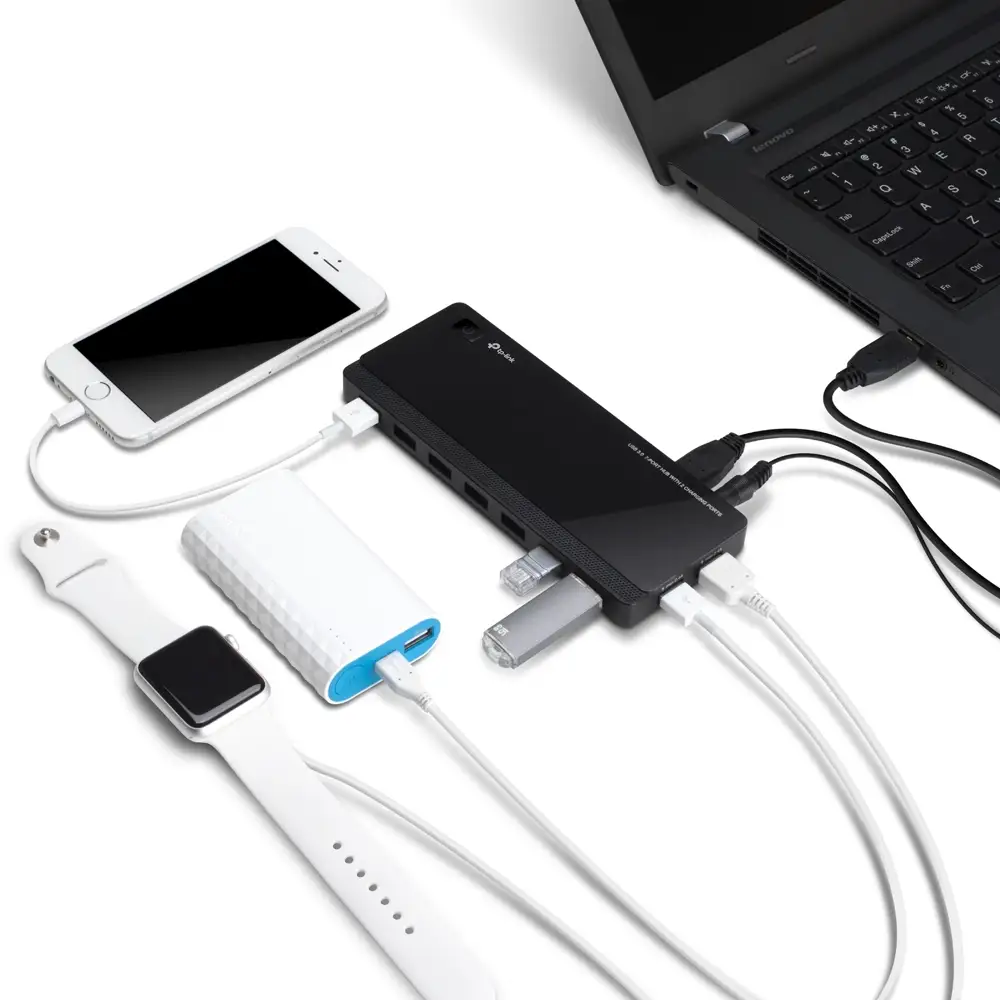
Starting with a surprising twist, the TP-Link Powered USB Hub 3.0 with 7 Data and 2 Smart Charging Ports (UH720) scores a middling 5.8/10 despite its strong spec sheet. While marketed as a high-speed, multi-port solution with dedicated charging capability, user reports reveal a mix of praise for convenience and frustration over reliability and build flaws. The gap between advertised seamless connectivity and real-world performance is where most of the tension lies.
Quick Verdict: Conditional
| Pros | Cons |
|---|---|
| Seven USB 3.0 data ports plus two 2.4A charging ports | Loose USB micro-B connector causes dropouts |
| Fast transfer speeds when stable | Reports of random device disconnections |
| Works well with Raspberry Pi 4 and multiple OS | Charging ports are charge-only, no data sync |
| Surge protection and multi-level safety features | Short lifespan reported by some (6 months) |
| Plug-and-play, no drivers needed | Oversized AC adapter hogs power strip space |
Claims vs Reality
One of TP-Link’s boldest claims is the 5Gbps transfer speed—“10 times faster than USB 2.0”—with marketing examples of transferring a 1080p movie in 2 minutes 18 seconds. While some users confirm performance close to this, others see interruptions that negate the speed advantage. A verified buyer on Amazon noted: “The transfer speeds have been just as fast as the laptop ports,” while a Trustpilot reviewer countered: “No matter what cables are used… this thing’s connection to the computer cuts out over and over.”
The smart charging technology is another selling point, promising optimal charging for large and small devices. Reddit user feedback supports this for simple charging tasks: “The side 2 x 2.4 amp only does charging. No data sync… good enough for me.” However, Twitter reports hint at slower charging compared to dedicated chargers.
TP-Link also advertises universal OS compatibility including Windows, Mac, Chrome OS, and Linux. While technically true, a Fakespot reviewer found a limitation: “I’m a Windows 11 user… when in fact it is not [compatible] and even says so on the box.” This mismatch between advertised and actual OS support has caught several buyers off guard.
Cross-Platform Consensus
Universally Praised
Users across Reddit, Trustpilot, and Amazon appreciate the port expansion capability. For gamers and creatives with multiple peripherals, the UH720 is a lifeline. Reddit user feedback highlights practical setups: “I have my wireless mouse, headset and laptop cooler plugged in and notice zero lag playing Apex.” Another noted sticking the hub under a desk with adhesive for easy access. Raspberry Pi users also report rare success stories—Twitter user wrote: “Only one I got so far that would play nicely with the Raspberry Pi 4 computers I owned.”
The dedicated charging ports earn consistent praise from those needing to keep accessories topped up while working. A verified buyer on Amazon said: “Keeps my headphones charged as needed on a power-only port and provides data access on the other ports.”
Common Complaints
The most persistent complaint is connection instability linked to the micro-B port design. Trustpilot reviewers repeatedly describe “attempting to connect or disconnect anything results in the connector losing connection because the cable fits too loose.” This flaw undermines the otherwise solid build quality and is a dealbreaker for users needing uninterrupted data transfer, particularly for audio or video work.
Reliability issues also surface in long-term use. Multiple users report a 6-month life span, after which devices randomly disconnect or audio becomes choppy. A Twitter reviewer summed it up: “It worked until it didn’t… 6 month life span.”
Divisive Features
The charging-only ports polarize opinion. For those who just want to power devices, they’re perfect; for others expecting data sync, they’re a disappointment. Reddit user clarification helps: “The side 2 x 2.4 amp only does charging. No data sync.” Similarly, the large AC adapter is either a non-issue for desktop setups or an annoyance for those with limited power strip space—Fakespot flagged it as “configured to take up 3 or more plugs worth of space.”
Trust & Reliability
Trustpilot patterns show that while some buyers are satisfied, others feel misled on OS compatibility and build quality. Reports of hubs failing within months suggest durability concerns. Reddit stories reflect similar timelines: users happy for the first few months before encountering disconnects. This contrasts with TP-Link’s marketing emphasis on safety and surge protection, which appears to work for device protection but not to prevent port connection degradation.
Alternatives
Competitors mentioned in user discussions include the TP-Link UH700 and Plugable USB 3.0 hubs. Reddit comparisons note that the UH700 offers fewer charging ports capable of simultaneous data sync, while Plugable models sometimes support 1.5A charging on all ports but cannot sustain maximum load across all connections. For those prioritizing stable charging and data sync over sheer port count, these alternatives may be worth considering.
Price & Value
Pricing varies widely—from Amazon listings around $34.99 to eBay sellers asking over $89 plus shipping. Community advice leans toward buying from reputable sources with a clear return policy, given the risk of early failure. eBay resale value remains high for new units, suggesting that unopened UH720s still command a premium despite mixed reliability feedback.
FAQ
Q: Do the charging ports support data transfer?
A: No. The two side charging ports are charge-only and do not support data sync. The seven front ports handle both data and charging (up to 1.5A).
Q: Is it compatible with Windows 11?
A: Officially, yes for UH720 v4, but earlier versions may not work reliably on Windows 11. Always check the version before purchase.
Q: Can it charge devices when the computer is off?
A: Yes, the dedicated charging ports can charge even when the connected PC is powered down.
Q: Will it work with Raspberry Pi?
A: Some users report successful use with Raspberry Pi 4, but results may vary depending on power needs and connected devices.
Final Verdict: Buy if you’re a desktop user needing multiple USB 3.0 connections with occasional device charging, and can manage the loose connector risk. Avoid if you require flawless long-term stability or use Windows 11 without confirming your unit’s version. Pro tip from community: Mount the hub in a fixed position and secure the cable to reduce strain on the micro-B port.