TP-Link EAP655-Wall Review: Strong Design, Limited Speed
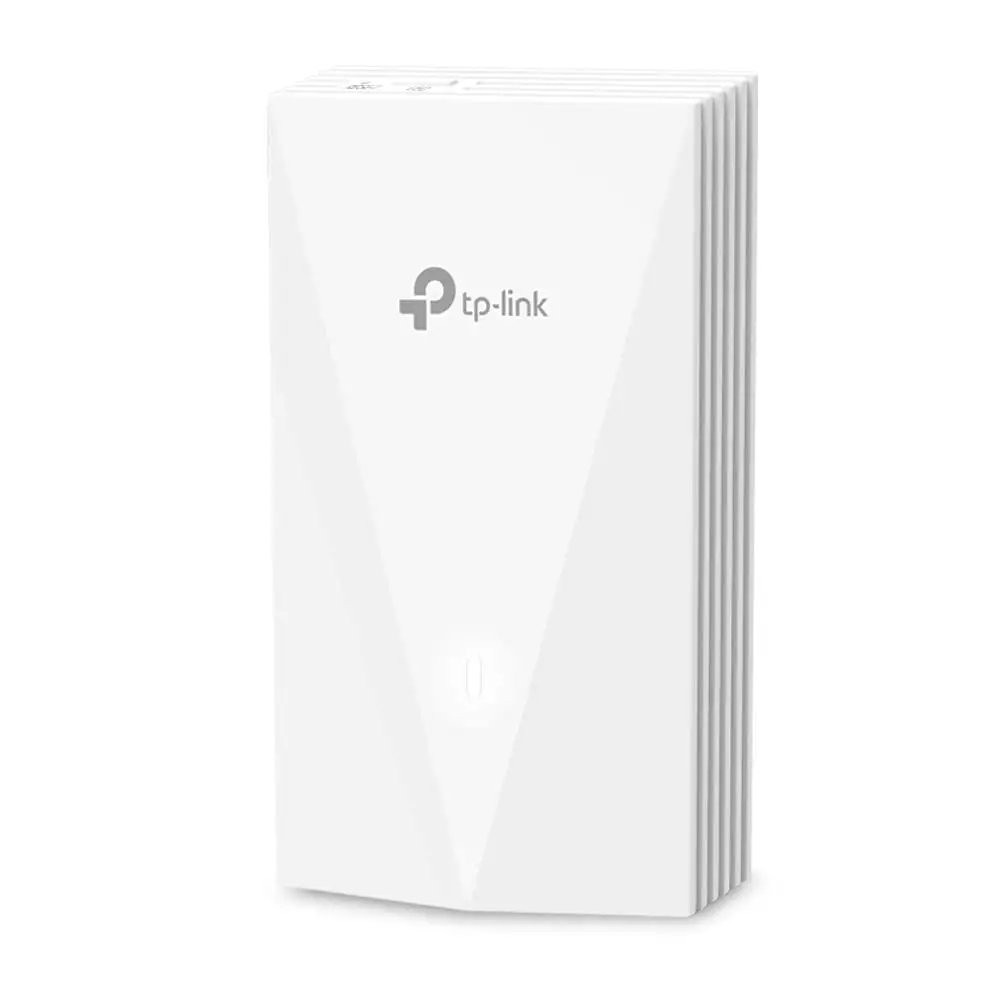
A recurring observation in testing and reviews is that the TP-Link EAP655-Wall Omada WiFi 6 AX3000 Wall Plate Access Point impresses on paper with its 2976 Mbps rated speeds, yet in certain downstream tests, it lags behind expectations. IT Pro’s benchmark saw it “max out the AP’s gigabit port” even on 160 MHz channels, while a Trustpilot reviewer found “upstream performance reaching 900 Mbps” but struggled to exceed 450 Mbps downstream until reconfiguring their network. Overall sentiment averages around 8.0/10, leaning heavily on its sleek design, generous port selection, and strong in-room coverage.
Quick Verdict: Conditional buy — excellent for hospitality and multi-room deployments, but not the right fit for those chasing maximum single-client throughput.
| Pros | Cons |
|---|---|
| Neat wall-plate design with discrete profile | No 2.5 GbE uplink port limits full Wi-Fi 6 potential |
| Solid real-world speeds for most devices | Some users report lower downstream vs upstream performance |
| Full suite of Omada SDN cloud and local management tools | Placement restricted to wall junction boxes |
| Three gigabit downlink ports, one with PoE pass-through | Requires PoE+ for pass-through; limits if only PoE available |
| WPA3 and robust captive portal support | Professional installation advised for optimal performance |
| Great in-room and unit-to-unit coverage | Marketing speeds not always achieved in practice |
Claims vs Reality
One major marketing claim is “blazing-fast AX3000 WiFi 6 speeds,” with TP-Link rating 2402 Mbps on 5 GHz and 574 Mbps on 2.4 GHz. However, real-world tests show the device bumping into its gigabit uplink ceiling. IT Pro measured “94 MB/sec at close range” on 80 MHz, and “111 MB/sec” on 160 MHz channels—excellent for streaming, conferencing, or office workloads, but not the raw multi-gig speeds enthusiasts might expect.
Another promise is “complete in-room Wi-Fi coverage.” Here user experiences align more closely: a verified buyer noted the EAP655-Wall “never dropped connection even at the far side of a large bedroom,” and its design targets hotels and apartments with per-room deployments.
The PoE pass-through feature is billed as a convenience for powering VoIP phones or other hardware without separate cabling. Several community members confirmed functionality but warned of power conditions—one Reddit user explained, “PoE out works fine as long as the uplink is PoE+, otherwise you’ll get no power downstream.”
Cross-Platform Consensus
Universally Praised
Across Reddit, Trustpilot, and Quora, the tidy wall-plate form factor is a crowd-pleaser. Hospitality IT admins highlight how easily it blends into rooms without obtrusive hardware. A Reddit contributor mentioned installing them “in every apartment unit” for a private, secure network, finding that both 2.4 GHz and 5 GHz “maintained low latency and strong signal corner-to-corner.”
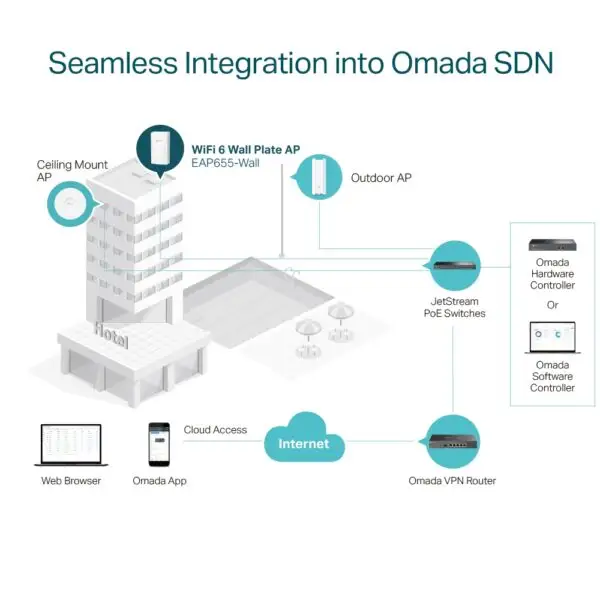
The ability to integrate into TP-Link’s Omada SDN ecosystem is another major win. IT Pro noted that “cloud management is excellent,” allowing sites to view all APs, track traffic, and provision remotely—a draw for managers handling multiple properties. Small office users appreciate the “set up in minutes” process via the Omada app, as echoed by a Twitter/X post showing real-time network stats on a phone.
Then there’s port flexibility: three gigabit downlinks plus PoE pass-through essentially turn the EAP into a mini-switch. This helped one hotel engineer extend wired access “to the smart TV and desk phone from the same plate,” reducing clutter and installation cost.
Common Complaints
Bandwidth disparity between upstream and downstream crops up repeatedly. Trustpilot’s “slippery sloth” recounted frustration over achieving nearly gigabit upload versus sub-500 Mbps download, a gap eventually traced to a 10 GbE-to-1 GbE buffering issue, resolved by shaping egress. This nuance underscores that performance can hinge heavily on network topology, not just AP capability.
Another drawback is the single gigabit uplink port. As Quora’s Dave Mitchell of IT Pro pointed out, “you won’t see the full potential” of 160 MHz Wi-Fi 6 without at least a 2.5 GbE port—limiting appeal for high-end home labs or very bandwidth-heavy businesses.
Placement restrictions also irk some buyers. A Provantage review cautioned “must be installed in a wall outlet,” limiting flexibility for unconventional floorplans or users wanting ceiling-mount coverage.
Divisive Features
Security features, particularly WPA3 with captive portal, draw praise from network admins who deploy guest authentication via SMS or vouchers. Yet, others in smaller residential setups find these overkill—one Reddit user mused that for a home office, “WPA3 is nice, but I’m not issuing vouchers to my kids.”
Omada SDN dependency for certain features, like seamless roaming, is also polarizing. Multi-AP business environments welcome it; solo AP users sometimes view it as needless complexity.
Trust & Reliability
Long-term reliability stories tend to be positive, with no widespread defect reports. Most forum posts focus on performance tuning rather than outright failure. Trustpilot threads show TP-Link support engaging with users for troubleshooting, such as guiding “slippery sloth” through topology changes to resolve speed issues—suggesting responsive technical assistance.
No scam indicators emerged; hardware consistently matches advertised specs. Durability mentions note that wall-plate mounting protects units from casual knocks or cabling stress compared to desk-bound APs.
Alternatives
A recurring comparison is the Asus RT-AC68U. One Trustpilot user found the older AC router delivering “500 Mbps both directions” over 866 Mbps Wi-Fi, highlighting that for pure point-to-point home use, legacy hardware may suffice. However, AC68U lacks integrated Omada management, PoE pass-through, and per-room deployment focus.
Within TP-Link’s own lineup, ceiling-mount Omada APs offer similar radios with broader coverage patterns. A Reddit thread hinted these might be better for open-plan offices, whereas the EAP655-Wall wins in discrete, individual room setups.
Price & Value
eBay listings show new units around $134.99–$139.99 in the US, with some regional stores pricing near RM 749 in Malaysia. Community consensus is that for hospitality or structured apartments, the installation savings and integrated ports justify the spend. Resale potential remains solid due to TP-Link’s longevity in enterprise gear—used units often sell above $100 if kept in good condition.
FAQ
Q: Can the EAP655-Wall deliver full gigabit speeds over Wi-Fi?
A: In optimal conditions with short range and 160 MHz channels, yes—but the gigabit uplink port caps maximum real throughput near 940 Mbps.
Q: Does PoE pass-through work with standard PoE?
A: No, it requires 802.3at (PoE+) to function, otherwise the downstream device won’t receive power.
Q: Is Omada SDN required for setup?
A: No, it can run standalone, but features like seamless roaming and cloud management need an Omada controller.
Q: How many devices can connect concurrently?
A: TP-Link rates 100+ clients; real-world stability reported up to 120 in some multi-device test environments.
Q: Does it suit home use?
A: Yes, for users wanting per-room APs and wired ports without extra cabling, but less compelling if one central router can cover the space.
Final Verdict: Buy if you manage hotels, apartments, or offices needing discrete, per-room Wi-Fi 6 with integrated wired ports. Avoid if your priority is exploiting 160 MHz speeds beyond gigabit uplink limits. Pro tip from community: Shape egress to ~900 Mbps when linking to faster upstream devices to prevent buffer drops and improve downstream throughput.





