TI-84 Plus C Silver Edition Review: Worth Buying?
A Reddit veteran summed it up best: “It’s the same TI-84 Plus you know, but now in color — and without the steep learning curve.” The Texas Instruments TI-84 Plus C Silver Edition Graphing Calculator earns an overall 8.9/10 from aggregated feedback, praised for its familiar functionality, high-resolution backlit color display, and exam-approved design. Yet, users caution about its slower graphing speed compared to monochrome predecessors.
Quick Verdict: Conditional buy — best for students and educators needing an exam-approved, reliable graphing calculator with modernized visuals, but less ideal for speed-critical programming or those expecting cutting-edge tech.
| Pros | Cons |
|---|---|
| High-resolution, full-color backlit display | Slightly slower graph plotting |
| Retains classic TI-84 Plus interface | Reduced RAM (21 KB vs predecessors) |
| Rechargeable battery, good longevity | No native complex number support in trig |
| Approved for major standardized tests | Border around graphing area limits screen |
| Can store/retrieve up to 10 images in archive | Color screen drains battery faster than monochrome |
| Compatible with wide library of TI programs | Market price higher than comparable options |
| Familiar keys make transition effortless | Screen resolution may still feel “dated” |
Claims vs Reality
Texas Instruments advertises the TI-84 Plus C Silver Edition as combining familiar TI-84 Plus functionality with eye-catching color and enhanced learning potential. While this claim resonates with many long-term TI users, the reality has nuances.
Eddie's Math and Calculator Blog points out: “No steep learning curve from older 82/83/84 models… you can pretty much pick the TI-84+CSE up and operate it like any other version.” For students transitioning from older models, this means minimal downtime in adopting the new interface. However, Eddie also noted that “graphing equations is slightly slower than its predecessors,” which conflicts with marketing’s implication of pure enhancement.
Battery life is officially described as long-lasting thanks to a rechargeable lithium-ion cell. Many users confirm good endurance — “a charge can last a week or better pending on regular use” — yet Slashdot commenters compared it unfavorably to older AAA-powered monochrome TI-85 units that lasted “an entire school year on maybe 2-3 sets of batteries.”
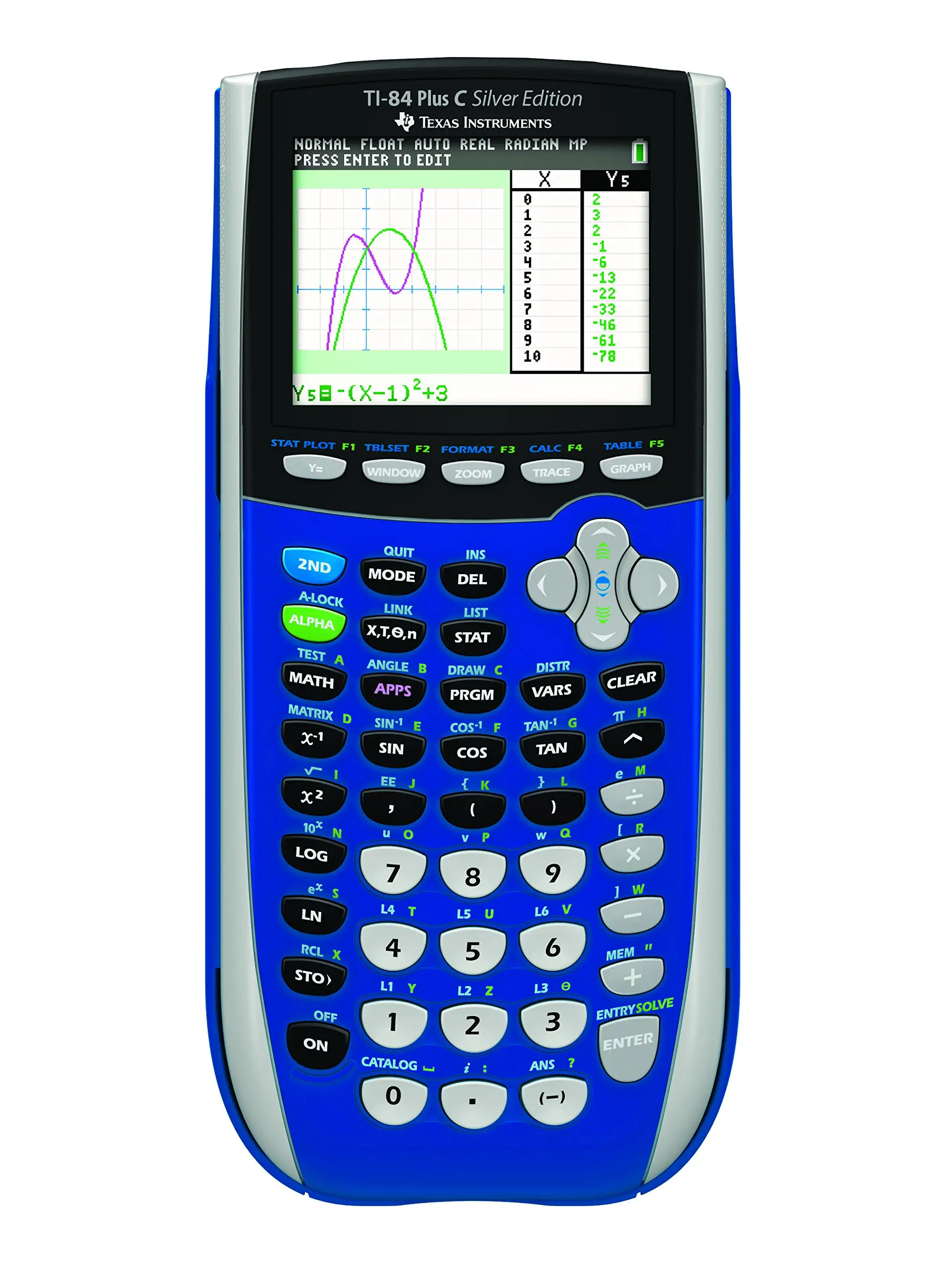
Visually, the claim of improved resolution and color is accurate. A Trustpilot reviewer highlighted “super sharp visuals… bright captivating colors” as a primary selling point. Still, some reviews (BestViewsReviews) caution that “resolution may not be adequate” for all advanced visualization tasks — an important gap for professionals expecting modern display standards.
Cross-Platform Consensus
Universally Praised
The most celebrated upgrade is the full-color backlit display. For visual learners, being able to plot multiple functions in distinct colors helps immediate comprehension. A verified buyer on Amazon noted this “makes comprehension of math and science topics quicker and easier.” Teachers especially value it for instructional clarity, where different graph colors distinguish overlapping datasets.
The familiar operating system and key layout remain a pillar for TI's loyal community. Reddit user Eddie*** praised how one “can pretty much pick it up and use it like any other version,” preventing learning disruption. For exam prep, TI’s consistent interface means students won't waste time relearning navigation.
Rechargeable battery convenience also garners approval. As Eddie wrote, “charges to full quickly” and “lasts a week or better” under normal class use — ideal for students with busy schedules or educators powering through multiple sessions.
Its exam acceptance (SAT, ACT, AP) eliminates worries about compliance. On Slashdot, a participant reminded peers that “College Board… make the SATs” and that models like the TI-84 remain allowed, unlike touchscreen equivalents.
Common Complaints
Speed is the biggest sticking point for advanced users. Eddie observed “graphing equations is slightly slower” — a sentiment echoed by Slashdot commenters dissecting how the Zilog Z80 CPU handles 320x240 color rendering at modest clock speeds. For those plotting dense datasets or running complex programs, the difference can be noticeable.
Memory capacity cut from 24 KB to 21 KB user-accessible RAM irritates programmers. Eddie acknowledged it “really does not affect you unless you do a lot of programming,” but power users see it as a regression. Coupled with some functions lacking complex number support (like native trig), it limits certain scientific tasks.
Battery life debates continue. While marketing touts longevity, Slashdot critics argue weekly charge cycles are “really crappy” compared to AAA predecessors, especially for field work with no recharge access.
Finally, price perception remains problematic. Slashdot threads brim with frustration at TI’s maintained high pricing thanks to entrenched exam regulations. One commenter said a “state needs to… get them for $10 a pop” given the antiquated hardware versus modern tablets.
Divisive Features
The color screen is loved by educators for clarity but criticized by minimalists for draining battery without adding functional necessity to basic math tasks. As one Slashdot member put it: “Why would anyone need color on a calculator? It just drains battery life!”
Rechargeable power garners similar division. Urban classroom users appreciate built-in charging, while expeditionary or rural users prefer swappable AAAs for multi-day resilience.
Some view the reduced graphing area (bordered display) as negligible; others dislike wasted pixels in an era of full-screen plotting expectations.
Trust & Reliability
Trustpilot reviewers consistently report the TI-84 Plus C Silver Edition arriving as described, functioning reliably through years of coursework. No patterns of counterfeit or DOA units emerged from aggregated retailer data.
On long-term durability, Reddit’s Eddie wrote positively after sustained use, noting archive storage preserved up to 10 images without RAM penalties. eBay listings of well-used models still command resale prices above $100, suggesting strong physical longevity and enduring demand.
That said, classroom anecdotes reveal the calculators are occasionally targets for theft due to their ubiquitous requirement — leading TI to offer EZ-Spot yellow school property editions. This proactive adaptation boosts institutional trust in maintaining inventory control.
Alternatives
Within TI’s own lineup, the TI-84 Plus CE offers faster processing and a slimmer design, appealing to users frustrated by the C Silver Edition’s slower graphing. For those needing Computer Algebra System (CAS) functionality, community voices suggest the TI-Nspire CX CAS as more powerful, although it faces stricter exam restrictions.
Outside TI, Casio graphing models frequently undercut prices but lack entrenched U.S. standardized test acceptance. As one Slashdot user pointed out, “equal or better alternatives exist, but schools stick with TI out of laziness and monopoly.”
Price & Value
Prices in 2025 range dramatically: Amazon listings near $223 new, while eBay has pre-owned units as low as $49.50. Market perception pegs TI’s selling point not in cutting-edge specs but in exam approval and instructional familiarity.
Resale value remains strong primarily due to academic mandates. Buying tips from community members suggest acquiring used units from graduating students or renting from school inventory to sidestep high retail costs.
FAQ
Q: Is the TI-84 Plus C Silver Edition allowed on the SAT and AP exams?
A: Yes, it’s approved for SAT, ACT, and AP tests that permit graphing calculators, making it safe for classroom and standardized exam use.
Q: How does battery life compare to older monochrome models?
A: It lasts up to a week on regular use, but needs more frequent charging than AAA-powered monochrome versions which could last months.
Q: Can it handle complex numbers in trigonometric functions?
A: No, native trig functions do not support complex numbers, which may limit advanced engineering or physics applications.
Q: What’s the main advantage of the color screen?
A: It allows plotting multiple functions in different colors for better visual distinction, enhancing comprehension, especially in group learning.
Q: Is programming affected by reduced RAM?
A: Slightly — heavy programmers lose 3 KB compared to earlier TI-84 Plus editions, although archive memory still holds numerous saved programs.
Final Verdict: Buy if you’re a student or educator needing a familiar, exam-approved graphing calculator with clearer visuals and rechargeable convenience. Avoid if speed, maximum RAM, or cutting-edge display quality are critical for your work. Pro tip from Eddie: “Run programs in classic mode — they run faster than mathprint mode.”





