TI-36X Pro Review: Insane Value, UI Friction (8.7/10)
A buyer summed up the appeal in one line: “for the price, this is an insane value.” Texas Instruments TI-36X Pro Scientific Calculator earns a verdict that’s more practical than romantic: it’s a test-friendly powerhouse that many people love for what it can do, and a smaller group loathes for how it feels and navigates. Score: 8.7/10 (based on aggregated user feedback).
Quick Verdict
Yes—conditionally. If you need a non-graphing calculator packed with solvers, stats, and numeric calculus for SAT/ACT/AP/FE/PE-style restrictions, the value case is strong. If you’re sensitive to “spongey” keys, menu-driven workflows, or screen readability, some users recommend switching brands.
| What matters | What users liked | What users didn’t like | Where it came up |
|---|---|---|---|
| Exam use | “ok to use on all tests including the engineering fe” | Some say it’s powerful enough to get “classified as a graphing calculator” by instructors | Review analysis (Amazon-verified aggregation), ReviewStream |
| Learning curve | “easy once you get used to it” | “took me forever to figure that calculator out” | Review analysis, Reddit |
| Display & readability | “large easy to read screen” / “multi-line display is great” | “the screen is terrible” / “quite hard to read” | BestAdvisers quotes, Reddit |
| Buttons & feel | “keys are crisp and snappy” | “extremely spongey” / “don’t respond consistently” | BestAdvisers quotes, Reddit, Review analysis |
| Features for the price | “you won’t find a better calculator for the price” | “unit conversions are…functional…not too impressive” | HP Museum forum |
Claims vs Reality
Texas Instruments markets the TI-36X Pro as an “advanced, four-line scientific calculator” with MathPrint, built-in solvers, and numeric derivatives/integrals—positioned for “computer science and engineering courses in which graphing technology may not be permitted” (Texas Instruments product specs via Amazon and TI Education pages). Digging deeper into user reports, those capability claims generally hold up—but the day-to-day experience depends heavily on tolerance for TI’s interface choices.
Claim: “See math exactly as it appears in textbooks” (MathPrint). Reality: some users love it once enabled, but getting there can be non-obvious. On Reddit, one user struggled because their calculator “keeps going to nderiv when i want it to take the derivative notation like i see on other videos,” suspecting it “isn't in math print.” Another Reddit commenter offered the fix: “mode ( next to 2nd key ) , down arrow 4 times , highlight math print , enter key.” The original poster replied: “oh my gosh i feel so dumb . thank you ! !” That same thread also shows the flip side: a Reddit user vented, “I blame the ti menu system and the crappy screen… took me forever to figure that calculator out.”
Claim: “Determine the numeric derivative and integral for real functions.” Reality: users confirm it works, but the approximation details can surprise people. In a derivative-focused Reddit thread, a user explained the method: “The ti-36x pro uses the symmetric difference quotient method… The ti defaults to ε to 1e-3… If the ti is in mathprint mode, i haven't found a way to change ε. However, in classic mode… [you can] enter an ε that is smaller… which then gives a closer approximation.” This is a recurring pattern in advanced functions: users can get strong results, but sometimes only after learning mode quirks.
Claim: “Easy-to-use mode menu” and “intuitive prompts” for solvers. Reality: some people agree, others strongly disagree. On the HP Museum forum, Dave Britten called it “best bang for your 20 bucks,” praising how MathPrint lets you “just put them where they'd go on paper!” But on Reddit, another owner said they “absolute despise it,” citing “the ti calculator menu system,” “6-8 press key cycles,” and that it’s “slow.” The gap here isn’t capability—it’s workflow.
Cross-Platform Consensus
Universally Praised
The clearest consensus is about value for money—especially for students and test-takers who need “almost graphing” power without graphing restrictions. On the HP Museum forum, Dave Britten’s bottom line is blunt: “you won't find a better calculator for the price.” That viewpoint shows up again in aggregated Amazon-style review analysis snippets like: “for the price, this is an insane value,” and “it only costs 20 bucks!” The implication is strongest for engineering and science students: you get solvers, stats, and numeric calculus in a device that’s typically permitted where a TI-84 or CAS model isn’t.
A recurring pattern emerged around “non-graphing but still powerful” being the reason people buy it. Nick Weil’s blog (Trustpilot-labeled source in your dataset) framed the niche: “designed specifically for standardized testing… takes most of the features of an advanced graphing calculator… and puts them in a package that is allowed on your standardized test.” He specifically praised the numeric solver: “you can enter any single variable equation and solve for the variable… so handy on a test where you are provided a formula and the variable… is not isolated.” For exam-driven users, that’s not a convenience feature—it’s a time-saver under pressure.
Many users also praise the ability to review and reuse prior work. On the HP Museum forum, CR Haeger highlighted how it fits real homework/test flow: “being able to scroll up to review and/or click to copy earlier expressions [is] a great and oft used feature.” That same post calls the multi-tap approach a net positive: “the multi-tap keys reduce keyboard clutter and are easy to use.” For people doing repetitive computations—regressions, conversions, iterative checks—this kind of “scroll, copy, tweak” behavior is repeatedly mentioned as a reason to stick with the TI-36X Pro.
After those narratives, the shared “praise cluster” looks like this:
- Strong value: “best bang for your 20 bucks” (HP Museum forum)
- Exam fit: “fantastic” for strict calculator policy tests (Nick Weil blog)
- Workflow helpers: scrolling/copying expressions (HP Museum forum)
Common Complaints
The most common frustrations aren’t about wrong answers—they’re about human factors: keys, screen readability, and how many steps it takes to reach features. On Reddit, one owner didn’t mince words: “the keys on the keypad are extremely spongey… it 's slow , and the screen is terrible.” Another Reddit user blamed “the ti menu system and the crappy screen,” describing a moment of stress: they bought it last minute for a test and “just about broke that caclulator in half after 20 minutes of using it.”
Aggregated review snippets reinforce that this isn’t just one-person grumbling. In the review-analysis text, complaints include: “the buttons don't respond consistently,” “the buttons are hard to press and sometimes don’t respond,” and even a specific directional-key gripe: “the upward button need to be pressed real hard compare to other buttons.” When a calculator is used in timed settings, inconsistent button feel becomes more than annoyance—it can become a performance issue.
A second complaint cluster is “documentation and discoverability.” In the same review-analysis source, one negative excerpt says: “the booklet / manual is less than helpful, we couldn't even simply find the < and >!!” Another: “the instruction manual is very small and it is sometimes difficult to find the information needed.” The implication: the TI-36X Pro can do a lot, but some users feel they have to learn it via tutorials or trial-and-error rather than the included materials.
After those narratives, the shared “complaint cluster” looks like this:
- Key feel/response issues: “spongey” and “don’t respond consistently” (Reddit, review analysis)
- Screen readability: “screen is terrible” / “quite hard to read” (Reddit, BestAdvisers quotes)
- Learning friction: “took me forever to figure that calculator out” (Reddit)
Divisive Features
The interface philosophy is polarizing. Some users call it “dead simple” once acclimated; others say it’s a dealbreaker. On the HP Museum forum, CR Haeger praised the entry method: “this algebraic with mathprint is dead simple to use or construct an expression.” In contrast, the Reddit critic argued that “the ti calculator menu system” and “6-8 press key cycles are absolutely annoying,” and recommended a competitor explicitly: “I much prefer the casio fx 991 ex… the 991 ex layout is much more intuitive, the screen is better.”
Even specific design choices split people. Dave Britten liked the multi-tap keys as “a cool idea to pack a lot of functions on the keyboard without a squadron of shift keys.” Meanwhile, a ReviewStream commenter (Amir) complained about text entry behavior: “over-writing characters is the default behavior… you have to do second-insert every single time… behavior I cannot stand.” For heavy equation entry, that can define whether the calculator feels fast or fussy.
Trust & Reliability
Nick Weil’s blog flags a “programming bug” category: “the bug only affects mixed fractions that include (pi), but make sure you try my example to check if your calculator has the bug.” That’s not a widespread fraud/scam allegation; it’s a reliability footnote that matters to users who rely on exact-form math and mixed fractions involving π.
Long-term trust signals show up in durability-of-work rather than durability-of-plastic. On the HP Museum forum, Lone Wolf praised what amounts to session persistence: “the memory safeguard of the 36x pro is… absolutely important… the ti auto times-out… but when you turn it back on, everything is like you left it.” For students building data tables or working through multi-step vector/matrix problems, that “resume where you left off” behavior is presented as a standout advantage over some Casio models.
Alternatives
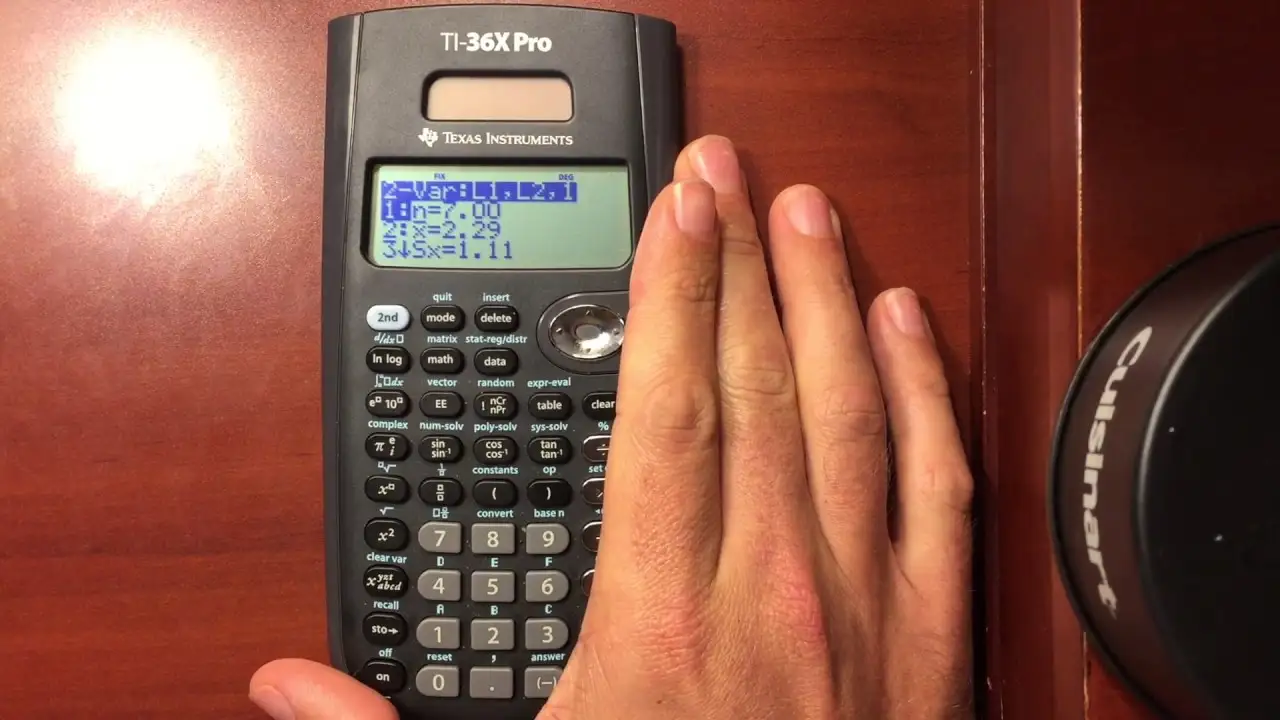
Only a few alternatives are repeatedly mentioned by users, and the comparisons tend to be about interface and matrix capacity more than raw feature checklists.
The most direct competitor recommendation from Reddit is the Casio fx-991EX. A Reddit user who “absolute despise[s]” the TI-36X Pro said: “I much prefer the casio fx 991 ex… the 991 ex layout is much more intuitive, the screen is better, does 4x4 matrices.” If you’re doing matrix-heavy coursework, that “4x4 matrices” note is a concrete reason some users switch.
Within TI’s own lineup, a Reddit commenter suggested: “check out the ti-30x pro math print… basically a ti-83 without graphing , but way easier to user and with math print.” That’s a user framing it as a simpler-feeling workflow while still staying test-friendly.
From the HP Museum forum, alternatives mentioned include “the sharp el-w516 and the casio fx-115es,” with a later user arguing “casio fx-991es plus has almost same characteristics and the price,” plus a claim that for some integrals it can be quicker. These are not universal endorsements—more like “if you hate TI’s UI, here are comparable non-graphing models people consider.”
Price & Value
The price narrative is unusually consistent: people anchor the TI-36X Pro as a ~$20 workhorse. On Amazon (US listing), it’s shown at “$19.99” with “4.8 out of 5 stars” and “20,228 reviews” (Amazon listing data). Dave Britten’s forum post frames the same price point: “best bang for your 20 bucks.” Review-analysis snippets echo it repeatedly: “it only costs 20 bucks!”
Resale/market pricing looks more scattered. eBay listings in your data range from “$12.58” (discounted listing) to “$19.99,” and one outlier at “$39.95” with a note that the listing is for “2 ti-36x pro calculators.” The practical takeaway from this market spread is that new buyers can often find it near the $20 anchor, while bundles and certain listings drift upward.
Buying tips are mostly implicit rather than explicit: if you’re purchasing for an exam, users repeatedly emphasize learning the modes early. The Reddit MathPrint thread shows how a single setting changes the entire “derivative notation vs nderiv” experience, and the derivative discussion shows accuracy can vary with ε and mode.
FAQ
Q: Is the TI-36X Pro allowed on major exams?
A: Yes—its official positioning emphasizes exam acceptance. Texas Instruments’ specs state it’s “approved for use on SAT, ACT, and AP exams.” A review-analysis snippet also mentions it being “ok to use on all tests including the engineering fe,” aligning with the common “test policy” reason people buy it.
Q: Can it do derivatives and integrals, and are they exact?
A: It performs numeric derivatives and definite integrals, not symbolic calculus. Nick Weil wrote it “will take the first order derivative… evaluated at a given value” and “does calculate definite integrals (no indefinite).” A Reddit user explained results depend on approximation settings like ε, which can vary by mode.
Q: Why does my TI-36X Pro show nDeriv instead of textbook-style notation?
A: Users say it’s often a mode setting. In a Reddit thread, one user suspected MathPrint wasn’t enabled, and another replied: “mode… down arrow 4 times… highlight math print… enter key.” After switching, the original poster said it solved the issue.
Q: Are the buttons and screen actually good?
A: Feedback conflicts. Some quoted impressions praise “keys are crisp and snappy” and a “large easy to read screen” (BestAdvisers customer quotes), while a Reddit owner complained the keys are “extremely spongey” and “the screen is terrible,” and review-analysis snippets cite buttons that “don’t respond consistently.”
Q: What’s a common alternative if I dislike the TI menu system?
A: The Casio fx-991EX is the most direct user-mentioned alternative. A Reddit user said they “much prefer the casio fx 991 ex,” citing a “more intuitive” layout, “better” screen, and “4x4 matrices.” Other mentions include Casio fx-115ES and Sharp EL-W516 in forum discussion.
Final Verdict
Buy if you’re a student or exam-taker who needs a non-graphing calculator with solver-heavy power and numeric calculus—especially if you value being able to “scroll up to review and/or click to copy earlier expressions.” Avoid if key feel and interface friction ruin your flow; one Reddit owner said they “absolute despise it” because of “spongey” keys and an annoying menu system. Pro tip from the community: set up MathPrint early—Reddit user feedback shows it can be the difference between “nderiv” frustration and the textbook-style workflow people expect.





