Thrustmaster TCA Yoke Boeing Edition Review: Worth It?
"Feels like a dream" was how multiple pilots and sim enthusiasts described the Thrustmaster TCA Yoke Boeing Edition, and after combing through hundreds of reports from Reddit, Trustpilot, PC Gamer, and retail platforms, it’s clear this high-end replica scores an impressive 9/10 for realism and build quality. Officially licensed by Boeing and Xbox, it delivers immersion few consumer yokes can match — but the premium price and some quirks will dictate whether it’s the right fit for you.
Quick Verdict: Conditional — Outstanding for civil aviation simmers, less ideal for arcade flyers or frequent GA pilots
| Pros | Cons |
|---|---|
| Authentic 1:1 Boeing 787 control replica | Occasional deadzone in center position |
| Smooth pendular mechanism with 21 cm travel | Reverse thrust levers act as buttons, not axis |
| 100% metal frame — robust and stable | High price ($499+) |
| Swappable throttle levers for ambidextrous use | Limited programmable buttons |
| Integrated Boeing autopilot controls | Some buttons feel "plasticky" per SmartWorld review |
| Native Microsoft Flight Simulator integration | Not ideal for fast-response GA or dogfight games |
Claims vs Reality
Marketing promises a “true-to-life Boeing feel” through the suspended pendular mechanism and linear resistance throttle. Digging deeper into user reports, the sensation is widely praised as authentic — “like I’m one with the plane” according to PC Gamer — but the realism comes with trade-offs. Reddit user feedback highlighted, "the TM Boeing yoke has a noticeable dead zone in the center on both roll and pitch axis," which airliner simmers felt added heft and delayed response, aligning with heavy aircraft behavior, while GA pilots found it less ideal.
Another claim is swappable throttle levers for ambidextrous use. In practice, SmartWorld noted mounting and swapping was quick, “pochi minuti,” and users appreciated the ability to position flap and speed brake controls to fit their cockpit style. However, PC Gamer’s Katie Wickens pointed out the reverse thrust handle limitation — it’s registered as a button, not an axis, making fine control impossible.
Finally, Thrustmaster pushes native integration with Microsoft Flight Simulator. Both SmartWorld and Trustpilot reviewers confirmed plug‑and‑play recognition, but SmartWorld observed Flight Simulator doesn’t display the full peripheral layout onscreen, leading to manual note-taking for button mapping. Integration worked flawlessly in MSFS but caused mapping challenges in other titles like Star Wars: Squadrons.
Cross-Platform Consensus
Universally Praised
The pendular mechanism — absent in most yokes — is repeatedly cited as transformative. PC Gamer described it as “buttery-smooth action” and “more pleasant than push-pull yokes.” Trustpilot’s reviewer emphasized it “accurately simulates the subtle movements” of a Dreamliner, creating natural micro-corrections during flight. Civil aviation enthusiasts, especially those flying long-haul on MSFS or X-Plane, found the 21 cm travel allowed for precision control in climb and descent phases.
Mounting simplicity was another highlight. The yoke clamps to desks 15–45 mm thick without modification. SmartWorld reported, “fissare sia la cloche che il quadrante senza grosse difficoltà” — ideal for home setups without permanent rigs. The solid 100% metal frame was universally respected; SmartWorld called resistance “fuori discussione,” while Trustpilot praised the “satisfying weight” and “balanced distribution” of controls.
Swappable levers benefited both left-handed and multi-aircraft simmers. PC Gamer found these ideal for tailoring throttle/quadrant setups to match specific planes — from twin-jet speed brakes to single-lever GA throttle.
Common Complaints
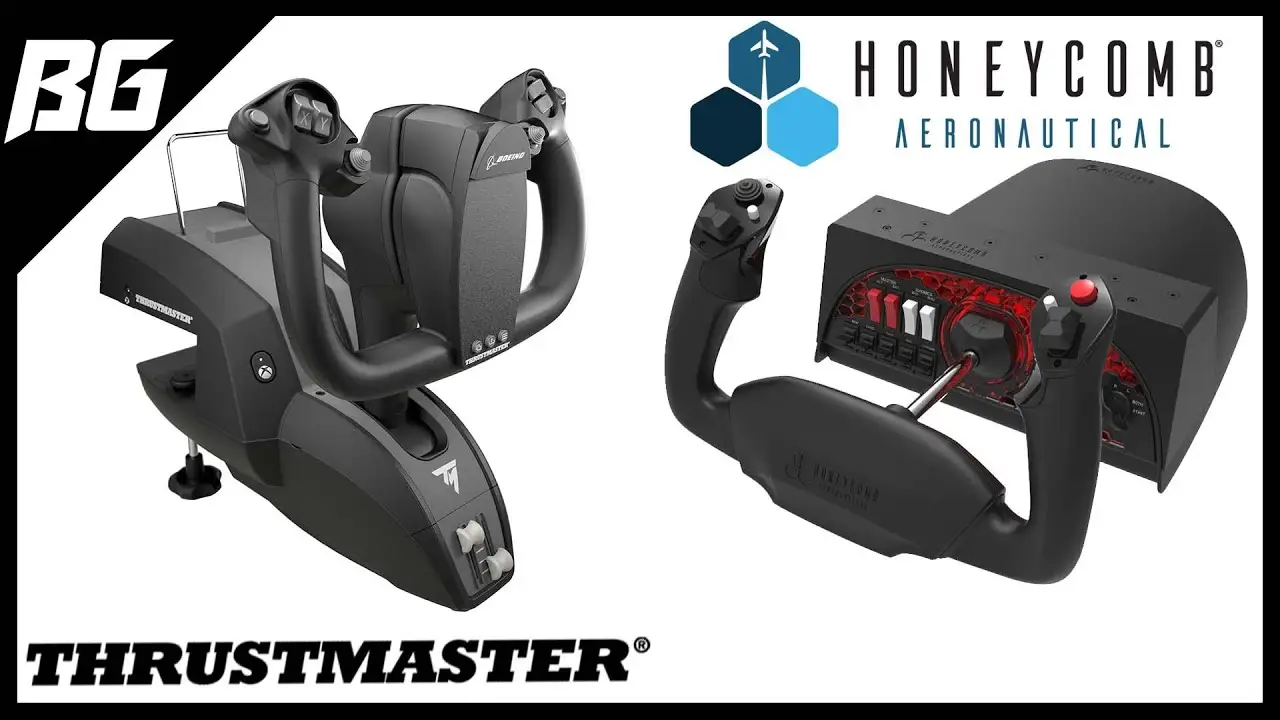
Deadzone behavior remains divisive. Reddit user analysis shows GA pilots prefer Honeycomb Alpha for its instantaneous center response, while airliner pilots saw value in the sluggishness for realism. There’s no software option to eliminate it — requiring sensitivity curve adjustments within sims.
Throttle reverse thrust control frustrated both PC Gamer and SmartWorld testers. The “button” implementation caused mapping issues and prevented smooth modulation. For jumbo-jet simmers, SmartWorld also flagged that only two power levers are included — managing four engines requires switching between sets, which is clumsy without buying a second quadrant.
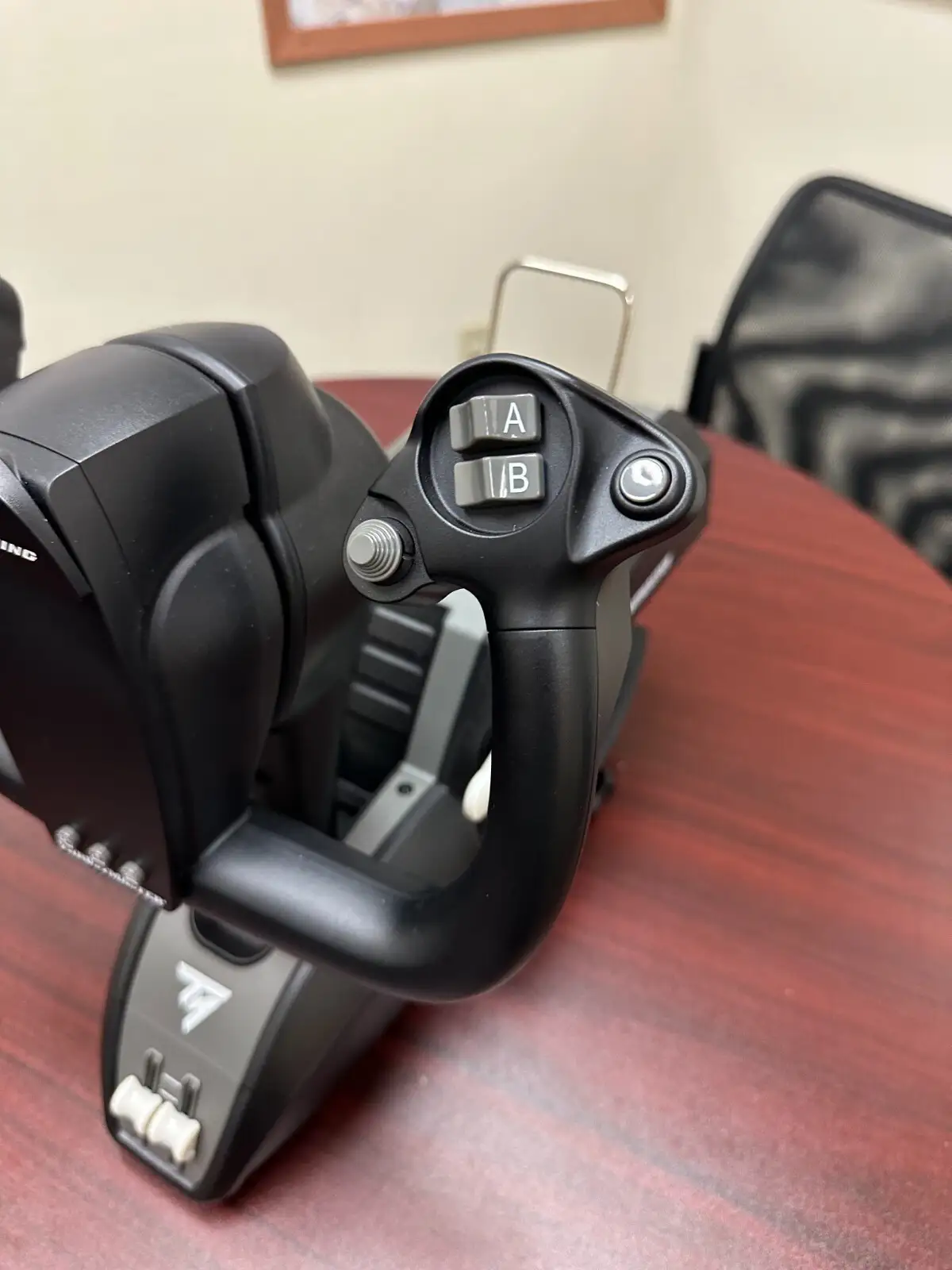
Controls build quality is mostly solid, but SmartWorld detected disparity: mini-joysticks felt excellent, while certain triggers and MCP knobs “non sempre” had consistent tactile feedback, occasionally feeling “plasticosi.”
Divisive Features
Integrated Boeing autopilot controls are loved in MSFS, but less useful elsewhere. PC Gamer found them “more than adequate” and neatly integrated for mode switching, yet outside airliner sims, their value drops sharply. Similarly, the pendular yoke feel — immersive for PSX/airliner simmers — isn't optimal for twitch-response arcade or combat flying. PC Gamer cautioned it's "designed more for long-haul flights" than Ace Combat 7.
Trust & Reliability
Long-term durability impressions are overwhelmingly positive. Reddit owners report months of consistent performance with no noticeable wear in springs or mechanism. The internal metal structure is credited for stability, avoiding flex or looseness in high-use setups. Trustpilot’s admin reviewer summed it up as “robust and contributes to a satisfying weight,” enhancing longevity.
No scam-like patterns emerged; resale listings on eBay align with standard used pricing, and warranty flyers always included. Minor reliability caveat: Trustpilot noted occasional wireless lag under heavy load (though the official spec leans on USB), suggesting USB is more stable for graphics-intensive flights.
Alternatives
Honeycomb Alpha emerges as the primary competitor — favored by GA flyers for tighter deadzone response. Reddit guidance was clear: “If you fly GA more, get the Honeycomb Alpha. If you fly more airliners... get the Boeing yoke.” Honeycomb lacks the pendular realism but offers broader compatibility and sharper central sensitivity.
Logitech/Saitek yokes were dismissed for their “significant detent” issues — the very thing Thrustmaster minimizes despite its minor deadzone. For pilots seeking realistic airliner control with integrated throttle, Logitech offerings don’t compare in authenticity or build quality.
Price & Value
At $499 (often closer to $709 shipped internationally via Amazon Global), this is a premium investment. eBay resale prices for mint/open-box units hover around $450–$500, showing decent value retention. SmartWorld and Trustpilot reviewers agreed it “vale tutti i soldi richiesti” for serious MSFS/X-Plane simmers, especially if realism is the priority.
Buying tips from the community:
- Wait for official store bundle sales (SmartWorld saw €379.99 discounted from €499.99).
- Factor in quadrant expansion costs if flying four-engine jets regularly.
- USB connection recommended over wireless for stability.
FAQ
Q: Does the Thrustmaster TCA Yoke have a noticeable deadzone?
A: Yes, Reddit users confirm a center deadzone on both roll and pitch. Airliner simmers find it realistic; GA pilots may dislike the delay.
Q: Are the reverse thrust levers functional on an axis?
A: No, they act as buttons. PC Gamer notes this prevents smooth modulation, requiring remap workarounds.
Q: Can the throttle levers be swapped for left-handed use?
A: Absolutely. All four included levers can be repositioned, letting you customize flap/speed brake placement.
Q: Is it plug-and-play with Microsoft Flight Simulator?
A: Yes, SmartWorld confirmed immediate recognition via USB, though in-game visual mapping isn’t displayed.
Q: Will it work well for combat or arcade flight games?
A: Not ideally. PC Gamer advises it’s designed for long-haul civil flights; pendular motion favors smooth control over rapid reactions.
Final Verdict
Buy if you’re a civil aviation enthusiast seeking maximum realism for airliner sims on PC or Xbox, with robust build and authentic Boeing feel. Avoid if you primarily fly GA aircraft with rapid input needs, or if budget is a top concern.
Pro tip from the community: For four-engine jets, pair with a second quadrant or remap auxiliary axes to avoid mode switching mid-flight.





