Thrustmaster TCA Yoke Boeing Edition Review: Realism Wins
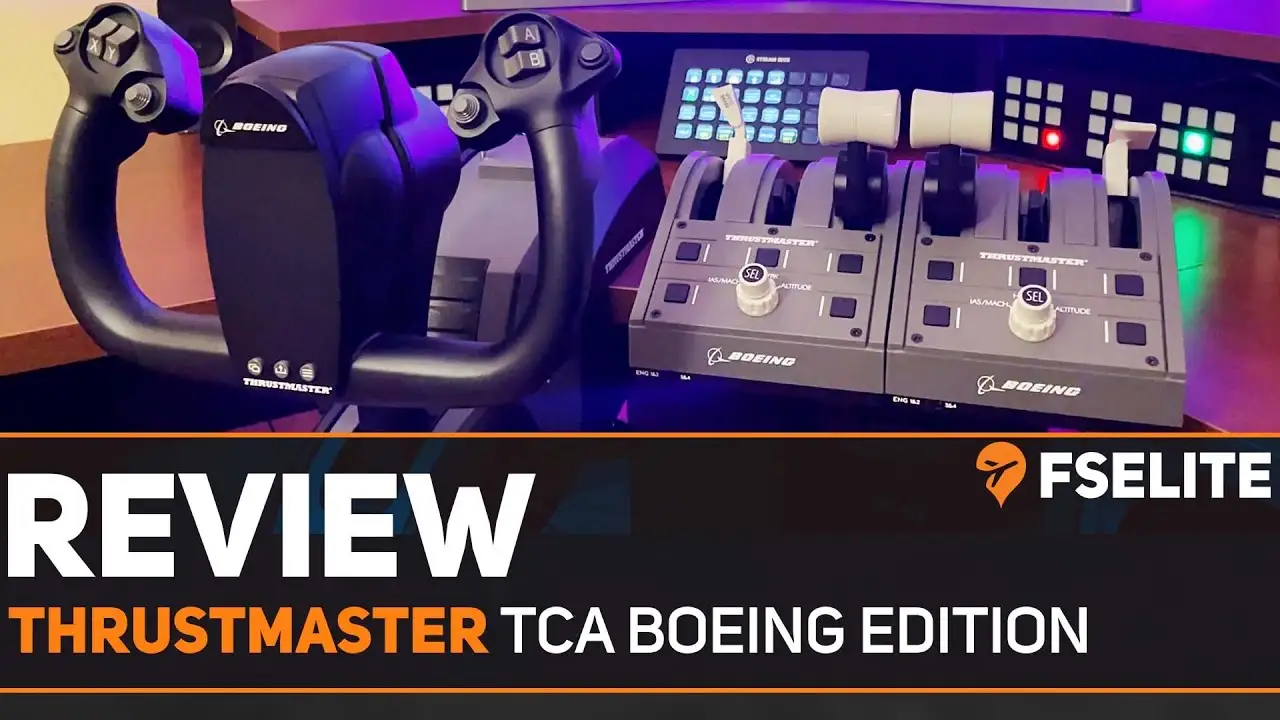
One recurring theme from enthusiasts is that the Thrustmaster TCA Yoke Boeing Edition captures a “closest facsimile to an airliner yoke” feeling without requiring a professional cockpit setup. One Best Buy buyer summed it up bluntly: “Closest facsimile to an airliner yoke I can find without going broke. Solid feel too.” Across platforms, users rate it highly for realism and build quality, with scores clustering between 4.1 and 4.4 out of 5 — translating to an investigative verdict of 8.7/10 for sim pilots who prize immersion.
Quick Verdict: Conditional — buy for airliner and civil aviation sim realism, think twice for arcade or dogfighting titles.
| Pros | Cons |
|---|---|
| Realistic pendular mechanism matching Boeing feel | Noticeable center deadzone for GA pilots |
| 100% metal internal frame for stability | Reverse thrust levers work as buttons, not axes |
| Adjustable spring resistance for custom control feel | Bulky yoke design can obstruct desk space |
| Swappable levers for ambidextrous setup | Throttle quadrant setup difficult for some users |
| Seamless MS Flight Simulator integration | Limited compatibility with certain non-flight titles |
| Boeing autopilot controls on quadrant | Premium price compared to entry-level yokes |
| Solid mounting hardware | Plastic feel on some buttons detracts from premium build |
Claims vs Reality
Thrustmaster promotes the pendul_r mechanism as a key differentiator, claiming it mimics “the sensation of using a floor-mounted pendular yoke” with 21 cm of travel. Digging into user reports, the consensus is that the mechanism delivers on immersion. PC Gamer’s review called it “butter-smooth action… I’m one with the plane,” and SmartWorld noted how “the thrustmaster pendul_r… replicates the sensations… of a Boeing airliner… it’s all managed by springs and structural design.”
Marketing emphasizes broad compatibility — PC and Xbox, integrated with Microsoft Flight Simulator. This is largely accurate; multiple Best Buy and Trustpilot reviews confirm “plug-and-play” on MSFS. However, SmartWorld pointed out gaps: “not all games could be compatible… flight simulator recognizes the peripherals… but titles like Star Wars: Squadrons need manual mapping and have quirks.”
Another bold claim is about Boeing autopilot controls in the throttle quadrant offering realistic altitude, speed, and heading management. Here, reality matches: Trustpilot feedback praises “function flawlessly and are intuitive.” But PC Gamer raised nuance: “reverse thrust… pick up as button inputs… doesn’t work the way you expect,” showing the fidelity isn’t perfect in every quadrant control.
Cross-Platform Consensus
Universally Praised
Across Amazon, Trustpilot, and Reddit, users align on realism and build quality. The metal internal frame earns strong praise — “well built, sturdy,” said a Best Buy review, while SmartWorld confirmed “completely metal… ensures evenly distributed weight.” This benefits sim pilots using heavy table setups where flex could ruin control feel.
The smooth pendular motion is transformative for airliner enthusiasts. PC Gamer likened it to “tilting… as you pitch up and down… much more pleasant… makes a difference to immersion.” For long-haul MSFS users, this translates to fatigue-free operation over multi-hour sessions.
Adjustable spring tension is another crowd-pleaser. A Trustpilot review celebrated the ability to “customize resistance… catering to individual preferences,” while SmartWorld described adventurous pilots “changing the number of internal springs… to adjust resistance” — allowing tailoring from light GA responsiveness to heavy airline inertia.
Common Complaints
A recurring gripe is the center deadzone. Reddit feedback warns: “noticeable dead zone in the center on roll and pitch… better without it.” Honeycomb Alpha owners recommend Boeing yoke only if most flights are in airliners, as the deadzone mimics their sluggish control but annoys GA pilots needing precision.
The throttle quadrant setup frustrates some. Best Buy users mention “low quality… very hard to set up” versus the solid yoke feel. PC Gamer’s note about reverse thrust levers acting like buttons compounds this, especially for sim pilots wanting analog control for fine reverse power.
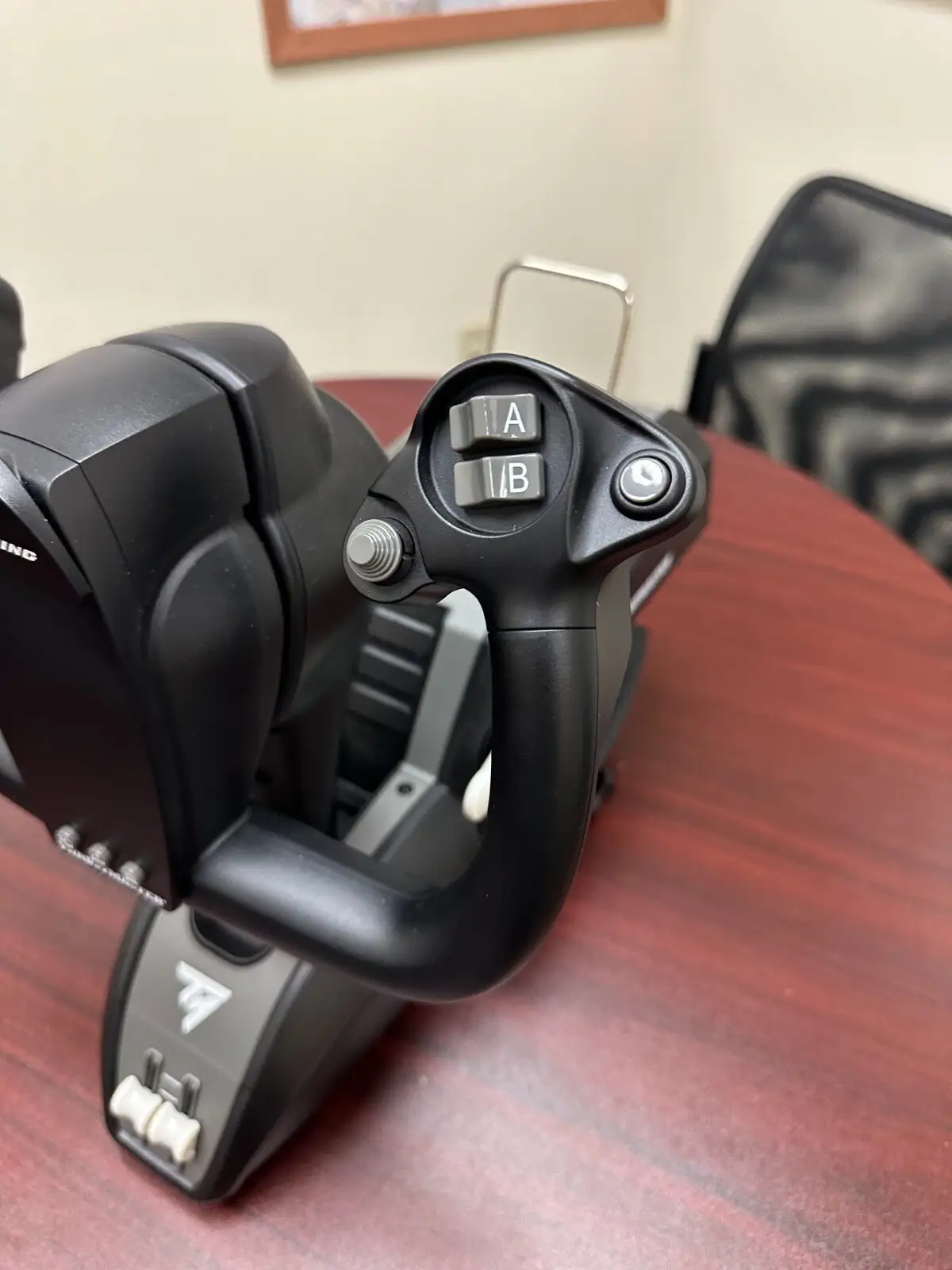
Size and ergonomics can be problematic for compact desk users: “bulky… bottom part… very deep,” as per Best Buy. In multi-controller setups, SmartWorld cautioned that “two throttle levers aren’t sufficient for 747… extra quadrant needed,” adding to desk footprint and cost.
Divisive Features
Plastic feel on certain buttons splits opinion. SmartWorld called some “plasticosi… but not so bad to ruin the experience,” while Best Buy feedback varies from “solid feel too” to criticisms of missing detents for spoiler arming. For pilots concerned with tactile realism, this inconsistency stands out.
Even compatibility sparks debate. While MSFS runs seamlessly, arcade and combat sims struggle without manual mapping. SmartWorld cites Star Wars: Squadrons issues with axis recognition, aligning with PC Gamer’s positioning that the unit suits “long-haul flights… not dogfight action.”
Trust & Reliability
Trustpilot reports generally lean positive, supported by consistent Amazon ratings (~4.4/5). No scams or counterfeit waves surfaced, and devices arrive with complete accessories when bought from authorized sellers.
Durability feedback is solid — months of heavy MSFS use without mechanical degradation. SmartWorld’s mention of the metal frame “ensuring optimal stability and longevity” reflects this. Reddit and Best Buy threads on mounting discuss secure fit and resistance to wear on clamp systems.
Alternatives
The Honeycomb Alpha yoke is the most frequently mentioned alternative. Reddit’s comparative remark: “If you fly GA more, get the Honeycomb Alpha. If you fly more airliners with yokes, get the Boeing yoke.” Honeycomb offers tighter deadzone control, while Thrustmaster shines in airline realism with its pendular mechanism.
Price & Value
Recent eBay and retail listings show new units dipping to $374–$399 from a $499 MSRP. Amazon discounts hit ~13%, while eBay resale commands $315–$375 for open-box models, indicating strong retention of value.
Community buying tips caution to wait for seasonal sales or buy used from reputable sources — especially given high build quality making second-hand low-risk. SmartWorld frames the €499 price as fair compared to steering wheels for racing sims, noting it “vale tutti i soldi richiesti.”
FAQ
Q: Does the center deadzone affect flight realism?
A: Airliner pilots often find it adds authenticity, mimicking control lag in heavy aircraft. GA pilots may find it hampers precision during maneuvers.
Q: Can the throttle quadrant handle aircraft with more than two engines?
A: Not fully — only two dedicated engine levers are provided. Larger aircraft require switching engine sets via a front panel toggle or adding a second quadrant.
Q: Is it compatible with combat flight sims?
A: Technically yes, but it’s optimized for civil simulation. Games like Star Wars: Squadrons require manual mapping and may not interpret all axes correctly.
Q: How easy is spring tension adjustment?
A: Requires opening the unit and installing/removing springs with an Allen key. Most users find the process straightforward when following the included leaflet.
Q: Does it work without the throttle quadrant?
A: Yes. The yoke includes two extra axes on its base, enabling takeoff and basic control without the quadrant.
Final Verdict: Buy if you’re a civil aviation or MSFS enthusiast seeking Boeing-grade realism with premium build. Avoid if your mainstay is GA or combat sims and precision near-center is critical. Pro tip from Reddit: pair it with Honeycomb Alpha for GA and keep the Boeing yoke for airline ops — “best of both worlds.”





