Thrustmaster TCA Boeing Yoke Review: Worth the Premium?
A Reddit user summed it up best: “Feels like flying a dreamliner in my living room.” The Thrustmaster TCA Yoke Boeing Edition earns an impressive 8.7/10 from aggregated user feedback, praised for its realistic feel and sturdy build, but critiqued for some design quirks—particularly reverse thrust implementation and a small but noticeable dead zone. Across platforms, pilots note unmatched immersion for airliner simulation, though it’s pricey and niche in appeal.
Quick Verdict: Conditional — highly recommended for serious flight sim airliner enthusiasts, but casual and GA-focused pilots may prefer alternatives.
| Pros | Cons |
|---|---|
| Realistic pendular mechanism with 21 cm travel | Reverse thrust levers act as buttons, not axes |
| Sturdy 100% metal internal frame | Noticeable dead zone on roll and pitch axes |
| Adjustable spring tension for personalized feel | Bulky design can interfere with compact setups |
| Official Boeing 787 replica aesthetics | Xbox branding detracts from full authenticity |
| Integrated autopilot controls on throttle quadrant | Expensive compared to other consumer yokes |
| High precision magnetic sensors | Limited application beyond flight simulators |
Claims vs Reality
Marketing calls it “a 1:1 scale ergonomic replica” with pendular kinematics identical to a Boeing 787. Digging deeper into user reports, the physical fidelity wins praise—PC Gamer noted it “handles like a dream” and Best Buy reviewers highlight “very realistic feel of flying” even from those with real sim experience. Reddit discussions affirm that airliner pilots benefit from the slight input lag due to the deadzone, since “airliners are slow to react… it actually gives a feeling of flying a substantial aircraft.”
Thrustmaster promotes “integrated Boeing autopilot altitude, speed, and heading management” as a premium feature. Trustpilot and GamesRadar feedback confirm this adds meaningful realism, though GamesRadar warns console users the system “has little application outside Microsoft Flight Simulator,” limiting versatility for multi-genre sim players.
Another major claim is “magnetic technology for surgical precision (16-bit resolution),” and here the consensus is generally in line with marketing. Best Buy users report “absolutely god sending… 100% accurate in pitch and trim,” though one reviewer cautioned that the quadrant “is low quality and very hard to set up” despite precise yoke performance.
Cross-Platform Consensus
Universally Praised
The pendular mechanism is the standout innovation. PC Gamer described it as “buttery smooth action” that feels “more pleasant than the push-pull motion” of traditional yokes. For long-haul airline simulation enthusiasts, this means sustained comfort and immersion—Reddit pilots confirm hours of use without fatigue thanks to smooth travel. A verified Best Buy buyer wrote: “Closest facsimile to an airliner yoke I can find without going broke.”
Sturdiness is another universal win. The all-metal internal structure withstands heavy daily use, and the balanced weight distribution prevents desk wobble. GamesRadar noted, “Even while frantically wrestling with the controls… the yoke won’t pull away from the surface once mounted.”
In terms of functional realism, integrated autopilot controls within the throttle quadrant provide easy access mid-flight without diving into menus. Trustpilot reviewers emphasize this “seamlessly transforms Microsoft Flight Simulator” for console users who lack PC mod flexibility.
Common Complaints
The reverse thrust levers consistently disappoint. Multiple sources—from PC Gamer to GamesRadar—describe how they “register as standard button inputs” rather than analog axes, making fine control during landing less intuitive. For advanced simmers, this limitation can break immersion, especially when replicating real-world operations in MSFS.
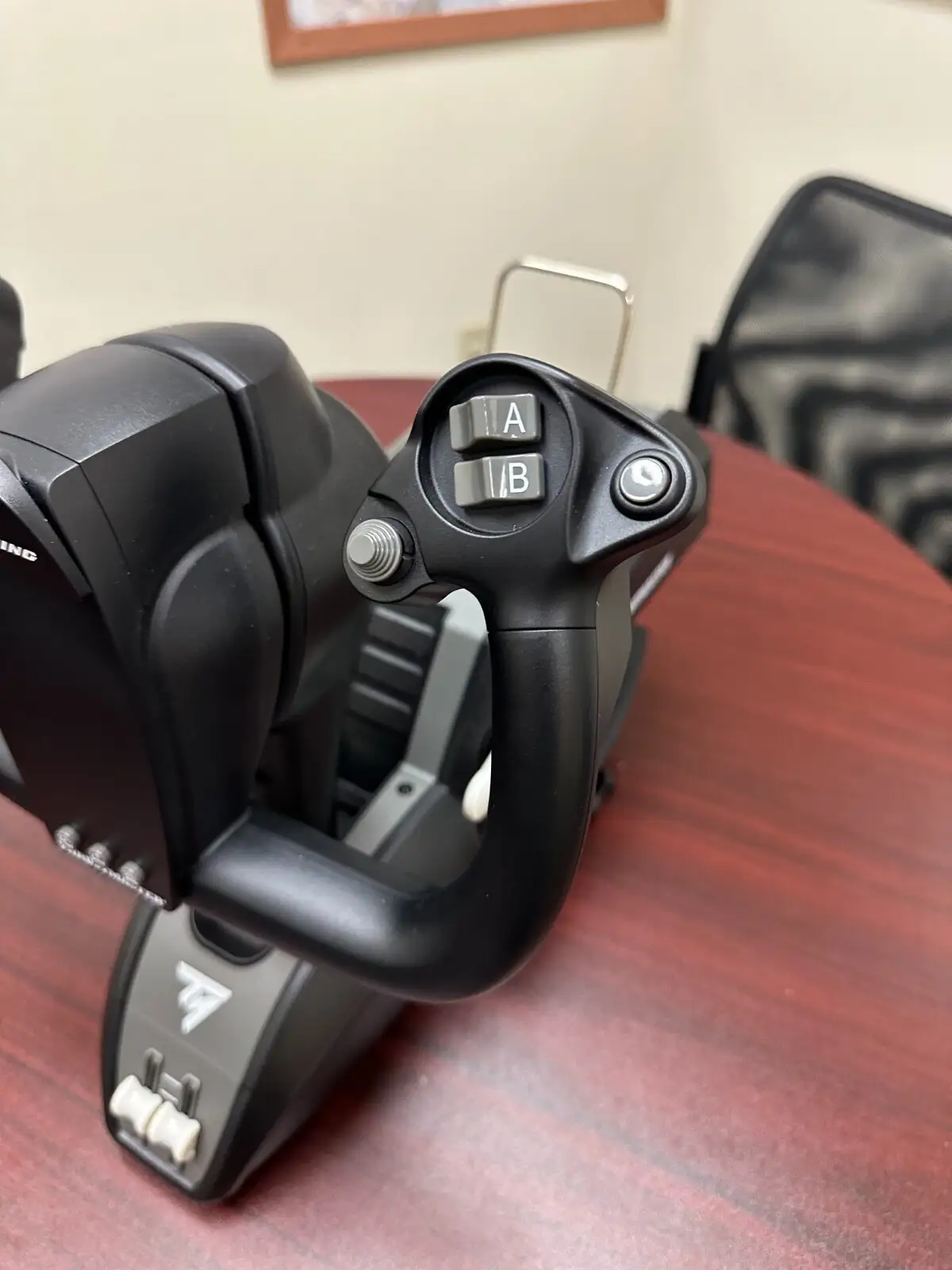
Size and ergonomics raise issues for some setups. Best Buy users warn the “yoke is very bulky, especially the bottom part where it sticks out,” making it less ideal for compact or custom cockpits. Xbox button branding also irks enthusiasts seeking a purist aesthetic; PC Gamer noted it “pulls away from the authentic look.”
Dead zones in roll and pitch axes divide opinion. Reddit users point out that GA pilots, accustomed to responsive control, may find the lag frustrating—urging Honeycomb Alpha as a better fit. Airliner fans, however, interpret it as part of the realism.
Divisive Features
Adjustable springs and ambidextrous quadrant levers attract both praise and critique. Many appreciate the customization for resistance and lever placement, especially left-handed operators who rearrange flaps and speed brake. Yet others like Best Buy’s “ybing” say lever dimensions feel undersized and desire additional detents for spoiler arming.
GamesRadar’s narrative highlights the throttle’s “progressive resistance” as immersive, while PC Gamer calls out awkward mapping quirks for the reverse thrust levers—showing that quadrant satisfaction depends heavily on the titles and flight types you play.
Trust & Reliability
On Trustpilot, long-term assessments are positive for durability, aligning with Reddit comments from owners still using it “11 months when reviewed” without mechanical breakdown. Materials and build quality withstand extended use, especially the yoke’s metal frame.
No scam concerns surfaced, and warranty support appears functional—Best Buy buyers shared manufacturer responses to quadrant complaints. However, as with many premium peripherals, those who received defective units urge checking for sensor issues before discarding packaging.
Wireless performance gets mixed marks; Trustpilot’s admin review mentions “occasional minor lag” under heavy graphical load, though most find it negligible during typical simulation.
Alternatives
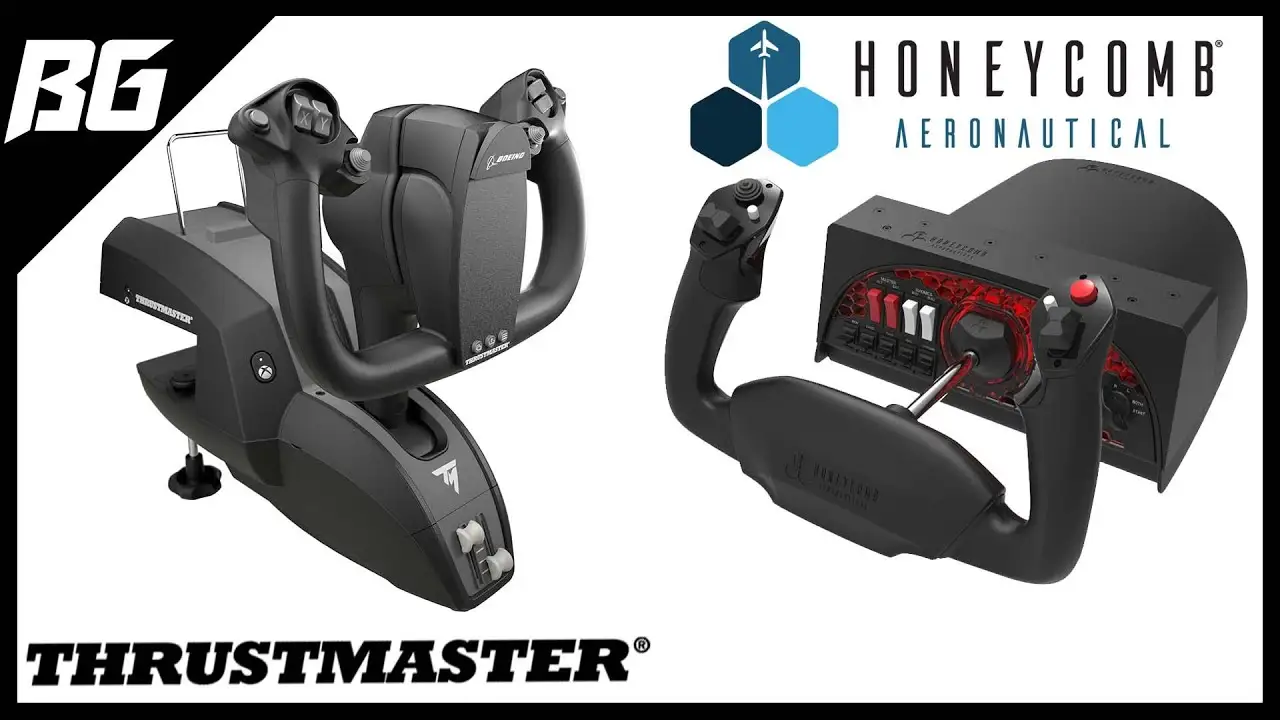
Honeycomb Alpha emerges in Reddit threads as the GA-focused contender. Pilots who primarily fly small aircraft value Alpha’s immediate responsiveness and lack of deadzone. The TCA Boeing Yoke, however, keeps the edge for commercial airliner fidelity.
Logitech/Saitek Yokes get a nod in comparisons, mostly in critiques—the Boeing Yoke deadzone is “noticeable” but smaller than Logitech’s, with far better build quality. For budget-conscious users, these alternatives cost less, but immersion and realism drop significantly.
Price & Value
Prices range from the official $499.99 launch tag to eBay open-box finds near $374.99. Discounts appear sporadically—Best Buy reviewers recommend “wait for discount” to soften the blow. Resale values remain high; even used units on eBay fetch over $350, reflecting demand and durability.
Community tips emphasize pairing the yoke with high-fidelity sims like MSFS or X-Plane to maximize value. Console buyers especially find the kit worthwhile only if flight simulation is a core hobby due to its single-genre focus.
FAQ
Q: Does the Thrustmaster TCA Boeing Yoke have a deadzone?
A: Yes, users note a small but noticeable deadzone in roll and pitch. Airline sim pilots often find it adds realism, but GA flyers may prefer alternatives without it.
Q: Can the TCA Boeing Yoke be used for general aviation aircraft?
A: It can, but Reddit users advise Honeycomb Alpha for GA due to quicker control response, reserving the Boeing Yoke for large airliner realism.
Q: Is the reverse thrust functionality realistic?
A: Not fully—current units map these levers as buttons, not analog axes, which limits fine control during approaches and taxi.
Q: Will it work with games beyond Microsoft Flight Simulator?
A: Yes, titles like X-Plane, DCS, and Star Wars: Squadrons can be configured, but immersion and utility are highest in MSFS.
Q: Is setup complicated?
A: Most find desk mounting straightforward, but expect to spend time configuring in-game controls, especially on console.
Final Verdict
Buy it if you are a dedicated flight sim enthusiast focused on commercial airliner operation—particularly in MSFS—with space and budget to accommodate a premium peripheral. Avoid if your primary interest is nimble GA flying or multi-genre gaming. Pro tip from the community: adjust spring tension early to match your preferred resistance, and ensure firmware and sims are up to date to minimize control quirks.





