Thrustmaster TCA Boeing Yoke Review: Realism Wins
Soaring into the premium end of consumer flight simulation hardware, the Thrustmaster TCA Yoke Pack Boeing Edition draws sharp praise for realism yet ignites debates over comfort trade-offs — landing it an investigative score of 8.4/10.
Quick Verdict: Conditional buy — unmatched for commercial airliner sims, less ideal for fast-paced GA or combat flight.
| Pros | Cons |
|---|---|
| Exceptionally smooth pendular mechanism | Noticeable deadzone in center on roll/pitch (Reddit) |
| 1:1 licensed Boeing 787 yoke replica | Reverse thrust levers act as buttons, not axis (PC Gamer) |
| Solid 100% metal internal structure | Bulky form factor, deep under-desk clearance needed (Best Buy) |
| Integrated Boeing autopilot controls | Limited button customization options (Trustpilot) |
| Plug-and-play MS Flight Simulator integration | Price high vs. GA-focused alternatives |
| Swappable throttle levers for ambidextrous use | Some buttons feel “plasticky” (SmartWorld) |
| Adjustable spring resistance | Quadrant setup can be frustrating for multi-engine configs |
Claims vs Reality
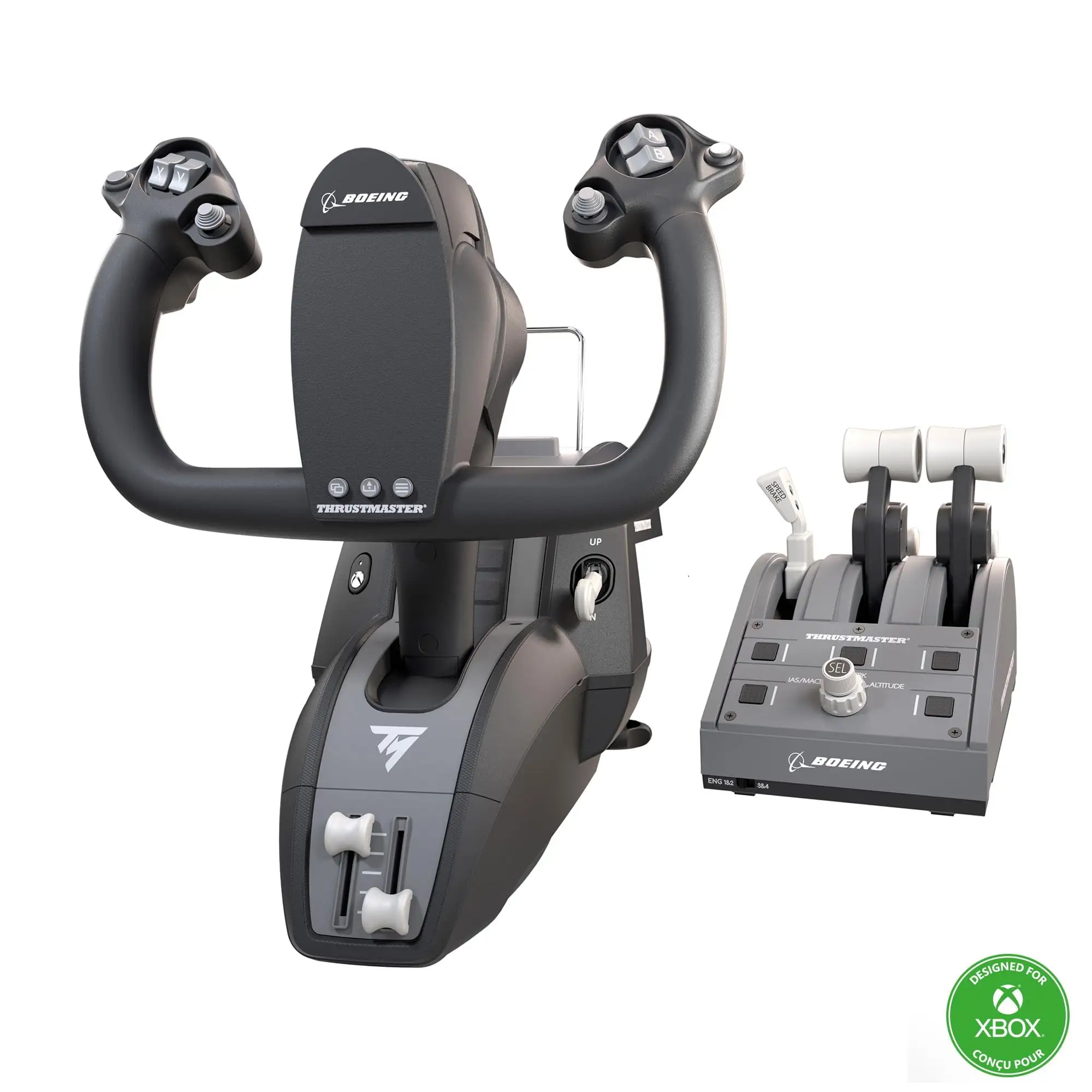
Thrustmaster pitches the “pendul_r mechanism” as replicating real Boeing Dreamliner flight kinematics. Marketing highlights the 21 cm yoke travel and “boeing real-life linear resistance feel” for the throttle quadrant.
Digging deeper into user reports, Reddit user feedback reveals a subtle but potentially significant deviation: “Yea the TM Boeing yoke has a noticeable dead zone in the center on both the roll and pitch axis.” While some airliner pilots find this delay mimics heavy aircraft behavior, GA flyers may prefer instant response.
Another key claim — “Integrated Boeing autopilot feature” — lands well for the intended audience. A reviewer on Trustpilot called the MCP knob “a genuinely useful addition” for altitude, airspeed, and heading control, although SmartWorld found its feedback “not always the best, with slight uncertainty when switching modes.”
Finally, the swappable lever promise offers flexibility “lefties will appreciate” (PC Gamer). In practice, Best Buy buyers enjoyed changing flap and speed brake positioning but flagged the quadrant as “low quality and very hard to set up” if expanding to multi-engine setups.
Cross-Platform Consensus
Universally Praised
Across Best Buy, PC Gamer, and SmartWorld reviews, the pendular action emerges as the standout. PC Gamer described it as “butter smooth… I’m one with the plane”. For long-haul simmers, that fluid pitch motion transforms immersion. SmartWorld’s team noted “21 centimetres of travel… impressively replicating a floor-mounted yoke.” Those flying multi-hour legs in Microsoft Flight Simulator report less fatigue than with push-pull yokes.
The build quality gets similar accolades. A Best Buy verified buyer summed it up: “Amazing high quality and strong plastic with metal parts… works for GA aircraft that have yoke control too.” For cockpit builders, adjustable springs matter; Trustpilot called them “customization catering to individual preferences” for resistance feel.
Integration with MSFS on Xbox Series X|S is effortless for mainstream players. SmartWorld observed that even without drivers, “the game recognizes the devices… plug-and-play setup” enabled first-flight experiences within minutes.
Common Complaints
The deadzone is the most repeated knock. While officially unmentioned, multiple Reddit users and hobbyists note center slack. For GA aircraft or short-field operations requiring micro-control, it detracts from precision. Sensitivity curves can compensate, but as one Redditor warned, “If you fly GA more, get the Honeycomb Alpha… slower reaction in airliners matches their feel.”
Reverse thrust levers as button inputs frustrate Boeing purists. PC Gamer highlighted their counterintuitive behavior: “Picked up as button inputs… causes issues with mapping.” Combined with SmartWorld’s quadrant “mode switch” feedback issues, serious pilots may seek aftermarket mods.
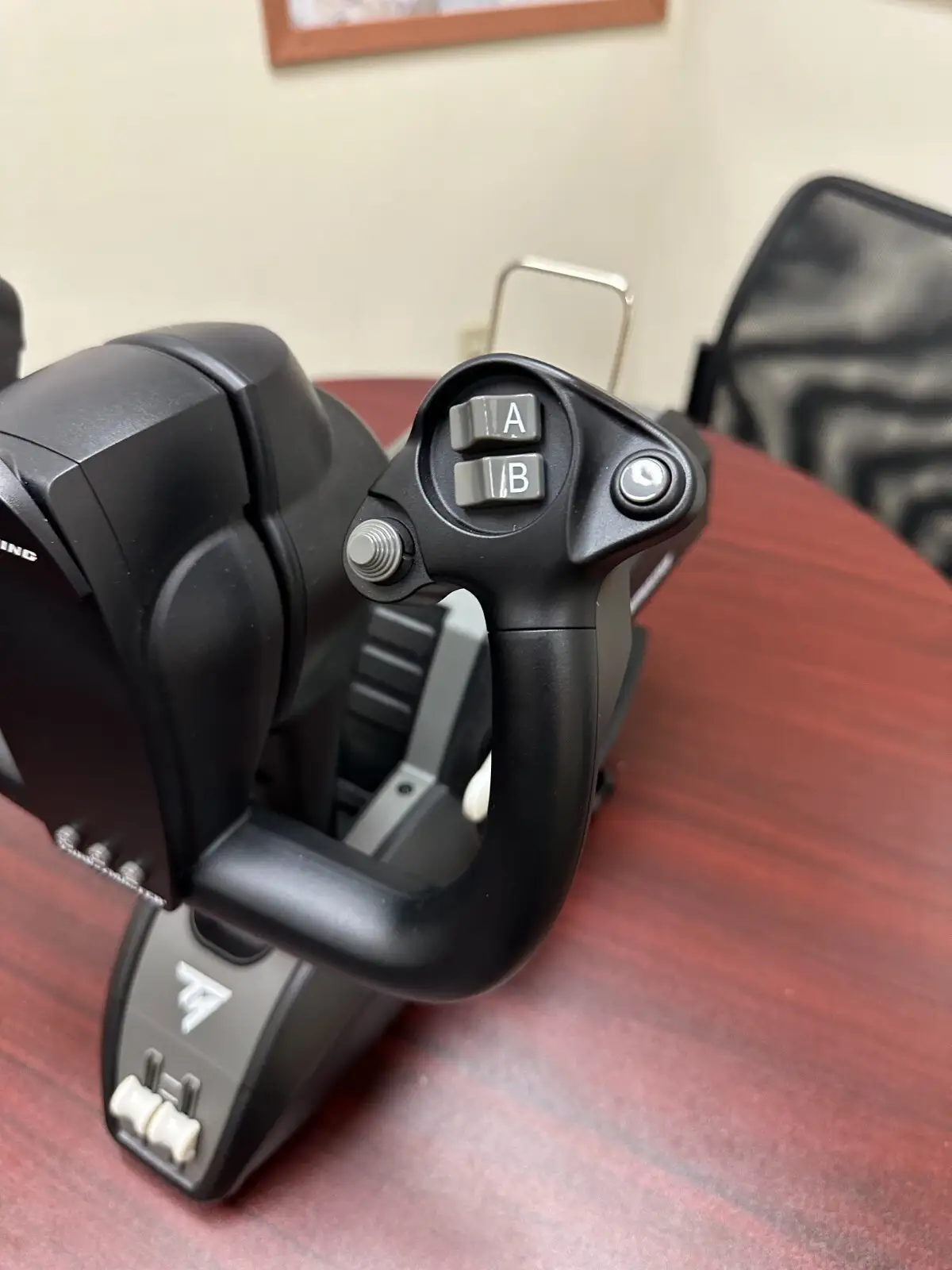
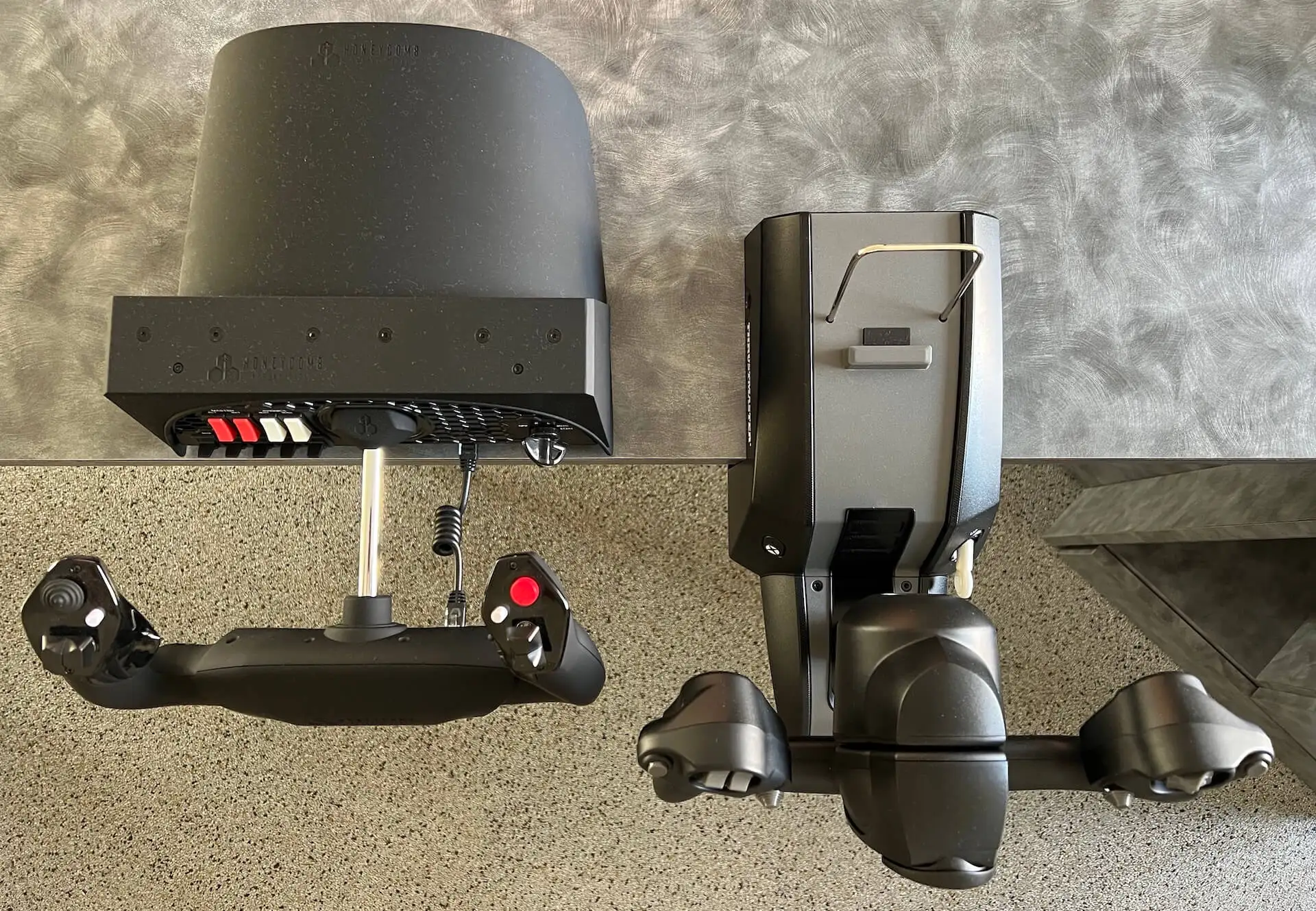
Size and ergonomics invite criticism. Best Buy feedback cited the yoke’s deep underside block requiring roomy desk clearance. SmartWorld added that mounting brackets fit 15–45 mm desks, but “bulky, especially bottom part sticking out” complicates smaller setups.
Divisive Features
The official Boeing and Xbox licensing sparks debate. Enthusiasts value authenticity, evident in SmartWorld’s comment that “replicating even a characteristic like the shape has its weight”. Yet PC Gamer noted Xbox branding “pulls away from the authentic look a little.” For purists building realistic simulators, the bright console icons jar visually.
Throttle lever modularity splits opinion. Left-handed users celebrate the option to swap, but quadrant critics call for “more aftermarket replica in the future” (Best Buy). Those satisfied run dual quadrants for 4-engine planes; others find the base limited for wide-body realism.
Trust & Reliability
Trustpilot data suggests a strong reliability baseline with occasional quirks. The minor lag in wireless mode under heavy graphical load was rare but documented during complex scenarios. Mechanical durability wins praise: SmartWorld confirmed metal yoke internals distributed weight evenly, and months-long airline sim usage showed no physical play developing in controls.
Long-term Reddit veterans note the deadzone doesn’t worsen over time; if anything, adjusted curves make it fade into background muscle memory for airliner ops. Breakage is uncommon — Best Buy’s one “broken internal sensor” report appears isolated.
Alternatives
The Honeycomb Alpha Yoke surfaces repeatedly as a GA-favored competitor. Reddit advice is blunt: “If you fly GA more, get the Honeycomb… if you fly more airliners with yokes, get the Boeing.” The Honeycomb trades pendular realism for faster center response and more buttons mapped for small aircraft versatility.
Other sim pilots mention sidestick setups like the Thrustmaster TCA Airbus for fighter or space titles, leveraging z-axis rotation absent on the Boeing yoke.
Price & Value
At launch, MSRP hovered around $499 USD / €499. Trustpilot and SmartWorld acknowledge the high price but frame it against equally costly sim wheels or other premium yokes. eBay resale shows strong retention — even used units fetch ~$333–$459 USD, reflecting niche demand.
Community tips advise watching for “special price” drops to ~$399. Paying full MSRP suits committed airliner pilots; casual users may wait for sales or bundles including extra quadrants.
FAQ
Q: Does the Thrustmaster TCA Boeing Yoke have a detent or deadzone like Logitech/Saitek?
A: Yes, several Reddit users confirm a noticeable center deadzone on both pitch and roll. For airliners, it feels authentic; GA pilots may dislike the delay.
Q: Is it compatible with other flight simulators beyond MSFS?
A: Yes, works with X-Plane 11/12, DCS, Star Citizen, Elite Dangerous, and more — but integration varies. MSFS offers native profiles; others may require manual mapping.
Q: Can the yoke and quadrant be used independently?
A: Yes, the yoke has two extra base axes for standalone operation without the throttle quadrant, useful for simpler setups.
Q: How adjustable is the resistance?
A: Internal springs (2–4) allow tension changes with included allen key; tuning takes minutes and significantly alters control feel.
Q: Does the Xbox branding affect PC use?
A: Functionally no — PC mode is selectable via rear switch. Some users dislike the visual mismatch in realistic cockpits.
Final Verdict: Buy if you’re an MSFS or X-Plane airliner captain seeking maximum Boeing realism; avoid if your flying is mostly GA or combat sims needing instant control response. Community pro tip: adjust sensitivity curves early to mitigate deadzone, and watch for ~$399 sales before committing.





