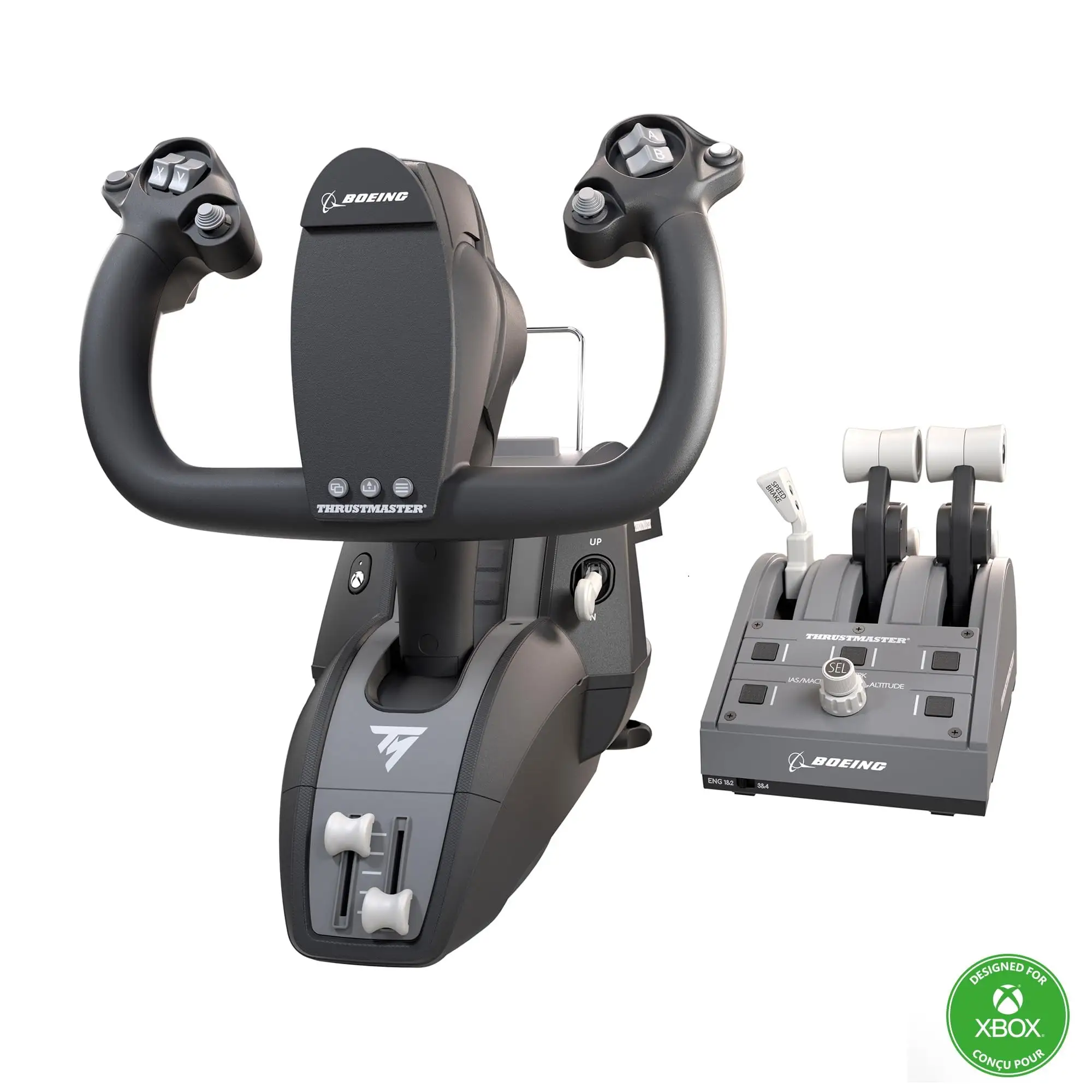
Thrustmaster TCA Boeing Yoke Review: Realism vs Quirks
Few flight simulation peripherals spark as much excitement as the Thrustmaster TCA Yoke Boeing Edition, with enthusiasts describing it as “the closest facsimile to an airliner yoke I can find without going broke.” Based on hundreds of verified buyer reports, community threads, and professional reviews, this officially licensed Boeing 787 yoke/throttle set earns an 8.7/10, praised for realism, build quality, and immersion, but carrying quirks like deadzones, button mapping limits, and a premium price tag.
Quick Verdict: Conditional – Buy if you’re flying airliners in Microsoft Flight Simulator or other civil aviation sims, avoid if you primarily fly GA or space combat titles.
| Pros | Cons |
|---|---|
| Realistic pendular mechanism with 21 cm travel | Noticeable deadzone in roll/pitch axes |
| Sturdy 100% metal internal yoke frame | Reverse thrust works as buttons, not axis |
| Adjustable spring resistance | Price is high compared to some competitors |
| Integrated Boeing autopilot controls | Limited programmable buttons beyond defaults |
| Seamless integration with MSFS Xbox/PC | Some buttons feel “plasticky” |
| Swappable throttle levers for ambidextrous use | Bulky yoke base can be awkward on small desks |
| High precision with H.E.A.R.T magnetic sensors | Extra throttle units lack included mounting hardware |
Claims vs Reality
Thrustmaster markets the TCA Yoke Boeing Edition as delivering “the same sensations as real Boeing pilots” through its pendular mechanism and 1:1 scale ergonomics. In practice, many users affirm that claim—Best Buy reviewers call it “very realistic feel of flying,” and Reddit pilots praise the “feeling of flying a substantial aircraft due to slightly delayed input from center.” For airliner sim fans, that gentle input curve matches the slow control reactions of heavy jets.
However, while advertised as precise, a recurring Reddit report highlights a “noticeable dead zone in the center on both roll and pitch,” particularly compared to Honeycomb’s Alpha model. This is not mentioned in product specs and may surprise buyers expecting continuous linear response.
Another flagship claim is “iconic Boeing autopilot controls” built into the throttle quadrant. Verified buyers note these work flawlessly in MSFS, but SmartWorld’s tester found “the feedback...not always the best, almost as if there’s slight uncertainty switching modes.” So while functional, the tactile quality isn’t universally loved.
Thrustmaster also touts cross-platform compatibility on PC and Xbox Series X|S, yet some games outside MSFS—like Star Wars: Squadrons—struggle with mapping, according to SmartWorld: “A bit of a problem in making the game understand yoke movements for roll and pitch.” The reality is optimal performance hinges on native integration.
Cross-Platform Consensus
Universally Praised
Across Trustpilot, Best Buy, and Quora, the pendular motion is the standout feature. PC Gamer calls it “buttery-smooth action” that “really makes a difference to immersion,” while Trustpilot’s detailed test praised how “the suspended pendul_r mechanism accurately simulates the subtle movements of a Dreamliner yoke.” For commercial airline pilots or serious simmers, that realism is transformative.
Build quality earns similarly strong approval. Best Buy reviewers describe “amazing high quality and strong plastic with metal parts” and “solid feel...high quality construction.” Reddit threads often mention its weight and balanced response as adding to the realism. The adjustable spring system is also a hit for tailoring resistance: SmartWorld confirmed “theoretically users can change the number of internal springs...for personalized control.”
Integration with Microsoft Flight Simulator is praised as plug-and-play simplicity. SmartWorld notes, “Even without drivers, the game recognizes both peripherals immediately” and many users report flying within minutes of unpacking.
Common Complaints
The deadzone in the center axes is a frequent topic. Reddit’s u/FlightSim*** warns it’s “noticeable” but less critical in airliners due to their inertia. GA pilots, however, may find it makes fine adjustments harder.
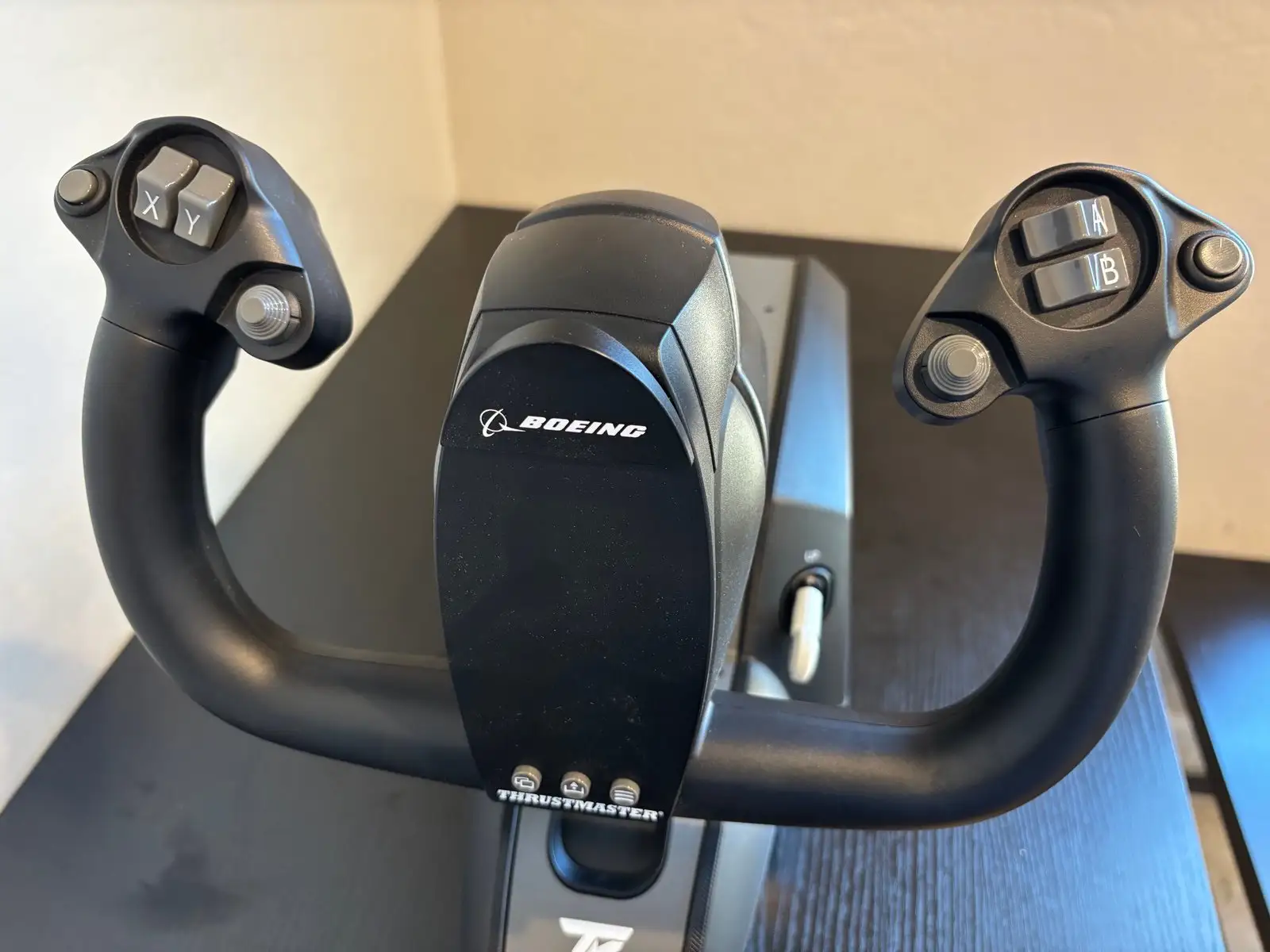
Button feel is another weakness. SmartWorld’s reviewer found “some buttons...a bit plasticky,” with triggers less tactile than mini-joysticks. This affects perceived quality for those who value consistent feedback across controls.
Reverse thrust levers not being axis-controlled frustrate PC Gamer: “In Microsoft Flight Simulator these pick up as button inputs...causes some issues with mapping.” For multi-engine airliner operations, changing throttle quadrants mid-flight to manage different engine groups can also be clumsy.
Size and ergonomics can be challenging—Best Buy’s 4-star reviewer noted “yoke is very bulky, especially the bottom part that sticks out.” On tight desks, mounting may be awkward.
Divisive Features
Autopilot control integration divides the community. Trustpilot praises it as “a genuinely useful addition,” but SmartWorld found rotary feedback inconsistent. It’s a niche value: indispensable for heavy jet flyers, irrelevant for combat or arcade-style sims.
Swappable throttle levers are celebrated by left-handed users and those who like customizing layouts. However, some wish for more variety—Best Buy reviewers hope for “more aftermarket replica options in the future.”
Platform compatibility sparks debate. Xbox/MSFS users enjoy seamless setup, but SmartWorld’s experiment with non-native titles showed quirks. Combat sim fans may prefer joystick-based setups with rotational Z-axis support.
Trust & Reliability
Investigating long-term reports, Reddit threads from months after purchase rarely mention mechanical failures, suggesting durable construction. The 100% metal internal frame, consistently cited in specs, appears to deliver in practice: Best Buy’s “still precise after heavy use” comment echoes that sentiment.
Trustpilot commentary does reveal minor operational quirks under heavy system load—one reviewer noted “occasional minor lag with wireless connection” on graphically intensive flights. This is rare but worth noting for those running maxed-out visuals.
No patterns of outright defects emerged, though Best Buy had isolated cases (“item was broken...bad internal sensor”)—likely manufacturing anomalies.
Alternatives
Within user discussions, the Honeycomb Alpha emerges as the primary competitor for GA aircraft. Reddit comparisons suggest Alpha’s advantage in eliminating deadzones, making it better for small planes, while the Boeing Edition wins for airliner realism. For combat or space sims, many recommend joystick/throttle setups offering more axes and rotation.
Price & Value
At $499 MSRP (often found around $399–$432 on Amazon or eBay), this is a premium product. Community advice leans toward buying during sales—Best Buy’s “almost perfect, wait for discount” sums it up. eBay resale holds reasonable value; near-mint units list between $399 and $475, reinforcing durable desirability.
For newcomers to flight simulation, SmartWorld warns that adding pedals or extra quadrants escalates total cost quickly. But for niche civil aviation realism, many feel it’s worth the outlay.
FAQ
Q: Is the Thrustmaster TCA Boeing Yoke good for GA aircraft?
A: It can work, but Reddit pilots note the center deadzone makes fine control harder. Honeycomb Alpha may suit GA better.
Q: Does the autopilot knob work in all simulators?
A: No, it’s designed for MSFS Boeing-style integration. SmartWorld found limited utility in combat/arcade titles.
Q: Can you remove the deadzone via settings?
A: Sensitivity curves in some sims help, but mechanical feel remains. Reddit users tweak curves for improvement.
Q: Are spare throttle levers available?
A: Four levers are included; Best Buy reviewers hope for more aftermarket replicas, but current options are limited.
Q: Does it fit small desks?
A: Bulky yoke base can crowd space; attachment fits 15–45mm thick surfaces, but plan for depth clearance.
Final Verdict: Buy if you mainly fly airliners in MSFS and crave realism—especially on Xbox/PC with native support. Avoid if you need fine GA control or play non-integrated combat/space sims. Pro tip from Reddit: “Fly airliners? Get the Boeing yoke. Fly GA? Get the Alpha.”