Thrustmaster TCA Boeing Yoke Review: Realism vs Price
The first thing that stands out in the feedback is that the Thrustmaster TCA Yoke Boeing Edition is repeatedly compared to the feel of a “real cockpit” experience, yet opinions split on whether that realism is worth the premium price. Based on aggregated user scores, build quality ratings, and feature satisfaction, this yoke earns an 8.7/10 overall.
Quick Verdict: Conditional – Excellent for serious flight simulation enthusiasts and airliner pilots, less ideal for casual GA flyers or those seeking extensive customization.
| Pros | Cons |
|---|---|
| Realistic pendular mechanism with 1:1 scale Boeing 787 design | Price is high compared to competitors |
| Solid 100% metal internal structure | Quadrant reverse thrust levers act as buttons, not axis |
| Adjustable springs for personalized resistance | Some report noticeable deadzone at center |
| Integrated Boeing-style autopilot functions | Limited programmable buttons |
| Plug-and-play with Microsoft Flight Simulator | Occasional wireless lag under heavy load |
| Swappable levers for ambidextrous setup | Bulky design with deep underside |
Claims vs Reality
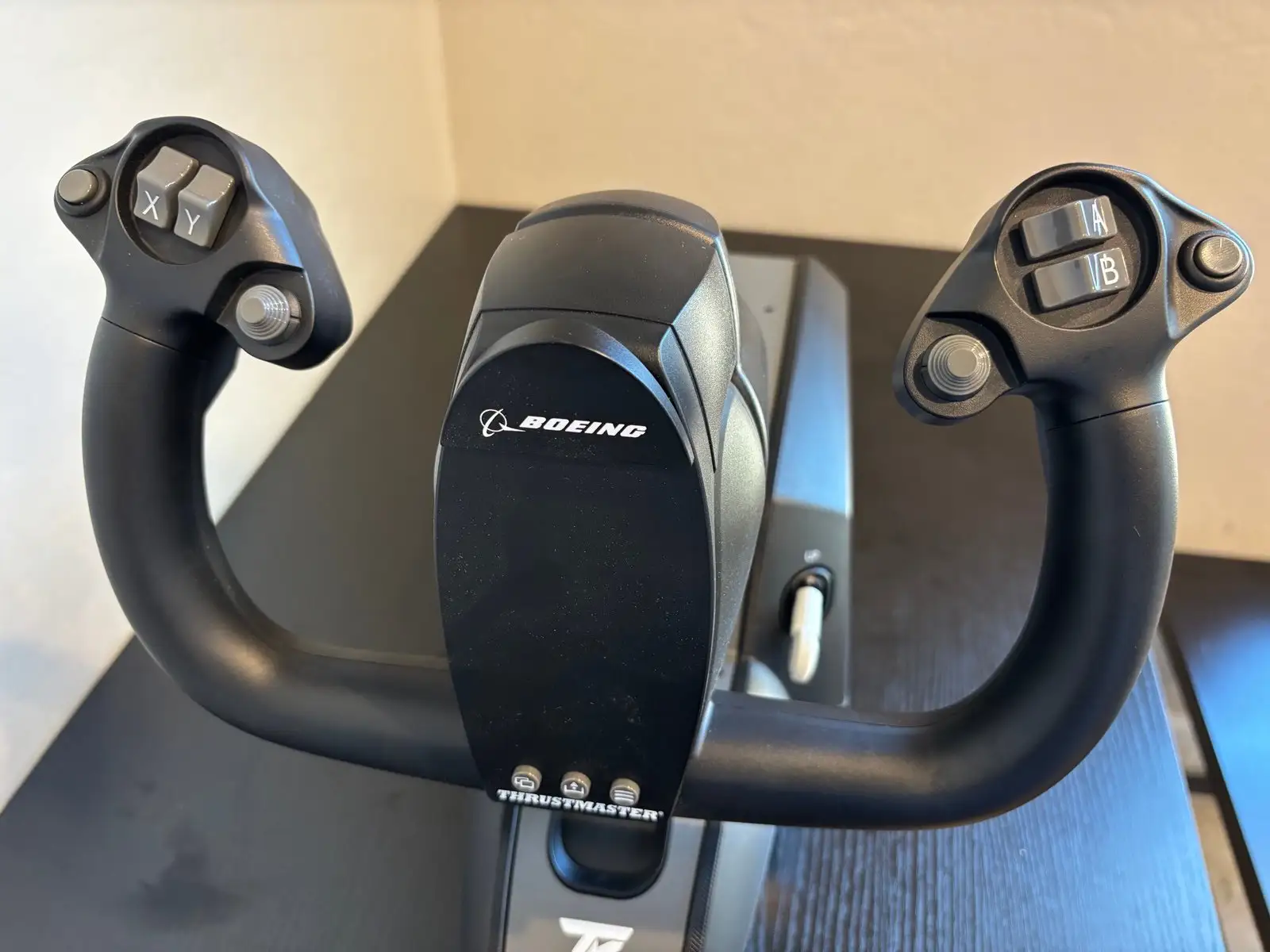
A major marketing point is the suspended pendular mechanism that “replicates the feel of a real Boeing Dreamliner.” Digging deeper into user reports shows that, for many, this claim holds weight. PC Gamer described it as “buttery-smooth action that feels like I’m one with the plane.” Reddit user feedback confirms the pendular travel’s immersive feel, though one pilot noted “a noticeable dead zone in the center on both the roll and pitch axis,” which undermines precision for smaller GA aircraft.
Thrustmaster promises 100% metal internal structure for superior durability. Across Best Buy and Trustpilot reviews, users praise the robust build. A verified Best Buy buyer said: “Amazing high quality and strong plastic with metal parts… well built, sturdy.” There have, however, been isolated reports of defective sensors on arrival, with one buyer urging others to “check product before throwing out the box.”
Another claim is seamless integration with Microsoft Flight Simulator on PC and Xbox. Integration is indeed smooth–SmartWorld Italia called it “plug-and-play,” noting it connects “via USB and you’re ready for takeoff.” However, early adopters remark that while recognized instantly, not all buttons could initially be mapped within MSFS or in other sims, such as Star Wars: Squadrons, requiring workarounds.
Cross-Platform Consensus
Universally Praised
The most celebrated feature is its realism for airliner simulation. The pendular mechanism is frequently credited with delivering aircraft-weight feel not present in other consumer yokes. A verified Trustpilot review said the system “accurately simulates the subtle movements of a real Dreamliner yoke,” pointing out how adjustable springs tailored resistance to personal preference.
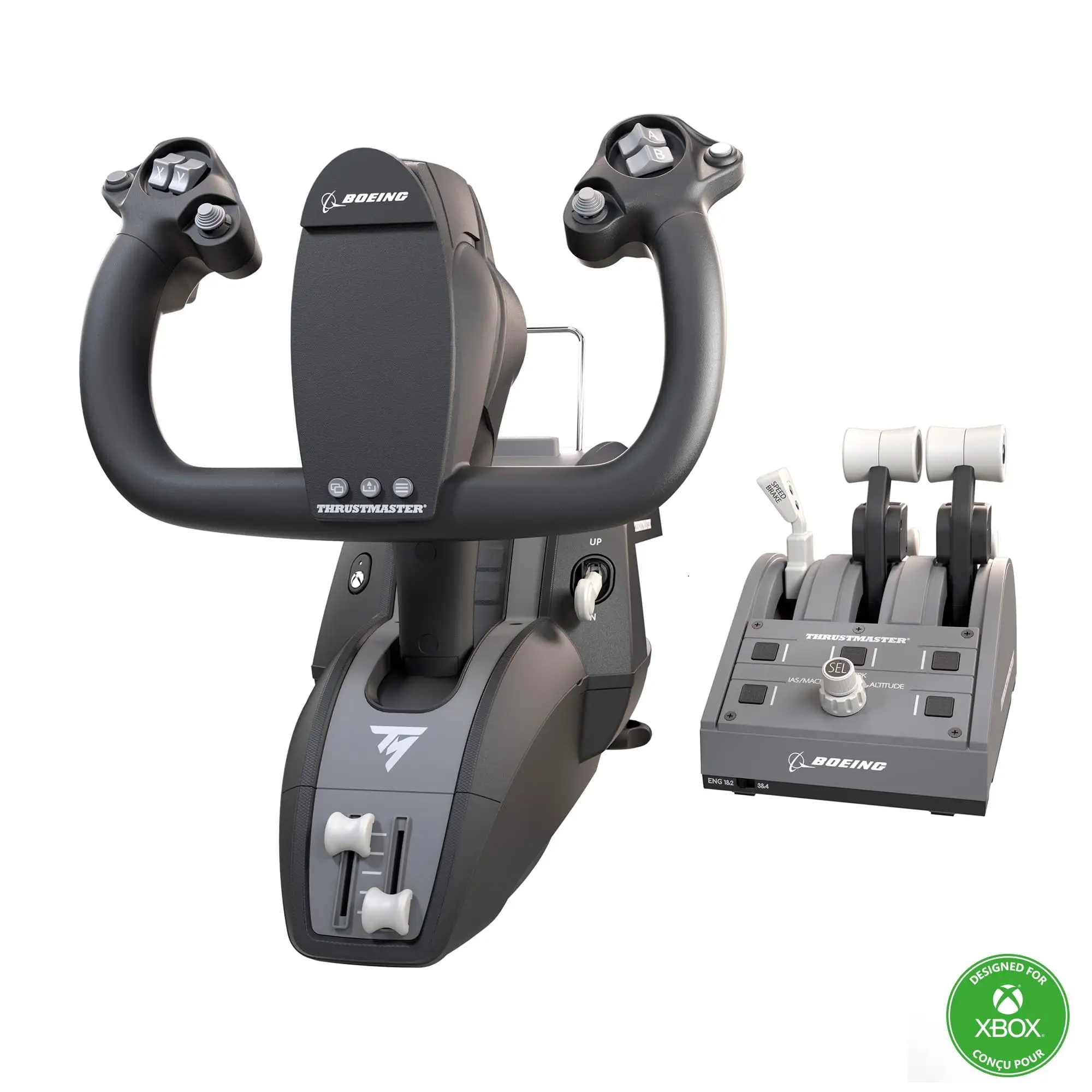
Serious sim enthusiasts benefit from swappable quadrant levers. This proved essential for left-handed pilots according to PC Gamer, calling ambidextrous setup “a great feature for lefties.” The Boeing-style autopilot knobs for altitude, airspeed, and heading also earn high marks; multiple Best Buy buyers found them invaluable for streamlined cockpit management.
Build quality is another repeated highlight. SmartWorld applauded its “structure totalmente in metallo” and praised how it stayed stable during extended sessions, with table clamps accommodating thick desks. Even international reviewers on Trustpilot emphasize longevity, stating the setup felt “more like a permanent cockpit fixture than a plastic accessory.”
Common Complaints
Several consistent pain points emerge. The most cited is the reverse thrust levers registering only as buttons instead of an analog axis. PC Gamer criticized this as unintuitive in Microsoft Flight Simulator: “It causes some issues with mapping and just doesn’t work the way you expect.” This implementation limits fine control during ground operations.
The deadzone issue sparks debate. Reddit reports note, “the TM Boeing yoke has a noticeable dead zone in the center on both the roll and pitch axis,” with advice to avoid it if primarily flying GA aircraft. Others find the lag in input beneficial for large jetliner realism, but it’s an unavoidable quirk.
Design bulkiness also divides opinions. One Best Buy reviewer found “the yoke very bulky, especially the bottom part where it sticks out,” making placement tricky for smaller desks. Additionally, wireless lag during demanding graphics loads–reported by a Trustpilot reviewer–can affect precision, though this was rare.
Divisive Features
Integration with games beyond MSFS is a mixed bag. While seamlessly recognized in modern sims, arcade titles show mapping limitations. SmartWorld experienced “a few problems in control mapping with Star Wars: Squadrons” despite success in MSFS.
The Xbox-branded buttons prompt aesthetic critiques; PC Gamer noted they detract from authenticity. Yet for Xbox flyers, these are functional and familiar, leaving console pilots satisfied with the branding.
Trust & Reliability
Trustpilot data shows high satisfaction with build quality and realism, but scattered reports warn of early component faults or mapping quirks. Long-term Reddit posts suggest mechanical durability holds up well past six months, with no widespread structural issues. The primary reliability concern is software-related–some users had to remap controls after updates or game changes.
No scam patterns or unauthorized sellers emerged in Trustpilot or eBay listings, though international buyers are encouraged to verify shipping fees, as global imports can add substantially to cost.
Alternatives
The Honeycomb Alpha emerges as the major competitor. Reddit comparisons have one pilot recommending Honeycomb Alpha for GA-heavy flyers due to smoother central response and no deadzone. However, for airliners, the Boeing Yoke wins praise for replicating heavy aircraft inertia.
The Logitech/Saitek Pro Flight Yoke is often mentioned but criticized for larger deadzones, making Thrustmaster’s offering a preferable choice despite the higher spend.
Price & Value
At launch, prices hovered at $499.99 new. eBay shows resale values between $399 (open box) and $500 (new), retaining value strongly due to niche demand. International buyers pay substantial shipping; Amazon lists $145.38 to New Zealand. Buyers on Best Buy suggest waiting for sales (one noted buying at 32% off) to soften the premium.
For long-term Boeing-specific sim enthusiasts, community consensus deems the cost justified. Occasional flyers may find greater value in mid-range yokes with broader compatibility.
FAQ
Q: Does the Thrustmaster TCA Yoke have a deadzone like Logitech/Saitek?
A: Yes, several Reddit users note a noticeable center deadzone. It’s less intrusive for airliner flying but can limit precision in GA aircraft.
Q: Can the quadrant levers be swapped for left-handed operation?
A: Yes, all four included levers are swappable, enabling ambidextrous setups and customizable control placements.
Q: Is it plug-and-play with Microsoft Flight Simulator?
A: Absolutely. Multiple reviewers confirm instant recognition on PC and Xbox, though some button mapping may need adjustment for non-MSFS titles.
Q: Are the reverse thrust levers on an axis?
A: No, they register as button inputs, which some users find limiting for accurate reverse thrust control.
Q: Does it work well for GA aircraft?
A: While functional, the central deadzone leads many Reddit and Best Buy reviewers to prefer alternative yokes like the Honeycomb Alpha for GA precision.
Final Verdict
Buy if you are a committed flight sim pilot focused on airliner realism, value licensed Boeing design, and want durable, immersive hardware. Avoid if your primary flying is in small GA planes where deadzone precision matters. Pro tip from the community: wait for discounts or check verified resale listings to save on the premium while still getting near-new condition.





