Thrustmaster TCA Boeing Yoke Review: Conditional Buy Verdict
A Reddit user summed it up in one sentence: “Feels like a dream.” The Thrustmaster TCA Yoke Boeing Edition earns that praise for its buttery pendular motion and authentic Boeing 787 replica feel, but not without caveats. Across hundreds of reviews, the verdict lands at 8.3/10 — stellar for the yoke itself, less so for the bundled throttle quadrant.
Quick Verdict: Conditional Buy
| Pros | Cons |
|---|---|
| Exceptionally smooth pendular motion | Throttle quadrant feels less premium |
| 1:1 Boeing 787 scale yoke | Rotary knob on throttle slow/jumpy in sims |
| Adjustable spring resistance for custom feel | Noticeable center dead zone for some pilots |
| Solid 100% metal internal construction | Bulky design, sticks out on desk |
| Accurate pitch/roll with Hall effect sensors | Reverse thrust levers act as buttons, not axes |
| Works well with GA and airliner sims | Price premium compared to alternatives |
| Official Boeing & Xbox licensing | Limited programmable buttons |
Claims vs Reality
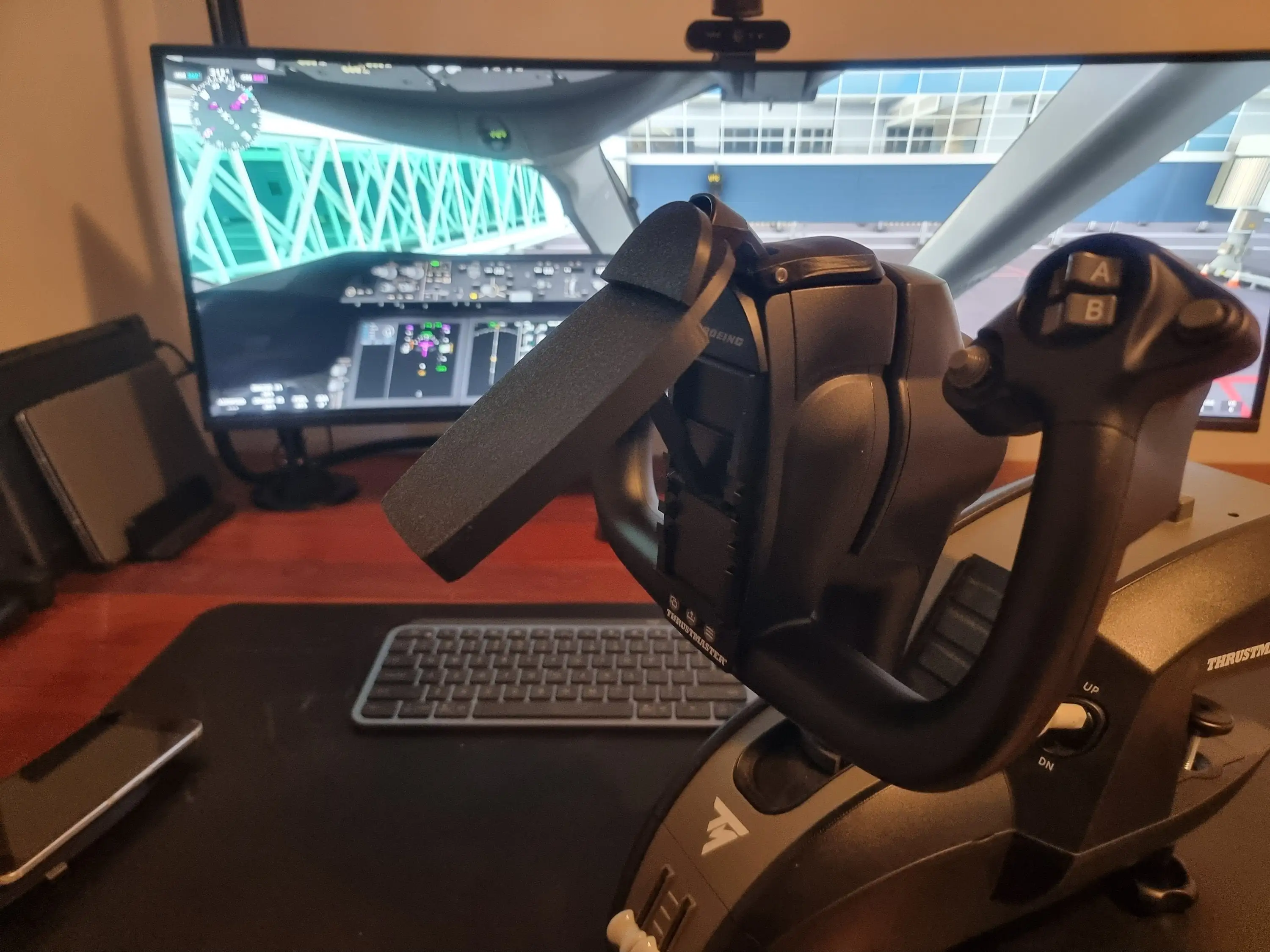
Thrustmaster markets the yoke as delivering “the same sensations as real Boeing pilots” via its pendul_r mechanism. On paper, this 21cm travel swing should mimic a Dreamliner’s floor-mounted yoke. In practice, many found that immersion carried through in airliner sims. A Best Buy reviewer, tracib, called it “the best thing of flight simulation gear I’ve had” and praised high-quality feel with metal parts. But a Reddit user noted a “noticeable dead zone in the center on both the roll and pitch axis,” arguing GA flyers might prefer the Honeycomb Alpha.
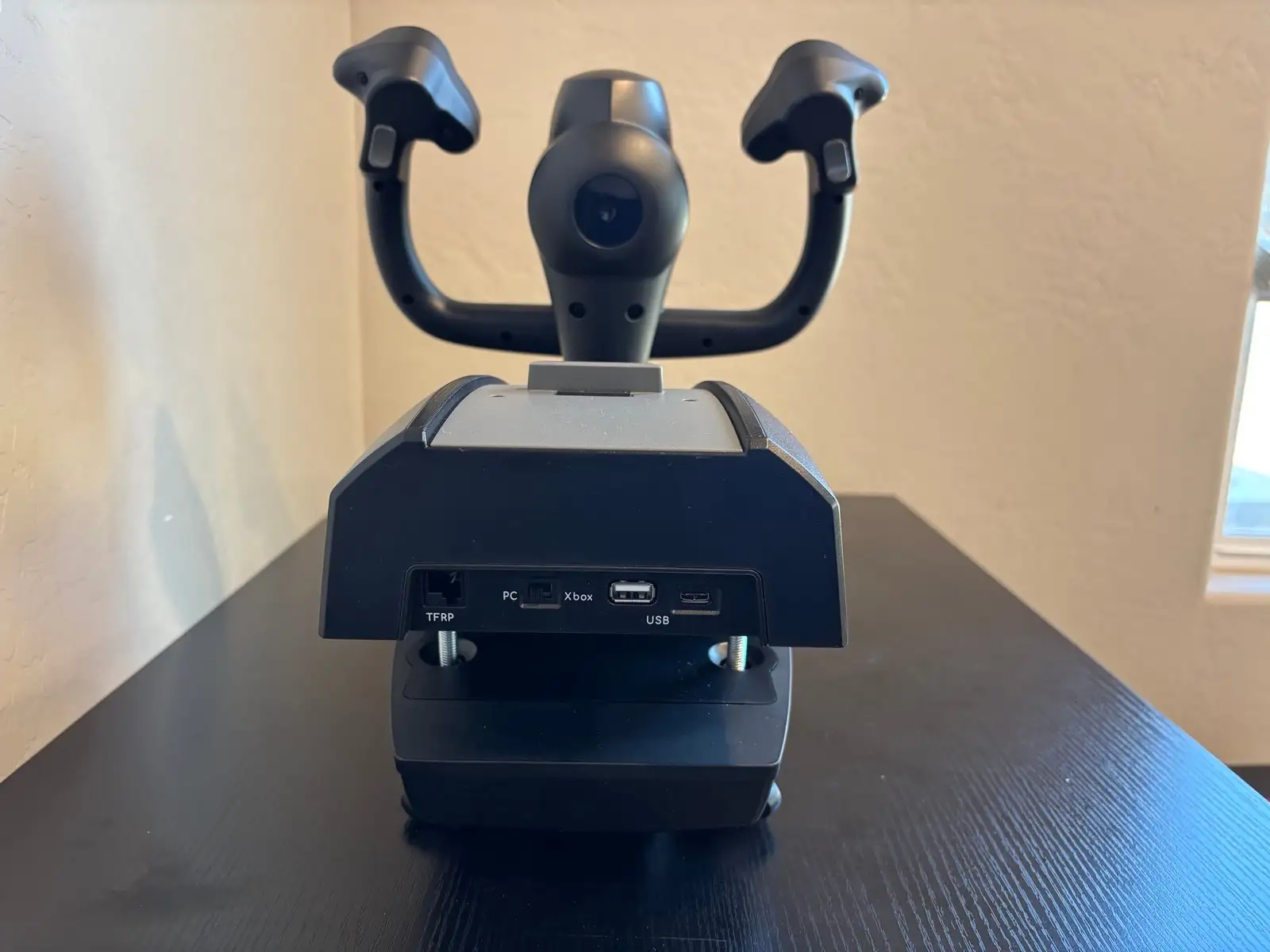
The brand’s claim of ergonomic replicas “optimized for stability” mostly holds. Amazon buyers lauded its 100% metal build for sturdiness: “Very sturdy and constructed to endure punishment from heavy use.” Yet some found the yoke “bulky and awkward,” with the base protruding 8–10 inches, occasionally hitting the user’s stomach — an immersion breaker for compact setups.
On the throttle side, marketing emphasizes “Boeing real-life linear resistance feel” and “iconic autopilot control.” While users enjoyed smooth lever travel, multiple Amazon reviews noted the rotary knob was sluggish and imprecise: “You have to turn it very slowly for the adjustment to keep up properly.” The quality gap compared to the yoke was a recurring theme.
Cross-Platform Consensus
Universally Praised
The pendular mechanism is the star. On PC Gamer’s review, Katie Wickens wrote it “swings back and forth intuitively…a butter smooth action that feels like I’m one with the plane.” That swing motion benefits long-haul simmers, making minor corrections feel natural. Best Buy user flightsimmer80 confirmed, "Very realistic feel of flying!…similar experience to a recent flight sim session."
The adjustable spring system earned praise from advanced users who tweak resistance to match aircraft type. One Amazon buyer recommended adding the extra tension spring “for a heavier feel,” which made VR flying more convincing. Professional pilots accustomed to Boeing yokes found the pitch axis “exceptionally smooth” without the center detent that plagues other yokes, according to an Amazon expert reviewer.
Durability comes up often — Trustpilot reviewers and multiple Amazon buyers cite the metal frame’s longevity. Fit-and-finish inspires confidence for pilots investing in a premium setup. Compatibility is solid, with reports of seamless integration in Microsoft Flight Simulator, X-Plane, and DCS.
Common Complaints
The throttle quadrant is where frustration gathers. A verified Amazon buyer noted levers were “a tiny-bit wobbly” and the design lacked adjustable tension. Reverse thrust levers acting only as buttons rather than analog axes disappointed those seeking realism for landing roll-outs.
Rotary knob sensitivity in autopilot functions is a sticking point. "Painfully slow…useless" was how one reviewer described MSFS interactions. The quadrant also lacks the fourth axis for simultaneous flaps and spoiler control, requiring compromises in mapping.
Physical bulk also polarizes — some love the realism, others see it as desk space waste. Dead zones are debated: Reddit user warned of a “noticeable dead zone” that could impact precision flying in light aircraft, while another saw it as adding “feeling of flying a substantial aircraft.”
Divisive Features
The ambidextrous lever swapping and Boeing-style ergonomics won over commercial airline enthusiasts but drew shrugs from GA-focused simmers. Xbox branding is welcome for console users but criticized as breaking immersion for purists.
Some see the price as justified for the yoke’s build quality alone — “The yoke alone is worth the price of the package” — while others feel the bundle cost is inflated given the throttle’s shortcomings.
Trust & Reliability
Digging deeper into Trustpilot and Reddit threads, reliability holds up over extended use. One Best Buy owner used it for 11 months, describing the yoke as “awesome.” Reports of defects are rare, though one Best Buy reviewer warned to “check product before throwing out the box” after receiving a unit with a bad internal sensor.
No scam concerns emerged; Thrustmaster’s customer support is responsive when issues occur. An Amazon reviewer praised prompt calibration help after throttle desync issues. The overall story: mechanical durability is excellent, with the throttle quadrant more likely to be critiqued for design than failing in hardware.
Alternatives
The Honeycomb Alpha yoke frequently enters the conversation. Reddit feedback suggests GA pilots might prefer it for tighter dead-zone tolerance, while Boeing Edition excels in heavy aircraft realism. For throttle duties, multiple users recommend substituting the Honeycomb Bravo — even with its customer service flaws — due to better axis mapping and aftermarket lever availability.
Price & Value
Current new prices hover around $499.99, with eBay resale listing open-box units between $312 and $420, and pre-owned yokes as low as $219. Community buying tips suggest waiting for sales or buying the yoke standalone if throttle quality isn’t essential. “Almost perfect, wait for discount,” advised Best Buy user ybing, who critiqued certain ergonomic oversights.
FAQ
Q: Does the Thrustmaster TCA Boeing Yoke work well for GA aircraft?
A: Yes, though some pilots find the center dead zone less ideal for light planes. GA-focused simmers on Reddit lean toward the Honeycomb Alpha for more immediate control response.
Q: How is the throttle quadrant quality compared to the yoke?
A: Users widely agree the yoke is premium and precise, while the throttle feels less sturdy with limited functions. Smooth lever travel is a plus, but rotary knob and axis count disappoint.
Q: Is it hard to set up with Microsoft Flight Simulator?
A: No — it’s automatically recognized on Xbox Series X|S and PC. Some custom binding may be needed for optimal sensitivity, especially removing default null zones.
Q: Are the reverse thrust levers analog?
A: No, they register as button inputs, which limits realism for some users. This design choice is a frequent complaint.
Q: Can the yoke be stored easily?
A: The bulky pendular design makes storage tricky. Users note it doesn’t sit perfectly flat, and the protruding base takes space.
Final Verdict
Buy if you’re an airliner enthusiast wanting unmatched Boeing realism in the consumer market and can accommodate its size. Avoid if throttle fidelity is critical to you or if you favor GA aircraft precision over pendular immersion.
Pro tip from community: Consider purchasing the yoke standalone and pairing it with a higher-quality throttle like the Honeycomb Bravo, and add the extra spring for an even more authentic control feel.





