TCL Roku TV Remote Review: Budget-Friendly but Limited
A frustrated Amazon buyer summed up what many users feel about the TCL Roku TV Remote: “I need a remote that I can pick up and use in the dark without any fuss… this frail little thing is horrible.” Despite these complaints, thousands depend on it daily, and across platforms it earns a solid 7.9/10 for functionality, though comfort and connectivity draw mixed reviews.
Quick Verdict: Conditional – best for casual use and budget buyers, but RF upgrades recommended for power users or those with blocked IR sensors.
| Pros | Cons |
|---|---|
| Wide TV model compatibility | Must be pointed directly at IR sensor |
| Works out-of-the-box with no programming | Limited range for IR versions |
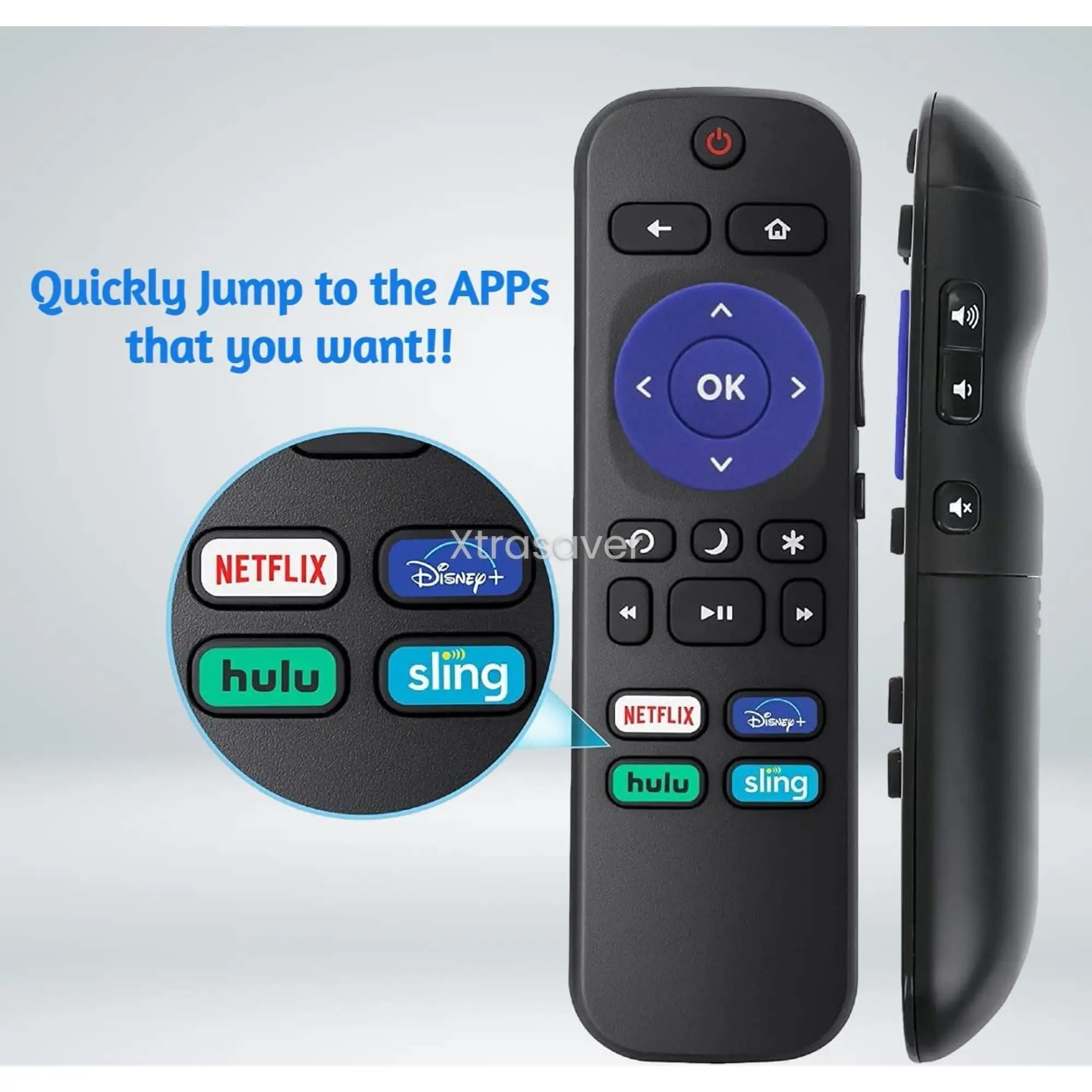
| Shortcut buttons for popular streaming apps | No headphone jack or voice control on basic models |
| Affordable – many options under $10 | Some buttons less responsive over time |
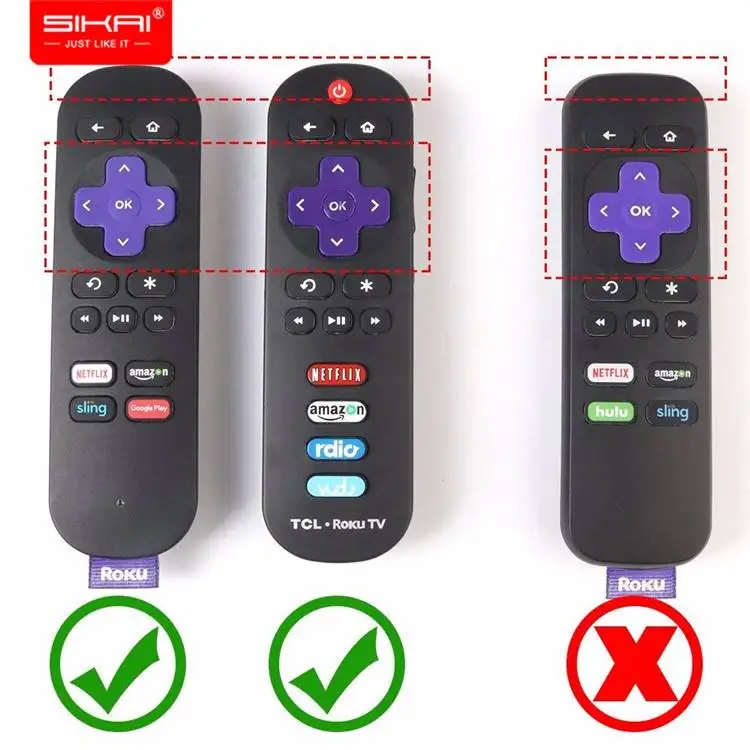
| Easy battery replacement (AAA or AA) | Confusing compatibility claims online |
| OEM and third-party options available | Durability concerns after months of use |
Claims vs Reality
Marketing repeatedly stresses “universal compatibility with all TCL Roku Smart LED TVs” and “no programming required.” While technically accurate for IR-based models, Reddit user u/Travel*** found range far more limited than expected: “I sit about 7 feet from the TV and the remote has to be pointed exactly at the RF sensor.” This contradicts the seamless control narrative, especially in living rooms with soundbars blocking sensors.
Another widespread claim is that shortcut buttons improve convenience. Trustpilot feedback from a verified buyer praised this for family use: “I really like that the 4 shortcuts (Netflix, Hulu, Amazon, and Disney+) are the services I actually use.” However, button responsiveness was questioned by others: “You have to press them multiple times for one of the buttons to work.”
Finally, models branded “Enhanced RF” promise point-anywhere functionality. Amazon reviewers confirm this works on certain models like the TCL 55P605, but the pairing process can be more involved — requiring system restarts — than marketing suggests.
Cross-Platform Consensus
Universally Praised
Ease of setup topped consumer praise. A verified Amazon buyer described it as “brand new, no need any program and work out of box after put the batteries in.” For households needing multiple remotes — perhaps for kids’ rooms or guest setups — the plug-and-play nature removes friction. This is vital for elderly users or those with arthritis who benefit from avoiding complex pairing.
The streaming shortcuts get broad approval despite button lag complaints. Families gravitate toward remotes with Netflix, Hulu, Disney+, and Amazon buttons, maximizing convenience for “couch control” without menus. Models like Amaz247’s IR remote hit this mark with minimal cost.
On ergonomics, higher-end RF versions gain an edge. Users with blocked IR sensors — often due to soundbar placement — note transformative experiences switching to RF or Wi-Fi Direct pairing, as reported by multiple Reddit threads.
Common Complaints
Range limitations dominate the complaint list. IR versions often require precise pointing and clear sensor visibility, frustrating those with large living rooms or multi-use spaces. One Roku Community post captures this: “The OEM remote was good for maybe 7 or 8 feet. My kitchen bar is 15+ feet from the TV, and it doesn’t work from there.”
Durability issues appear in long-term reports. Buttons becoming “sticky” or less responsive after months erode trust, especially for bargain third-party options. Trustpilot accounts warn about wasting money on replacements that fail as quickly as originals.
Lack of advanced features — notably voice control or headphone jacks — leaves audiophiles and accessibility-focused buyers wanting more. Official upgrades exist but cost significantly more.
Divisive Features
Shortcut button selection divides users. Some appreciate non-standard combos (e.g., Starz or DirectTV Now), while others lament missing favorites like Sling or Disney+. For budget shoppers, these pre-set choices matter more than they expected, influencing buying decisions.
Weight and feel spark mixed reactions: minimalist IR versions are seen as “too light” by those preferring bulkier, Ultra-like designs, while others enjoy the low profile for bedside use.
Trust & Reliability
Trustpilot reveals occasional skepticism toward third-party remote apps, with one user admitting: “I fell for the remote app scam… I haven’t found one better than the official Roku mobile app.” This highlights a broader caution about unofficial solutions — they often underperform or push ads aggressively.
Long-term Reddit reports show OEM units sustaining 6–12 months before degradation, while reliable RF upgrades last years with consistent range. Maintaining a backup IR unit is a common community tip to hedge against firmware changes that might disrupt RF pairing.
Alternatives
Several notable substitutes emerge in the data:
Official Roku Voice Remote Pro – Higher cost but adds RF pairing, voice commands, headphone jack, and broader device control. Ideal for users facing IR obstructions.
One For All URC 7935 – A Walmart option with greater range thanks to 4 AAA batteries, though reprogramming hotkeys can be “wonky.”
Lou Toc Universal TCL Remote – Budget-friendly IR choice with smoother buttons and consistent Netflix/Hulu support; limited to TV control only.
These alternatives split the field between premium feature seekers and bare-bones budget shoppers — mirroring the divides in this product’s user base.
Price & Value
Current IR TCL Roku remotes range from about $6–$10 new on eBay, with OEM models closer to $15–$28 depending on shortcut configuration. RF upgrades can push $25–$30, justified for users requiring range flexibility and “point anywhere” function.
Community consensus leans toward buying online — wider selection, clearer compatibility lists, and often lower prices versus in-store. Resale value is minimal; these are typically kept as backups or sold in low-margin bulk.
FAQ
Q: Can I use a universal remote with a TCL Roku TV?
A: Yes, most universal remotes can be programmed via Roku-specific codes. Compatibility varies, so ensure the model supports Roku TV (not just streaming sticks).
Q: Which remotes have a headphone jack?
A: Only select official Roku Voice Remote and Voice Remote Pro models; basic TCL Roku IR units do not include this.
Q: My remote stopped working unless pointed perfectly — what’s wrong?
A: Likely an IR sensor visibility issue. Obstructions like soundbars can block the line of sight; RF remotes solve this problem.
Q: Do I need to pair an IR remote?
A: No — IR units work instantly after battery insertion, but RF models require pairing via the TV’s settings menu.
Q: Are app-based remotes worth it?
A: Users report mixed experiences. Official Roku app is ad-free and functional, but third-party apps often underperform.
Final Verdict
Buy if you own a compatible TCL Roku TV and value simplicity, low cost, and basic shortcut buttons without fuss. Avoid IR versions if your setup blocks the TV’s front sensor, or if you need advanced features like voice search and headphone jacks. Pro tip from the community: keep one OEM IR remote as a backup even after upgrading to an RF unit — it’s your safety net if pairing fails.