TCL NXTpaper 14 Tablet Review: Eye Comfort Verdict
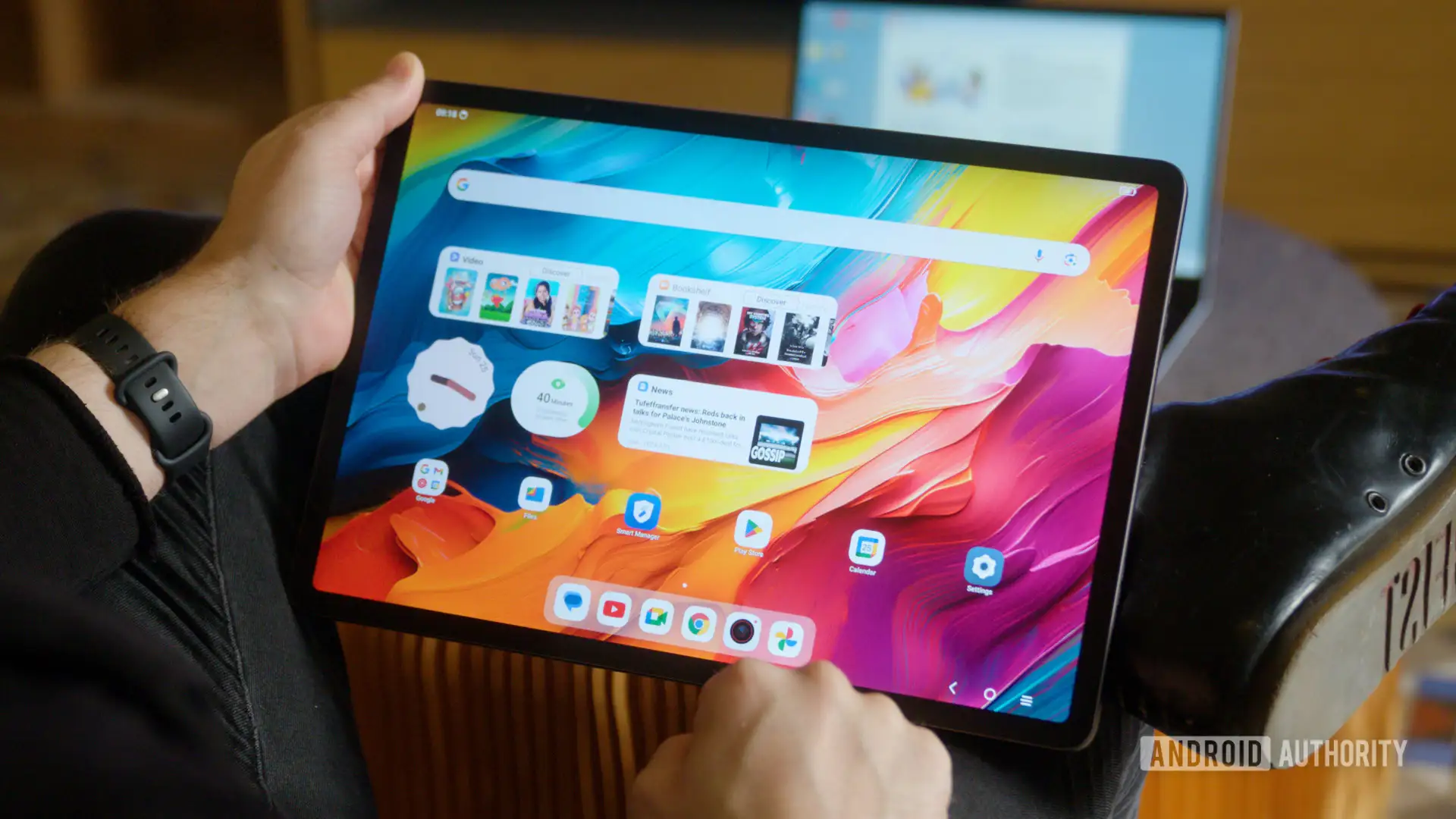
The boldest praise for the TCL NXTPAPER 14 Android Tablet came from readers who replaced far more expensive devices just for its paper-like display. One Reddit user comparing it to an iPad Pro declared: “It actually hurt my eyes to read a comic book on the iPad… the colors were just way too bright and saturated.” Across multiple platforms, the consensus is an 8.2/10 — especially compelling for avid readers and media consumers, though less for those seeking top-tier color fidelity or portability.
Quick Verdict: Conditional — excellent for eye comfort and large-screen reading, but not ideal for outdoor color-critical work or lightweight travel.
| Pros | Cons |
|---|---|
| Eye-friendly NXTpaper 3.0 display with anti-glare and low blue light | Weak magnetic pen attachment |
| Huge 14.3" screen ideal for comics, PDFs, and multitasking | Muted colors and lower brightness than OLED rivals |
| Multiple paper modes (color, ink) for tailored reading experience | Large size makes it cumbersome for portability |
| Strong battery (10,000mAh) with fast and reverse charging | Android app ecosystem sometimes “not as good” for productivity vs iPadOS |
| Generous storage (256GB) and RAM expansion up to 16GB | Price competition from big-brand tablets with better display sharpness |
| Quad speakers with 200% volume boost | Stylus sold separately in some bundles |
Claims vs Reality
Marketing repeatedly emphasizes that the NXTpaper 14 is optimized “for human eyes,” with anti-glare viewing, low blue light, and three unique display modes via the dedicated NXTpaper key. On paper, this positions it as an all-day productivity and reading companion. Digging into user feedback, there’s broad agreement on reduced eye strain. A verified buyer on Amazon reported: “Reading manga on this device is a dream… both page spreads visible in landscape mode.”
However, a recurring note across Reddit and Notebookcheck reviews is that the screen “isn't nearly as bright as other tablets” and has “muted colors compared to an iPad.” For tasks like outdoor editing or color-sensitive design, this limitation shows. Reddit user feedback suggests the color paper mode is “very easy on the eyes,” but it trades vividness for comfort.
Performance claims of “smooth multitasking” using the Helio G99, 256GB storage, and 8GB RAM (expandable to 16GB) were met with generally positive experiences. Those using it mainly for e-reading and streaming found no slowdown. But for heavy app ecosystems like iPadOS, one user admitted, “Tablet software choices are not as good on Android.”
Cross-Platform Consensus
Universally Praised
Eye comfort dominates praise. For comic readers, the paper-style modes bring a level of sustained comfort unmatched in glossy LCDs. One Reddit user who consumes RPG PDFs from the ‘80s and ‘90s pointed out that switching to black-and-white “was even easier on the eyes” than color modes. Manga readers exploit the large screen to view two-page spreads, making it ideal for series heavy on splash panels.
Multimedia playback, while not the sharpest, benefits from quad stereo speakers and the smart PA system. As Amazon’s listing highlights, they can boost volume up to 200% without tinny distortion — a detail reinforced by an eBay seller describing “potent, fine-tuned sound.” This matters for audiobook users and video conferencing.
Storage and battery capabilities support these user types well. Reviewers valued the 256GB onboard capacity for offline media. Tech Advisor gave it credit: “256GB of storage is a very respectable capacity if you want to watch movies or play games without needing an internet connection.” Reverse charging added unexpected flexibility for travelers keeping phones or earbuds topped up.
Common Complaints
Those venturing beyond reading and entertainment noted limitations. The weakest magnet for the stylus holder drew frustration: “Sometimes the pen just falls off when I open the case. The iPad magnet is way stronger,” one Reddit comment read. Portability issues surfaced: “This thing is so huge that I don't really wanna carry it around,” although some mitigated this by using it as a second monitor via screen mirroring.
Price positioning was debated. At around $399–$454 depending on the market, Tech Advisor warned it goes “up against some real heavy hitters, with the Google Pixel Tablet being the elephant in the room.” Without a deep preference for NXTpaper's eye-friendly tech, consumers may lean toward competitors offering faster chipsets or higher brightness.
Brightness and color accuracy criticisms are consistent. Heyup touts glare-free readability “even in bright environments,” but reviewers repeatedly mention indoor settings as the optimal use case. Outdoor visibility is less convincing, especially for those expecting OLED-grade saturation.
Divisive Features
The software ecosystem split users. Some welcomed Android flexibility, recommending apps like Moon+ Reader Pro, noting it “supports annotations and highlighting with the pen.” Others lamented missing features like metadata display for comics or library views for PDFs without high-cost apps. This divide hinges on whether the buyer’s workflow relies on specific niche apps better served on iPadOS.
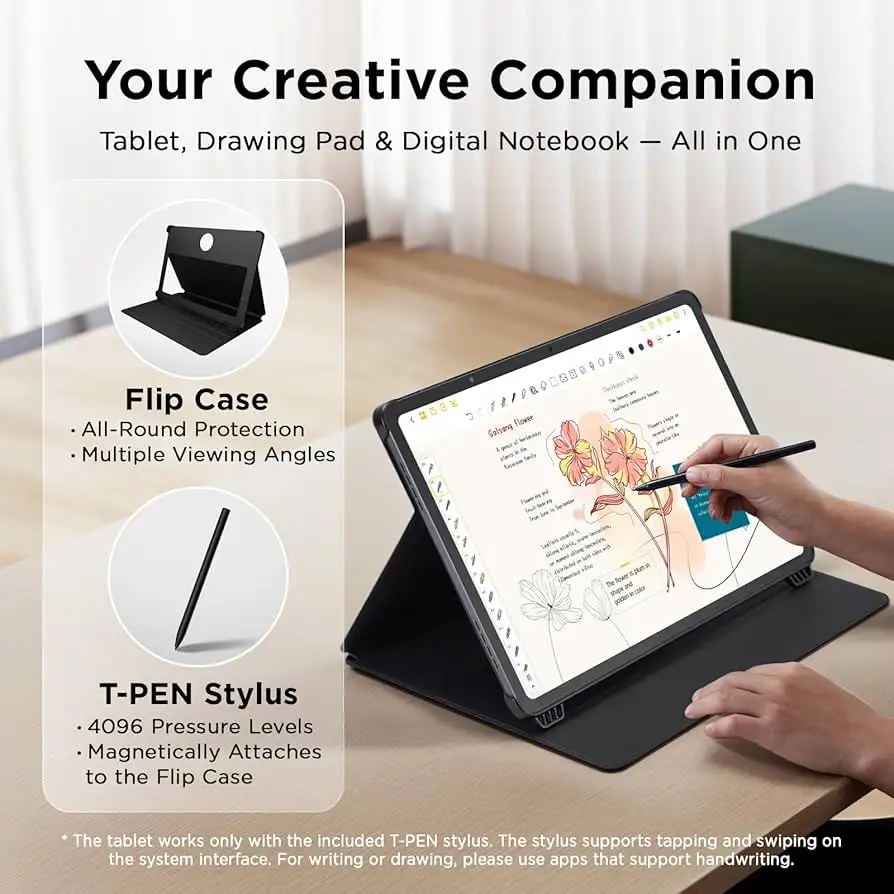
For stylus users, the T-Pen’s 4096 pressure levels get technical praise in eBay and Pacifiko listings, but actual artist reviews were scarce. Most feedback focuses on note-taking and annotation rather than professional-grade illustration.
Trust & Reliability
No scam patterns emerged, but long-term reliability has partial support. While extended use reports over six months are sparse, build quality earns high marks. Notebookcheck scored workmanship at 90%, and Hungarian reviews highlight “dust and water splash protection” (IP54 rating). Steel-bodied durability, with only moderate weight (760g), reassures buyers about field use in offices or classrooms.
There’s acknowledgment that while SIM slots or microSD expansion may be absent in certain SKUs, the core hardware appears stable. No reports of battery degradation surfaced, but the real test will be multi-year sustained performance.
Alternatives
Google Pixel Tablet surfaces repeatedly as a competitive alternative in Tech Advisor’s comparison — offering richer app ecosystems and better brightness. Apple’s iPad Pro is another obvious rival, though at vastly higher cost when factoring in matte screen accessories. For users who prioritize eye comfort over OLED vibrancy, these alternatives can’t replicate NXTpaper’s paper-like feel. For color-critical artists, however, they remain stronger candidates.
Price & Value
Current market prices range from $339 launch offers on Amazon to €454 bundles on eBay with case and stylus. Resale value remains uncertain, but buyers recommending it often advise waiting for discounts. As one Tech Advisor quote suggests, “If you can find the Nxtpaper 14 on a good discount deal, then it’s worth your consideration.” For pure reading comfort at a sub-$400 price, community sentiment leans favorable.
FAQ
Q: How does the NXTpaper display differ from a regular LCD?
A: It uses a matte, anti-glare surface with low blue light filtering to mimic paper, reducing eye strain during long reading or work sessions.
Q: Can the TCL Nxtpaper 14 be used outdoors?
A: While possible, users note the brightness is lower and colors more muted than OLED tablets, making it less ideal for direct sunlight use.
Q: Is the stylus included?
A: Not always. Some bundles include the T-Pen and flip case, while others sell them separately — check your retailer’s listing.
Q: Does it support multitasking?
A: Yes, with features like split-screen, floating windows, and even use as a second monitor for laptops.
Q: How heavy is it?
A: At about 760g (1.68 lbs), it’s portable in a bag but may feel large for handheld use over extended periods.
Final Verdict: Buy if you’re a reader, student, or content consumer who values reduced eye strain and a large canvas — especially for PDFs, manga, and split-screen multitasking. Avoid if your work demands high-brightness, color-accurate displays outdoors or ultra-portable tablets. Community pro tip: wait for sales to maximize value and bundle with the T-Pen for full functionality.





