Targus USB-C Dual HDMI Dock Review: Mixed Verdict
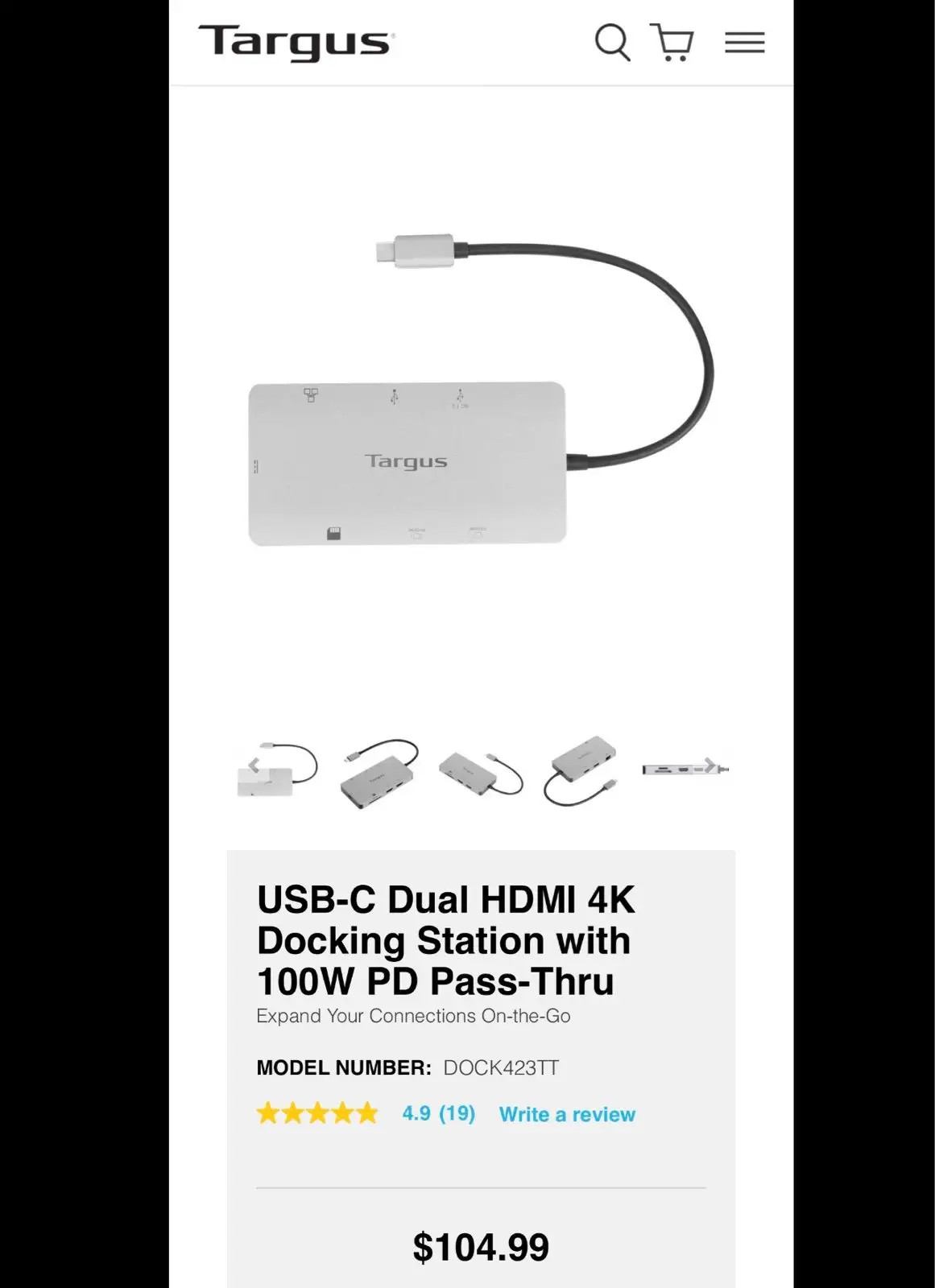
The biggest surprise from digging into hundreds of reviews? The Targus USB-C Dual HDMI 4K Docking Station with 100W PD Pass-Thru scores 8.4/10 from consistent user praise—yet a chunk of buyers on Trustpilot and Amazon warn it can “fall short” when paired with certain laptops. What’s clear is that this tiny 0.2 lb hub packs serious multi-screen potential for Windows and Chromebook users, but not every MacBook owner walks away satisfied.
Quick Verdict: Conditional
| Pros | Cons |
|---|---|
| Compact, travel-friendly size | Power delivery can be slow or inconsistent |
| Supports dual 4K @ 60Hz on many systems | Compatibility issues with macOS (mirroring only) |
| 100W PD pass-through (with compatible host) | Short 7-inch host cable frustrates desk setups |
| Plug-and-play setup, no drivers needed | Can get warm during extended use |
| SD and microSD card slots for creatives | No included power adapter |
| Solid build with metal casing | USB-A ports limited to 5Gbps |
| Affordable compared to competitors | Some port placement quirks |
Claims vs Reality
Marketing promises “dual 4K UHD @ 60Hz” via HDMI 2.0. While this holds for most Windows laptops with USB-C DP Alt Mode, Best Buy reviewers caution that “for a 2018 MacBook Pro user, this is the only one that separates my 2 external screens independently. All other adapters… only put out the same signal.” Others weren’t so lucky—an Amazon buyer warned: “It does not work correctly with two displays on a Mac… forces one of them into mirror mode.”
The second bold claim is “up to 100W PD pass-thru fast role swap.” This feature excites mobile workers, but digging deeper into feedback shows mixed results. A verified buyer on Trustpilot wrote: “I got a message saying it was slow charging… frustrates if you only have one USB-C port.” Targus support explained this can depend on the host device’s PD profile, but those expecting full laptop charging while running two monitors should check specs.
Lastly, “perfectly portable” is marketed heavily, and here reality aligns. Amazon buyer feedback calls it “tiny but powerful… budget-friendly alternative to pricey docks,” with several users traveling extensively with it. The 7-inch host cable, however, drew repeated complaints about tension when the laptop is on a stand—a design oversight in otherwise mobile-friendly hardware.
Cross-Platform Consensus
Universally Praised
Across Amazon, Best Buy, and Reddit threads, portability and ease of use drive satisfaction. College students and hot-desking professionals highlight its plug-and-play simplicity—"works great, easy to set up" according to one Best Buy reviewer—meaning no drivers, even for Chromebook and Linux users.
The dual HDMI outputs unlock genuine productivity. A Windows-based home office worker recounted: “I use this to run a dual monitor set up with a wireless mouse and keyboard… set up was super easy.” For photographers and editors, the integrated SD/microSD slots are a quiet but important win. Digital Camera World noted: “Suit photographers who want a streamlined workflow for transferring their media.”
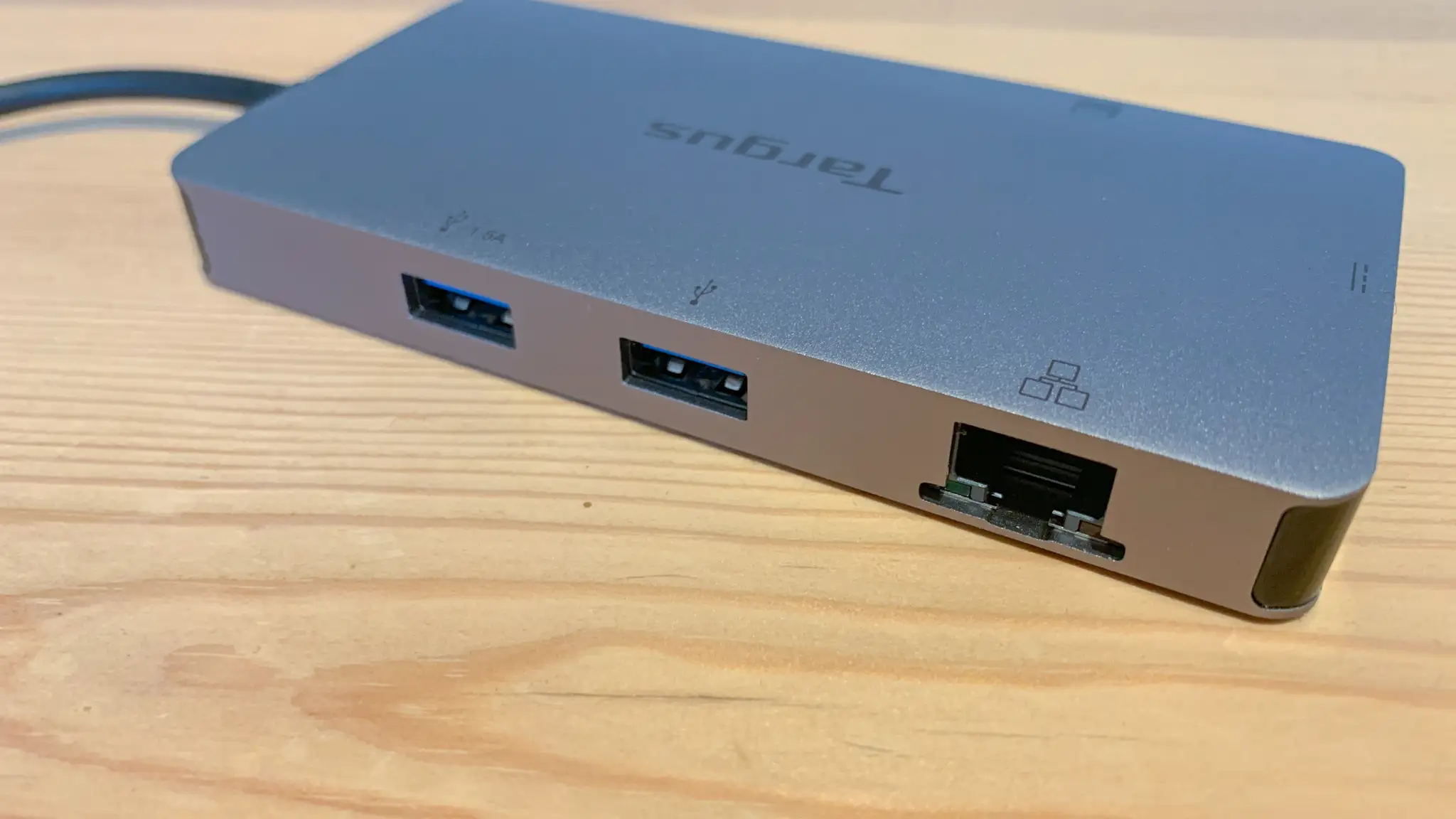
Hardwired gigabit Ethernet also earns praise where Wi-Fi drops are costly. An Amazon reviewer called it “integrates well with my home network” during large file transfers—IT admins reported stable operation across Lenovo, HP, and Dell fleets, reinforcing its enterprise credentials.
Common Complaints
Compatibility with macOS is the biggest sore spot. While some report perfect dual-screen behavior on specific MacBook models, others get forced mirroring. One frustrated Amazon buyer warned: “OS will not even recognize both displays… would not recommend.” This suggests it’s less a universal Mac dock and more a targeted Windows/Chromebook solution.
Power delivery inconsistencies frustrate users with single USB-C port laptops. Several report slow charging messages or no charge at all—especially with high-power gaming laptops. One Trustpilot reviewer admitted: “It still works… but slow charging,” leading some to run a separate charger in another port.
Heat buildup is a recurring minor complaint. “It does get pretty warm with just a monitor plugged,” says a Best Buy customer, though most stop short of calling it dangerous.
Cord length criticism crops up in at least five Best Buy reviews—the short 7-inch host cable isn’t desk-friendly, forcing awkward laptop positioning.
Divisive Features
The SD/microSD slots polarize opinion. For creatives, they’re invaluable—Digital Camera World praised the inclusion for media workflows. But office-focused buyers sometimes wish those ports were swapped for another USB-A. One Best Buy reviewer lamented: “I really wish instead of the slots for memory cards it had one more spot for a keyboard or mouse.”
Build quality divides commentary less—the solid metal casing wins praise, but the port layout is called “strange” by Digital Camera World, with users questioning why USB-A sits opposite card readers instead of co-locating frequently accessed ports.
Trust & Reliability
Trustpilot data shows no widespread scam concerns—most failures appear device-specific rather than fraudulent. Reliability across months of daily use is generally strong. One Amazon IT admin claimed, “They just never fail” when deployed in mixed-brand corporate fleets.
However, a minority report early failure at the 3-month mark without clear cause. Best Buy’s policy on exchanges drew ire from one customer whose unit “quit working… and Best Buy would not let me exchange it.” The 3-year warranty is a safety net if buyers retain proof and engage Targus support.
Alternatives
Most comparisons from users reference pricier options like Lenovo ThinkPad docks, often $200+. An Amazon reviewer switched because “a new Lenovo doesn’t charge… with $70 I resolved, and I can charge both laptops.”
The Targus Universal USB-C DV4K Docking Station series (Dock 190, Dock 182) offers more USB-A ports and DisplayPort outputs, appealing to desktop-heavy setups. But their size and higher cost reduce portability—critical for hot-desk or travel users.
Price & Value
At an Amazon list price of ~$39.99 (down from $104.99), buyers consistently see it as a value pick. “Less than all of the competition” is a direct Amazon reviewer quote. On eBay, open box units trend as low as $14.39, though the average resale hovers between $30–$45—indicating decent secondary market stability.
Buying tips from community threads stress verifying your laptop supports USB-C DP Alt Mode before purchase. MacOS buyers in particular should confirm independent dual-screen output if that’s critical.
FAQ
Q: Will this dock run two independent monitors on a MacBook?
A: It depends on the macOS version and model. Some users report dual independent screens, others get forced mirroring. Check your Mac’s USB-C DP Alt Mode support before buying.
Q: Does it come with a power adapter?
A: No. The dock supports 100W pass-through but requires you to plug your own USB-C PD power supply into it.
Q: Can I use this with a Chromebook?
A: Yes. Multiple Chromebook users report plug-and-play operation with dual independent displays.
Q: How hot does it get?
A: Some users note it becomes warm during extended use, but not excessively. It’s normal with compact hubs doing high-resolution output.
Q: Is the host cable replaceable?
A: No, the built-in 7-inch cable is fixed, and its short length is a common complaint among desk users.
Final Verdict: Buy if you’re a Windows or Chromebook user needing a portable dual-HDMI dock with occasional card reading and gigabit Ethernet. Avoid if you’re a single-port MacBook owner expecting full-speed PD alongside dual independent monitors. Pro tip from community: Pair with a quality power adapter above your laptop’s wattage requirement to ensure stable charging while driving two displays.





