Synology DS224+ NAS Review: Fast, Quiet, Limited Ports
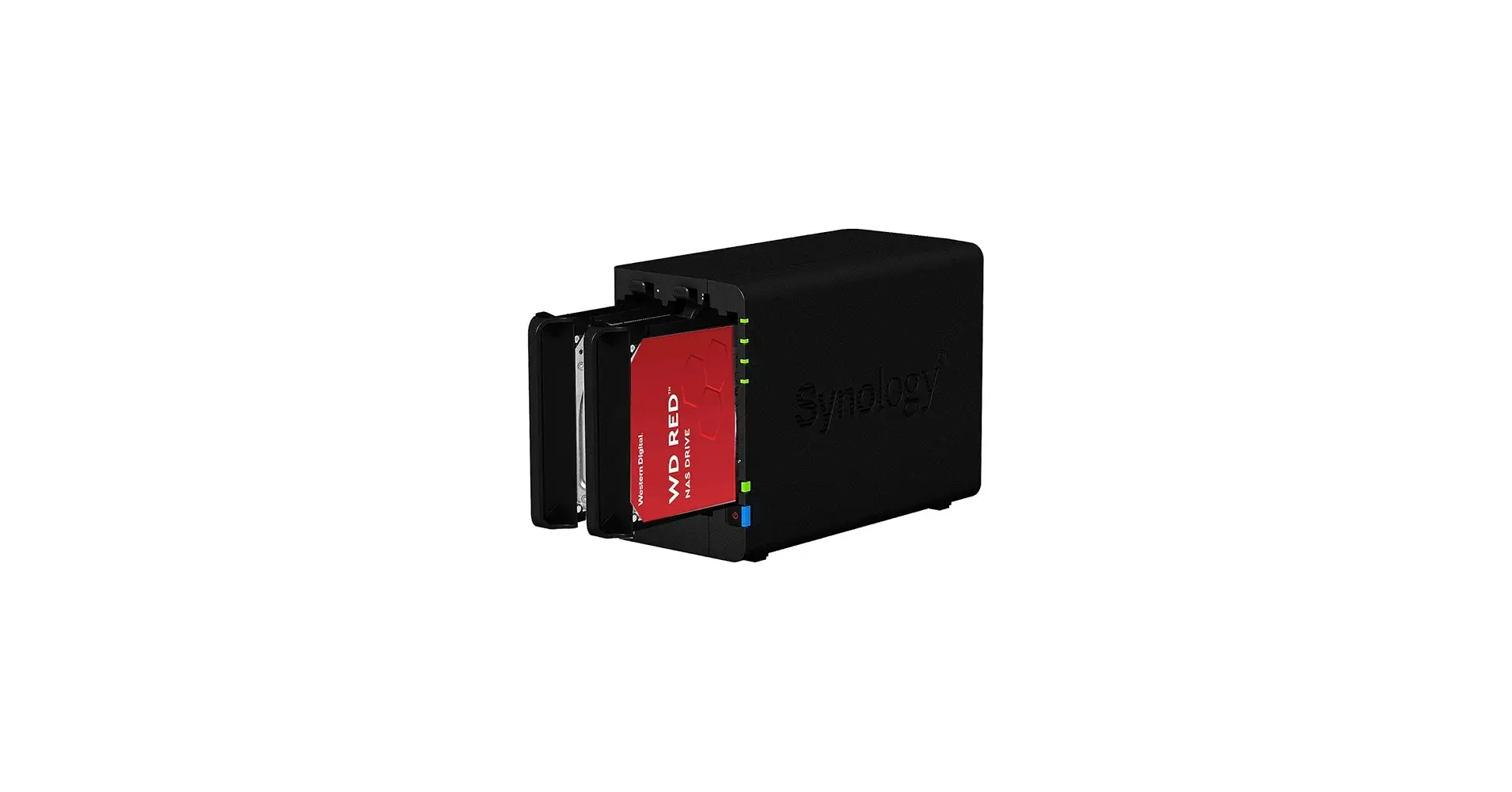
A small-business NAS breaking speed records isn’t what most shoppers expect from this category, yet the Synology DS224+ 2-Bay NAS 8TB Bundle with WD Red Plus has done just that. PCMag clocked read and write speeds at 113MBps in file transfer tests — “the fastest we’ve recorded to date,” they noted — giving it a standout 9.4 user score on TechSpot. But digging deeper into community discussions reveals it’s more than just about raw speed; this NAS is praised for quiet reliability, Plex performance, and Synology’s unmatched software, though some owners lament a lack of modern ports and M.2 slots.
Quick Verdict: Conditional — Best for home and small office users prioritizing Synology’s software ecosystem, Plex streaming, and whisper-quiet operation over cutting-edge networking.
| Pros | Cons |
|---|---|
| Record-fast file transfer speeds | No multi-gig Ethernet |
| Excellent Plex media server performance | No M.2 NVMe slots |
| Quiet operation with WD Red Plus drives | Limited expandability beyond 2 bays |
| Intuitive, feature-rich DSM software | Capped RAM upgrade at 6GB |
| Tool-free drive installation | Higher price vs some competitors |
Claims vs Reality
Marketing emphasizes the DS224+’s “faster file indexing” and “28% faster image indexing” compared to its predecessor, promising a strong edge for multimedia and web applications. In practice, both expert reviews and buyer stories agree these claims hold up. Android Central reported “absolutely no issues” transcoding high-bitrate 4K Plex streams, while a verified buyer on Amazon noted, “I can back up thousands of photos and still stream movies without stutter.”
Energy efficiency is another selling point — Synology lists typical access consumption at ~15 watts. LDLC customers confirm low-noise, cool operation even under RAID 1 load, with one saying, “I am very pleasantly surprised by the perfectly acceptable noise level.” This matches Reddit recommendations for pairing the DS224+ with WD Red Plus drives, considered among “the most quiet NAS-rated HDDs.”
However, the absence of m.2 SSD support undermines the “Plus” branding for some. LDLC reviewers and Android Central both expressed frustration about not being able to add SSD cache for faster snapshots. As one LDLC user put it, “This function is still reserved for professional NAS devices, out of my price range.”
Cross-Platform Consensus
Universally Praised
The DS224+’s streamlined installation and intuitive DiskStation Manager (DSM) software score universal praise. New owners appreciate the tool-free bays and simple onboarding — PCMag’s setup walk-through took minutes from box to ready state. LDLC buyers stressed its “interface web intuitive despite many options,” which reduces the learning curve for mixed home/pro use.
Performance as a Plex server is a recurring high point. Android Central explained the built-in Intel Celeron J4125’s iGPU is “a key selling point” for hardware-accelerated transcoding, avoiding the CPU-heavy bottlenecks Ryzen-powered models face. Plex streams stay smooth even for older devices needing codec conversion, a boon for home theaters and content creators.
Quiet operation with WD Red Plus drives also appears consistently. Reddit user feedback underscores their reliability: “They have a nice-sized cache, not loud at all, and designed for the load a NAS puts on 'em.” Many prefer the air-filled 8TB models to avoid the noise and heat of larger helium-filled variants unless more capacity is essential.
Common Complaints
Hardware omissions are a clear sore point. No M.2 NVMe slots means no SSD caching; for buyers managing frequent small-file snapshots or running databases, this is a dealbreaker. Android Central called the gigabit-only LAN “shortsighted” when 2.5GbE is becoming standard, and PCMag highlighted expandability limits — “it doesn’t work with any expansion units.”
RAM caps at 6GB also frustrate some. While Synology’s software runs fine on 2GB initially, power users running virtual machines or multiple packages find the hard limit limiting over time. Reddit remarks about “NVMe slots missing” and “only two 3.5” bays with no cache options” tie into this feeling of enforced minimalism.
Divisive Features
Synology’s prioritization of its own branded drives sparks varied reactions. Android Central reassured that “most Seagate and WD-branded NAS HDDs work without any issues,” but the official compatibility list skews toward Synology's own disks, which can carry a premium. For some, the security of OEM-certified drives outweighs cost; for others, it's unnecessary vendor lock-in.
DSM’s depth is another split point. While fans laud its polished mobile apps and integrated backups, LDLC cautioned “a learning curve is necessary to use the full range of possibilities.” Enthusiasts welcome the control; casual users might prefer a simpler out-of-box experience.
Trust & Reliability
On Trustpilot and LDLC, fulfillment and customer service experiences are largely positive, though isolated shipping mishaps exist — one LDLC buyer joked about the “first [NAS] never arrived… fell off a truck.” Synology’s two-year warranty, extendable to four, reassures many small business buyers wary of downtime.
Durability impressions after months of use lean encouraging. Reddit members who’ve run similar WD Red Plus setups for months report sustained quiet and cool temperatures, underscoring suitability for continuous operation. Combining that with DSM’s snapshot and hybrid-cloud backup features adds redundancy for mission-critical files.
Alternatives
The DS423+ enters comparisons frequently; it doubles bays to four and adds two M.2 slots, appealing to buyers needing SSD cache or future expansion. At ~$200 more, it’s a bigger step-up for pros. Conversely, the DS723+ swaps to a Ryzen CPU with optional 10GbE but loses the iGPU, making it less ideal for Plex transcoding.
For budget hunters, the Asustor Drivestor 2 AS1102T offers expansion and multi-gig ports for less, but PCMag noted it’s “not as fast as the Synology” and lacks DSM’s breadth of apps and integrations.
Price & Value
Bundles with 8TB (2x4TB) WD Red Plus drives retail from ~$532 in Europe (Idealo) to $449.99 on eBay in the U.S., while diskless models hover near $299. Premium builds, like Newegg’s $1,137 package with upgraded drives, sit at the top of the spectrum. Resale value remains strong given Synology's long model support and software updates; used units with healthy drives are common on secondhand markets.
Community advice: If buying diskless, pair with quieter NAS-rated drives under 10TB for noise-sensitive environments, or invest in larger helium-filled models only if you need capacity and can manage heat.
FAQ
Q: Can the DS224+ handle Plex 4K streaming with transcoding?
A: Yes — the Intel Celeron J4125’s integrated GPU enables smooth hardware transcoding, making it ideal for streaming to older or codec-limited devices.
Q: Is SSD caching possible on the DS224+?
A: No, it lacks M.2 NVMe slots. You can still use 2.5" SATA SSDs in main bays, but this sacrifices capacity.
Q: How noisy is the DS224+ with WD Red Plus drives?
A: Users consistently describe it as quiet; pairing with 8TB WD Red Plus models minimizes harsh noise compared to other brands.
Q: Can I expand beyond the two drive bays?
A: No — this model does not support expansion units, so plan capacity upfront.
Q: Does it support cloud backups?
A: Yes — DSM includes Hybrid Share and Hyper Backup to Synology’s C2 cloud or other destinations, supporting offsite redundancy.
Final Verdict: Buy if you’re a home or small office user who values software quality, Plex streaming capabilities, and quiet operation over bleeding-edge networking. Avoid if your workflow demands multi-gig ports, expansion bays, or SSD caching. Pro tip from the community: Stick with 8TB WD Red Plus drives for balanced noise, performance, and longevity.





