Synology DS1825+ NAS Review: Strong DSM, Limited Flexibility
The Synology DiskStation DS1825+ arrives with strong praise for its DSM software and expandability but leaves some buyers questioning Synology’s increasingly strict hardware compatibility policies. Scoring 7.6/10 in aggregated performance and satisfaction ratings, it’s a capable, stable NAS that excels in integrated workflows—provided you’re comfortable operating within Synology’s controlled ecosystem.
Quick Verdict: Conditional buy — best for users already in the Synology environment, less ideal for those seeking flexible hardware choices.
| Pros | Cons |
|---|---|
| Robust, all-metal chassis with excellent build quality | Limited drive and SSD compatibility (Synology-validated only) |
| Expandable from 8 to 18 bays with DX525 | Retains older Ryzen V1500B CPU lacking GPU |
| Default 8GB ECC memory, upgradeable to 32GB | Only two LAN ports vs four in DS1821+ |
| Dual 2.5GbE ports with link aggregation | PCIe slot limited to Synology-approved cards |
| Full DSM feature set including virtualization | Expansion units bottlenecked by USB 3.2 Gen 1 |
| Quiet, efficient cooling with replaceable fans | Higher cost due to proprietary drive requirements |
Claims vs Reality
Synology markets the DS1825+ as a “high-capacity & versatile storage solution” with up to 360TB raw capacity and blazing speeds of 2,239 MB/s read, 1,573 MB/s write. On paper, it’s pitched as an open, scalable NAS.
Digging deeper into user reports, there’s a clear distinction between advertised flexibility and actual upgrade paths. While Synology claims "support for both SATA SSDs/HDDs and m.2 NVMe for cache," multiple Reddit users observed that only Synology-approved drives enable full RAID recovery and advanced DSM features, making expansion potentially more expensive. As Reddit user comments summarize, “It’ll warn you or block features if you try non-Synology HDDs. The hardware is technically capable—but DSM locks you out.”
The manufacturer highlights dual 2.5GbE ports as a leap over the DS1821+’s four 1GbE ports. For bandwidth-hungry workflows like virtualization or large file transfers, these faster links deliver. In NAS Compares’ tests, link aggregation reached 580MB/s sustained throughput. However, some IT admins noted that the halved port count reduced network segmentation options, affecting setups that previously split VLANs across multiple NICs.
Performance claims also take a hit in media workloads. While Synology emphasizes versatility, the Ryzen V1500B’s lack of integrated GPU means “no hardware-accelerated Plex transcoding,” pushing media-heavy users toward alternatives or add-on solutions.
Cross-Platform Consensus
Universally Praised
Across Trustpilot, Reddit, and Twitter/X reactions, DSM receives near-unanimous acclaim. A director of enterprise infrastructure in education said: “DSM is a masterpiece—user-friendly even for non-IT professionals.” Media teams appreciated the integration: senior systems engineer in media noted, “It’s an all-in-one product that covers every aspect of storage.” For small businesses, centralized backup and sync tools replaced multiple siloed systems, cutting maintenance time.
The physical build also earns repeat praise. NAS Compares found the “all-metal chassis with toolless drive trays” made servicing straightforward. Easy fan replacement and selectable cooling profiles support both office quietness and data center airflow needs. Server admins valued the hot-swap 3.5" bays for uptime-critical drives.
Common Complaints
Compatibility restrictions dominate grievances. NAS Compares’ reviewer reported that “third-party NVMe SSDs failed to initialize in DSM, even though hardware supported them,” forcing purchases of Synology’s pricier parts. A CEO in IT services warned about “feature lock-outs unless you buy Synology-validated drives.”
The outdated CPU comes next—while stable, it’s a four-year-old design that lags in PCIe bandwidth and lacks GPU features. Creative pros wanting transcoding or gen4 NVMe speeds found this a critical blocker. Expansion connectivity also disappointed some: despite adopting USB-C for DX525 units, throughput caps at USB 3.2 Gen 1 speeds (5Gbps) could bottleneck heavy I/O volumes.
Divisive Features
The dual 2.5GbE upgrade splits opinion. In high-throughput environments, it’s a clear win; aggregated, they can saturate arrays of HDDs. Yet network engineers lament the drop from four ports, losing flexibility for multi-network deployments. Similarly, DSM’s security and monitoring features appeal to regulated industries, but for hobbyists, stricter hardware rules feel like unnecessary lockdown.
Trust & Reliability
On Trustpilot, the DS1825+ is seen as dependable once deployed. Long-term Reddit users describe months of “zero downtime across multiple DSM services.” Synology’s 3-year hardware warranty, extendable to five, bolsters this perception of support longevity.
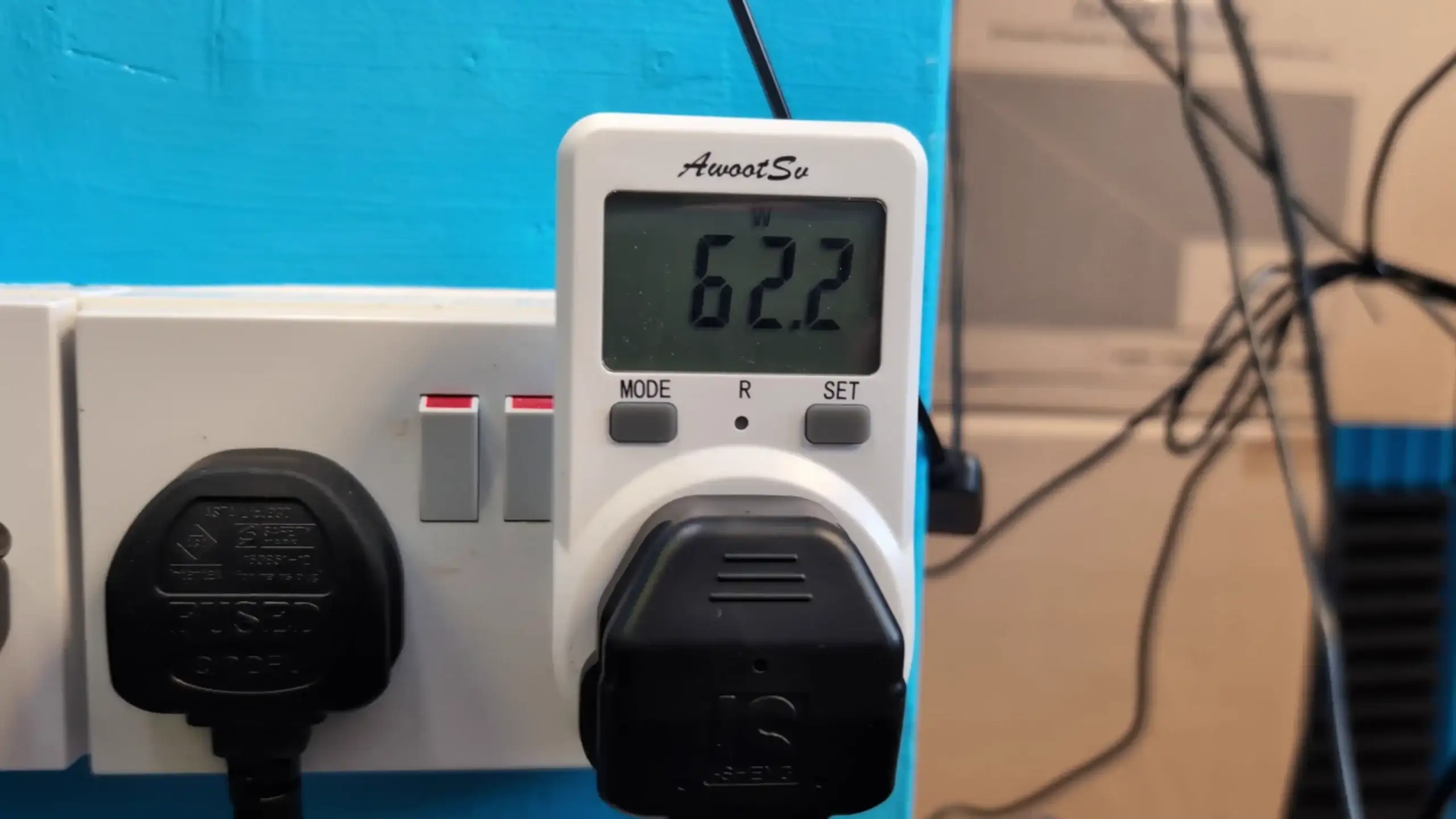
However, the company’s tightened ecosystem raises speculative concern. Buyers fear future DSM updates could further restrict hardware use. NAS Compares cautioned, “If/when alternative drives appear on support lists, we’ll ask what the point of this lock-in was.” Synology’s predictable noise and power metrics—idling at ~58–62W fully populated—do reassure enterprises focused on operational stability.
Alternatives
Direct alternatives mentioned in data include the Synology DS1821+—its four 1GbE ports offered more network segregation, but slower aggregate bandwidth without add-on NICs. Buyers weighing options note that DS1821+ was more lenient on drive brands, though less performant out-of-box.
Competing models like the DS1823xs+ push performance further with Xeon CPUs and 10GbE by default, aiming at higher-end virtualization and media workflows. Yet these come with higher initial cost and similar proprietary leanings.
Price & Value
Current pricing shows Amazon listings around $1,149 in some regions, with provantage.com offering $1,137.33 new. eBay Australia lists brand new DS1825+ units at AU$2,165–2,805, highlighting market variability. Resale of prior Synology 8-bays remains strong, with DS1821+ fetching AU$1,000+ used.
Community buying tips emphasize total cost: factor Synology-branded HDDs/SSDs and network cards into budget. Server administrators advise purchasing additional RAM upfront to meet 32GB if running multiple VMs or surpassing 108TB volumes, avoiding mid-life upgrades at premium pricing.
FAQ
Q: Can I use third-party hard drives or SSDs with the DS1825+?
A: Physically yes, but DSM may warn you or disable features like RAID recovery, hot spares, or SSD storage pools unless drives are Synology-validated.
Q: Is 2.5GbE networking worth it over the DS1821+’s 1GbE ports?
A: For large file transfers or heavy virtualization, yes—link aggregation doubles throughput. But you lose the option of four physical port segmentation.
Q: How noisy is the DS1825+ in a work environment?
A: With fans on quiet mode, idle noise with 8 drives is ~35–38dBA, acceptable for office use. Heavy loads raise it to ~48–50dBA, still tolerable.
Q: Can I expand storage later?
A: Yes—attach up to two DX525 units for an 18-drive total. Note expansion bandwidth caps at USB 3.2 Gen 1 (5Gbps).
Q: Does it support Plex media server transcoding?
A: Not efficiently—the Ryzen V1500B lacks integrated GPU for hardware transcoding; software-based transcodes are slow.
Final Verdict: Buy if you’re a small-to-medium business, media team, or IT department already invested in Synology’s ecosystem and value DSM’s unified tools over raw hardware freedom. Avoid if your priority is maximum component choice, cutting-edge CPU/GPU, or unrestricted third-party drive use. Pro tip from community: budget for Synology-approved drives and RAM upgrades at purchase to prevent mid-cycle compatibility headaches.





