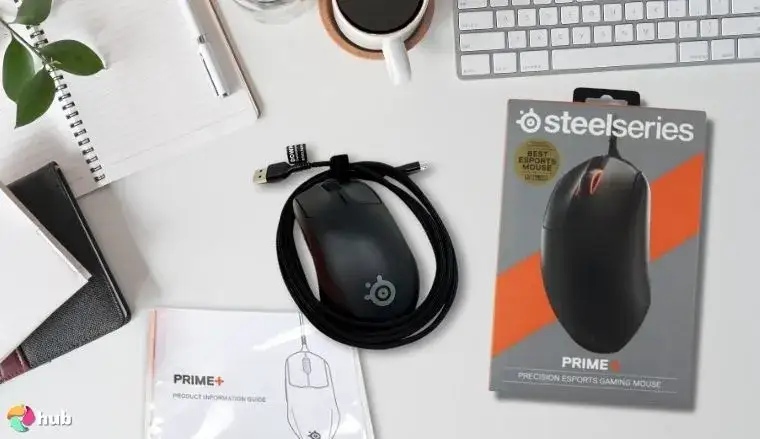
SteelSeries Prime Mouse Review: Light, Precise & Reliable
Months after launch, the SteelSeries Prime Gaming Mouse still sparks intense debate in competitive play circles — but the core verdict from most platforms is clear: this is a high-precision, lightweight weapon built for FPS victory. Across reviews, its magnetic optical switches earn near-universal praise for their feel and consistency, scoring an overall 8.1/10 from combined user sentiment.
Quick Verdict: Conditional buy for FPS and claw/fingertip grip users; avoid if you need many programmable buttons.
| Pros | Cons |
|---|---|
| Crisp, satisfying click feel from Prestige OM™ switches | CPI button placement on underside inconvenient for rapid changes |
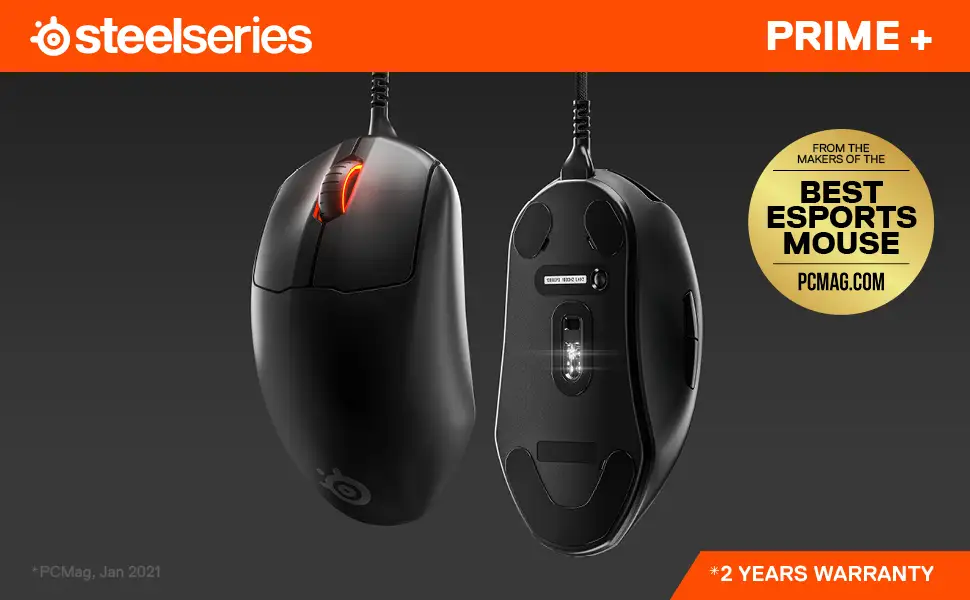
| Lightweight (69g wired / 80g wireless) with comfortable ergonomic shape | Side buttons considered too small by multiple users |
| Accurate TrueMove Air/Pro sensor tracking even in fast FPS play | Wireless wake-up lag for some users |
| Smooth PTFE glide feet | Price perceived as high at MSRP |
| Long battery life (wireless: ~100 hours) | Minimal button count unsuitable for MMO or macro-heavy use |
| Solid build quality; matte finish improves grip | Occasional wireless connectivity issues reported |
Claims vs Reality
SteelSeries markets the Prime as “developed with over 100 esports pros” with “the most consistent crispy clicks” thanks to neodymium magnet switches rated for 100 million clicks. Digging deeper into user reports, the switch feel claim holds up strongly. A verified Best Buy buyer called them “the best mouse switches I have ever used… so satisfying,” while Reddit user keyboard_clout999 described them as “strangely gratifying to click… lightweight yet balanced.” Several reviews explicitly mention that clicks remain consistent over months.
Another brand pitch is the “lag-free wireless” performance via Quantum 2.0 tech. Here, experiences diverge. A Reddit user noted no issues and “less than 3 seconds” wake-up lag, but another warned of persistent “issues with reconnecting after going into sleep mode.” On Best Buy, one buyer admitted they “couldn’t get the wireless connection to work correctly… this may have been my fault… but no problem with my Razer Viper.”
SteelSeries also promotes “True 1-to-1 tracking” via the TrueMove sensor. Cross-platform feedback supports this for FPS contexts. A Quora expert explained that “not once did I lose control… whether flicking or lifting… it maintained position well,” and Rtings noted “very low click latency providing quick and responsive gameplay.” However, a Reddit thread pointed out talk in the community about the sensor being “outdated” — though some found those concerns unfounded in practice.
Cross-Platform Consensus
Universally Praised
The Prestige OM™ magnetic optical switches are the most consistently loved feature. They provide tactile, audible feedback without degradation, which benefits competitive FPS players who rely on consistent trigger response. Best Buy shoppers echoed this sentiment repeatedly: “optical magnetic switch feels like it clicked heads before your brain can register.”
Weight and shape are another highlight. At 69g wired, 80g wireless, plus an ergonomic right-handed shell, the Prime suits claw and fingertip grips well. Reddit user keyboard_clout999 wrote, “the hump on the back fills out my hand just short of perfect,” praising how it “melts into my hand,” allowing them to focus entirely on play. This is crucial for players who lift the mouse often in high-APM scenarios — reduced fatigue means steadier aim late-game.
Sensor accuracy also earns praise from competitive-focused users. The TrueMove tracking maintains precision in twitch shooters, with a Quora reviewer noting improved bow aim in Rust, and Rtings calling glide “smooth… low click latency,” resulting in reliable in-game positioning.
Common Complaints
Side buttons cause frequent frustration. Multiple Best Buy reviews mention their size and placement: “too small for any grip style… missed clicks in-game” and “poorly implemented.” For MMO or MOBA players needing rapid thumb activations, this can be a deal-breaker.
CPI adjustment is another sore point. With the button placed on the underside, changing sensitivity mid-match is awkward. Quora’s Patch Bowen highlighted this as a con, noting it’s “not ideal for games where you want a lot of buttons,” which reflects FPS-centric design focus but alienates some user profiles.
Some wireless users report connection hiccups — particularly after sleep mode. One Redditor labeled it an issue worth noting, while a Best Buy reviewer described acceleration inconsistencies on desktop that vanished with other wireless mice.
Divisive Features
Wireless wake-up lag is debated. Reports range from “absolutely no issue” to “less than 3 seconds” (tolerable for most), but for fast re-entry scenarios in high-skill competitive play, even minor delay risks missing moments.
The price generates mixed feelings. SteelSeries positions Prime wireless as “most affordable high-end,” yet at $129–$139 MSRP, several buyers call it overpriced unless discounted. A Reddit user celebrated snagging one for $70, saying it was “worth it only at a heavily discounted price.”
Trust & Reliability
Longevity stories back SteelSeries’ durability claims. The 100-million-click rated switches did not degrade in reported multi-month use. Redditor keyboard_clout999 used it daily for fast-paced BR shooters without loss of performance and compared it favorably against a G Pro Wireless.
Trustpilot feedback leans positive around build quality (“sleek, lightweight design” and “comfortable clickers”), but mentions stiff thumb rest and lack of extra features like OLED displays in higher variants, reminding buyers the Prime is intentionally minimalistic.
Alternatives
Users often compare the Prime to other esports-grade devices:
- Logitech G Pro Wireless: keyboard_clout999’s main before Prime, praised for versatility, but Prime won for grip comfort and click feel.
- Razer Viper: Preferred by some for wireless stability when Prime showed hiccups.
- Roccat Kone Pro Air: Mentioned by Redditor as failing their “don’t think about the mouse while playing” test, which Prime passed.
For MMO/macro-heavy users, competitors with more thumb buttons — like Razer Lancehead or Roccat models — may be superior.
Price & Value
MSRP puts Prime wireless around $129–$139, wired models at ~$69, but community consensus stresses waiting for discounts. eBay and clearance deals show wireless units for $45–$55, wired for under $30, dramatically improving value perception. Resale holds better for wireless models, particularly if in box.
Buying tips from Reddit and Best Buy: check for sales, bundle offers, and confirm dongle and cable inclusions — missing accessories affect performance and resale.
FAQ
Q: How do you change CPI settings on the Prime mouse?
A: Use the underside CPI button to cycle through presets, or customize via SteelSeries Engine/GG software. Defaults range from 400–3200 CPI.
Q: Does the Prime wireless suffer from lag?
A: Most report no noticeable lag, but some experience up to ~3 seconds wake-up delay after sleep, especially in wireless use.
Q: Is the Prime good for palm grip?
A: While designed for claw/fingertip, many users with medium/large hands find palm grip comfortable, though arch height may suit claw better.
Q: Can it handle MMO or macro-heavy setups?
A: With only two side buttons, it’s optimized for FPS, not MMO or workloads needing multiple thumb binds.
Q: What's the battery life like on wireless models?
A: Around 100 hours at 1000Hz polling; supports fast charging via included USB-C cable.
Final Verdict: Buy if you’re an FPS player favoring claw or fingertip grip, and want consistent, satisfying clicks with lightweight precision. Avoid if you need abundant programmable buttons or zero-lag wireless wake post-sleep in ultra-high-speed contexts. Community pro tip: “Wait for sales — at 50%+ off, this mouse is a steal.”