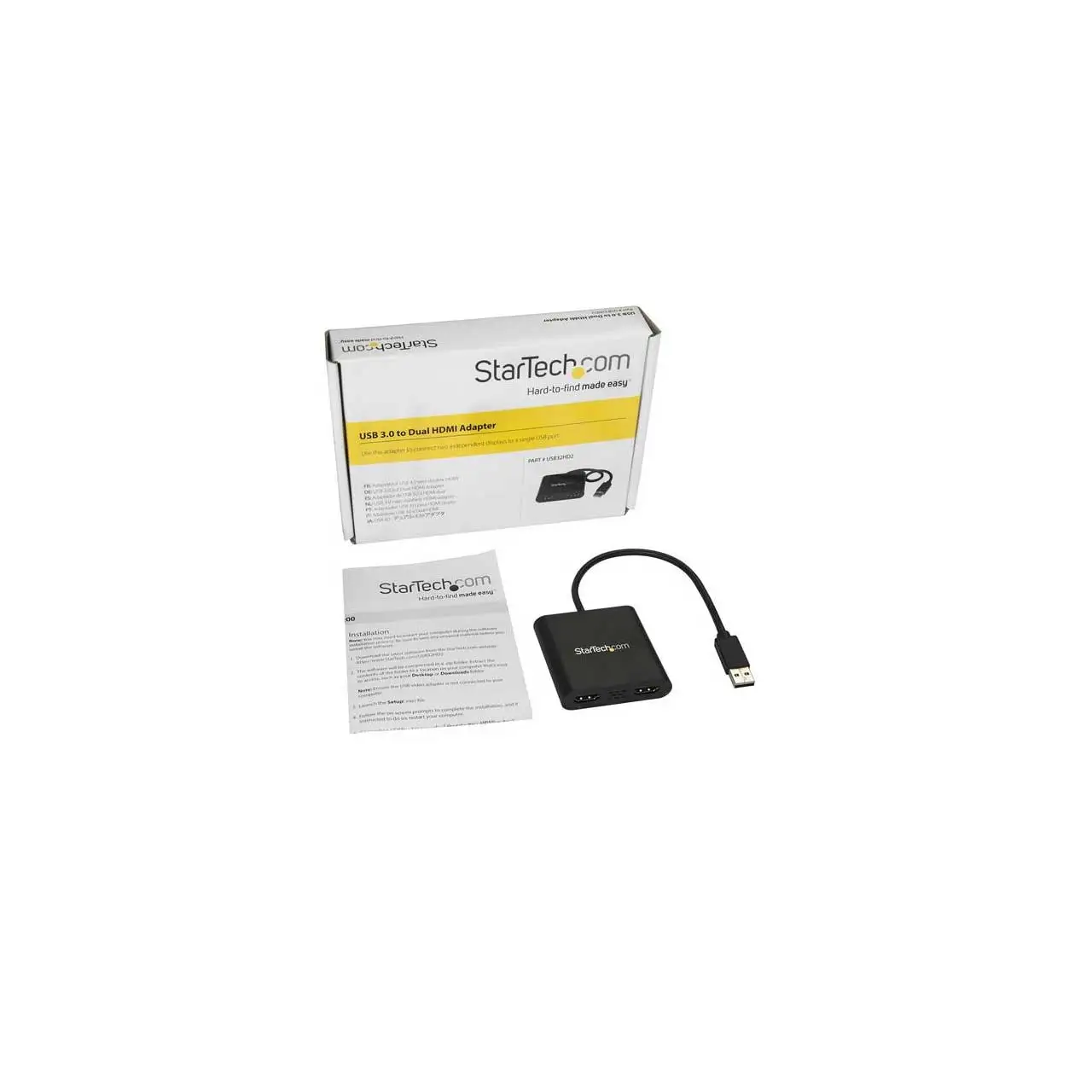
StarTech USB 3.0 Dual HDMI Adapter Review Verdict
Digging into user reports, the StarTech.com USB 3.0 to Dual HDMI Adapter emerges as a consistent favorite among professionals seeking multi-monitor setups without upgrading internal hardware. Across Amazon, Reddit, Staples, and Trustpilot, the adapter earns a solid score of 8.8/10 for reliable connectivity, ease of installation, and productivity gains. While marketing emphasizes plug-and-play simplicity and broad compatibility, user experiences reveal that real-world performance depends heavily on operating system, driver installation, and workload type.
Quick Verdict: Conditional Buy
| Pros | Cons |
|---|---|
| Easy multi-monitor expansion via single USB 3.0 port | Not ideal for gaming or high-frame-rate video |
| Supports 1x 4K @ 30Hz + 1x 1080p | Windows-only for most models; macOS requires drivers |
| USB bus-powered, no extra cables | Occasional screen flicker or freezes under heavy load |
| Compact and portable | Audio output issues reported by some users |
| Strong build quality | Can run hot during extended use |
| Plug-and-play on Windows 10/11 | Price higher than generic adapters |
| Works even if laptop GPU doesn’t support 4K | Dependent on system resources |
Claims vs Reality
Marketing promises “plug-and-play” installation on Windows and macOS, with automatic driver detection. A verified buyer on Amazon noted: “Windows 11 installed it automatically in about 30 seconds.” However, macOS users report extra steps—one Amazon reviewer described downloading drivers, adjusting “screen recording” permissions, and manually configuring displays before achieving triple-screen output on a MacBook Air M2.
The product claims smooth 4K @ 30Hz output plus 1080p on a secondary screen. While this is true for office workloads, Reddit user feedback warns against high-motion content: “Refresh rates tend to be a little slow, so gaming or watching videos probably isn’t going to be great, but for text they are perfectly fine.” This gap between spec sheet and performance becomes critical for buyers expecting gaming capability.
StarTech advertises broad OS compatibility, but many models—especially the USB32HD2—are Windows-only. Staples reviewers highlight frustration: “I tried to hook it up to my MacBook at home but it is not supported. It would be great if a driver exists for Mac to solve this issue.” The macOS-compatible variant exists, but requires driver installation and is not truly plug-and-play.
Cross-Platform Consensus
Universally Praised
A recurring theme is how the adapter transforms productivity setups. A verified buyer on Amazon shared: “I can now open Excel on one screen, Word on a different screen, and all other programs on a 3rd screen… one happy camper here.” Office workers and remote professionals particularly benefit when laptops have limited native video outputs. Reddit users echo this sentiment, calling it “essentially its own video card” that offloads processing from the laptop GPU. This architecture enables older systems to drive multiple monitors at higher resolutions without taxing built-in graphics.
Portability also earns high marks. The integrated cable and compact form factor fit neatly into laptop bags, making it popular with consultants and traveling professionals. One Trustpilot reviewer noted using it “between office, home, and boardrooms” without reconfiguring hardware each time.
Common Complaints
The most frequently cited complaints involve stability under load. Staples user “Tiff” described freezes every 10–15 minutes during video calls across Zoom, Teams, and RingCentral, requiring unplugging to restore function. Others report intermittent laptop screen blackouts, flickering cursors, or incorrect audio routing. An Amazon reviewer recounted: “Only small inconvenience is that it made itself the default sound playback device, but once I fixed that the issue has not come back.”
Heat buildup is another concern. While not dangerously hot, extended use can make the unit warm to the touch, which some users interpret as a sign of stress under heavy workloads.
Divisive Features
Audio over HDMI is divisive—some report flawless playback, others struggle to get sound routed correctly. A Staples reviewer complained: “No sound on Zoom call, tried changing settings and still did not work.” On resolution limits, office users are satisfied with 4K + 1080p, but power users pushing ultrawide or higher refresh rates find the ceiling restrictive. Reddit discussions reveal that while the adapter supports ultrawide formats up to 3440x1440, performance drops at higher refresh rates, making it less suitable for creative professionals working with animation or video.
Trust & Reliability
Long-term durability stories are positive. One Staples reviewer reported daily use for over 2.5 years with “two Samsung monitors at home” and no failures. Reddit users advise choosing StarTech over cheaper brands due to better build quality and support. A Trustpilot review praised “very clear communications” from StarTech support in guiding them to the right model after technical questions.
Concerns about scams or counterfeit units are minimal, though community members caution against third-party sellers on marketplaces. Multiple Reddit users recommend buying directly from Amazon or StarTech to ensure return eligibility if drivers or compatibility disappoint.
Alternatives
Within StarTech’s own lineup, the USB32HDPRO offers single HDMI output with higher refresh rates (1080p @ 60Hz) and broader OS support, appealing to users who need smoother video rather than dual-display capability. Reddit comparisons suggest Dell’s D3100 docking station as an option for those needing Ethernet, more USB ports, and multi-monitor support, though at a higher price and with more desk space required.
Price & Value
Current retail prices range from $57.31 (Amazon US sale) to around $76–$91 on specialty sites, with eBay listings dropping as low as $28.99 for new units. Resale value remains decent due to demand from remote workers and compatibility with older laptops. Community buying tips stress that while generic USB-HDMI adapters can be found for $12–$20, they often lack integrated graphics processing, leading to poor performance. As one Amazon reviewer put it: “You get what you pay for… the $12 cables are junk.”
FAQ
Q: Will this work with my MacBook?
A: Only specific StarTech models support macOS, and they require driver installation. Windows-only models like USB32HD2 will not function on Mac.
Q: Can I use this for gaming?
A: Not recommended. While it handles office tasks and streaming fine, refresh rates and latency make it unsuitable for competitive or high-frame-rate gaming.
Q: Does it support ultrawide monitors?
A: Yes, up to 3440x1440 on the 4K port, but refresh rates are limited to 30Hz.
Q: Why is my audio not playing through the monitors?
A: Ensure the HDMI audio device is set as default in your OS sound settings. Some users report needing to manually switch output devices.
Q: Can I run more than two monitors with this?
A: You can connect two via the adapter and use your laptop’s screen as a third. Additional monitors would require extra adapters or a docking station.
Final Verdict
Buy if you’re a remote professional, office worker, or consultant needing to expand display real estate without upgrading your GPU or system. Avoid if you require high-refresh gaming, intensive video editing, or plug-and-play macOS support. Pro tip from the community: install drivers before connecting, buy from trusted sellers, and configure audio output manually for best results.