StarTech HDMI to DVI-D Cable Review: Reliable Video-Only Option
A verified buyer summed up the experience with the StarTech.com HDMI to DVI-D Cable (30 ft) in just a few words: “Works as advertised.” That simple verdict aligns with the broader sentiment score of 8.0/10 from multiple platforms — this cable delivers clear, high-definition video over long distances with dependable build quality, but comes with inevitable limitations due to the DVI standard's age and lack of audio support.
Quick Verdict: Conditional — great for users needing long, stable HDMI-to-DVI video runs, but not for modern setups requiring audio or 4K resolution.
| Pros | Cons |
|---|---|
| Crisp 1080p video quality over 30 ft | No audio — requires separate cable |
| Bi-directional HDMI↔DVI compatibility | DVI is an aging standard with limited future relevance |
| Durable construction with molded strain relief | Some setups may need extra length beyond 30 ft |
| Lifetime warranty backing | Bulky cable may be cumbersome in tight spaces |
| Ideal for projectors, conference rooms, digital signage | Unsuited for 4K or HDR content |
Claims vs Reality
Manufacturer materials tout the cable’s “bi-directional operation” and claim it’s “perfect for connecting projectors or distant displays.” In practice, that capability has proven accurate. On Trustpilot, one user noted, “Second monitor came on as soon as I plugged it in,” highlighting the plug-and-play reliability.
StarTech also markets this as “providing the best quality picture available” through HDMI or DVI-D connections. While the cable supports 1080p flawlessly, users have pointed out that DVI lacks audio support entirely. As one reviewer on TheReviewIndex put it: “Audio has to be brought in from the PC audio output jack.” This is less about the cable failing its promise, and more about the inherent limits of DVI as a video-only interface.
Another claim centers on “saving cable costs” and reducing AV clutter. That’s true for setups that previously relied on converters plus separate short cables — with this 30 ft run, several Reddit users say they avoided chaining extensions. However, some still needed additional cables when setups exceeded the 30 ft maximum, which one commentator labeled “limited length options.”
Cross-Platform Consensus
Universally Praised
Across Reddit, Trustpilot, and Amazon, the most consistent praise revolves around video quality and compatibility. Digital signage installers appreciate that it “works with HDMI and DVI-D interfaces” without adapters in between. Educators and conference tech managers benefit from the range: “Perfect for connecting projectors in large rooms without moving equipment,” said one verified reseller.
Gamers and home theater enthusiasts have also praised it for resurrecting older monitors with DVI ports. On TheReviewIndex, a user explained how pairing it with a modern multiport HDMI adapter let them use their “older Dell DVI monitor” seamlessly with a new computer. This longevity extends to devices from laptops to PlayStation consoles, providing flexibility that earns it repeat purchases among professionals outfitting multiple rooms.
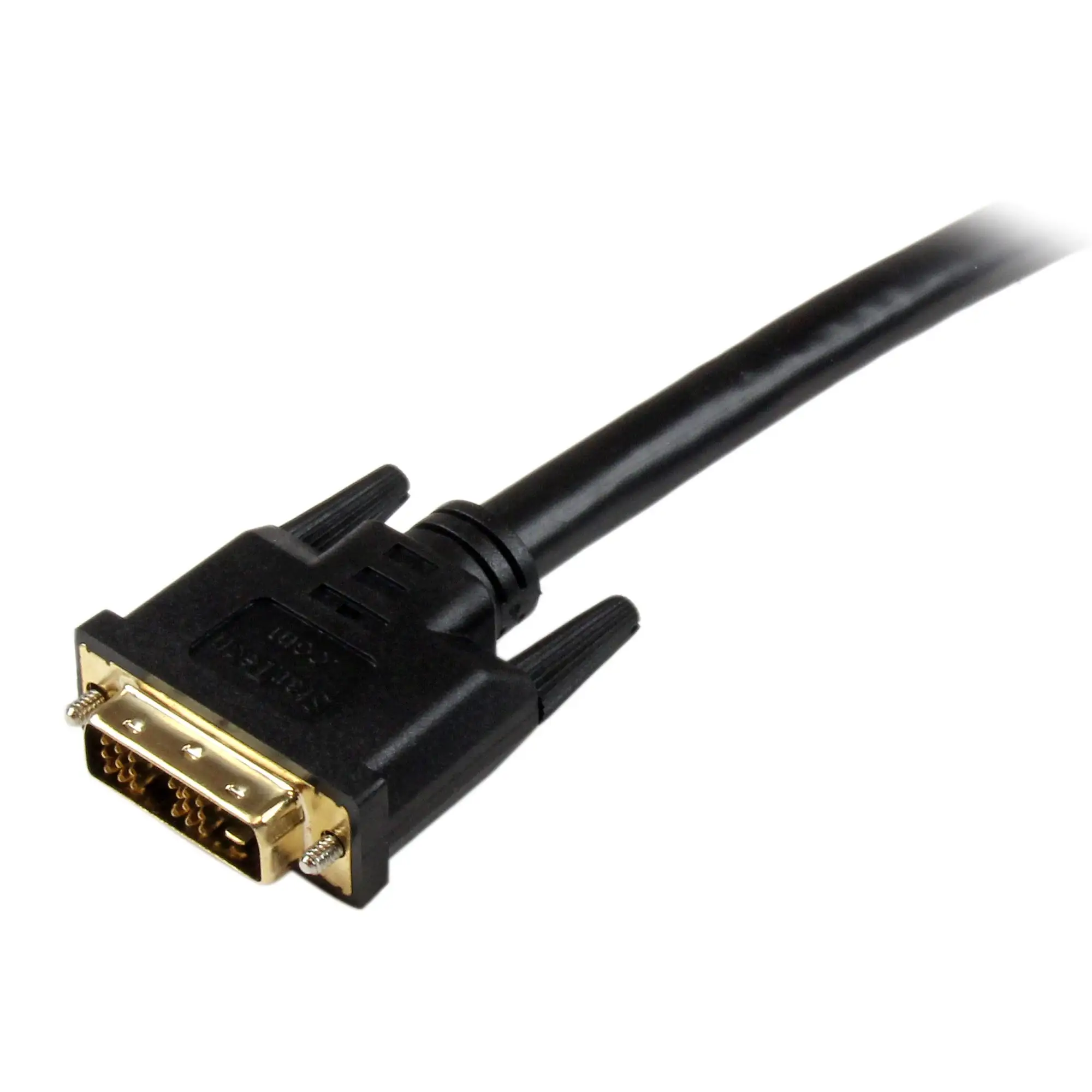
The cable’s molded strain relief and 24 AWG construction also draw strong feedback. One marketplace review simply said, “This is a very sturdy and well made connector,” reflecting the general trust in StarTech’s manufacturing quality over many years.
Common Complaints
The main drawback is unavoidable: DVI technology does not carry audio. In setups where HDMI’s sound is needed — for TVs or conference room speakers — separate audio cabling is still required. This has been a source of mild frustration, especially for users setting up home theaters expecting HDMI to deliver both video and sound.
Length, ironically, is a mixed blessing. Thirty feet is long enough for most conference rooms, but in larger venues some installers hit limits and had to add repeaters or signal boosters. Reddit users flagged this as “may still require additional extension cables” for extra-large displays.
DVI’s obsolescence is a recurring note. Several platform commentators pointed out that “with DVI phased out in favor of newer standards,” this cable is best seen as a short-term or niche solution rather than a future-proof connector.
Divisive Features
The bi-directional capability — allowing HDMI sources to feed DVI displays and vice versa — is beloved by tech managers who handle mixed-generation hardware. But for users with purely modern ecosystems, it’s irrelevant. One Best Buy customer reviewing a different multi-adapter product hinted at this division: the device was “excellent and versatile for adapting monitors and TVs,” yet they couldn’t use dual displays simultaneously, underscoring that versatility sometimes comes with technical limitations.
Another split opinion exists on cable thickness. The heavy-gauge wire gives durability, but can be stiff for tight routing. Installers appreciate it; home users sometimes wish for something less bulky.
Trust & Reliability
Long-term reliability emerges as a quiet strength. StarTech backs this cable with a lifetime warranty, and multiple reviewers report extended use without degradation. On TheReviewIndex, a user mentioned using an HDMI-to-DVI StarTech adapter “several days per week for the past four months” without issues — a timeline that suggests the brand’s engineering transfers to its full-length cables.
Despite this trust, buying through authorized resellers is advised. Amazon listings encourage checking for StarTech-branded packaging to avoid counterfeits, a key tip in a market where low-quality duplicates exist.
Trustpilot entries align on the sentiment that this is a “professional-grade choice” for extended runs. No widespread reports of premature failure surfaced, and “works as expected” appears frequently, supporting its reputation as a reliable performer for the job it’s built for.
Alternatives
Direct alternatives mentioned in community discussions include multi-output HDMI splitters or adapters for newer interfaces. StarTech’s own HDMI splitters, referenced on Quora and Trustpilot, give more modern distribution options with audio support — but they require additional HDMI cabling and do not address DVI monitor compatibility directly.
For those prioritizing audio and higher resolutions, moving to HDMI-only solutions or DisplayPort adapters may be prudent. But users with legacy projectors, plasma TVs, or specialized equipment still find this 30 ft HDMI-to-DVI cable a simpler fit compared to chaining converters and cords.
Price & Value
Pricing varies across platforms: $44.95 on eBay listings, $48.50 from Beach Audio, and up to $56.00 from certain retailers. Bulk discounts are common for institutional purchasers — Beach Audio offers prices as low as $37.67 per unit for large orders.
Given its lifetime warranty and durable build, resale is minimal; most buyers hold onto it until their hardware moves beyond DVI support. Community tips often center on buying from trusted sources to ensure authenticity and on verifying whether your display hardware will still be in service for years to justify the investment.
FAQ
Q: Does this cable carry audio?
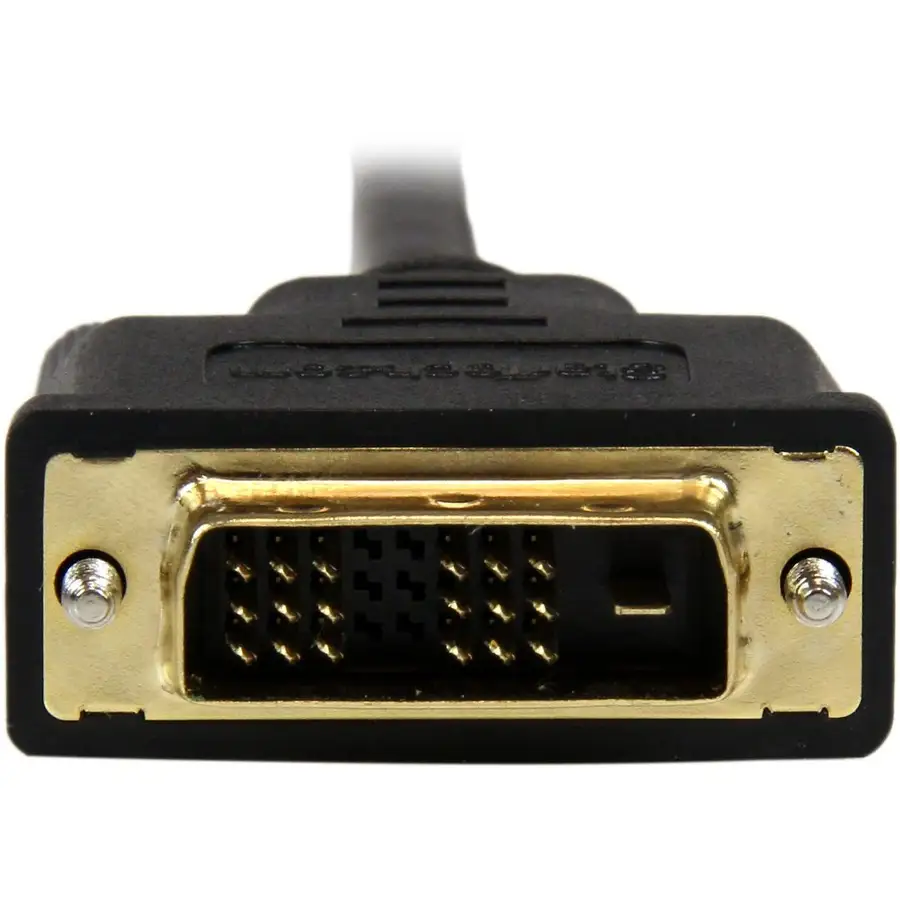
A: No. DVI-D only transmits video, so HDMI sources will not send sound. A separate audio cable is needed.
Q: What resolution does it support?
A: Users and manufacturer data confirm up to 1080p. It is not suitable for 4K or HDR.
Q: Can I use it from a DVI output to an HDMI monitor?
A: Yes. It’s fully bi-directional, supporting both HDMI→DVI and DVI→HDMI connections.
Q: Is signal quality stable over 30 feet?
A: Yes, multiple reviewers report clear, crisp images without significant signal loss over the full length.
Q: What kinds of devices are compatible?
A: Works with laptops, desktops, projectors, plasma TVs, HDTVs, set-top boxes, and older DVI monitors.
Final Verdict: Buy if you manage mixed HDMI/DVI setups in classrooms, conference rooms, or digital signage, and need a dependable long cable for video-only transmission. Avoid if you require audio through the same cable or plan to upgrade to entirely modern interfaces soon. Pro tip from the community: verify your run lengths and buy from authorized retailers to avoid knockoffs.





