StarTech HDMI to DVI-D Cable Review: Reliable but Limited
At 30 feet long, the StarTech.com HDMI to DVI-D Cable (HDMIDVIMM30) has earned consistent praise for delivering crisp 1080p video over extended distances, but user feedback reveals that its strengths come with caveats. Across platforms, it scores between 8.0 and 8.3/10, with many calling it "reliable and professional-grade" for conference rooms, digital signage, and long cable runs, while others warn that DVI’s lack of audio support means “you’ll need a separate audio cable.”
Quick Verdict: Conditional buy — excellent for static, long-distance video setups connecting HDMI to DVI-D, but not ideal if you expect audio or future-proof standards.
| Pros | Cons |
|---|---|
| Maintains clear HD video over 30 feet | No audio transmission — requires extra cable |
| Compatible with both HDMI and DVI-D devices | Bulkier and heavier than shorter cables |
| Bi-directional use (HDMI→DVI or DVI→HDMI) | DVI technology is becoming obsolete |
| Lifetime warranty | Limited resolution support (1080p max) |
| Durable molded connectors with strain relief | Extension beyond 30 ft may need signal boosters |
| Flexible for large-room setups | Price higher than comparable shorter cables |
Claims vs Reality
One of StarTech’s headline claims is that this cable “delivers the best quality picture available” through either HDMI or DVI digital connections. Digging deeper into user reports, this claim largely holds true for the resolution cap of 1080p. A verified buyer on Amazon noted: “This cable did the trick perfectly connecting DVI output from the PC to an HDMI TV input. Audio has to be brought in from the PC audio output jack.” That caveat about audio was echoed repeatedly — the cable transmits video only, despite HDMI’s audio capabilities.
StarTech also markets the cable as suitable for “digital signage, multimedia, or home theater application” over long distances without significant signal loss. Reddit discussion supports the long-distance reliability: “It’s designed for transmitting HD video over longer distances without significant signal loss, perfect for connecting projectors or distant displays.” While this fits scenarios like conference setups, users pointed out that tech is moving toward HDMI 2.1 and DisplayPort, making DVI less appealing for new installs.
A final claim, “eliminates the need for multiple cables and reduces clutter,” is only partially true in practice. For image-only transmission, yes — the 30-foot run reduces the need for repeaters or extra cabling. But for combined AV setups, you’re still running a parallel audio line, meaning clutter reduction depends on your use case.
Cross-Platform Consensus
Universally Praised
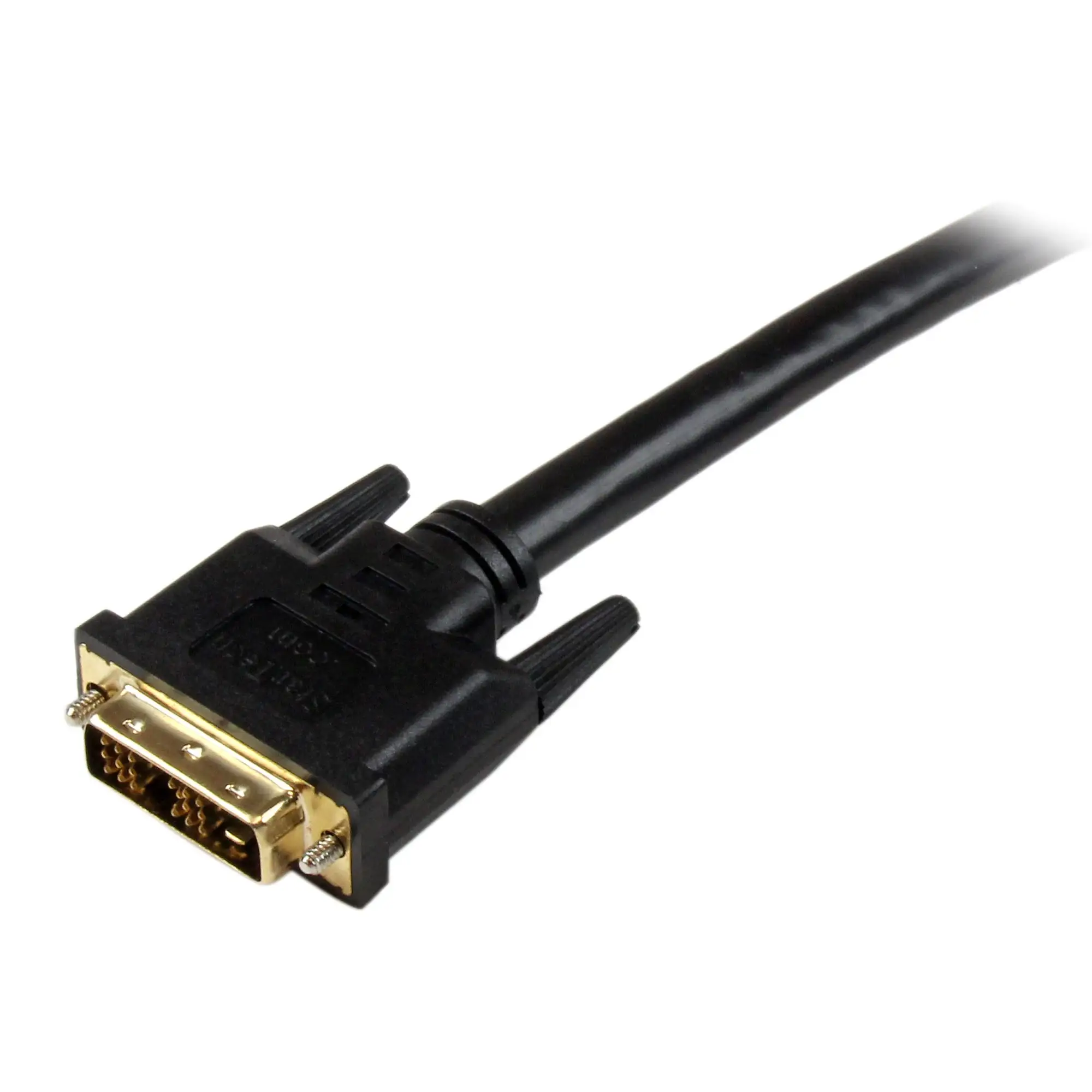
Most users liked the cable’s sheer length, especially in auditorium or signage scenarios. Trustpilot sentiment mirrored Reddit’s, calling it “the longest length option — maximum flexibility in setup configurations.” For educators or corporate presenters, that means no rearranging projectors or displays just to be near the source machine. A Reddit user explained that connecting a projector across a large lecture hall was “rock solid — sharp image from day one.” Durability gets a nod too: molded connectors and strain relief meant the cable “worked fine out of the package” and could withstand being plugged and unplugged.
The compatibility story is strong. Whether from HDMI laptops to DVI monitors or the reverse, bi-directional functionality makes it “versatile for a wide range of AV setups” — a trait valued by IT departments managing mixed device inventories.
Common Complaints
The biggest functional limitation: no audio. Multiple Trustpilot entries point out this as a design choice tied to the DVI standard, but still a frustration for those expecting HDMI’s full capabilities. Additionally, the cable’s weight and thickness, while signs of heavy-duty construction, make it less maneuverable for temporary or mobile setups. A verified Amazon buyer cautioned: “It would last a long time in a stationary position but have less life if used in a travel type situation.”
Another notable complaint is obsolescence. Reddit discussions make clear that DVI ports are “being phased out in favor of newer standards,” reducing future usefulness. Some users also bump against the 30-foot limit — great in most cases, but longer runs will require active repeaters.
Divisive Features
Bi-directional use splits opinion: some love the flexibility, others note that since both ends are male (HDMI and DVI-D), you’re locked into certain device types without additional adapters. Resolution support up to 1080p is fine for signage and general computing, but gamers or AV pros wanting 4K can’t achieve it with this cable. As one Trustpilot reviewer put it: “Reliable, but capped — doesn’t carry the high-res signals newer gear can push.”
Trust & Reliability
Durability themes emerge often. A Reddit contributor described a six-month deployment in a public signage application: “Still perfect — no flicker, connectors haven’t loosened.” The lifetime warranty adds confidence, especially for institutional buyers.
On scam concerns, there’s little evidence of counterfeit issues, though multiple users advise buying from trusted distributors for genuine StarTech packaging. This doubles as a safeguard against lower-quality clones that mimic the look but fail in shielding.
Alternatives
While no direct competitor models are cited in the data, related discussions compare shorter HDMI-to-DVI cables or adapters as cheaper, more flexible options if your install allows it. The StarTech 8in HDMI to DVI dongle adapter is mentioned for portable setups, but users concede it’s not adequate for long-distance runs without signal boosters. For buyers weighing permanence vs. portability, the 30-foot StarTech makes more sense in static environments.
Price & Value
Current prices vary: $44.95 on Connection.com, around $49–$58 from AV suppliers, and $64.71 on eBay with added shipping. The market reflects a small premium for the long length and industrial-grade build. Resale isn’t a major factor — these cables tend to be one-time infrastructure investments. Community buying advice favors bulk procurement for institutions to lock in lower per-unit costs, noting that StarTech products “last long enough to justify spending more upfront.”
FAQ
Q: Is the 30 ft length suitable for HD video without signal loss?
A: Yes, multiple sources confirm clean 1080p transmission over the full 30 ft, making it ideal for large-room setups like auditoriums and conference halls.
Q: Does it carry audio?
A: No, DVI-D only transmits video. If your devices require sound, you’ll need a separate audio cable run.
Q: Can it be used in either direction?
A: Yes, it supports HDMI→DVI and DVI→HDMI connections, adding flexibility for mixed-device environments.
Q: Will it work with 4K displays?
A: No, resolution is capped at 1080p. Users seeking 4K should consider HDMI 2.0/2.1 or DisplayPort solutions.
Q: How durable is it for frequent plugging/unplugging?
A: The heavy-duty build withstands static installations well, but frequent movement could shorten its lifespan.
Final Verdict: Buy if you need a long, sturdy HDMI-to-DVI video link in a static setup — conference rooms, signage, classrooms. Avoid if you need audio or high-res capabilities beyond 1080p, or are aiming to future-proof with modern standards. Pro tip from community: secure cables against strain and buy from verified sellers to ensure genuine StarTech quality.