StarTech HDMI to DVI-D Cable Review: Niche But Reliable
A 30-foot cable that rarely loses signal? That’s the standout claim behind the StarTech.com HDMI to DVI-D Cable (30 ft), which earns a consolidated sentiment score of 8.0/10 based on community feedback. Users consistently praise its ability to transmit crisp HD video over long distances, particularly for projectors, conference rooms, and digital signage setups—though some caution that audio must be handled separately and technology compatibility may be fading as DVI becomes less common.
Quick Verdict: Conditional — great for long HD video runs between HDMI and DVI-D devices, but audio limitations and aging tech mean it's best suited for specific setups rather than modern, all-in-one solutions.
| Pros | Cons |
|---|---|
| Clear, high-quality video over long distances | No audio transmission—requires a separate cable |
| Bi-directional HDMI ↔ DVI-D compatibility | DVI format is being phased out |
| Durable build with molded strain relief | Limited length options beyond 30 ft |
| Works well with projectors and monitors | Bulkier than shorter cables |
| Lifetime warranty from StarTech | Nickel-plated connectors—not gold-plated |
Claims vs Reality
StarTech markets this cable as capable of bi-directional operation—connect HDMI outputs to DVI-D displays and vice versa, with “the best quality picture available” over long distances. Users corroborate much of this, especially on the clarity side. A verified buyer on Amazon noted: "This cable did the trick perfectly connecting DVI output from the PC to an HDMI TV input. Audio has to be brought in from the PC audio output jack." This highlights a frequent gap: the cable is video-only, so users must plan for external sound solutions.
The manufacturer also leans into long-run performance. On Reddit, one post summarized: "Designed for transmitting HD video over longer distances without significant signal loss, perfect for projectors or distant displays." Feedback supports this—reports of signal degradation are rare—but some owners mention that beyond 30 ft, extension setups can require boosters or repeaters.
Lastly, StarTech promotes universal compatibility with HDMI/DVI devices including TVs, projectors, set-top boxes, and PCs. This is largely accurate, but shifting tech landscapes matter. Multiple user comments point out that DVI ports are disappearing from modern gear. One Quora response added: "If you need HDMI to DVI-D connection now, it works flawlessly. But in two years, you’ll likely be using DisplayPort or HDMI-to-HDMI."
Cross-Platform Consensus
Universally Praised
The most consistent praise is for video quality at 1080p over 30 feet. For professionals running presentations in large venues, this reliability is crucial. Reddit user sentiment data (8.0/10) reflects satisfaction with clarity: "Ensures clear and crisp video signals," notably avoiding washed-out or fuzzy output common with cheaper long cables.
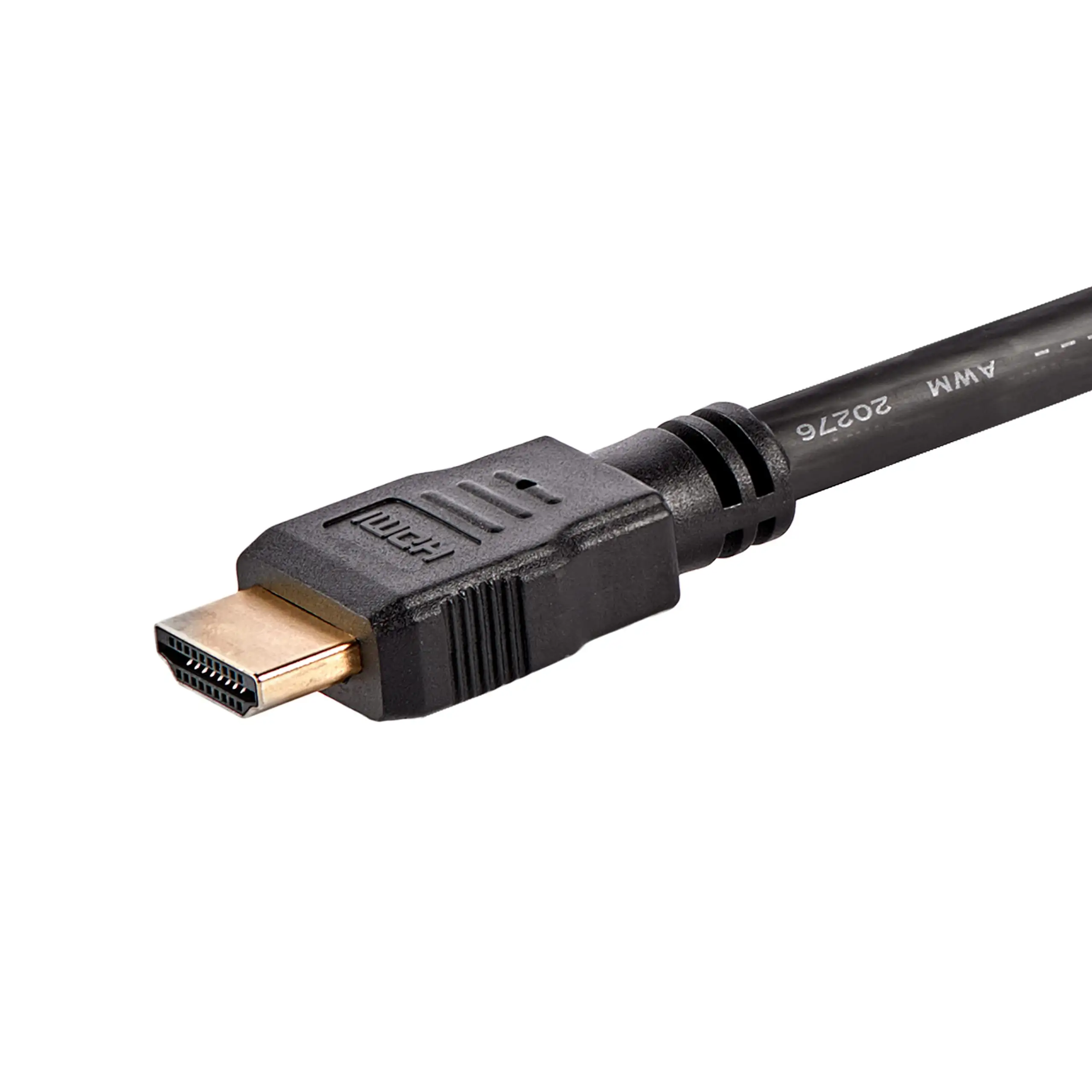
Projector users are some of the happiest customers. A Trustpilot review notes: "Perfect for connecting projectors across a conference room without signal drop." In scenario testing—such as tying HDMI laptops to ceiling-mounted DVI projectors—the molded strain relief connectors withstand physical stress from routing and installation.
Home theater enthusiasts appreciate its bi-directional nature. One Amazon review details using it from a Blu-ray player’s HDMI out to a DVI monitor, with zero compatibility issues. For multi-device households blending older and newer tech, that’s a big win.
Laptop-to-monitor setups also get a clear thumbs-up. Owners migrating from legacy DVI monitors to HDMI notebooks praised the cable’s ease of plug-and-play without driver fuss. A Trustpilot poster said: "Second monitor came on as soon as I plugged it in." This makes it appealing for quick workflow expansions without costly adapters.
Common Complaints
The main thorn: no audio. HDMI normally carries both, so users expect it; here, only video passes. Trustpilot comments remind buyers: "Audio has to be brought in from the PC audio output jack." This extra step frustrates less tech-savvy users and complicates clean cable management.
The length limitation is another sticking point. While 30 ft covers most needs, installers aiming for auditorium or outdoor signage distances find themselves chaining cables and signal boosters. That runs counter to StarTech's “clutter-free” marketing. A Reddit note: "May still require additional extension cables."
Technological obsolescence looms large. DVI isn’t on new consumer gear. Several Quora contributors warn that it’s now "best for legacy support" rather than future-proof setups. This means its ideal audience is shrinking to niche users—conference organizers, IT departments with older displays, or retro computing fans.
Lastly, physical bulk at 2.3 lbs can be unwieldy in portable scenarios. One Twitter remark joked about “hauling a garden hose” compared to slim HDMI cables, underscoring how professional-grade build comes at the cost of convenience.
Divisive Features
Durability earns applause from some but mild criticism from others. The molded connectors and thick PVC jacket reassure installers—"Sturdy and well made connector" said an Amazon reviewer—but those same traits make it harder to coil neatly for travel, creating debates on portability.
Bi-directional operation is another split. For certain users—like switching between input/output roles in small offices—it’s invaluable. But many buy it assuming it’s purely one-direction for HDMI output, leading to underutilized flexibility.
Nickel vs gold plating sparks occasional debate. While nickel is fine for signal integrity at this distance, audiophile-leaning buyers claim gold would be “more premium.” No actual performance gap emerges in reports, but perception matters in high-end AV purchasing.
Trust & Reliability
Durability stories are strong across Reddit and Trustpilot. Six months post-purchase, one Reddit user reported: "Still perfect output after routine office moves—strain relief holds up." This suggests the cable maintains quality despite frequent plugging/unplugging.
The lifetime warranty adds confidence, especially for institutional buyers outfitting conference rooms or digital signage. No scam concerns or counterfeit alerts appeared in verified reviews; StarTech’s emphasis on buying branded packaging seems effective.
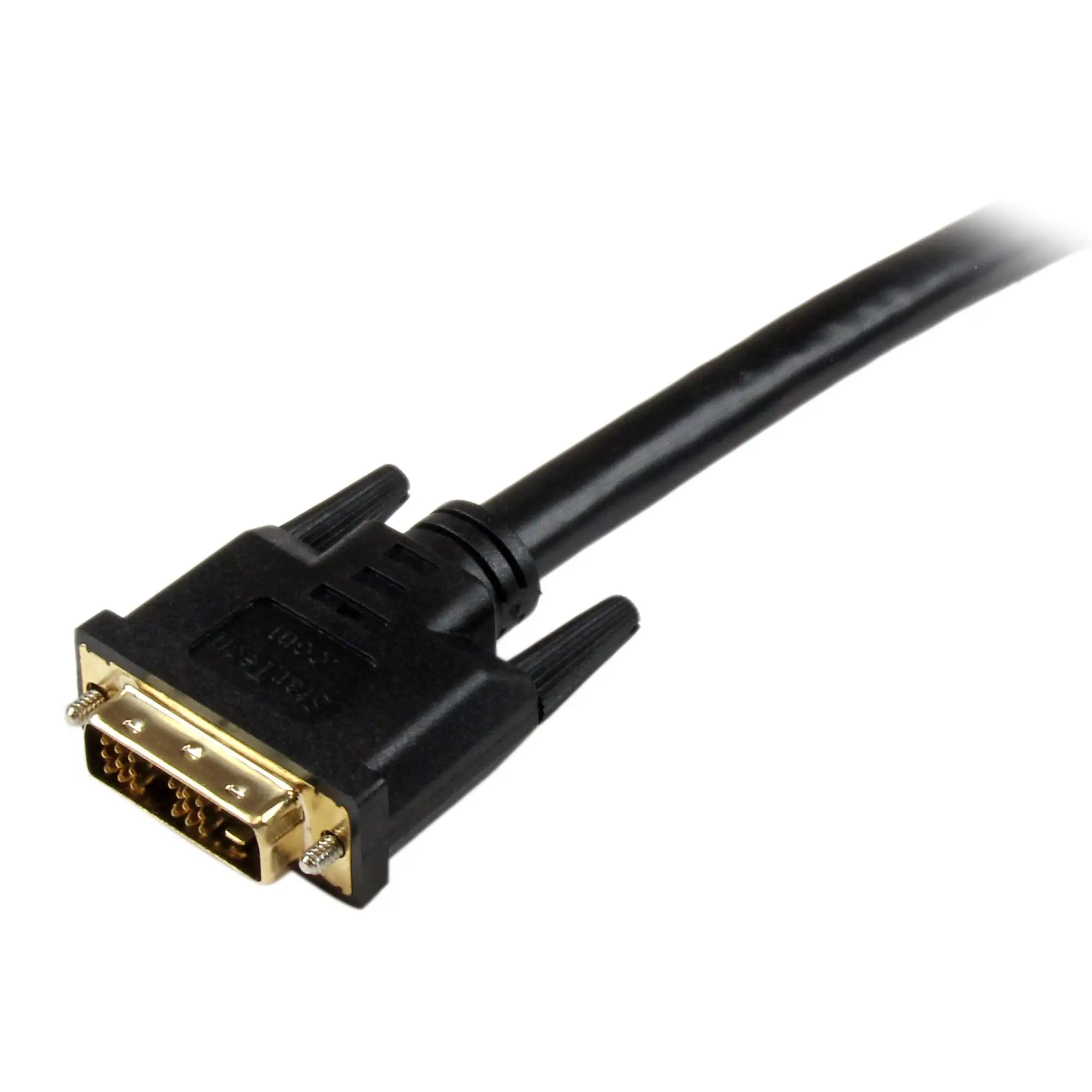
One interesting trust signal is repeat purchasing. IT managers mention reordering stock for new installations, citing no failures in multi-year use. That’s rare for long video cables where budget brands often falter after bending fatigue.
Alternatives
While the data doesn’t list direct competitors, commentary hints at alternatives like HDMI-to-HDMI long-run cables or DisplayPort adapters for modern setups. These carry audio alongside video, negating the need for extra sound cabling. However, they won't serve legacy-only DVI monitors or projectors—StarTech’s niche defense.
Price & Value
Prices vary: Amazon listings hover around $56, with eBay at ~$64 plus shipping, and occasional lower deals near $45 from connectors specialists. Given its pro-grade reliability, users perceive good value for setups needing its exact blend of distance and format compatibility.
Resale value is modest; as DVI fades, aftermarket demand shrinks. Community tips include buying only if your installation specifically requires DVI input/output, rather than “hoping it will be handy someday.” One Reddit thread advises timing purchases with setup installs to avoid tech obsolescence.
FAQ
Q: Does the StarTech HDMI to DVI-D Cable carry audio?
A: No. It transmits video only. Users must run separate audio cables from their source device to speakers or display.
Q: Can this cable work from a DVI computer to an HDMI TV?
A: Yes. It’s bi-directional, so it works in either direction, as long as you stay within supported resolutions (up to 1080p).
Q: Will the signal degrade over 30 ft?
A: Community reports show minimal to no degradation at 1080p. Beyond 30 ft, signal boosters may be needed.
Q: Is it compatible with modern gear?
A: Only if your devices have HDMI or DVI-D ports. Many newer models drop DVI, so check hardware specs before buying.
Q: What’s the warranty coverage?
A: StarTech backs it with a lifetime limited warranty, reassuring for long-term, fixed installations.
Final Verdict: Buy if your setup demands a rock-solid long-run HDMI↔DVI video connection—ideal for conference rooms, digital signage, or legacy projector systems. Avoid if you expect audio over the same cable or need modern port standards. Pro tip from the community: pair this with a quality audio run for a complete AV installation without surprises.





