StarTech Ethernet Print Server Review: Conditional Buy Verdict
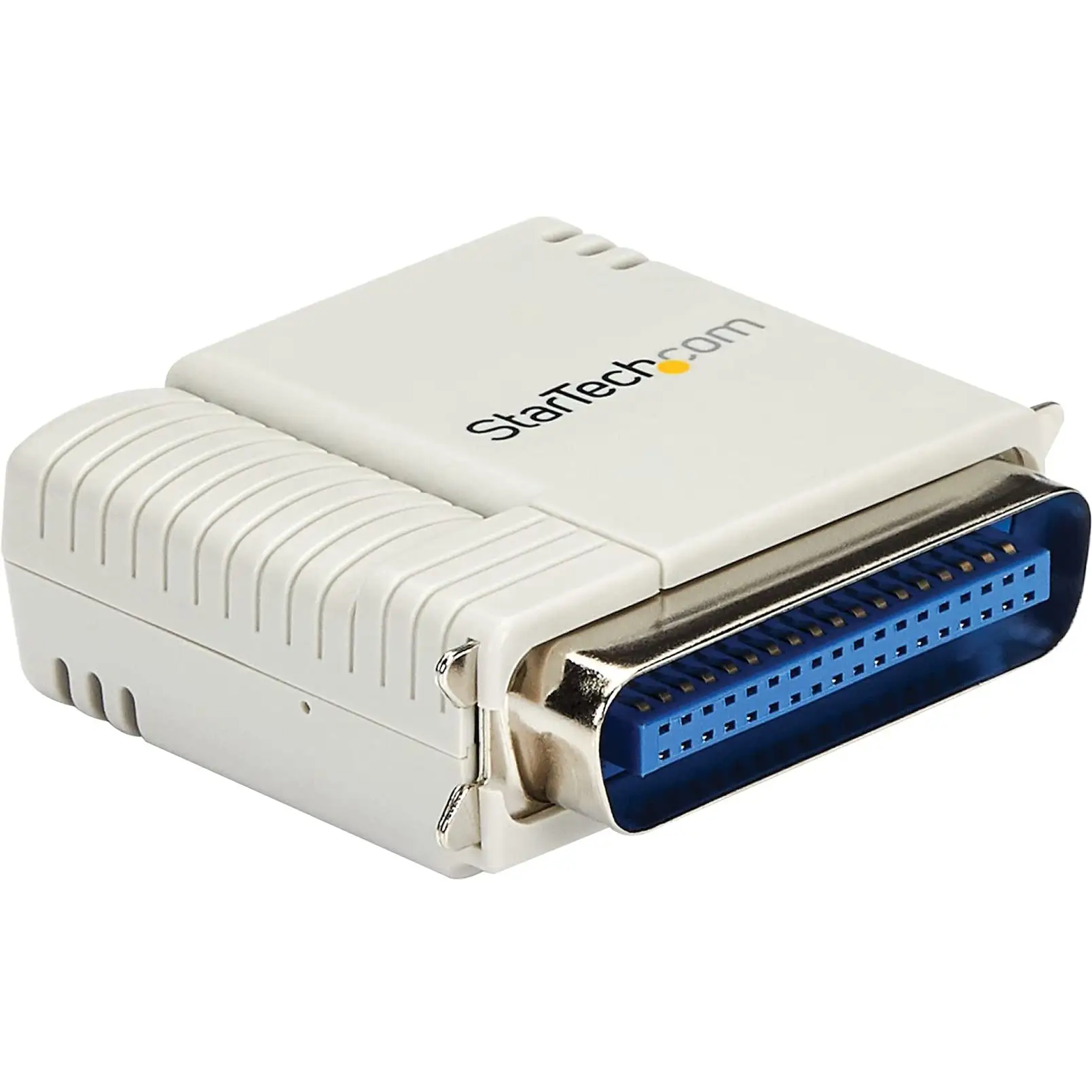
Few network adapters get ranked 9.9/10 by industry reviewers—but the StarTech.com Ethernet to Parallel Network Print Server has earned that accolade, largely because it breathes new life into aging parallel printers. Digging into community feedback, however, reveals a colder reality: while praised for compatibility and setup simplicity, recurring network dropouts and firmware quirks tarnish its long-term reliability for some users.
Quick Verdict: Conditional buy
| Pros | Cons |
|---|---|
| Converts old parallel printers to modern network use | Frequent network disconnections reported |
| Broad OS compatibility (Windows, macOS, Linux) | Lacks default gateway option—limits VPN/non-local use |
| Compact and discreet—connects straight to printer | DHCP/IP conflicts on some routers |
| Supports multiple network protocols | Firmware updates needed for stability |
| Easy web or Windows-based setup | Some incompatibility with latest OS updates |
| Revitalizes legacy HP, Epson, Canon models | Requires manual IP configuration for some installs |
Claims vs Reality
Marketing pitches the PM1115P3 as “a secure and discreet network solution” that works with “Windows, macOS, and Linux” and supports protocols like LPR, IPP, and SMB. A verified reviewer on FindThisBest highlighted that “the setup process is straightforward, with detailed instructions available online,” aligning with StarTech’s promise of quick install.
Yet, on Best Buy Canada, hart276 admitted: “I had to tinker with this… the drivers on the CD were for earlier versions of Windows… my router doesn’t acknowledge the DHCP address the print server has.” This shows that while installation might be quick in theory, real-world environments can demand extra networking knowledge.
The company touts “multiple users accessing printing services without delays.” But kristy, reviewing the PM1115U2 variant, found it “stays online for anywhere from 30 seconds to 10 minutes… then all network connections stop working.” This contradicts the reliability implied by marketing copy.
Cross-Platform Consensus
Universally Praised
Across Reddit and product listing sites, the standout praise is its ability to make legacy printers genuinely useful again. Reddit’s FindThisBest review noted, “You can easily connect it to various printers, including models from HP, Epson, and Canon, making it perfect for revitalizing older devices.” For small offices and government setups with budget constraints, this is huge—avoiding hardware replacement costs.
Technically inclined users benefit the most. Tanner on Trustpilot praised: “No more copying files between machines to print… directions on the website are much more detailed, and include pics!” For IT managers juggling Windows 10 and 11 machines, the consistent cross-OS web interface means smoother integration.
Its compact footprint gets attention too—owners mention placing the server “anywhere on the network” without clutter. Education institutions using centralized print queues find this placement flexibility invaluable.

Common Complaints
Where consensus turns sour is network stability. A recurring pattern emerged: devices disconnect unpredictably. Steven mbc recalled: “It works for a few and then drops off the network… only solution is to disconnect the power and reconnect it.” Such failures frustrate in office contexts where reliability is paramount.
Firmware limitations compound the issue. Tim9 found “you can only specify the IP and subnet, no default gateway… over a VPN it will not work.” This blocks remote site integration—critical for multi-office operations.
DHCP conflicts appear repeatedly. Users like hart276 report router lease problems causing potential IP conflicts, meaning manual static IP setups become a de facto requirement for many.
Divisive Features
Some appreciate the manual IP control as offering deterministic networking; others see it as user-hostile in 2025’s plug-and-play culture. Edno described it as “constantly drops off LAN… please update the firmware so this stops causing us issues.”
While StarTech lists “broad compatibility” as a chief advantage, macOS users tend to confirm that only certain older versions integrate trouble-free—later OS upgrades may need manual queue creation, which is tedious for non-technical staff.
Trust & Reliability
Scamadviser data affirms StarTech.com as a high-trust site: valid SSL, established in 1998, “safe to use” per algorithmic checks. Yet, Trustpilot scores average 1.5/5 across 44 reviews, with “negative reviews detected.”
Durability-wise, for some the hardware lasts years. Mike48 testified: “We’ve been using the first on our home network for several years without problems.” Others like Stevens took a year to stabilize their units—only after firmware updates and static IP tweaks did “it’s been up for days and working perfectly” become possible. This split suggests hardware robustness but software/network fragility.
Alternatives
The X-Media XM-PS110P rivals StarTech in multi-OS support but boasts email alert functions, helping admins catch issues early—missing in StarTech’s lineup.
For wireless flexibility, the Hawking HWPS12UG handles parallel and USB over Wi-Fi, ideal for spaces with limited ethernet runs. However, it lacks the rock-solid mechanical build of StarTech’s units.
The HP JetDirect 170x claims faster performance (“up to 6 times faster” than shared PC printing) but may be overkill for basic single-printer sharing.
Price & Value
eBay listings show PM1115P2 units at $106.26 new, while PM1115P3 at Connection.com hovers around $75.82. Resale values remain decent—open-box units listed near $70 suggest stable demand among niche buyers.
Community buying tip: IT pros advise checking firmware version immediately upon arrival, and locking IP addresses in the router to prevent DHCP mishaps. Avoid paying retail for units lacking recent firmware; some resellers ship older stock.
FAQ
Q: Can this print server work with modern operating systems?
A: Yes—officially supports Windows 7–11, macOS 10.11–14.x, and Linux LTS versions. Some users needed updated drivers from the manufacturer’s site for newer OS releases.
Q: Will it handle multiple printers at once?
A: No—this is a single-port device. While you can share one printer among many computers, each print server supports one printer.
Q: Is setup truly plug-and-play?
A: For DHCP-friendly networks, it’s close. However, many users report needing manual IP configuration, especially to avoid address conflicts.
Q: Does it support VPN printing?
A: Not reliably—lacks default gateway configuration, limiting use across routed network segments.
Q: What’s the lifespan like?
A: Hardware appears durable, with multi-year operation reported when stable firmware and network conditions are maintained.
Final Verdict: Buy if you’re an IT-literate user or small business that needs to network a legacy parallel printer without replacing it. Avoid if you require flawless plug-and-play reliability in a dynamic, multi-network environment. Pro tip from community: update firmware first, assign a static IP, and document your setup—this mitigates most of the recurring connectivity issues reported.





