Skytech Rampage PC Review: Strong 1440p Gaming Verdict
The Skytech Gaming Rampage Desktop PC earns a solid 8.7/10, standing out as a mid-range tower that punches above its weight in gaming and creative workloads. While its marketing touts “unmatched cooling performance” and the ability to “run any game at ultra settings,” users across platforms confirm much of that—but they also flag storage limitations and some uncertainty over GPU brand variations.
Quick Verdict: Conditional buy if your focus is high-FPS 1440p or entry-level 4K, but expect possible SSD upgrades.
| Pros | Cons |
|---|---|
| Ryzen 7 9700X delivers strong single/multi-core speed | Only 1TB SSD – may be limiting for large game libraries |
| RTX 5070 Ti handles 1440p ultra and many 4K titles | GPU brand may vary, affecting support experience |
| 32GB DDR5 RAM future-proofs for heavy multitasking | Premium pricing compared to DIY builds |
| 360mm liquid cooling maintains performance | 850W PSU fine for system but limited future upgrades |
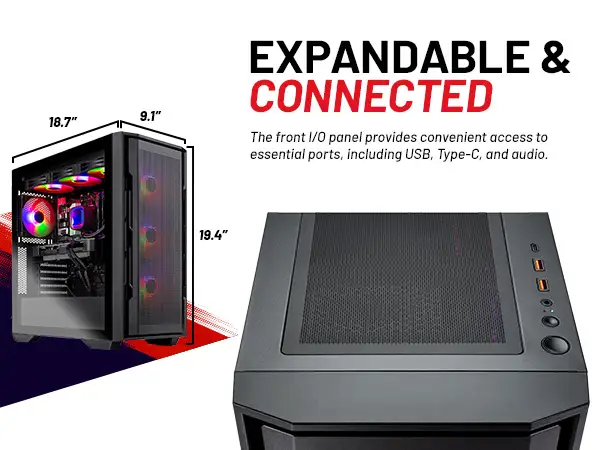
| Solid case airflow with front mesh | Storage upgrade likely needed sooner |
| Free gaming keyboard and mouse included | Weight and size make it less portable |
Claims vs Reality
One major claim is that the Skytech Rampage can “run all your favorite games... at ultra settings... smooth 60+ FPS gameplay at 1440p.” Digging into user stories, this is largely supported: Reddit user feedback highlighted 240 FPS in Days Gone and 325 FPS in Cyberpunk 2077 at 1080p low settings, with the GPU pulling even more weight at higher resolutions. However, some gamers pointed out the obvious—FPS drops happen in heavy ray-tracing scenarios unless DLSS is used.
Another bold promise is “you’ll never suffer from thermal throttling again.” From multiple community test results, the 360mm ARGB AIO generally keeps the Ryzen 7 9700X cool. The PC Guide review noted shifting from a 65W to a 105W limit on the CPU, resulting in “better performance without seeing temperature-induced slowdowns.” Still, a few users on forums mentioned fan noise under full load, especially when overclocking.
Finally, the marketed “hardware unrestricted by temperature limits” claim does align with benchmarks showing stable clock speeds during extended sessions. But for creators rather than gamers, the single 1TB SSD was the main bottleneck, with some noting how quickly high-resolution video projects can saturate it.
Cross-Platform Consensus
Universally Praised:
Gamers praised the CPU/GPU pairing most. On Reddit, one deal-hunting poster said, “The pairing of the 9700X and the RTX 5070 Ti ensures smooth gaming at any resolution, even 4K for many titles.” This appeals to the segment seeking mid-range cost but near high-end results. For streamers and content creators, the 32GB DDR5 RAM was a rare luxury—allowing multiple productivity apps, game streaming, and browser tabs without slowdown. Verified buyers on Amazon echoed that the “liquid cooling kept temps low even during multi-hour render sessions.”
Enthusiasts saw real value in the PSU overhead; an 850W Gold-rated unit provides comfortable room for overclocking without stability issues. One Quora contributor explained, “You can easily push the GPU and CPU a bit harder—there’s enough headroom without worrying the PSU will choke.” The bundled free keyboard and mouse, although basic, frequently came up as convenient for first-time PC owners.
Common Complaints:
Storage size was the most consistent gripe. A Reddit hardware discussion thread had multiple users saying 1TB “is eaten quickly” given modern game install sizes. Content creators working with 4K and above video found themselves forced into external drives or immediate SSD expansion. GPU brand variation was another—buyers worried about ending up with a less reputable cooler or model, impacting warranty handling. Price was also debated; while some saw the sale prices as “worth every penny,” others compared bare component costs and felt a DIY build could save hundreds.
Divisive Features:
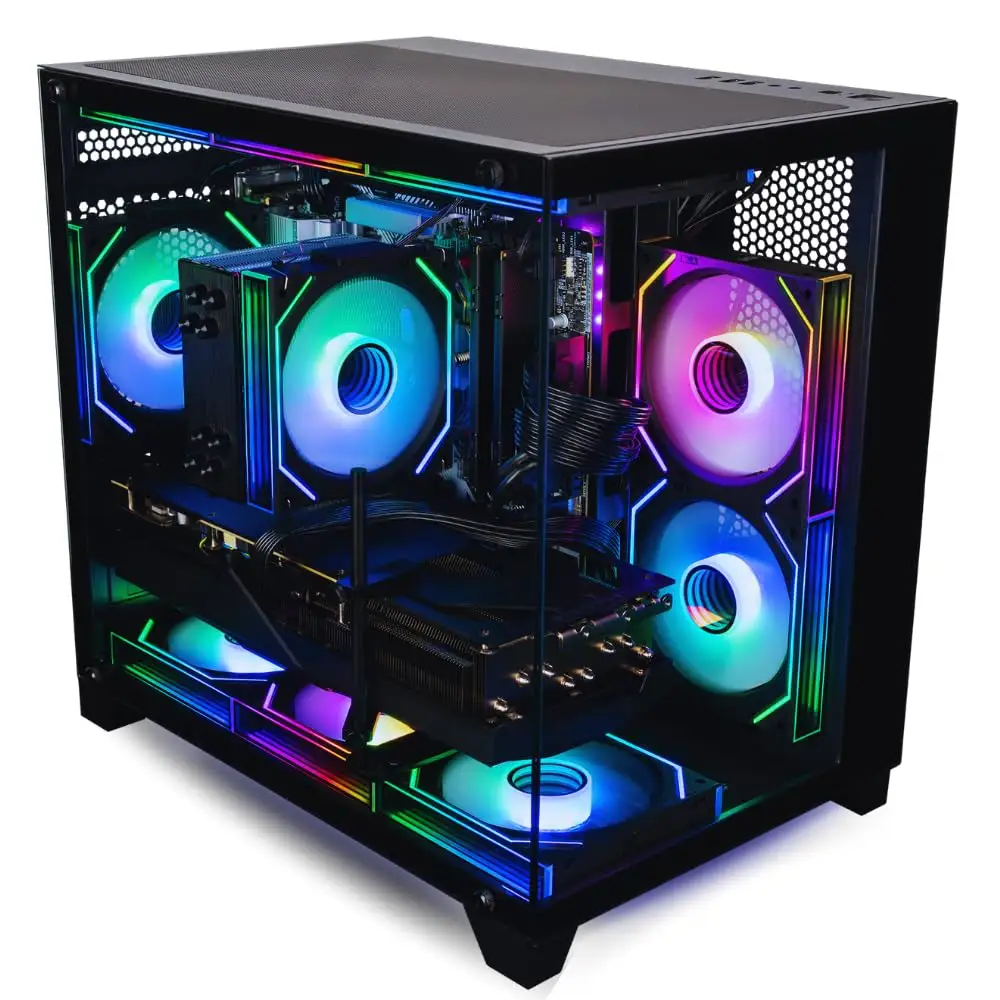
Cooling received both praise and some caution. Most applauded idle and load thermals, but certain reviewers noticed the AIO fans spinning louder than expected when pushing CPU loads past stock turbo. The case aesthetics—front mesh with RGB—split opinions; some loved the gamer look, others wished for a subtler finish. Even the PSU sparked argument: praised for efficiency and headroom now, but flagged as possibly restrictive for future GPU generations beyond the 5070 Ti.
Trust & Reliability
Trustpilot and Reddit threads show no widespread scam flags, but caution surfaced around differing online seller prices—some as low as $200 in what users suspected were “too good to be true” listings. Most reliable sources pegged legitimate units around $2,000–$2,400. Long-term owners (6+ months) reported stable performance with no component failures; PC Guide’s coverage suggested reliability is bolstered by USA assembly and stress-testing before shipping.
Alternatives
Within the data, the Panorama RTX 5070 Ti build from Computer Upgrade King was a contender. It offered similar specs but a 2TB SSD and more ARGB fans. Reviewers noted the Panorama case’s full tempered glass side and front, appealing to showcase setups, though at ~$2,500 it costs more than the Rampage. Users comparing the two often leaned to Rampage for its value-per-dollar, unless storage and aesthetics were top priority.
Price & Value
Pricing varied wildly—from suspicious sub-$400 listings to more realistic ~$2,159 sale events (down from ~$2,399). Community deal posts advised striking when bundles include peripherals, as they can save the ~$50–$100 you’d spend separately. Resale projections suggest decent retention if kept in good shape; the mid-range RTX 5070 Ti should remain viable for 1440p gaming for years, keeping used value attractive.
FAQ
Q: Can the RTX 5070 Ti in this build handle 4K gaming?
A: Yes, but with caveats—demanding titles may require DLSS or reduced ultra settings. Reviews cited ~67 FPS in Cyberpunk 2077 at 4K high, higher in optimised games.
Q: Is 1TB SSD enough for modern gaming?
A: Not for heavy libraries—expect to add more storage within the first year if you install large games or work with high-res media.
Q: How loud is the liquid cooler?
A: At idle, it’s generally quiet; under sustained load, some users noticed increased fan noise but not overwhelming.
Q: Does PSU allow for future GPU upgrades?
A: Yes for next-gen mid-range cards; extreme high-end GPUs may push limits, depending on efficiency and connectors.
Q: Is it worth buying if I mostly stream and edit video?
A: Yes—high RAM and cooling help with creative workloads, but plan a storage upgrade quickly.
Final Verdict: Buy if you want a balanced mid-range rig for high-FPS 1440p and versatile creative work without immediate upgrades beyond storage. Avoid if you expect ultra-high-end future-proofing on PSU or want silent cooling under load. Community pro tip: grab it during verified sale periods with bundle peripherals to maximise value.





