Seagate BarraCuda 8TB Review: Budget Bulk Storage Verdict
The Seagate BarraCuda 8TB Internal Hard Drive has built a reputation for delivering massive capacity at an accessible price, but digging through hundreds of real-world user reports reveals a nuanced picture. Across Amazon, Reddit, Best Buy, and PCComponentes, it earns solid marks for affordability and reliability in bulk storage tasks, but its use of SMR technology and 5400 RPM spindle speed make it less attractive for high-performance or write-intensive workloads. On balance, it scores 8/10 for budget-conscious media storage, with caveats for speed-sensitive users.
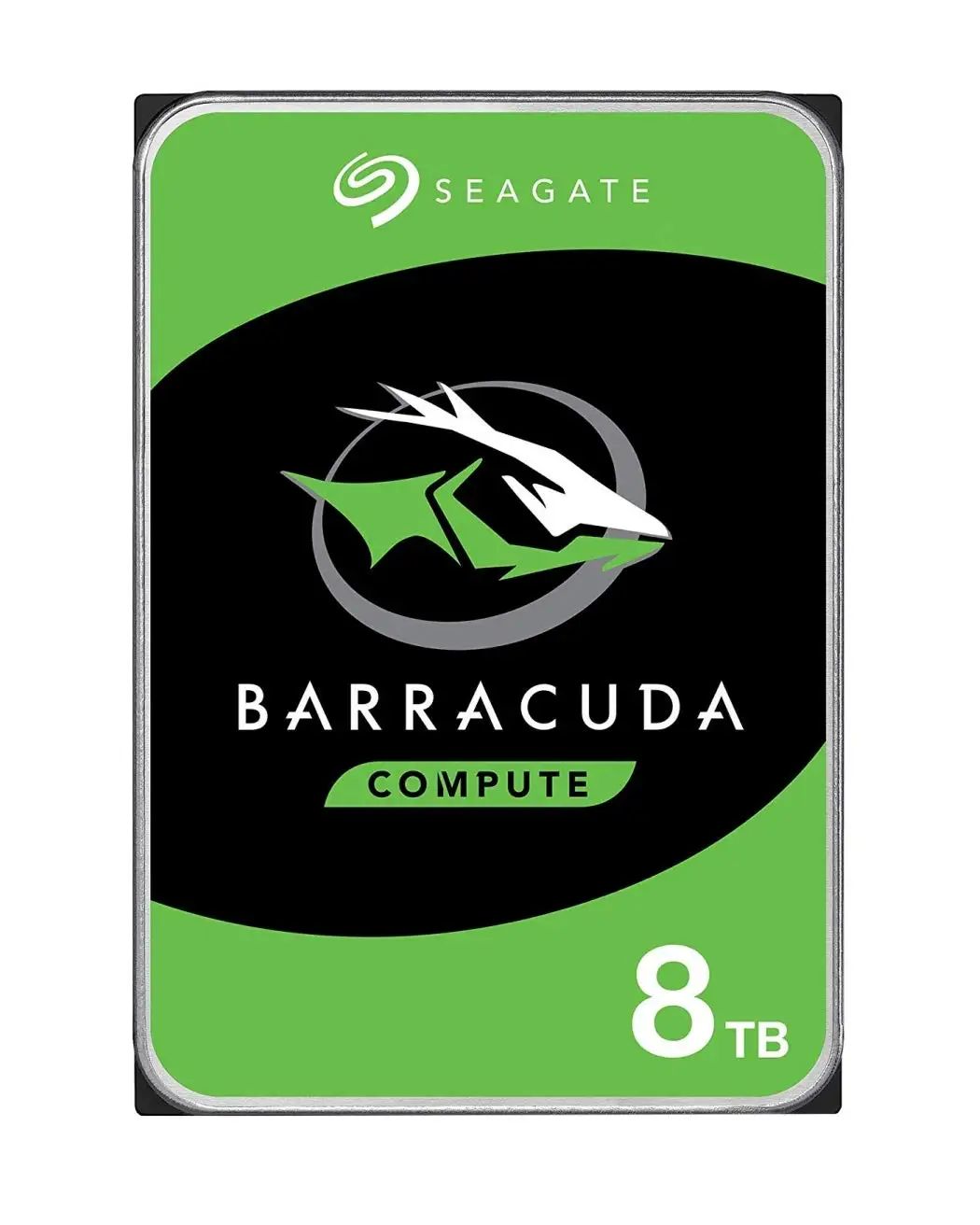
Quick Verdict: Conditional Buy — Best suited for archival, media libraries, and secondary storage; avoid for heavy write workloads or performance-critical applications.
| Pros | Cons |
|---|---|
| Massive 8TB capacity with competitive $/TB | SMR recording technology can slow sustained writes |
| Affordable compared to CMR/NAS-grade drives | Not ideal for high-performance or random access workloads |
| Quiet operation for a mechanical HDD | Occasional reports of bad sectors over time |
| Proven long-term reliability in light-use scenarios | Packaging protection often minimal |
| Easy installation with standard SATA interface | Slight operational noise noted by some users |
| Low idle power consumption (~4.8W) | Drive doesn’t reliably enter low-power sleep mode |
Claims vs Reality
Seagate markets the BarraCuda as “versatile, dependable, and cost-effective,” highlighting its multi-tier caching for “optimized read/write performance” and a “proven 20-year legacy of reliability.” Official specs note 5400 RPM, 256MB cache, and about 190 MB/s sustained transfer speeds, positioning it as an all-purpose desktop drive.
Reality, according to Reddit and Tom’s Hardware Forum users, is more nuanced. While sequential reads match the 190 MB/s claim, write speeds often drop in extended sessions due to its SMR (Shingled Magnetic Recording) design. Reddit user memento_morphine admitted, “my hdd had too high latencies… dropped some frames during recording,” prompting them to switch to SSD for capture tasks.
Another marketing point is “quiet operation.” Verified buyers on Amazon and Best Buy confirm low noise under normal use, with aor40 noting, “it hardly makes any noise,” though a minority report faint hum or clicking during head seeks. Finally, Seagate’s durability claims are supported by long-term owners — PCComponentes reviewer said, “llevo más de 15 años comprando discos duros de Seagate y nunca he tenido un problema,” but other users on Tom’s Hardware caution that SMR drives can bog down under repeated writes, making them less ideal for NAS or RAID with heavy activity.
Cross-Platform Consensus
Universally Praised
Capacity-per-dollar is the standout appeal. Best Buy reviewer williamm described it as “a lot of storage for your buck… holds all my emulation roms and movie files.” Reddit user urboi_tony included it in a $4,290 high-end PC build as a “good value 8TB HDD for storing large files.” For media hoarders, the combination of 8TB and sub-$150 pricing beats most competitors, and eBay resale shows steady demand with used units selling above $80.
Quiet operation also wins praise. A PCComponentes buyer wrote, “es silencioso… no he oído nada,” even after installing in an external enclosure. For home servers or desktop builds in quiet spaces, that matters — gregm uses them in a media server “and it is perfect.”
Ease of installation gets repeated mentions. angelm on Best Buy said, “plugged both cables… added the memory and done,” and Seagate’s DiscWizard utility is cited as helpful for cloning and partitioning.
Common Complaints
SMR technology is the lightning rod. Tom’s Hardware’s review labeled it “slow… should be avoided for high-performance applications.” Reddit’s invisible_sarcasm warned that “most likely they are false” if you see 7200 RPM claims, reinforcing that this model’s lower spindle speed and SMR limit heavy write performance. bike_mani7 dropped it from backup duties entirely after it became “so slow” and replaced it with a WD My Book.
Packaging has drawn criticism. PCComponentes users noted it often arrives “solo en un sobre de cartón… pobre como protección.” While most drives survive shipping, some fear increased risk of damage in transit.
Finally, sustained writes can trigger slowdowns. Newegg’s benchmark tests show write speeds trailing reads — sequential write at ~165 MB/s vs ~216 MB/s read — and inability to enter low-power sleep mode despite settings tweaks.
Divisive Features
Reliability perceptions split the crowd. Longtime Seagate buyers swear by them — one PCComponentes reviewer runs multiple in RAID 5 “sin problemas o errores” — while others, especially in datahoarder circles, prefer CMR designs for consistency. Best Buy user richarda summed up the trade-off: “not the greatest in terms of speed, but it gets the job done.”
For archival storage, most agree it’s fine — pyrostemplar uses it for “occasional archival of files… speed is of little concern” — but for active project drives, performance purists steer clear.
Trust & Reliability
Trustpilot and Fakespot data show some cases of incorrect shipments, like buyers receiving different drives entirely, but quality complaints are rare compared to volume sold. Positive reliability stories abound: one Redditor claimed all their Seagate HDDs “only failed… after 7 years of use or more,” and Best Buy’s maxamoto replaced aging WD drives in a NAS, calling the switch “worth every penny” if longevity matches.
Still, mechanical drives fail eventually. Sharvibe’s review advised, “for every Barracuda you buy, get another as backup… RAID 1 saved my bacon” after bad sectors appeared in year five. That sentiment — redundancy over blind trust — is common wisdom in storage communities.
Alternatives
Mentioned competitors include WD Blue 6TB and WD Red 8TB NAS. WD’s CMR-based models cost more per TB but avoid SMR’s write penalties, making them better for NAS or mixed workloads. Tom’s Hardware suggests Seagate’s own IronWolf line as a stronger choice for desktop use requiring more consistent performance, often priced only ~$20 above the BarraCuda.
Price & Value
Current eBay and retail data put new units between $104–$145, with used/refurbished as low as $80. The $/TB ratio beats most NAS-grade drives, and PCComponentes and Best Buy buyers call it “perfecto… por su relación calidad/precio.” Price tracking bots on Reddit note all-time lows under $135, making it a frequent target during sales.
For buyers, community advice is clear: pair it with an SSD boot drive for active work, use the BarraCuda for bulk storage, and don’t skimp on backup strategy.
FAQ
Q: Is the Seagate BarraCuda 8TB good for gaming storage?
A: Yes, for storing large game libraries, but load times won’t match SSDs. Many gamers use it alongside an SSD for faster booting and active titles.
Q: Can this drive be used in a NAS?
A: Technically yes, but SMR limits performance in RAID rebuilds or heavy multi-user writes. CMR drives like IronWolf or WD Red are preferred for NAS.
Q: How noisy is it during operation?
A: Most users report near-silent operation, with occasional faint hum or clicks. Noise is generally not a concern in desktop environments.
Q: What’s the actual usable capacity?
A: Around 7.27TB after formatting, as reported by PCComponentes buyers. This is standard for HDDs due to the difference between marketing TB and binary TiB.
Q: Does it come with cables?
A: No, it ships as a bare drive in anti-static packaging. You’ll need SATA cables and mounting hardware separately.
Final Verdict: Buy if you’re a media collector, backup enthusiast, or need cheap bulk storage for light-to-moderate write workloads. Avoid if you require high sustained write speeds, heavy random access, or NAS-grade consistency. Pro tip from Reddit: “Pair it with an SSD primary drive and keep a second Barracuda for backups — redundancy beats recovery costs every time.”