Satechi 8-in-1 USB-C Hub Review: Buy or Skip?
A Reddit user summed it up best: “It’s the perfect dock for my work setup. Two monitors, keyboard, mouse — all through this adapter with no issues.” That sentiment captures the broad appeal of the Satechi 8-in-1 USB-C Hub Multiport Adapter V2 (Space Gray). With an Amazon rating of 4.3/5 and cross-platform praise for build quality and versatility, it earns a solid 8/10, though repeated reports of heat generation and occasional HDMI instability prevent it from reaching perfection.
Quick Verdict: Conditional Buy
| Pros | Cons |
|---|---|
| Sleek aluminum design that matches MacBooks | Can run hot under heavy use |
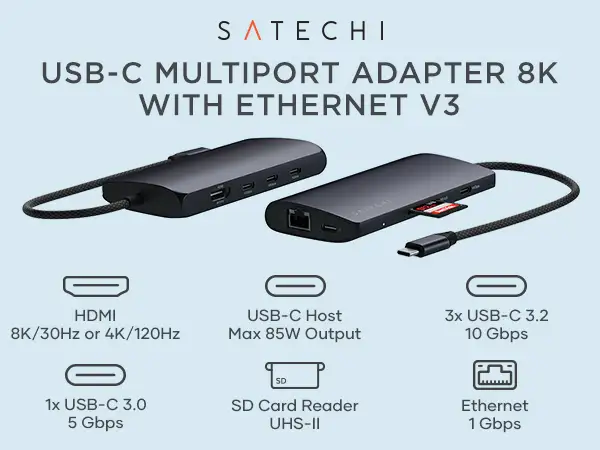
| Wide port selection: 4K HDMI, Ethernet, SD/MicroSD, USB-A, USB-C PD | HDMI connection occasionally drops or flickers |
| Works across Mac, iPad, Windows, and ChromeOS | USB-A ports not ideal for charging large devices |
| Plug-and-play simplicity | Tight USB-A port fit can be frustrating |
| Strong customer service on replacements | Mini SD card slot can be difficult to insert/eject |
| Portable and lightweight | Longevity concerns for Ethernet chip (Realtek RTL8153) |
Claims vs Reality
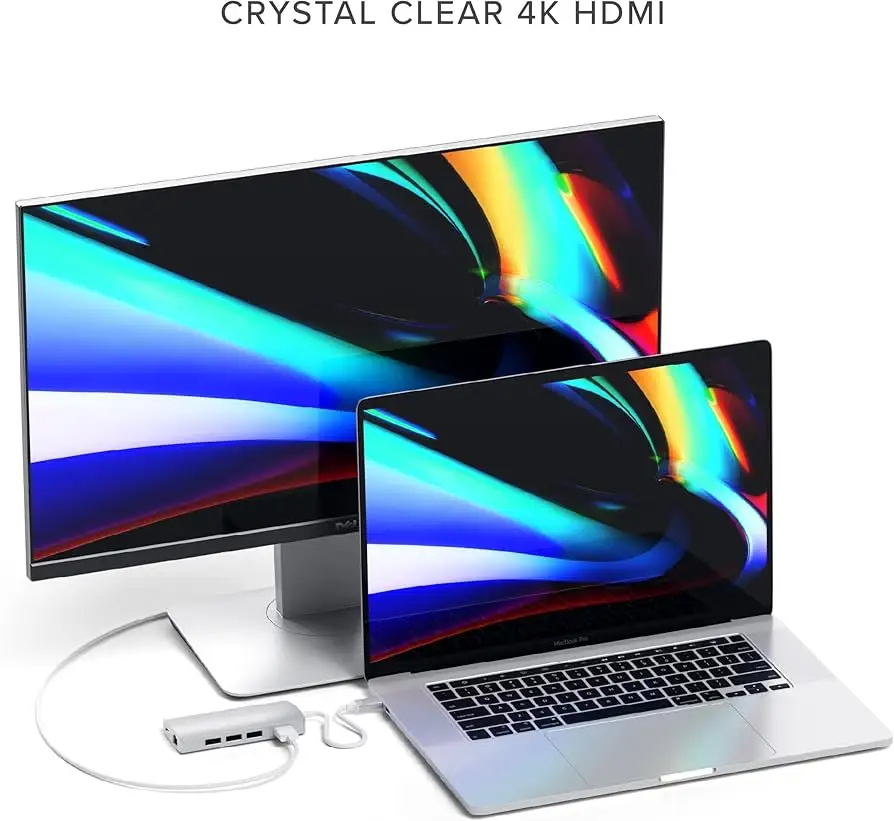
One key marketing claim is “4K HDMI @ 60Hz”. While many users confirm sharp and smooth output, there’s a recurring glitch: A Twitter reviewer noted, “HDMI can be a little flaky… bump the hub and the connection drops.” Similarly, a verified Amazon buyer reported flickering unless the cable was held perfectly still. For static desk setups this may be manageable, but mobile users have to be cautious.
The second promise is “Pass-through USB-C charging up to 115W”. Officially, the V2 supports up to 60W for charging laptops like the MacBook Pro via USB-C. In practice, several owners avoid power delivery entirely. A long-term Trustpilot reviewer explained: “I’ve never used the power delivery feature… small devices passing power to expensive laptops make me nervous.” Others note reduced charging speeds compared to direct MagSafe or OEM chargers.
Satechi also highlights “Refined aluminum design for portability”. On this front, reality matches the hype. Multiple users praised the aesthetic match to Apple gear: “The space gray color matches my 2017 MacBook Pro perfectly,” wrote one customer who keeps it permanently connected on their desk. The form factor — just 77.8g — lends itself to travel, though one Best Buy reviewer found it “almost too small” for desktop use.
Cross-Platform Consensus
Universally Praised
Port variety wins near-universal applause. The single-connection expansion is particularly transformative for MacBook Air/Pro owners who feel hampered by USB-C–only designs. A Reddit user wrote: “Connect things to my Mac with zero issues. Would recommend.” For photographers, the dual SD/microSD slot support simplifies file transfers: “Perfect for importing video from my camera to my iPad Pro,” praised a Cult of Mac reviewer.
Design quality also stands out. Even critical reviewers concede the aluminum build feels premium. “Not heavy but feels solid — all aluminum, nicely done Satechi,” said a verified Amazon buyer. This sturdiness makes it a viable permanent fixture in studio or office setups. The understated design earns style points in mixed Mac/PC environments, where aesthetics can matter as much as function.
Ease of use is another strong point: plug-and-play across multiple OS platforms without driver installs. A Best Buy reviewer described it simply: “Works right out of the box… backward compatibility with old USB peripherals and ethernet.” This reliability out of the gate saves setup headaches, particularly for less technical users or those migrating between devices.
Common Complaints
Heat generation comes up repeatedly. While some say it stays "warm, not hot" during typical use, sustained tasks like hourly backups or external drive operation push it into uncomfortable territory. A Twitter reviewer advised against running an external drive “continually off this hub because it can generate a lot of heat.”
HDMI instability is another sore spot. Several Amazon reviews mention intermittent blackouts or flickers, sometimes fixed only by reseating the cable or rebooting the Mac. One IT professional noted smooth 4K output initially, but others had less luck: “Almost every time… the monitor starts flickering or goes black for a few seconds.” These issues disproportionately affect users connecting to non-standard HDMI setups like DVI-to-HDMI conversions.
Ethernet reliability gets mixed marks. The hub uses a Realtek RTL8153 chip, which some macOS users report silently downgrades to 100Mb speeds. A Trustpilot reviewer detailed frequent connection drops and eventual device failure after a year. While many casual users may never notice, heavy network workloads like NAS backups reveal the limitation.
Divisive Features
The USB-A ports divide opinion. Some appreciate the tight fit as secure: “You can hear metal grinding… but maybe it’s good to have such a tight fit.” Others find it irritating for frequent swaps. Charging limitations — no support for iPad charging, minimal output for phones — frustrate those who expect more from a multiport hub.
The mini SD card slot earns both praise and criticism. For travel creatives, it’s an essential inclusion. Yet several users complain it's "a pain… to insert and eject," especially compared to standalone readers.
Trust & Reliability
Long-term ownership stories reveal both strengths and weaknesses. One Trustpilot user has used their V2 “every day for over five years” with mostly flawless performance, aside from HDMI quirks. Others have experienced failure after 1-3 years, often starting with degraded Ethernet speeds before complete breakdown.
The rebranded hardware origin — shared components found in cheaper unbranded hubs — raises questions about pricing. The in-depth teardown blog highlighted near-identical internals between the Satechi and budget versions on AliExpress, yet Satechi commands a premium for branding and quality control. For some buyers, that premium feels justified by responsive support: “Received the replacement hub very quickly — superb customer service,” reported an Amazon reviewer after chipset issues.
Alternatives
The teardown author compared the Satechi V2 unfavorably to hubs with Intel NICs for Ethernet stability, suggesting the Elgato Thunderbolt 3 Pro as a more robust (and costly) desktop option. For travelers, Apple’s Digital AV adapter sidesteps some HDMI quirks but lacks extra ports.
Anker’s PowerExpand 8-in-1 offers similar ports, including dual HDMI, at a lower price point, but shares the Realtek Ethernet chip’s drawbacks. The key trade-off in alternatives is between port variety and long-term network reliability, especially on macOS.
Price & Value
On Amazon US, prices hover around $69.99–$89.99 new, while eBay listings fall between $17.99 (used) and $39.99 (mint condition). Resale retains value thanks to the sought-after port combination and brand reputation. Buying tips from the community include watching for official sales, sourcing from trusted resellers, and avoiding paying full retail if Ethernet is a priority — given known chipset quirks.
FAQ
Q: Does the Satechi V2 support 4K at 60Hz on all monitors?
A: Yes, on compliant HDMI 2.0 connections, but users report instability with some setups, especially when using adapters or non-HDMI-native monitors.
Q: Can it charge a MacBook Pro at full speed?
A: No — the USB-C PD port supports up to 60W. Faster charging requires using the MagSafe or direct OEM charger.
Q: Will it work with an iPad Pro in a case?
A: Yes — its short cable avoids the “case clearance” issue found in plug-style hubs, making it compatible with cased iPads.
Q: Is the Ethernet port reliable on macOS?
A: For light use, yes, but heavy network applications may reveal speed drops or connection instability due to the Realtek RTL8153 chip.
Q: Does it require driver installation?
A: Generally, no — it’s plug-and-play on macOS, Windows, and ChromeOS, though Satechi support may suggest drivers for certain HDMI issues.
Final Verdict: Buy if you’re a MacBook or iPad Pro user who values aesthetics, portability, and a single cable for multi-device setups. Avoid if wired Ethernet stability is critical or if HDMI output must be rock-solid for live events. Pro tip from the community: Keep a direct OEM charger and a backup cable handy to bypass the hub’s PD and HDMI limitations when necessary.





