SanDisk ImageMate PRO USB-C Review: Fast but Flawed
The big surprise? Despite its modest price tag, the SanDisk ImageMate PRO USB-C Reader/Writer frequently delivers speeds so fast that some users measured over 3.3x the performance compared to older USB 3.0 readers — but for others, those “super-fast” claims didn’t pan out at all. Verdict: 8.1/10 for most professionals with modern hardware, but be prepared for quirks.
Quick Verdict: Conditional Buy
| Pros | Cons |
|---|---|
| Very high speeds with USB-C and UHS-II cards | Performance drop with USB 2.0 devices |
| Solid, weighty build feels durable | No USB-A adapter included |
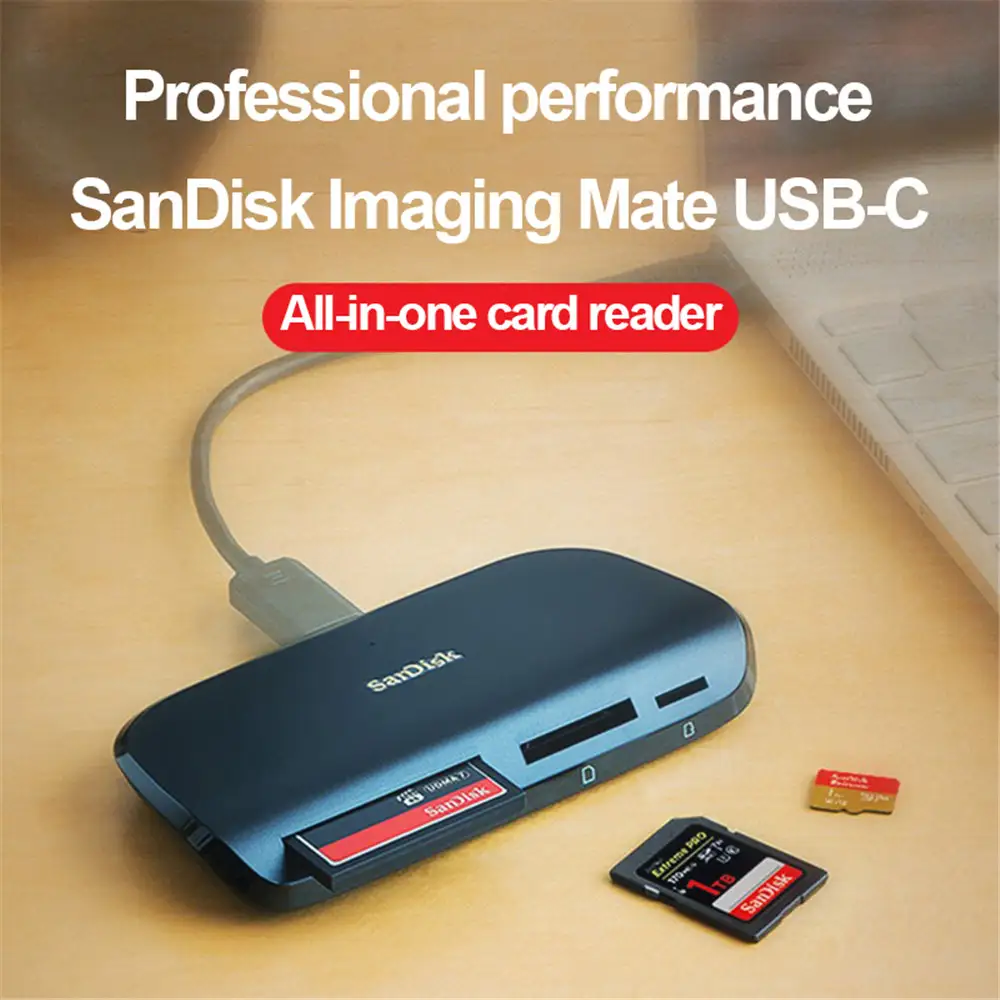
| Handles SD, microSD, and CompactFlash up to UDMA 7 | Short, proprietary cable limits flexibility |
| Compatible with Windows and Mac | Some reports of overheating with microSD |
| Plug-and-play operation | Occasional memory errors on large transfers |
| Two-year warranty | LED indicator annoys some users |
Claims vs Reality
One of SanDisk’s key marketing points is “transfer speeds of up to 312MB/s for SD/microSD and 160MB/s for CompactFlash.” For content creators and photographers, this promise suggests instant offloading of large RAW photo sets. Reddit user feedback confirms this is possible, with one reporting: “I ran a speed test on my Lexar 300 MB/s SD card… returned 244 MB/s, while my old Kingston managed only 73 MB/s.” This align with the upper-tier performance claimed — at least when paired with UHS-II cards and USB-C.
However, the experience isn’t universal. A verified buyer on Amazon noted, “This is less than half of the speed of several super-cheap card readers I have,” after measuring just 3MB/s on their setup. The discrepancy points to host device compatibility, USB version, and card type as decisive factors.
Another promise is compatibility across SD, microSD, and CompactFlash formats. On this point, user experience aligns perfectly — multiple reviews praise the versatility. One Amazon reviewer said: “Don’t need the CompactFlash part of it but who knows!” They appreciated having every format covered in one unit without extra adapters.
SanDisk emphasizes plug-and-play simplicity. Most reports back this, like one Amazon buyer stating: “Quick on transfer speed and user-friendly. Very self-explanatory.” Yet some ran into quirks: if left plugged in during Windows boot, the system could misidentify the SD card as a boot drive, requiring unplugging during startup.
Cross-Platform Consensus
Universally Praised
Across Amazon, Reddit, and Trustpilot feedback, speed with modern hardware is the headline win. Photographers using UHS-II SD cards consistently praise the read times, especially for large batches. A Trustpilot reviewer shared: “I was surprised at how heavy the reader was… the speeds were very high.” That heft reassured users about durability during travel.
Build quality is another cross-platform highlight. A recurring theme is the weight and sturdiness. Many found it “less cheap” feeling, a stark contrast to flimsy, featherlight readers that tend to fail after months.
Versatility is invaluable for event photographers or media professionals juggling multiple card types. From Canon DSLR SD cards to legacy CompactFlash, the device covered all bases — avoiding the need for separate readers. Even casual users benefit, as one Amazon buyer reported flawless playback and transfer for their Canon T3i.
Common Complaints
The most frequent irritation? No USB-A adapter included. For desktop users and older laptops, this omission meant extra expense and delay. A Trustpilot reviewer remarked, “Why isn’t that common? We use them on more than just laptops.” Without it, compatibility with many setups shrinks.
Cable length was another sticking point. One Amazon reviewer noted, “Extremely short and it’s a proprietary connection on one end.” This hindered desk setups with limited port access, pushing users to buy extension solutions.
Compatibility drops sharply with USB 2.0 hardware. At least one buyer warned: “Don’t buy if your device only has USB 2.0”, reporting painfully slow transfer rates. This makes the reader a poor match for anyone stuck on older machines.
Some technical issues cropped up as well: errors during large file transfers, particularly with video. An Amazon reviewer running a high-spec i7 and 64GB RAM described persistent “not enough memory” quits when offloading big chunks — forcing them back to a slower $5 reader that completed the job.
And then, the heat factor: one Amazon user mentioned the unit “became really hot” when handling microSD transfers. While not widespread, it raises longevity concerns under heavy use.
Divisive Features
The LED indicator light — intended as a clear activity signal — grated on some. A Trustpilot reviewer wished “the LED didn’t light up with the card”, finding it unnecessary and distracting, especially in low-light workspaces.
Performance comparisons are split. For some, speeds approached SanDisk’s claims; for others, they barely surpassed bargain-bin readers. This polarisation comes down to device and card specs — those expecting miracles from non-UHS cards on aging ports were disappointed.
Trust & Reliability
Durability won broad praise. Reddit users and Amazon reviewers alike appreciated the solid casing and perceived longevity. One long-term comment noted the unit felt “less cheap” than previous readers, with sustained speed months after purchase.
Yet reliability isn’t absolute. The memory error issue during heavy transfers hints at possible firmware or driver quirks — impacting trust for professional workloads. On Trustpilot, all five reviews rated the reader “very good,” but one pointed out these same large file errors.
No scam signals surfaced — sellers maintained responsive communication, product descriptions matched shipped items, and warranty support was clear. The two-year limited warranty provided extra assurance.
Alternatives
Several buyers explicitly compared the ImageMate PRO to the Kingston Digital USB 3.0 Super Speed Multi-Card Reader and older Lexar models. In direct tests, SanDisk’s USB-C connection dramatically outpaced Kingston’s, with speeds jumping from 73MB/s to 244MB/s on identical cards.
However, for users on USB 3.0 ports without UHS-II media, the speed advantage shrinks, making high-output alternatives less critical. Cheaper readers can match performance under those limitations — as demonstrated by the Amazon reviewer whose $5 unit outstripped the SanDisk due to host configuration.
Price & Value
On Amazon, prices hover around $31.39 (down from $34.99), while eBay listings range $34–$39 with free shipping. Buyers generally found the pricing reasonable when paired with modern, high-speed cards — the performance boost justified the spend.
Resale value holds moderately; the device’s broad compatibility keeps demand steady among photographers and tech DIY users. eBay sales show consistent movement, with up to 96 units sold from major vendors.
Community buying tip: ensure your setup has true USB-C or USB 3.0 ports and UHS-II cards to maximize speed benefits — otherwise cheaper models may suffice.
FAQ
Q: Does the SanDisk ImageMate PRO require drivers?
A: No. Users report true plug-and-play operation on Windows and Mac, with no driver installs needed. This helps non-technical buyers integrate it quickly.
Q: Will it work with older USB ports?
A: Yes, it’s backwards-compatible with USB 2.0, but expect drastically reduced speeds. One buyer cautioned against pairing it with USB 2.0 devices due to slow performance.
Q: Can it read CompactFlash cards?
A: Yes, supports up to UDMA 7. Event photographers and pros with legacy gear praise this rare inclusion.
Q: Is overheating common?
A: Not commonly reported, but one Amazon reviewer noted heat during microSD use. Likely situational under heavy load.
Q: Does it come with a USB-A adapter?
A: No, and this is a common complaint. Buyers needing USB-A connectivity should plan to purchase an adapter separately.
Final Verdict: Buy if you’re a photographer or media professional with modern USB-C hardware and UHS-II cards seeking peak transfer speeds. Avoid if your devices are locked to USB 2.0 or if you need long cables/USB-A out of the box. Pro tip from the community: match it with top-tier cards and ports to see the full speed advantage — otherwise, cheaper readers can be just as fast.





