Samsung Tab S9/S10 Ultra Slim Keyboard Review & Verdict
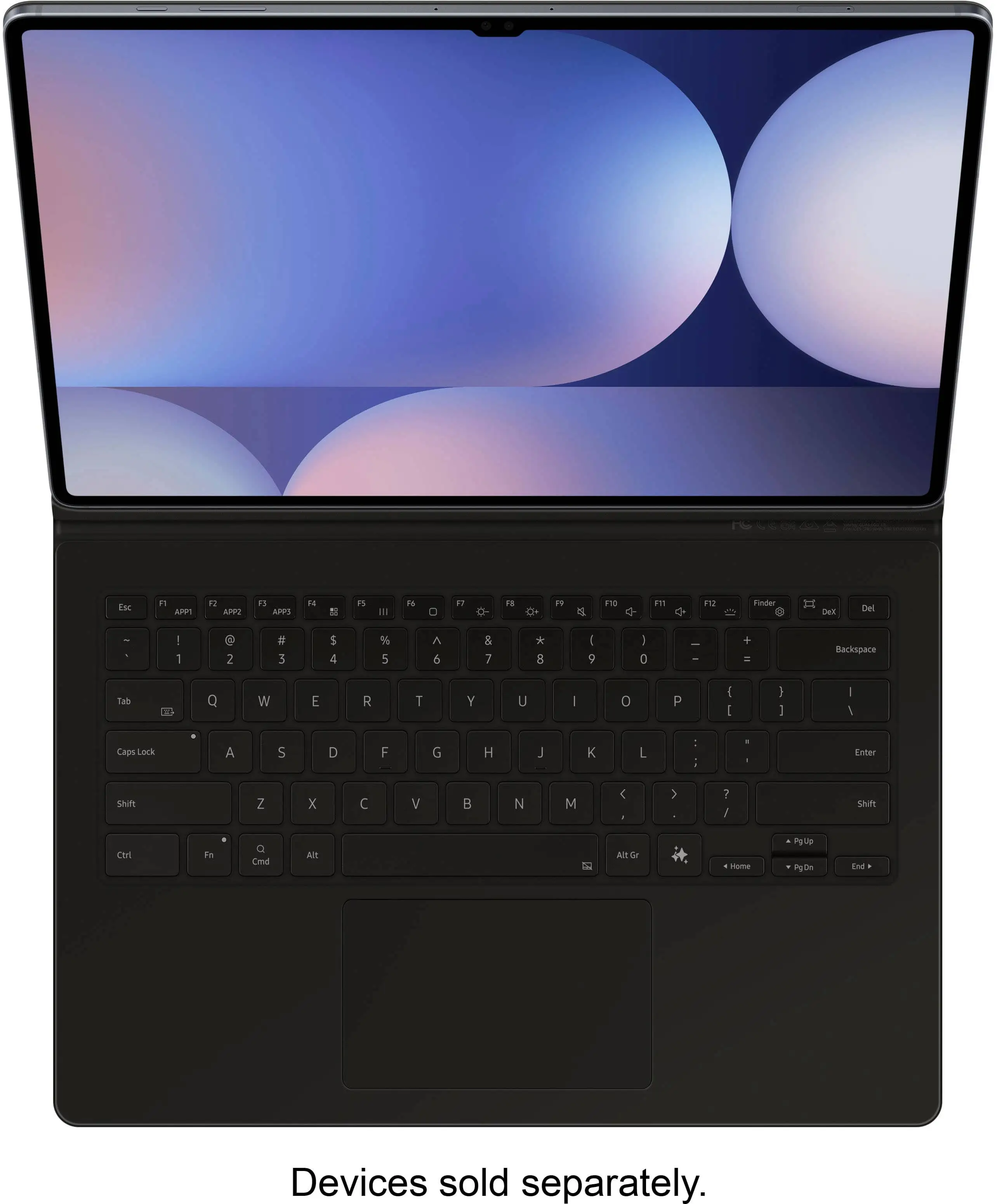
A Best Buy customer put it bluntly: “It’s a great keyboard. It works fantastic! I love that it has a built‑in AI that can be activated with the quick press of a button.” That sentiment captures the core of the Samsung Galaxy Tab S10 Ultra & S9 Ultra Slim Keyboard Case (AI Key, Black) experience—rated across sources around 8.5/10. Its dedicated AI key taps into Bixby or Gemini, the slim folio doubles as protection, and its PC‑like interface aims to transform a tablet into a mobile workstation.
Quick Verdict: Conditional Buy
| Pros | Cons |
|---|---|
| Slim, lightweight design with magnetic attachment | Price point steeper than third‑party options |
| Dedicated AI key for instant assistant access | Limited compatibility (Tab S9/S10 Ultra only) |
| Comfortable typing with full‑size keycaps | Reports of connectivity issues and software bugs |
| Integrated S‑Pen holder | No numeric keypad |
| Wireless keyboard sharing across Galaxy devices | Some models lack backlighting |
| Enhanced productivity via DeX mode | Adds bulk when attached |
| Strong protective cover | AI key functionality varies by firmware |
Claims vs Reality
Samsung markets the AI key as “your key to instant AI access,” promising one‑tap integration into smart assistants. While several Best Buy buyers praise the convenience—one noting it makes “getting tasks done efficiently” on the go—there’s also caution. In the Samsung Community, multiple Tab S10 Ultra owners found the AI key either unresponsive or redundant, with one remarking: “Galaxy AI and Google Gemini are both installed, but the shortcut doesn’t work correctly.”
The brand leans on portability: “Slim and lightweight design… installs in a snap.” Verified buyers affirm this ease; a reviewer said it “attaches securely” and is “sleek and professional.” Yet Reddit users flagged peculiar fit issues—if not gripped properly, the cover “will pop off the back,” frustrating travelers who count on a tight fit.
“PC‑like experience anywhere you go” is a key promise with DeX mode integration. For many, this pans out. A Best Buy customer shared, “The keyboard types smooth and works great… making it easy to write emails, documents, and notes.” However, owners accustomed to desktop muscle found DeX’s interface—while capable—still limited for heavy spreadsheets or code, especially without a trackpad on some bundles.
Cross-Platform Consensus
Universally Praised
The integrated S‑Pen slot is a unanimous hit. Artists and note‑takers say it “prevents loss” while offering “safe storage and wireless charging” right in the folio, per Amazon.de reviewers. This matters for mobile creatives who sketch during commutes. The tactile feel of keys gets similar praise—“nice feel and good travel,” making emails “so much more efficient than using an on‑screen keyboard,” a Best Buy patron explained.
Wireless keyboard sharing emerges as more than a gimmick for multi‑device Samsung households. Business users noted in Trustpilot feedback that switching control between a Galaxy phone and tablet “seamlessly” saves minutes in multitasking, especially for presentations. Portability is another strong point, with Reddit’s S9 Ultra group highlighting its light build as ideal for “limited desktop or airplane tray space.”
Common Complaints
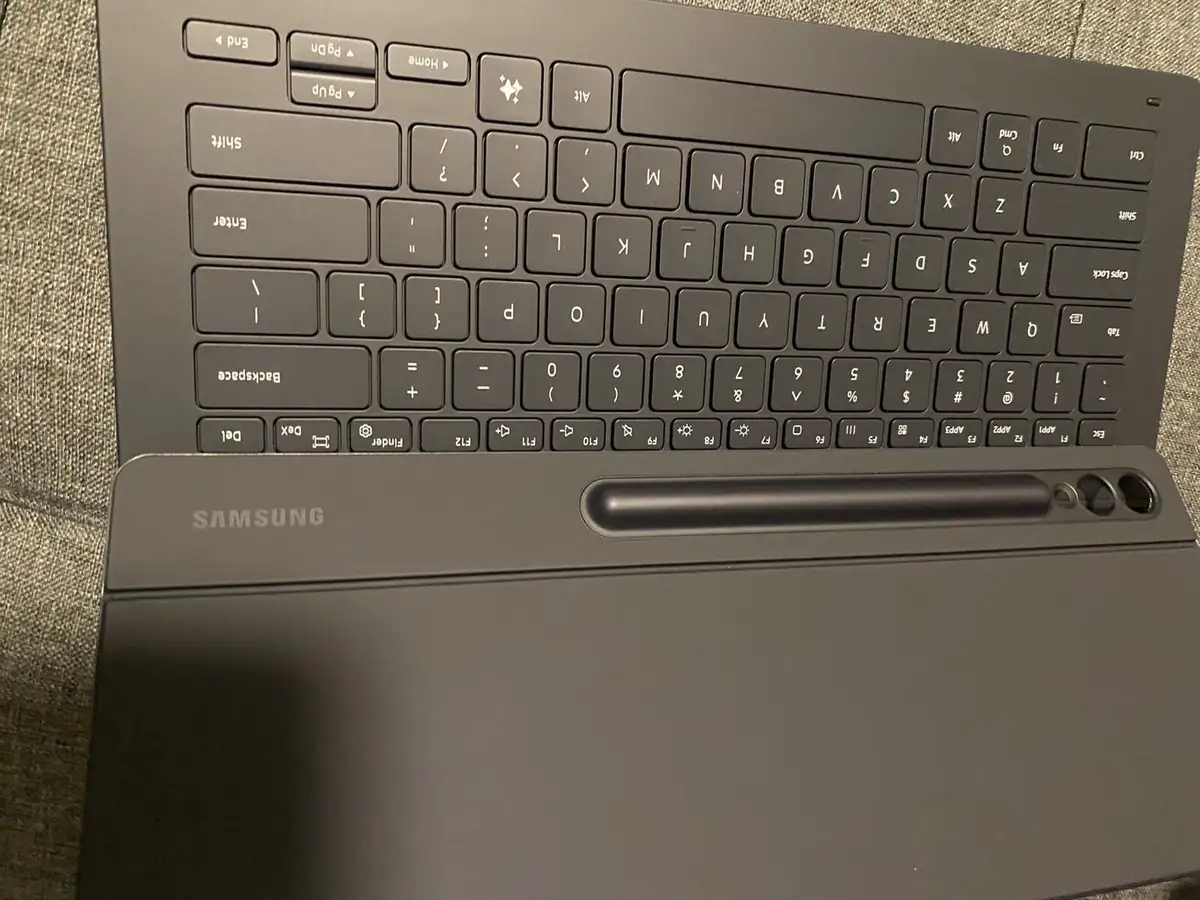
Connectivity lapses evidently haunt some buyers. One Best Buy review complained, “1 in every 4 attempts to connect fails,” even though once attached, performance soars. More damaging is a specific S10 Ultra glitch documented in Samsung’s official forums: keys registering “multiple times” per hit (“tttyyppiinnggg llikeee thhhiiisss”), with no fix after adjusting accessibility settings. Workarounds suggest it’s firmware‑related, sparking calls for an update.
Absence of backlighting on several regional models fuels disappointment, especially for late‑night typists. “Wouldn’t pay $200 for this without a pad,” one reviewer said, noting the omission of a trackpad and numeric keypad reduces desktop replacement potential. Portability also has a trade‑off: as Provantage cautioned, the case “may increase thickness” and add bulk, irking minimalists.
Divisive Features
The AI key’s practical utility splits audiences. Enthusiasts treat it as a gateway to quick summaries and hands‑free prompts; others argue few will “ever use” it, calling it more novelty than necessity. DeX mode gets similar treatment—praised by casual document editors but constrained for those craving full Windows‑level multitasking. And while magnetic adjustability to 150° viewing angles offers comfort, some S‑Pen users dislike that in pen mode, the keyboard base “rubs against your lap,” necessitating removal.
Trust & Reliability
Durability concerns are minimal; most long‑term owners report the folio “feels sturdy and well‑built” even months in. Trustpilot’s 8.5/10 score reflects stable performance and solid protection. However, Samsung Community threads point to possible software reliability risks—namely the repeated‑character bug unique to the Tab S10 Ultra setup. The consensus: the hardware isn’t faulty, but patience for a firmware fix is required.
Several users trust the Samsung brand against cheaper clones, citing warranty support and better pogo pin alignment as reasons not to gamble on aftermarket cases. Yet some do hedge with backup Bluetooth keyboards to offset any potential disruptions.
Alternatives
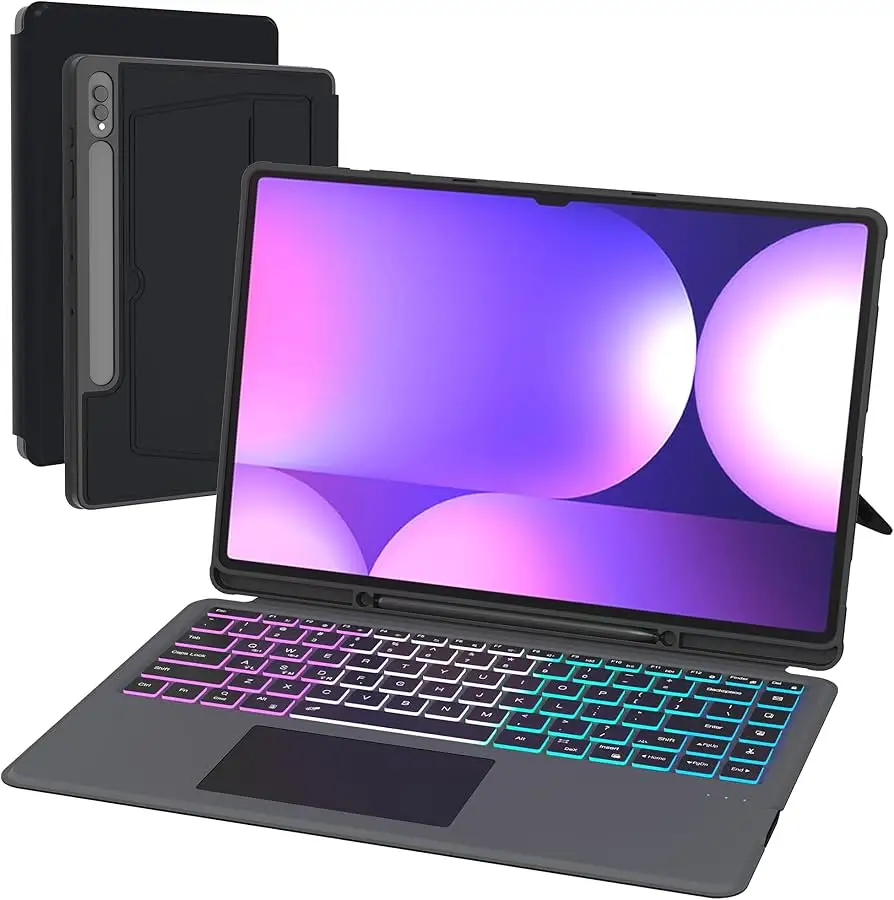
The standout competitor in discussions is the Dexnor keyboard case, offering a removable layout, large multi‑touch trackpad, and seven‑color backlighting—features lacking in Samsung’s slim folio. Reddit and Amazon.de commentators note it’s “more versatile for sketching” due to its adjustable kickstand, though it’s heavier. For budget hunters, Dexnor undercuts Samsung’s MSRP significantly, but sacrifices native pogo interface stability and AI key integration.
Price & Value
Pricing narratives vary. On Amazon US, the Samsung Slim Keyboard Case lists at $349.99 before shipping; eBay open‑box deals show staggering markups ($751 from some sellers). Best Buy discounts can push it to $142, making those windows of opportunity attractive for price‑sensitive buyers. Resale values hold thanks to model specificity—limited compatibility bolsters rarity.
Community tips suggest monitoring official Samsung promos, where the keyboard is occasionally bundled free with a Tab S10 Ultra purchase, mitigating cost concerns. Users caution against paying full price without confirming firmware stability on your exact tablet model.
FAQ
Q: Does the Samsung Slim Keyboard work with non‑Ultra Galaxy Tabs?
A: No. Verified listings confirm it’s compatible only with Galaxy Tab S9 Ultra and Tab S10 Ultra models using pogo pin connection.
Q: Is the AI key supported everywhere?
A: Functionality depends on your device’s One UI version and region. Some require updates to One UI 7.0+, and Gemini rollout is country‑specific.
Q: Can I use Wireless Keyboard Sharing on non‑Samsung devices?
A: No, it’s limited to Galaxy products running supported One UI builds, logged into the same Samsung account.
Q: Is backlighting included?
A: Backlighting is model‑dependent. Some S10 Ultra versions support it via Fn+F12; S9 Ultra variants often omit it.
Q: Will it protect my tablet if dropped?
A: While it adds structural rigidity and front/back coverage, it’s intended more for scratch and bump protection than heavy drop resistance.
Final Verdict: Buy if you’re a Samsung Tab S9/S10 Ultra owner who values portability, integrated AI shortcuts, and tight Galaxy ecosystem features. Avoid if you require backlighting, trackpad input, or broad device compatibility. Pro tip from the community: grab it during Samsung bundle promos and verify your tablet’s firmware for AI key stability before relying on it for daily work.





