Samsung Odyssey G5 Review: Immersive Gaming with Caveats
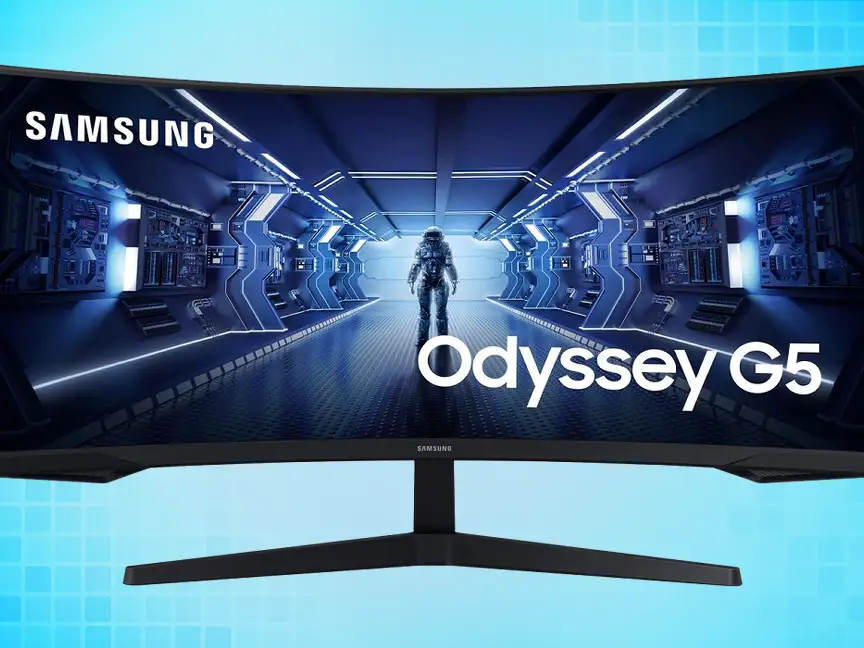
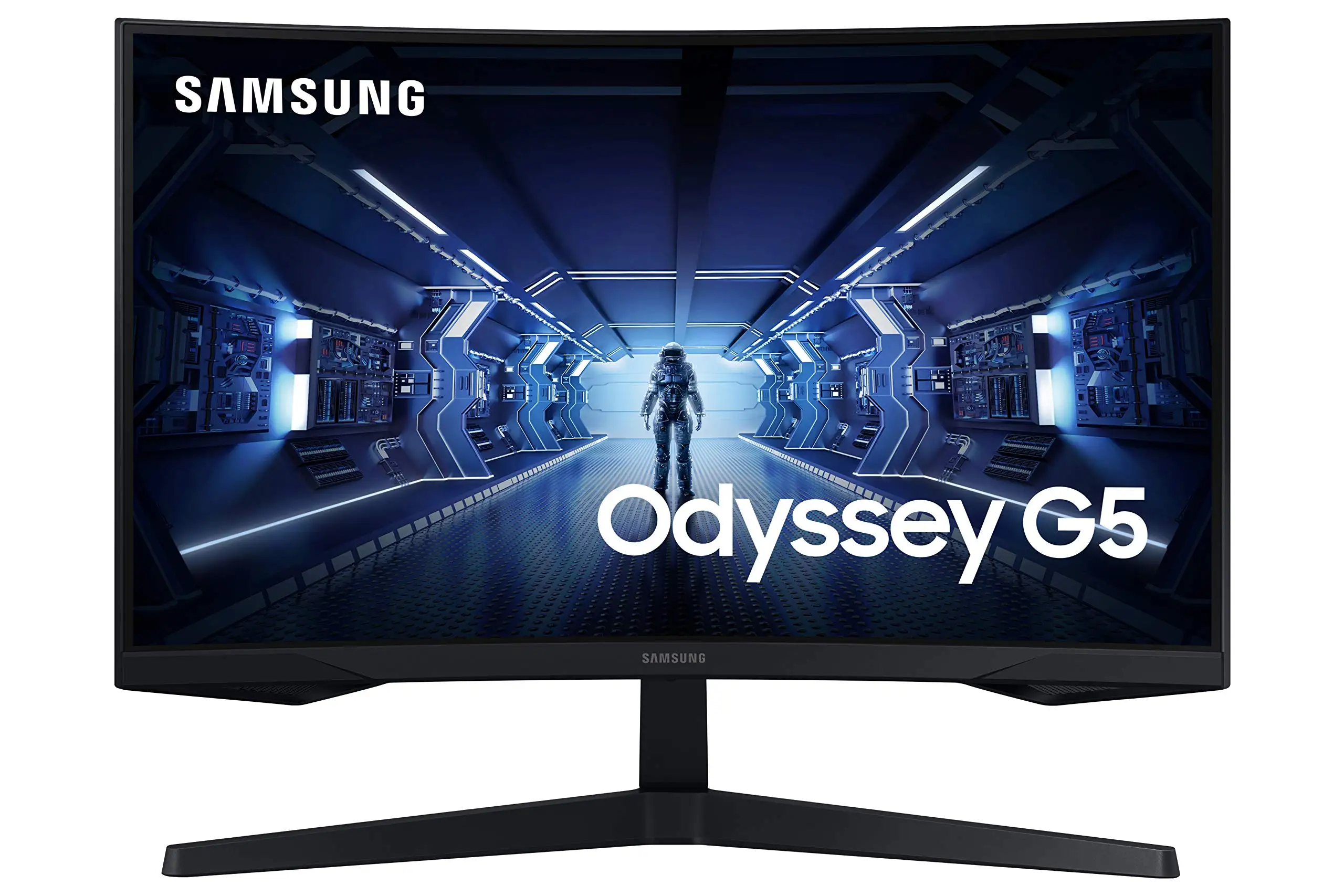
Few monitors spark as much debate over comfort and performance as the Samsung Odyssey G5 Series 27-Inch WQHD Curved Gaming Monitor. Across thousands of cross-platform reviews, its immersive 1000R curve and 144Hz refresh rate win consistent praise, yet a rigid stand and sometimes muted colors keep it from universal acclaim. Score: 8.2/10.
Quick Verdict: Conditional Buy — exceptional for immersive gaming, less so for professional color work.
| Pros | Cons |
|---|---|
| Sharp WQHD resolution (2560×1440) | Stand tilt mechanism unclear or overly stiff |
| 144Hz refresh rate with 1ms response | Washed-out color reports from some users |
| 1000R curve boosts immersion in games | No speakers, limited connectivity options |
| Solid build quality | HDR10 implementation not as vivid as premium HDR |
| Affordable pricing relative to features | Factory instructions on adjustments inadequate |
| FreeSync Premium reduces tearing | Brightness may feel low for very bright environments |
| Minimal eye strain in extended use | Some long-term users worry about durability of stand |
Claims vs Reality
Samsung’s marketing leans heavily on the “optimal curve” narrative, suggesting the 1000R curvature matches the human eye for immersion and ergonomic comfort. Digging deeper into user reports, many gamers back this up. A verified buyer on Amazon noted: "The curve of this screen is even better in terms of viewing comfort than its ancestor." For racing sims or narrative-heavy games, several Reddit posts call the curve “transportive,” pulling players into the environment.
The 144Hz refresh rate combined with a lightning-fast 1ms (MPRT) response time is another bold claim. Gamers on Newegg confirm smooth high-speed performance — one reviewer specified that "full 144hz frequency now in res above 1920x1080", adding the caveat that using a DisplayPort 1.4 cable is essential. This level of specificity suggests that while the panel can deliver as promised, cabling and hardware setups matter.
HDR10 visuals are advertised as “awe-inspiring,” but some users find a gap. A Best Buy customer praised the resolution and frame rate but mentioned "the color of the picture is very washed out", hinting at limited HDR punch compared to high-end HDR panels.
Cross-Platform Consensus
Universally Praised
The ultra-sharp WQHD resolution consistently delights, particularly paired with the curve. A Best Buy reviewer summed it up: "Best graphics and response time without having to spend too much money." Immersive gaming scenarios, from FPS to open-world exploration, benefit from the enhanced pixel density, making distant objects and textures crisper.
Performance benefits are clear for competitive gamers. Low input lag mode and AMD FreeSync Premium earn positive notes for stabilizing frames. Newegg feedback shows it holds up under GPU-heavy setups, though, as one user emphasized, "length greater than 6 feet [for DisplayPort cable] can compromise performance" — a niche but important detail for those assembling complex rigs.
Build quality stands as another strong point. Compared to the older SyncMaster line, one Newegg customer felt the G5’s stand was "sturdier & feels less scary to manipulate", suggesting improvements in physical durability.
Common Complaints
The stand is a persistent sore spot. While Samsung specs note a tilt range of -2° to 18°, multiple buyers struggle to adjust it. "Can't figure out how to do it... feels like the stand is 100% rigid," complained a Newegg customer. This rigidity impacts users who need ergonomic fine-tuning, especially in mixed-use workspaces.
Color reproduction divides opinion. Some praise the "vibrant colors out of the box" (Reddit user with a G50D variant), while others on Best Buy warn that "the color of the picture is very washed out." This inconsistency could reflect differences in content, calibration, or panel variance.
Connectivity is sparse: one HDMI, one DisplayPort, and a headphone jack. No USB-C, no speakers. Best Buy buyers expected the audio omission, but it still limits plug-and-play versatility, particularly for console gamers without external audio setups.
Divisive Features
HDR10 implementation splits the room. Twitter reactions note "atemberaubende grafik" (breathtaking graphics), while others online feel brightness and contrast don’t fully deliver the promised depth. The typical brightness of 250 cd/m² is adequate indoors, but users in brightly lit spaces or those comparing with HDR400-rated monitors may be less impressed.
Trust & Reliability
Trustpilot averages hover around mid-range ratings (3.6), with feedback focusing more on the product meeting headline specs than delighting with extras. There are few outright scam concerns — most buyers receive functioning monitors quickly. Long-term Reddit threads show durability in display performance but sustained frustration with stand adjustability. One Newegg gamer mentioned months later their G5 "rocked thus far once I got it hooked up... menu interface seems improved," hinting at stable operation beyond initial use.
A cautionary note: avoid substandard cables and overly long runs, as they can undermine refresh rate and latency goals. Community troubleshooting threads heavily emphasize proper DisplayPort spec compliance.
Alternatives
In Reddit discussions, the LG Ultragear 27GR83Q-B is a direct competitor, offering higher refresh (240Hz) and IPS panel benefits like wider viewing angles. However, LG’s price is steeper, and VA panels like the G5 maintain stronger native contrast, benefiting dark-scene gaming. One G50D user upgrading from a VA Gigabyte noted "zero ghosting issues... colors vibrant out of the box," showing VA’s potential when implemented well.
Price & Value
The Samsung Odyssey G5 hovers around $200-$295 in resale and sale pricing, with refurbished units dipping below $210. Its value proposition is strongest for 1440p gamers who want curvature without paying for G7-level extras. eBay listings confirm resale demand — even used units sell quickly if free from panel defects.
Buying tips from the community:
- Opt for certified refurbished if budget is tight — warranties often included.
- Ensure GPU and cabling handle 144Hz at WQHD.
- Be ready to supplement with a VESA mount for ergonomic freedom.
FAQ
Q: Does the Samsung Odyssey G5 have built-in speakers?
A: No. Multiple Best Buy and Amazon reviewers note the absence of internal speakers, which is common for gaming-focused monitors.
Q: Can the stand tilt?
A: Officially, yes — -2° to 18°. However, several users report difficulty or inability to tilt without feeling they might damage the mount.
Q: Is HDR10 worth enabling on this monitor?
A: It adds some color range and contrast, but brightness limitations mean it’s less impactful than on higher HDR-certified displays.
Q: Will FreeSync Premium work with Nvidia cards?
A: Many modern Nvidia GPUs support Adaptive Sync over DisplayPort, so FreeSync Premium benefits are possible with proper setup.
Q: How does the curve affect productivity work?
A: The 1000R curve can make split-screen work slightly more comfortable for wide viewing, though serious color work may require recalibration.
Final Verdict
Buy if you’re a 1440p gamer seeking immersive curvature and fast refresh at a fair price, and don’t mind limited stand adjustability or adding audio externally. Avoid if color-critical work or extremely bright HDR is central to your needs. Community pro tip: pair with a quality DP 1.4 cable and consider a VESA mount early — it solves most ergonomic complaints and lets the Odyssey G5 shine where it’s strongest.





