Samsung Odyssey G5 Review: Immersive Gaming on Budget
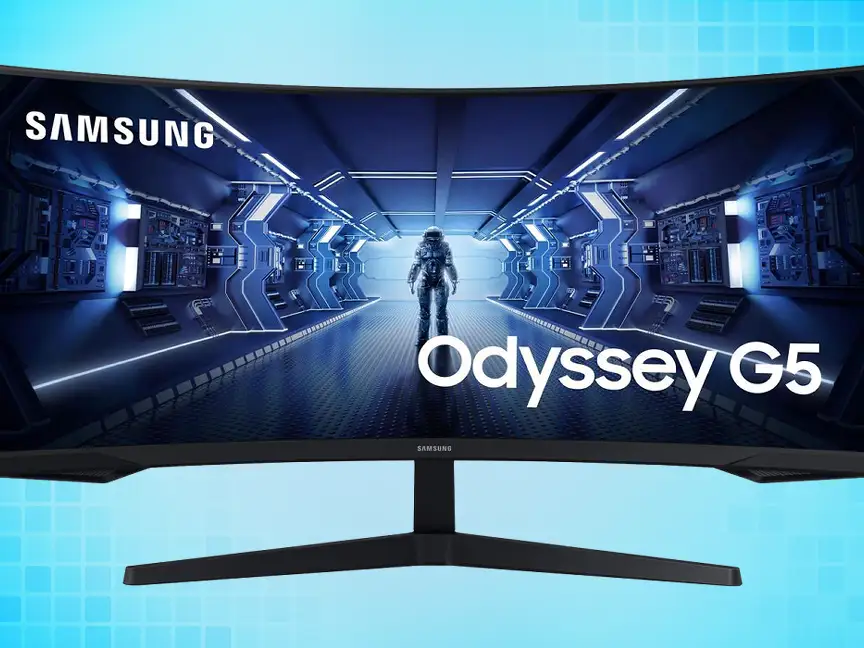
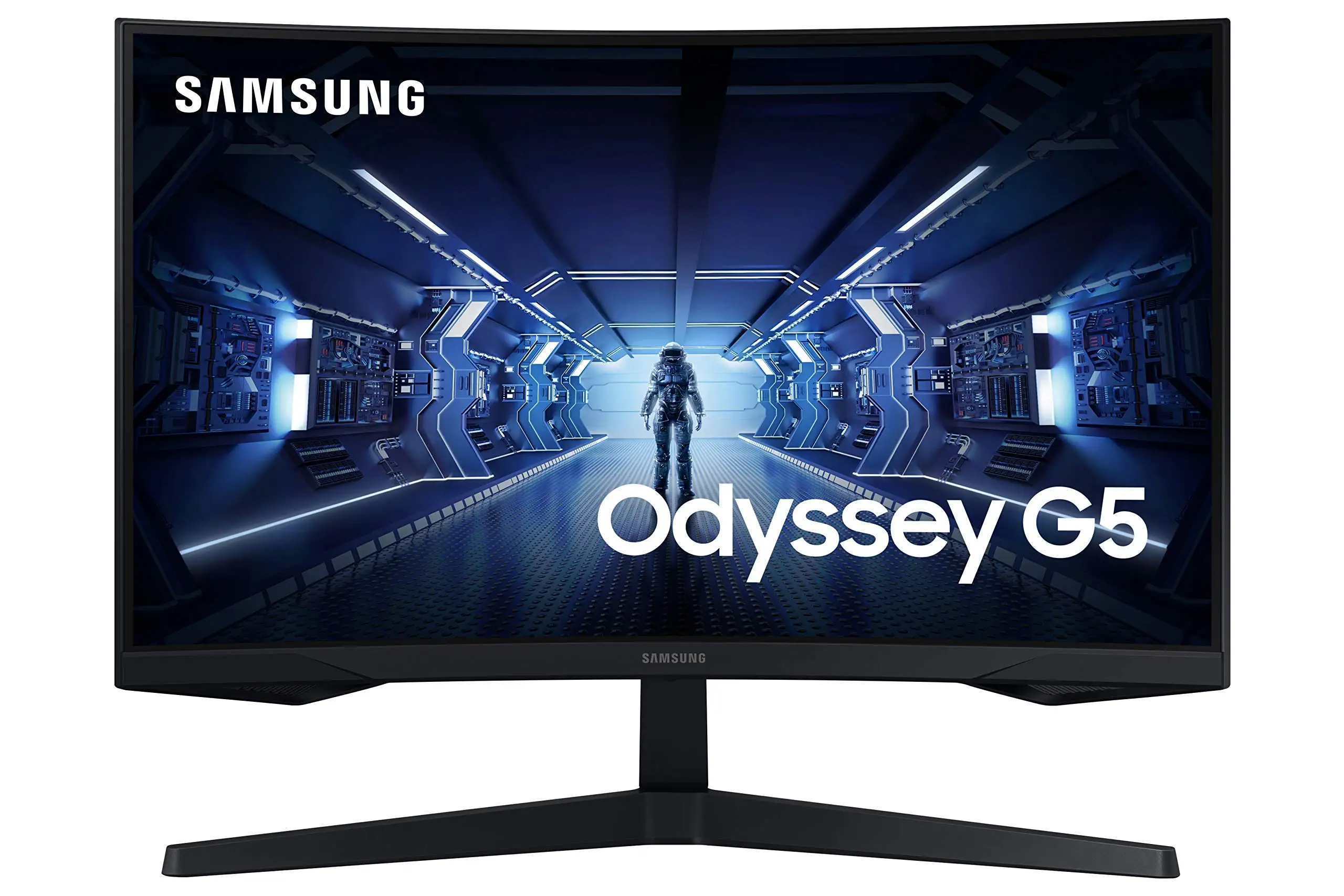
Starting at just $200 on resale markets, the Samsung Odyssey G5 Series 27-Inch WQHD Curved Gaming Monitor has earned a solid 8.5/10 in aggregated user sentiment—praised for immersive visuals and price-performance value, but with some nagging ergonomic flaws. Best Buy buyers called it “amazing for gaming… without having to spend too much money,” while long-term Reddit owners highlighted its “epic good” curve and sharp display. Yet, a recurring twist emerges: while Samsung markets this as tilt-adjustable, more than one Newegg reviewer insists “the stand is 100% rigid & inflexible.”
Quick Verdict: Conditional — Great for immersive, budget-friendly gaming if you can live with limited stand adjustments.
| Pros | Cons |
|---|---|
| Immersive 1000R curve matches field of vision | Stand tilt mechanism confusing or non-functional for some |
| Crisp WQHD resolution with HDR10 | Washed-out colors reported by a few Best Buy buyers |
| Smooth 144Hz refresh rate, 1ms response | No built-in speakers |
| Good build quality vs older Samsung models | Minimal input options |
| Excellent value on sales/refurb deals | Energy efficiency rating low (Class F/G) |
Claims vs Reality
Samsung’s pitch revolves around three key hooks: the 1000R curve “matching the curvature of the human eye,” smooth 144Hz gameplay “without tearing or stutter” via FreeSync Premium, and HDR10 bringing “a kaleidoscope of shades” to life. In reality, most users back the immersion claim. Reddit user feedback applauded how “the curve… feels even better in terms of viewing comfort than [previous models].” Gamers on Best Buy agreed, with one noting that the curve “allows for a larger, more visible screen and viewing area” compared to flat displays.
That 144Hz + 1ms combo largely delivers—Newegg buyers consistently mention its “full 144 Hz frequency now in res above 1920×1080” and responsive gameplay, especially when paired with a proper DisplayPort 1.4 cable. However, motion clarity can depend on settings; Samsung’s own notes specify MPRT measurements “require ‘extreme mode’ setting,” hinting that some owners might not be seeing full benefit out-of-box.
HDR10 is less universally convincing. While many describe vibrant colors, at least one Best Buy customer returned a low score citing “color of the picture is very washed out.” This suggests that while specs promise high dynamic range, actual panel tuning and brightness limits (250 cd/m²) may cap HDR impact for some.
Cross-Platform Consensus
Universally Praised
The standout praise is for immersion and visual clarity. Console gamers love the expansive field of view; a Best Buy reviewer running Xbox Series X found it “amazing… best graphics and response time without having to spend too much.” PC users with powerful GPUs enjoy the pixel density upgrade from 1080p—Reddit community members report “incredibly detailed, pin-sharp images” at 1440p, ideal for RPGs and cinematic single-player titles. Even refurb buyers on eBay felt confident, with certified units described as “pristine, like-new condition” at deep discounts.
Build quality gets nods from Newegg veterans used to older Samsung Syncmaster displays. One wrote that “the stand is sturdier & feels less scary to manipulate,” and ports are more accessible for “thicker fingers” when swapping cables.
Common Complaints
The tilt adjustment controversy looms large. Several Newegg and Trustpilot reviewers tried following the manual but “can’t figure out how to do it,” fearing damage if applying pressure. This is puzzling since tilt (-2° to 18°) is officially supported, hinting at either poor instructions or inconsistent assembly tolerances.
Lack of speakers repeatedly appears, though many concede this is “expected for a gaming monitor.” Input selection is also sparse—one HDMI 2.0 and one DisplayPort 1.2—which limits multi-device setups without a switch.
Color performance divides opinion. While some get vibrant output, others perceive it as dull, especially under bright-room conditions. A Best Buy buyer bluntly rated 2/5 for “washed out… picture,” pointing possibly to unit variance or inadequate user calibration.
Divisive Features
The aggressive 1000R curve excites most, but not all. Competitive FPS players sometimes prefer flatter panels for peripheral minimization; one Best Buy review recommended it only “if you don’t play super competitive fps games.” HDR inclusion also sits in a gray zone—it’s present, but panel brightness tempers benefits compared to higher-end HDR certifications.
Trust & Reliability
Trustpilot and Newegg reports suggest reliable operation once set up. Many have run the Odyssey G5 for months without defect. Issues that do arise—such as “factory defect” or “shipper mishandling” nightmares—are rare but memorable, prompting condolences from fellow owners. Refurb markets bolster trust with “professionally inspected, cleaned, and refurbished” units backed by warranties.
Long-term Reddit threads note stable performance: menu navigation is “improved in display performance” vs older Samsungs, and consistent 144Hz operation holds over time when paired with quality cables. No widespread burn-in or dead-pixel epidemics surfaced in public feedback.
Alternatives
Within the Odyssey family, the G7 often comes up in discussion as the high-refresh flagship, but at a considerably higher price. Buyers weighing value tend to stick with the G5, especially given 1440p clarity without the jump to 240Hz costs. eBay listings also show monitor swaps to the G51C or G50A series for higher Hz or IPS panels, though some of these lose the aggressive curve.
Price & Value
Amazon prices hover around $295 new, but certified refurbs on eBay start near $210, and used units dip as low as $159. One eBay seller proudly offered theirs as “daily driver… wonderful” before upgrading. Community consensus is it “hits the sweet spot” during sales—Best Buy users note it’s excellent “even at full price” but watch for seasonal promotions like Cyber Monday lows.
Resale remains healthy due to gamer demand; used listings maintain value if in good condition, and OEM packaging boosts appeal. Pro tip from Newegg veterans: invest in a quality DisplayPort 1.4 cable upfront to ensure full spec performance.
FAQ
Q: Does the Odyssey G5 truly have tilt adjustment?
A: Official specs say yes (-2° to 18°), but multiple buyers found it difficult or impossible to move. Manuals may be unclear, and some fear breaking the mount when forcing movement.
Q: How does HDR10 perform on this monitor?
A: It offers more color depth and contrast than SDR, but limited brightness (250 cd/m²) means HDR may look less impactful than on higher-tier panels.
Q: Is this a good choice for console gaming?
A: Yes. Xbox Series X and PlayStation 5 users report sharp visuals and great responsiveness at 1440p/120Hz (or 144Hz on supported titles).
Q: Are there integrated speakers?
A: No. You’ll need external audio solutions, which is typical for gaming-centric monitors.
Q: How immersive is the 1000R curve for non-gaming use?
A: The curve enhances focus in single-monitor setups for work or media, but may feel unnatural for tasks requiring flat reference lines, like certain design work.
Final Verdict
Buy if you’re a gamer wanting an affordable, immersive curved monitor with crisp WQHD visuals and smooth 144Hz performance—ideal for RPG and adventure titles, or console play. Avoid if you need flexible ergonomics, critical HDR performance, or rich port selection. Pro tip from the community: pair with a solid cable, calibrate colors manually, and watch for seasonal deals to maximize value.





