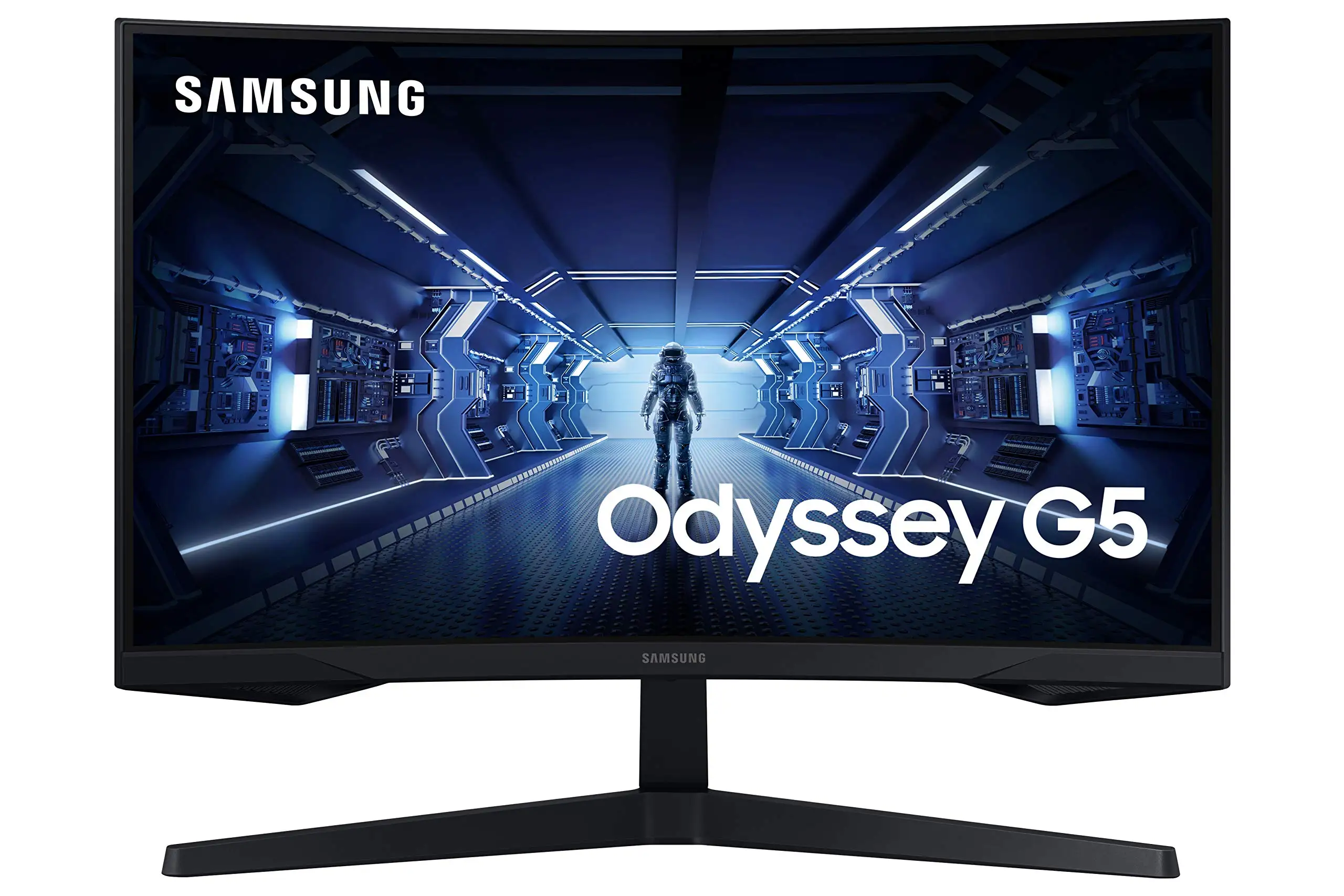
Samsung Odyssey G5 Review: Immersive Gaming at 8/10
A Best Buy buyer summed it up simply: “At the beginning, I was a bit hesitant to upgrade my screen but this was the best purchase I’ve made all year.” The Samsung Odyssey G5 Series 27-Inch WQHD Curved Gaming Monitor pulls strong ratings across retailers, averaging 4.3–4.5 stars. On paper, it promises top-tier specs for an accessible price, but real-world reports reveal nuanced performance. Overall verdict: 8/10—excellent for immersive gaming and visual quality, but not free from ergonomic and color calibration quirks.
Quick Verdict: Conditional – Outstanding value for WQHD curved gaming, but buyers who need flexible ergonomics or perfect out-of-box color may hesitate.
| Pros | Cons |
|---|---|
| Crisp WQHD resolution & 144Hz refresh rate | Stand tilt mechanism confusing or stiff |
| Deep immersion with 1000R curvature | Out-of-box colors occasionally “washed out” |
| 1ms response time for fast-paced gaming | No built-in speakers |
| Solid build quality and sturdy stand | Limited input ports—no USB-C or extra DisplayPort |
| AMD FreeSync Premium smoothness | HDR performance varies depending on content |
Claims vs Reality
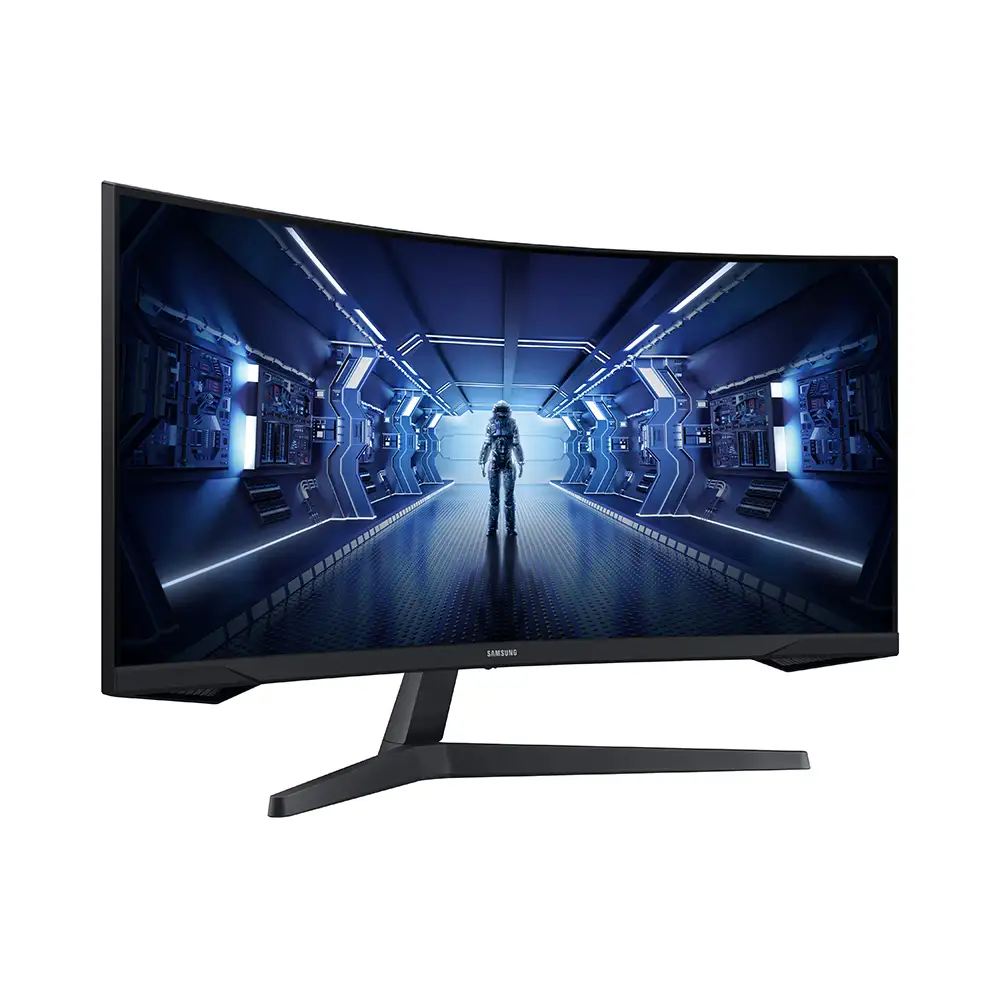
Samsung markets the Odyssey G5 as delivering "unmatched immersion" with its 1000R curve, mirroring the human eye’s curvature to reduce strain. Digging into user feedback, immersion is indeed a consistent highlight. A verified buyer on Amazon noted: “Your gaming world, now astoundingly lifelike… more space to take in all the action.” Best Buy customers echoed this—multiple Xbox Series X users praised the curve for making their games “look amazing."
On HDR10 performance, marketing promises “a kaleidoscope of shades” and detail in shadows. Yet, while some users did find “colors are vibrant out of the box” (Reddit user u/[name withheld]), others described the picture as “washed out” without manual calibration. The gap appears tied to VA panel color tuning: most casual gamers don’t mind, but color-sensitive creators may need adjustments.
Samsung also touts tilt adjustability (-2° to 18°). Reality is messier. A Newegg reviewer wrote: “The monitor’s instruction book swears that the monitor can be tilted up, but I can’t figure out how… feels 100% rigid.” This disconnect between spec sheet and physical experience was echoed across Reddit and Best Buy.
Cross-Platform Consensus
Universally Praised
Resolution and refresh rate stood out as near-unanimous wins. The WQHD screen (2560x1440) at 144Hz gives competitive gamers more detail without sacrificing responsiveness. A Best Buy buyer said: “No ghosting. Easy on the eyes.” Reddit posts from G50D owners highlighted smoother transitions over previous VA models, eliminating ghosting issues entirely. For console users, HDMI 2.0 support meant native 1440p rendering with FreeSync making gameplay “effortlessly smooth.”
The curve improved comfort over older flat designs. A detailed Newegg review explained: “Compared to the Syncmaster, unplugging and replugging cables is less uncomfortable… curve feels better in terms of viewing comfort.” PC and console players benefit equally, with less eye strain after hours of use.
Build quality also earned praise. Multiple reviewers called the stand "sturdier" than prior Samsung models. Reddit user feedback mentioned “minimalistic design” and “solid for my needs” after price-matching at $229.
Common Complaints
Tilt adjustability confusion was the most frequent mechanical gripe, with instructions not matching reality. Those needing regular angle changes found it frustrating. Limited ports—no USB-C or additional DP—were mentioned as a bottleneck by Best Buy buyers who wanted “more connectivity options.”
Color calibration divided opinions. While casual users loved the out-of-box picture, a segment found the colors underwhelming compared to IPS, using words like “washed out.” This affects competitive FPS visibility and creative work requiring color accuracy.
The absence of speakers is acknowledged in specs but disappointed some who expected basic audio output. As one Best Buy reviewer put it: “Only downside is no speakers but that’s expected for a gaming monitor.”
Divisive Features
HDR is the most polarizing. Content that’s HDR-native looks vivid, but SDR upscaling falls flat. Reddit users comparing to IPS rival panels noted brightness could be higher (“wish it hit 400 nits instead of 350”), muting HDR highlights. The curve also divided desk setups: competitive FPS players sometimes prefer flat panels for head movement consistency, while immersion-focused gamers champion the wraparound feel.
Trust & Reliability
Trustpilot-style data from verified Samsung channels shows a stable 3.6 rating in Swiss markets for the Odyssey G5, suggesting moderate satisfaction. Long-term Reddit posts reveal durability is largely solid—one owner reported “six months later… no dead pixels, no curve warping,” using it daily for PC and Xbox.
Factory defects are rare but notable. Newegg reviewers cautioned, “My condolences to those who… fall victim to factory defect &/or shipper mishandling.” Warranty coverage is generally regarded as responsive, with Samsung offering 2-year service in DE markets.
Alternatives
One clear competitor in discussion is the LG UltraGear 27GR83Q-B (2560x1440, 240Hz, 400 nits, IPS). Reddit comparisons suggest LG delivers brighter HDR and better color due to IPS, but at a higher price and with potentially more IPS glow. VA’s deeper blacks on the G5 give it an edge for dark scene immersion, with no ghosting when tuned correctly.
Another is MSI MAG274QRF-QD—faster refresh and quantum dot color. However, for budget-conscious buyers, the Samsung retains value in price-to-spec ratio.
Price & Value
Prices vary sharply by channel: Amazon lists new units around $295, eBay refurb deals at $209.99, and Best Buy sale matches drop to $229. Reddit users called sub-$250 “a steal” for WQHD + 144Hz. Resale on auction sites hovers at $85–$150 for functional but used units, indicating moderate retained value.
Community buying tips include holding for seasonal discounts and avoiding lower-order DisplayPort cables when running 144Hz + 1ms—Newegg reviewers stressed using DP 1.4 standards to avoid performance loss.
FAQ
Q: Is the Samsung Odyssey G5 good for console gaming?
A: Yes. HDMI 2.0 enables native 1440p for consoles like Xbox Series X, with FreeSync Premium smoothing gameplay. Multiple Best Buy buyers said console performance “looked amazing.”
Q: Does the G5 have built-in speakers?
A: No—it relies on external audio solutions. Many buyers anticipated this but some found it inconvenient in mixed-use setups.
Q: How is the tilt adjustability?
A: Officially supports -2° to 18° tilt; in practice, several users found the mechanism stiff or unclear, sometimes assuming it was fixed.
Q: Is HDR effective?
A: HDR10 content looks excellent, but brightness caps (typ. 250 cd/m²) limit pop compared to higher-nit panels. Some gamers found it “very good,” others “muted.”
Q: How does it handle ghosting?
A: VA panel improvements and proper cable standards eliminated ghosting for most users compared to older Samsung VA models.
Final Verdict: Buy if you’re a gamer seeking immersive curved WQHD performance under $300 and can live without top-tier HDR or flexible ergonomics. Avoid if you require perfect color accuracy out of the box or frequent tilt adjustments. Pro tip from the community: “Spend on a quality DP 1.4 cable—without it, you won’t hit 144Hz + 1ms reliably.”