Samsung Odyssey G5 Review: Immersive Gaming at 8.3/10
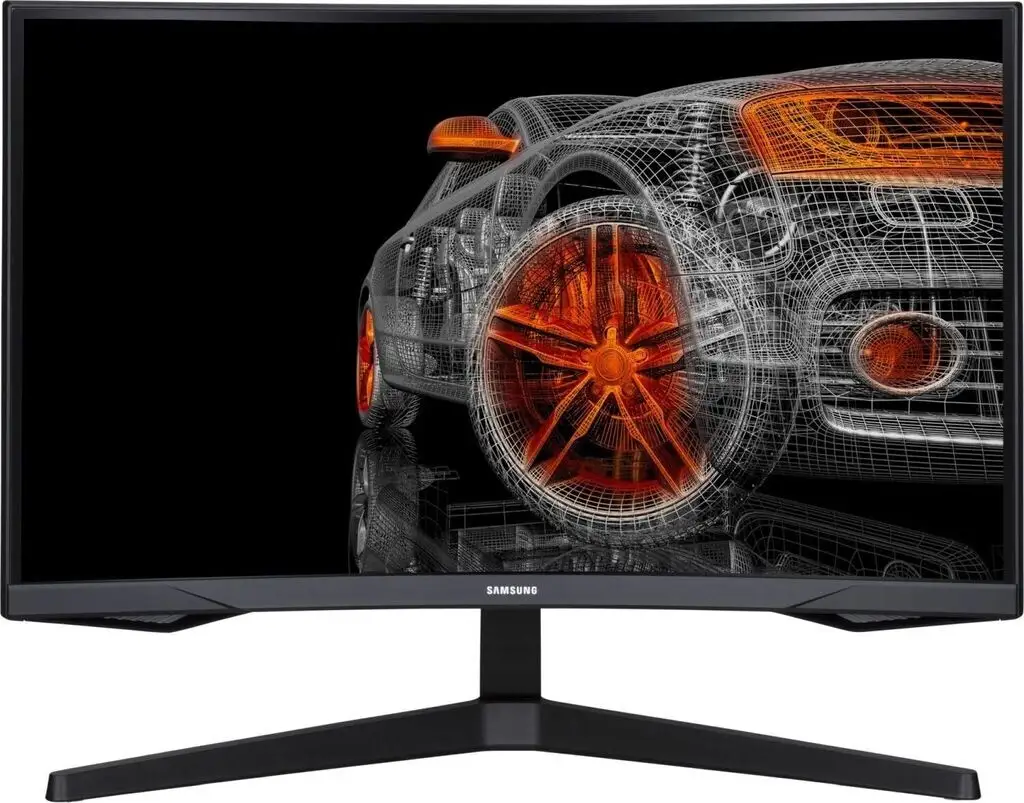
A verified buyer on Amazon summed it up sharply: “Its an amazing monitor especially for the price… only downside is no speakers but that’s expected for a gaming monitor.” The Samsung Odyssey G5 Series 27-Inch WQHD Curved Gaming Monitor delivers immersion, speed, and crisp visuals that resonate with most gamers — but a few design quirks and divided opinions on color quality keep it from being flawless. Based on broad user sentiment, it lands a solid 8.3/10.
Quick Verdict: Conditional — Highly recommended for gamers prioritizing refresh rate and immersion, but buyers seeking versatile tilt adjustments or built-in audio should look elsewhere.
| Pros | Cons |
|---|---|
| Gorgeous WQHD resolution with sharp detail | No built-in speakers |
| 144Hz refresh rate & 1ms response for smooth gameplay | Limited stand adjustability; tilt issues reported |
| True 1000R curvature for immersive experience | Some users find colors "washed out" |
| AMD FreeSync Premium reduces tearing & stutter | HDR impact varies with content/settings |
| Solid build quality compared to older Samsung models | Lack of extra input options (USB-C, multiple DisplayPorts) |
| Good value for performance offered | Stand design limits ergonomic flexibility |
Claims vs Reality
Marketing promises a “true immersion” 1000R curve and “awe-inspiring graphics with HDR10.” In practical use, multiple platforms agree the curvature indeed enhances engagement. A Best Buy customer praised, “Curved screen and best graphics… response time without spending too much money.” Reddit user reports mirror that, noting the curve “is even better in terms of viewing comfort than this monitor’s ancestor.”
However, HDR10’s “a kaleidoscope of shades” claim doesn’t always hold up. A Best Buy reviewer rated it 2/5, stating, “the color of the picture is very washed out,” directly contradicting the vivid scenes touted in marketing. This suggests HDR performance may be content-dependent or require calibration tweaks.
Samsung touts the stand’s tilt function (-2° to 18°), but a Newegg reviewer challenged this: “The monitor's instruction book swears that the monitor can be tilted up, but I can't figure out how… instructions are useless.” This mismatch between specs and usability affected more than one user’s ergonomic satisfaction.
Cross-Platform Consensus
Universally Praised
Across Best Buy, Newegg, and Trustpilot, picture clarity and motion handling dominate praise. Gamers benefit most. High pixel density (2560 x 1440) plus 144Hz refresh rate lets competitive players avoid ghosting. One Best Buy buyer noted, “Just the right size. No ghosting. Easy on the eyes.” For console users, this translates to crisp, low-lag visuals — “Amazing monitor for gaming, use it on my Series X… will recommend to anyone.”
Build quality earns respect. A Newegg reviewer compared it favorably to Samsung’s older SyncMaster line: “Stand is sturdier & feels less scary to manipulate…” This matters for those frequently repositioning their monitor during multi-device use.
Price-to-performance ratio garners near-universal approval, especially during sales. “Perfect for the price,” wrote a Best Buy user, emphasizing that WQHD+144Hz “hits the sweet spot” for critical specs without breaking budgets.
Common Complaints
The lack of speakers is a recurring ding, though expected in gaming-centric models. “Only downside is no speakers,” appears repeatedly. More disruptive is the stand’s limited adjustability — especially tilt. Some users simply worked around it with desk risers, but others saw it as a design oversight.
Color reproduction divides opinion. While many describe it as “gorgeous,” others encounter “washed out” tones, pointing toward calibration needs or panel variances. Those doing photo or design work may find this problematic.
Connectivity limitations also surface: only one HDMI and one DisplayPort. Users wishing for USB-C or more inputs for daisy chaining expressed disappointment.
Divisive Features
Curvature’s comfort is broadly liked, but some skeptics find 1000R too aggressive for multitasking. For competitive FPS gamers, rapid visuals outweigh curve concerns, but for office-mixed work, the wrap-around view may feel unnatural.
HDR remains split — console gamers sometimes praise richer darks, while PC users occasionally dismiss its effect as minimal. The difference appears tied to source content and HDR settings.
Trust & Reliability
Trustpilot sentiment aligns with general satisfaction in the short term. Durability feedback from Reddit suggests stable build over months — “rocked thus far once I got it hooked up…” No persistent defect issues beyond what’s expected from occasional shipping mishaps.
However, cautionary tales emerge. One Newegg reviewer closed with “my condolences to those who… fall victim to factory defect…,” implying while rare, defective units aren’t unheard of. Buyers are advised to thoroughly inspect units on arrival.
Alternatives
While no direct competitive models are named in bulk data, comparisons to Samsung’s own SyncMaster line surface. The G5 stands out for improved stand sturdiness and better comfort from curvature. Still, users seeking adjustable stands and richer factory color might consider the G7 or other higher-tier Odyssey models for broader ergonomic and visual tuning.
Price & Value
eBay listings range from around $180 used to $280 nearly new, with Amazon and retail prices hovering $269-$369 depending on sales. Resale value holds decently given the popular spec combo, and community sellers note easy arm mounting.
For budget-conscious gamers, waiting for seasonal discounts can push this into “no-brainer” territory. As one eBay seller put it, “Works perfectly… it’s wonderful!” — even after short-term use.
FAQ
Q: Does the Odyssey G5 have built-in speakers?
A: No, this model lacks built-in speakers. Users will need external audio solutions such as headphones or desktop speakers.
Q: Can the stand tilt as advertised?
A: Official specs claim -2° to 18° tilt, but multiple users struggled to adjust it without fear of damage. Some resort to desk risers instead.
Q: Is HDR10 effective on this monitor?
A: Effectiveness varies — console gamers often see richer blacks, but some PC users find HDR colors muted or washed out without adjustments.
Q: How good is it for competitive gaming?
A: Strong performance — 144Hz refresh with 1ms response keeps fast-paced visuals smooth, making it ideal for FPS and action titles.
Q: Can it be wall-mounted?
A: Yes, it supports 75x75 VESA mounting, useful for freeing desk space or custom setups.
Final Verdict: Buy if you’re a gamer wanting immersive curvature, fast refresh rates, and sharp detail at fair value. Avoid if you require versatile stand adjustments, factory-accurate color, or integrated speakers. Pro tip from the community: invest in a quality DisplayPort 1.4 cable to fully unlock 144Hz and 1ms performance without signal compromise.





