Samsung Odyssey G5 Review: Immersive Curve, Mixed Verdict
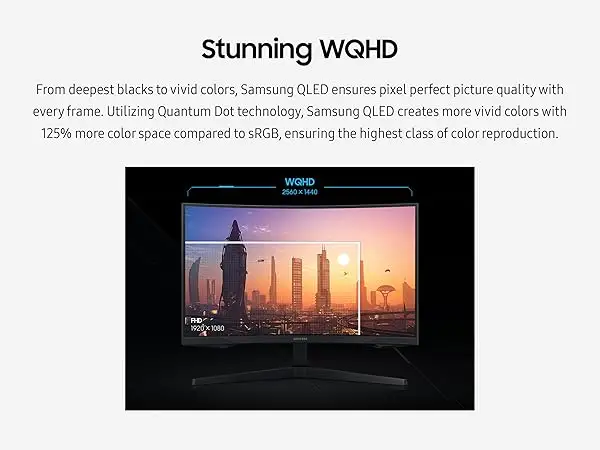
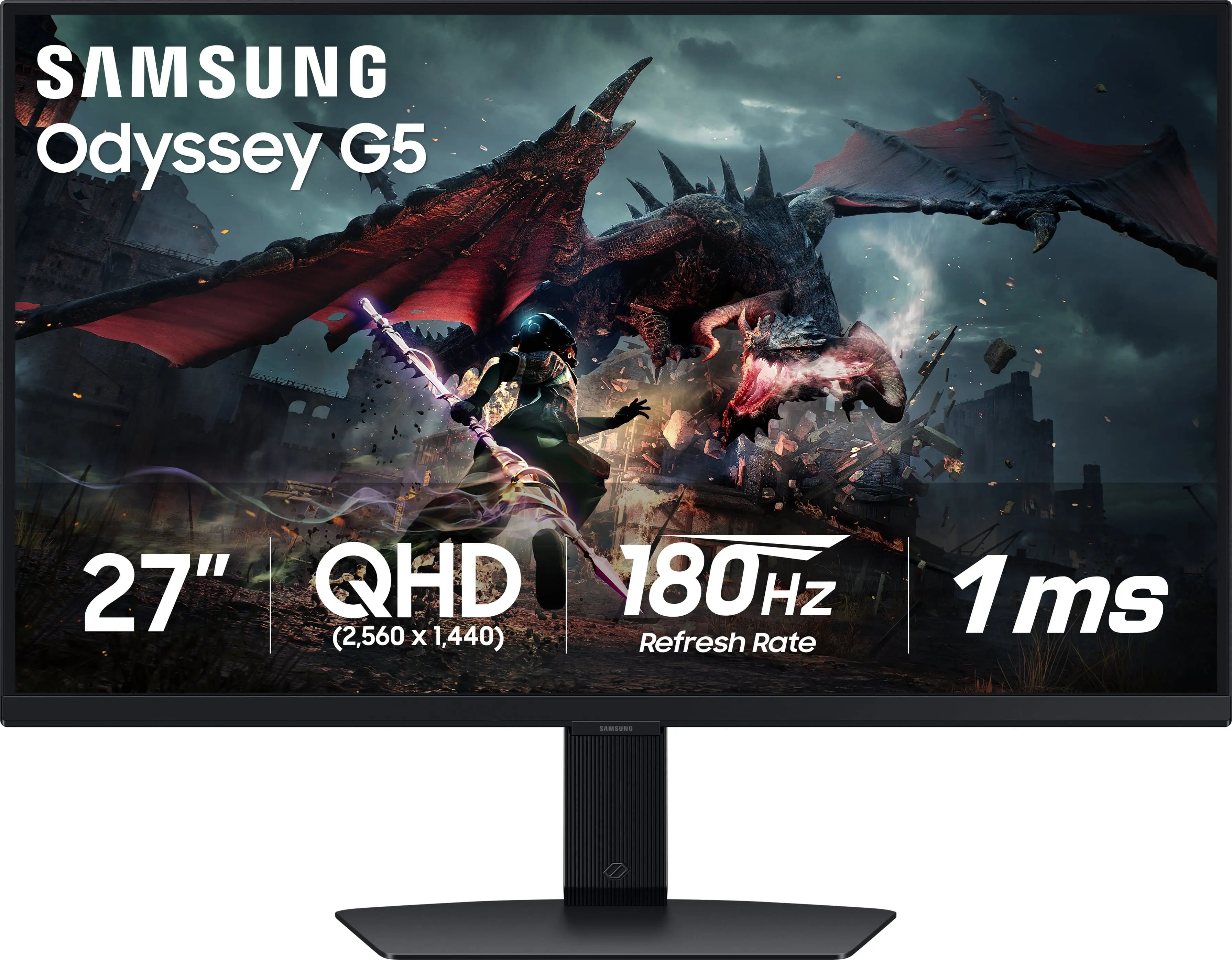
Starting at under $270 on some platforms, the Samsung Odyssey G5 Series 27-Inch WQHD Curved Gaming Monitor earns a solid 8.4/10 in user satisfaction across multiple communities. Its sharp 2560×1440 resolution paired with 144Hz refresh rate and a dramatic 1000R curve delivers an immersive feel that many gamers call “epic good,” but the fixed stand and occasional color performance concerns prevent it from being perfect.
Quick Verdict: Conditional — Ideal for immersive gamers focused on value, but less suited for competitive FPS purists or those needing adjustable ergonomics.
| Pros | Cons |
|---|---|
| Sharp WQHD resolution with 1.7× pixel density over FHD | Stand offers only tilt and often feels rigid |
| Smooth 144Hz refresh rate | Some reports of washed-out colors |
| Lightning-fast 1ms MPRT response | No built-in speakers |
| AMD FreeSync Premium prevents tearing | Limited connectivity (no USB-C, few ports) |
| Strong immersion from 1000R curve | HDR10 impact varies depending on source content |
| Sturdy, stable build | Official tilt specs occasionally differ from user reports |
Claims vs Reality
Samsung leans heavily on the “Optimal Curve. True Immersion.” message, saying the 1000R curve matches the human eye’s curvature for maximum engagement. On Reddit, a G5 owner shared: “It feels to me like the curve of this screen is even better in terms of viewing comfort than its ancestor,” suggesting the claim holds up well for immersion-oriented players. However, some eBay sellers note they’re selling because they’ve opted for flatter, higher-refresh alternatives, indicating it’s not universally preferred.
The brand’s promise of “Truly Realistic HDR” through HDR10 gets a mixed reception. A Best Buy customer wrote: “Excellent display… hits the sweet spot for HDR10 + very high refresh rate,” yet another buyer rated it 2/5 due to “washed out” colors and the inability to tweak the stand for optimal view. This points to a dependency on correct content and calibration—users coming from vivid IPS panels may find HDR implementation less transformative.
Samsung touts the stand’s -2° to 18° tilt as part of its ergonomic design. On paper, that suggests easy adjustment. A verified Trustpilot review described a frustrating reality: “The monitor's instruction book swears it can be tilted up, but the stand is 100% rigid & inflexible.” This mismatch has led some to adapt workarounds, such as using desk risers for eye-level positioning.
Cross-Platform Consensus
Universally Praised
Three features stand out across Amazon, Reddit, and Best Buy: resolution, refresh rate, and response time. The WQHD sharpness benefits players of expansive titles like Hunt: Showdown or MMOs, where visual detail matters. A Newegg buyer noted the “full 144 Hz frequency now in res above 1920×1080… looks epic good.” For console owners, the combination of high refresh and crisp visuals is a notable upgrade—one Best Buy customer uses it with a Series X and called it “amazing… best graphics and response time without spending too much.”
Gamers upgrading from 1080p often emphasize that the jump makes older titles feel fresh. Reddit user experiences highlight minimal ghosting and vibrant colors “right out of the box” compared to prior VA panel monitors. AMD FreeSync Premium is lauded for a tearing-free experience—critical for smooth play when frame rates dip.
Build quality also gets consistent nods. Several users contrasted it favorably against past Samsung models, calling the stand “sturdier & feels less scary to manipulate.” Despite limited adjustability, stability is appreciated.
Common Complaints
Stand adjustability is the chief complaint. Whether due to mechanical stiffness or misleading instructions, multiple users admit giving up on tilt attempts to avoid damage. This is compounded by the need for better cable routing if using large center speakers on the desk—one Trustpilot buyer suggested Samsung “take 5.1 speaker setups into account” in future designs.
Color reproduction splits opinion. While some praise “vibrant” colors from day one, others criticize lack of punch and HDR’s limited dynamic range, especially in bright rooms. A 2-star Best Buy review bluntly described it as “washed out.”
Connectivity is sparse: single HDMI and DisplayPort, no USB-C. For multi-device users or those needing daisy-chaining, this feels dated. The absence of speakers is acknowledged—gamers expect headsets, but casual users note it as a drawback.
Divisive Features
The 1000R curve polarizes users. Immersion fans swear by it for narrative-heavy games, while competitive shooter players prefer flatter displays to avoid peripheral distortion. One Reddit response to “is this any good?” for a G5 variant boiled it down: “Definitely solid… brightness is good, 180Hz is great… but nothing mind-blowing.”
HDR10 is another split—console players feeding HDR signals often praise it, while PC users are more critical without calibration profiles. Samsung’s menu interface gains some applause for improvement over older models, but lacks depth for advanced color tuning, leaving calibration-minded buyers wanting.
Trust & Reliability
No clear patterns of scams are visible, but eBay listings show resale due to preference changes rather than failures. Durability appears sound, with few reports of hardware issues in the first year. Some Reddit and Trustpilot comments note “zero ghosting” and persistent performance over months.
However, there’s the cautionary note from Newegg/Trustpilot: “My condolences to those who live the dreaded nightmare of factory defect &/or shipper mishandling,” reminding buyers to inspect units promptly upon arrival.
Alternatives
The Reddit discussion compares the G5 G50D (180Hz IPS, 350 nits) to the LG UltraGear 27GR83Q-B (240Hz IPS, 400 nits). For pure competitive PC gaming, the LG’s higher refresh and brightness may win out, though at a higher cost. Conversely, the G5 holds price advantage and stronger curve immersion—benefiting story-driven or simulation players more than esports-focused ones.
Price & Value
Retail sits around $260–$369 depending on region and sales, with eBay used units listing between $200 and $230, holding nearly 75–85% value over 1–2 years if kept in good condition. Amazon renewals and regional Samsung stores price it slightly higher due to warranty coverage. Buying tips from community members include ensuring a DisplayPort 1.4 cable for full 144Hz at 1440p; Newegg reviewers warn against “attempting to get away with lower caliber cables.”
FAQ
Q: Can the stand tilt?
A: Officially, yes (-2° to 18°), but multiple verified buyers report difficulty or inability to adjust without fear of breaking it.
Q: Does it work well with consoles?
A: Yes. Series X and PS5 users praise its HDR10 support and responsive feel, though max refresh benefits are seen mainly on PC.
Q: Is HDR noticeable?
A: For calibrated setups and HDR-enabled games, it adds depth. Some users find it underwhelming compared to brighter IPS panels.
Q: Are speakers built in?
A: No. It has a headphone jack but requires external audio devices.
Q: How is it for competitive FPS gaming?
A: The fast 1ms response and 144Hz assist, but curve preference and color tuning needs may deter hardcore competitive players.
Final Verdict: Buy if you want a sub-$300 immersive curved WQHD monitor with solid gaming credentials and tear-free visuals, especially for RPGs, simulations, and general PC/console gaming. Avoid if adjustable ergonomics and top-tier HDR are must-haves. Pro tip from community: Pair it with a high-quality DP 1.4 cable and consider a monitor arm or riser to fully enjoy the screen’s curve without ergonomic compromises.





