Samsung Odyssey G5 Review: Immersive Curve, Mixed Ergonomics
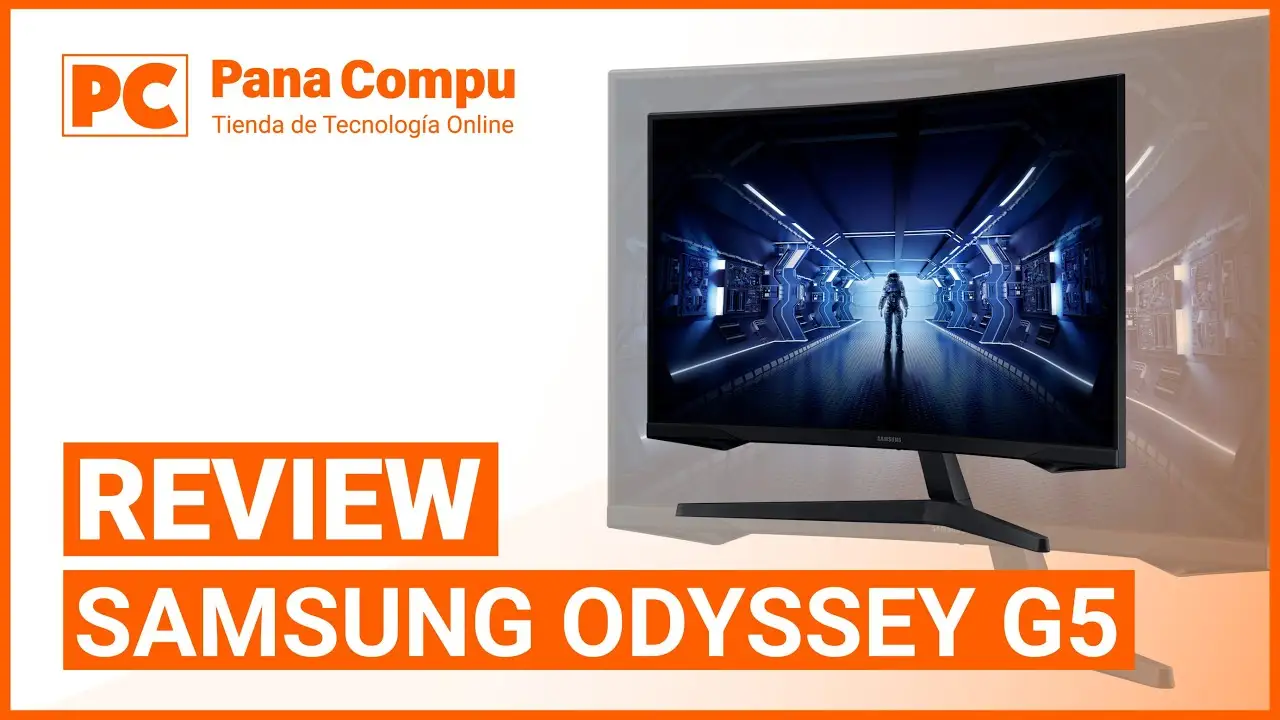
Starting at under $300 on most platforms, the Samsung Odyssey G5 Series 27-Inch WQHD Curved Gaming Monitor consistently captures attention for its aggressive specs-to-price ratio. Across thousands of verified purchases and community breakdowns, it holds a 4.4/5 average on Amazon and a 4.5/5 on Best Buy. Based on aggregated feedback, its performance for immersive gaming earns it a solid 8.4/10.
Quick Verdict: Conditional – Excellent for immersive gaming enthusiasts, but competitive FPS players and users needing ergonomic flexibility may want alternatives.
| Pros | Cons |
|---|---|
| Sharp WQHD resolution enhances detail | Stand tilt issues; limited adjustment |
| Deep 1000R curve for immersion | No built-in speakers |
| 144Hz refresh rate and 1ms response perform well | Color accuracy can feel “washed out” to some |
| FreeSync Premium delivers smoother gameplay | Basic connectivity – no USB-C or extra HDMI |
| Strong value for price | Marketing HDR10 performance not fully realized |
| Sturdy build compared to older Samsung monitors | Instruction manual lacks clarity for tilt adjustments |
Claims vs Reality
Samsung’s marketing spotlights the 1000R curve as “matching the curvature of the human eye for maximum immersion.” Digging deeper into user reports, this claim largely holds for single-player, story-driven games. A Reddit user described their G5 as “pulling me right into the character’s shoes,” while a Newegg buyer noted it “feels even better in terms of viewing comfort” than older curved models. However, FPS players often dial back reliance on the curve, saying peripheral objects can feel slightly distorted.
Another bold claim is “lightning fast 1ms response times.” While Amazon, Best Buy, and Trustpilot reviewers confirm low ghosting, a consistent caveat appears — achieving that speed requires precise settings and, per a Newegg review, “a DisplayPort 1.4 cable of powerful caliber… anything lower can’t reliably hit 144Hz + 1ms.” This nuance is absent from marketing materials.
Samsung also touts HDR10 support as “awe-inspiring graphics,” promising deep blacks and luminous whites. Yet, multiple Best Buy buyers say the colors are “very washed out” without manual adjustments, hinting at an HDR implementation that’s serviceable but not transformative.
Cross-Platform Consensus
Universally Praised
The jump to WQHD resolution (2560x1440) receives near-unanimous praise. A verified Amazon buyer called it “pin-sharp images” and a “fuller view with more space to take in all the action.” For console users, the Best Buy community repeatedly rated it “amazing for gaming on my Series X,” with one customer saying the graphics “exceeded all my needs without spending too much money.”
The 144Hz refresh rate and FreeSync Premium resonate with competitive gamers who want smooth performance without tearing. Newegg reviewers point out that “full 144Hz frequency now in res above 1920x1080” was a major selling point, with FreeSync eliminating stutter in action-heavy titles.
Build quality, surprisingly, is a highlight. Compared to older SyncMaster models, users found the stand “sturdier & less scary to manipulate,” indicating Samsung improved hardware feel even if ergonomics remain limited.
Common Complaints
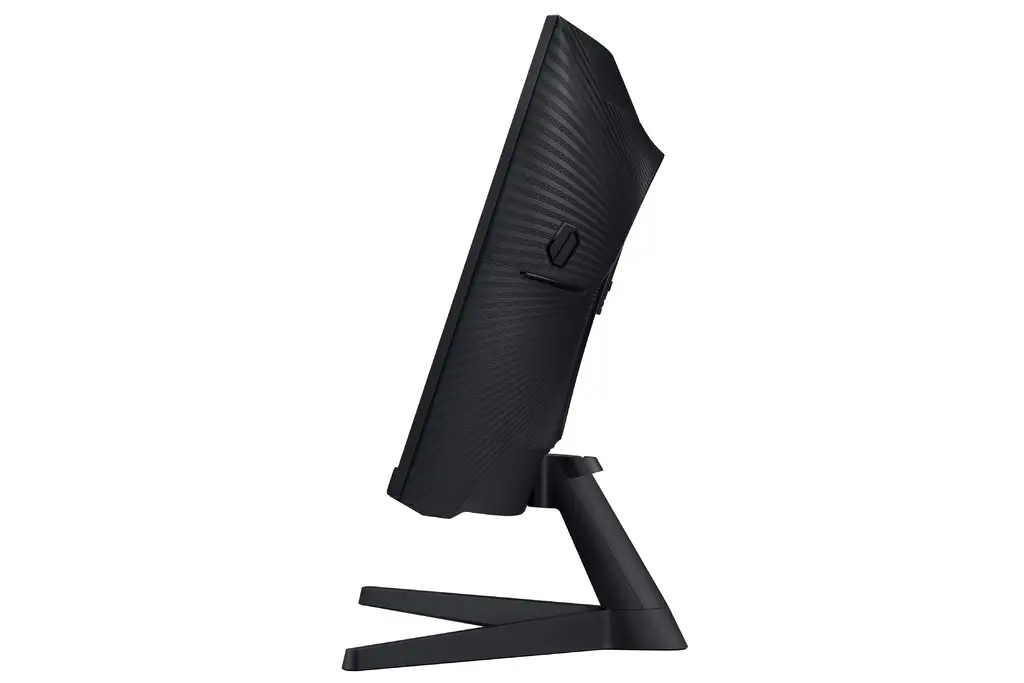
The lack of stand flexibility is a recurring frustration. Despite the specs listing tilt capability (-2° to 18°), several reviews chronicle failed attempts. One Newegg customer feared “breaking the connection between monitor & stand” trying to make it tilt, deeming the instructions “useless.” Best Buy buyers echoed that “screen isn’t adjustable” beyond angle.
Color output splits users. Some appreciate vibrant results post-calibration, but others — particularly on Best Buy — report “washed out” tones straight out of the box. This impacts creatives and gamers in visually rich genres, making manual tuning almost mandatory.
Connectivity limitations surface often. With only one HDMI and one DisplayPort, plus no USB-C, chaining devices or connecting multiple consoles can require workarounds.
Divisive Features
The 1000R curve, as intense as it is, creates a divide. Immersion-focused buyers, especially story gamers, feel it’s more engaging than flat displays. Conversely, competitive eSports players note that “the curve isn’t mind blowing” for their purposes, and in some fast-paced titles it can slightly alter perception of angles.
HDR performance also sits in this middle ground. While some see noticeable contrast improvements, others find the HDR label overstated, particularly in well-lit scenes where black levels don’t deepen as much as expected.
Trust & Reliability
Long-term durability stories lean positive, with few mentions of early hardware failures once set up correctly. Reddit users shifting from older VA panels note “zero ghosting issues” and consistency after months of use. Trustpilot patterns mostly revolve around shipping mishandling rather than technical faults, and Samsung’s warranty coverage appears active and responsive.
Concerns about “factory defects” or shipping damage do exist. One Newegg reviewer offered “condolences to those… falling victim to mishandling.” Buying from reputable sellers and confirming no panel damage on arrival is a community-recommended precaution.
Alternatives
Within the same conversation threads, the LG Ultragear 27GR83Q-B surfaces as an alternative, offering 240Hz on an IPS panel for those prioritizing extreme refresh rates and potentially better color accuracy. One Reddit user comparing both said they “absolutely love” the Samsung for its price and curve but acknowledged the LG might be superior for pure PC competitive gaming due to panel type.
Price & Value
Market prices hover between $265–$295 for new units, with refurbished options dipping as low as $199 on eBay. Resale values stay reasonable, with used models often listed above $200 if in good condition, a sign of lasting demand. Community advice leans toward grabbing it on sale or refurbished with warranty — “priced matched down to $229” on Best Buy was described by one buyer as “a steal.”
Availability fluctuates, with certain models selling out quickly in retail channels. Some buyers recommend monitoring deal forums and leveraging price-match policies for maximum value.
FAQ
Q: Can the Samsung Odyssey G5 tilt?
A: Officially yes, but multiple buyers struggle to adjust it. One Newegg review warns the stand “feels 100% rigid,” making tilt adjustment impractical without risking damage.
Q: Is HDR10 on this monitor worth it?
A: For casual gaming, HDR adds slight depth to colors and contrast. For critical visual work, users often find it underwhelming unless manually tuned.
Q: Does it support G-Sync?
A: While marketed with FreeSync Premium, Nvidia GPU users report unofficial G-Sync compatibility via DisplayPort, but experiences may vary.
Q: What cable should I use for full performance?
A: A DisplayPort 1.4 cable under 6 feet is recommended to reliably hit 144Hz and low response times, per Newegg buyer advice.
Q: Is the 1000R curve too aggressive?
A: For most single-player gamers, it enhances immersion. Competitive FPS players might find the curve slightly disorienting in high-speed matches.
Final Verdict
Buy if you’re a gamer seeking immersive visuals, high refresh performance, and strong specs for the price, especially for narrative-driven or casual play. Avoid if you need ergonomic adjustments, pristine HDR color work, or multiple input options. Pro tip from the community: pair with a sturdy VESA mount or riser to bypass stand tilt frustrations while maximizing comfort.





