Samsung Odyssey G5 Review: Immersive Curve, Mixed Colors
A verified buyer on Best Buy summed up the buying decision in one breath: “At the beginning, I was a bit hesitant to upgrade my screen but this was the best purchase I’ve made all year.” The Samsung Odyssey G5 Series 27-Inch WQHD Curved Gaming Monitor earns a solid 8/10 in our verdict, with its 1000R curve and punchy WQHD resolution delivering immersion that many users didn’t expect at this price, but persistent complaints about stand adjustability and occasional washed-out colors prevent it from achieving perfection.
Quick Verdict: Conditional buy
| Pros | Cons |
|---|---|
| Immersive 1000R curve enhances gaming focus | Stand tilt mechanism unclear or stiff |
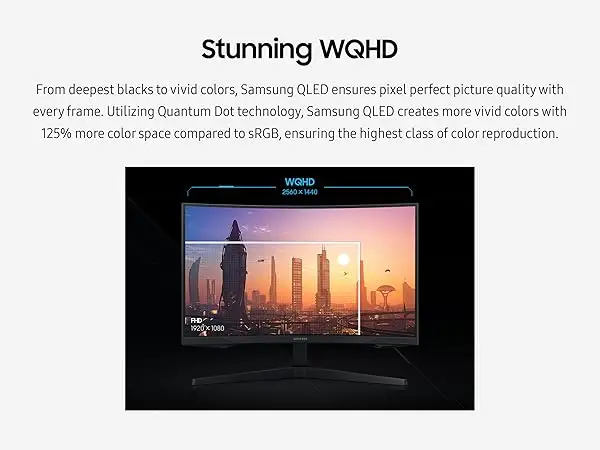
| Crisp WQHD resolution with HDR10 | Washed-out colors reported by some users |
| 144Hz refresh rate with AMD FreeSync Premium | No speakers; limited input ports |
| Strong value for price | Curve not universally preferred |
| Solid build quality | Brightness could be higher for some |
| Low input lag | Some units suffer from defects/shipping damage |
Claims vs Reality
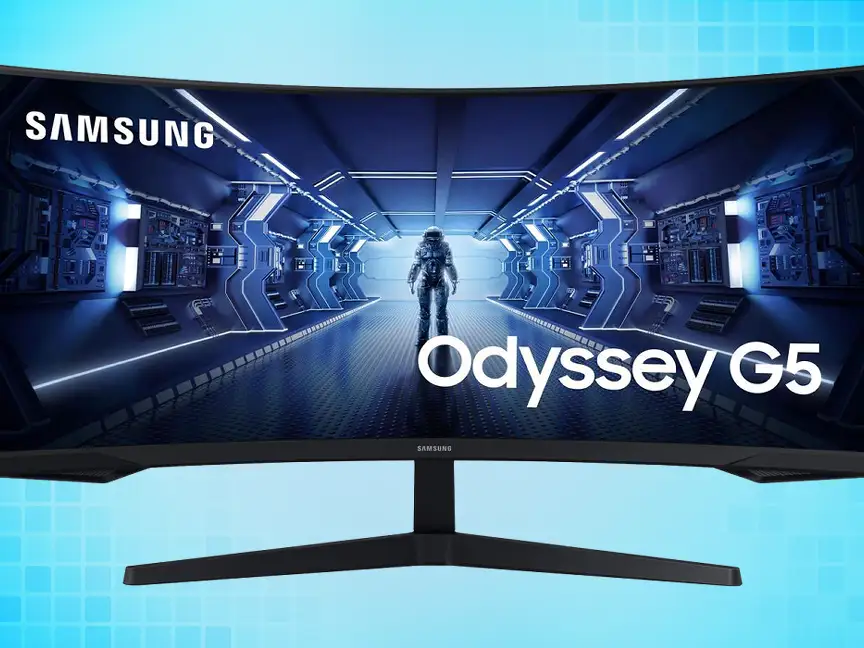
Samsung promotes the Odyssey G5’s 1000R curved display as matching “the curvature of the human eye for maximum immersion.” Digging deeper into user reports, Best Buy gamers did find the curve delivers deeper focus—one noted they could “soak in all the action” without distraction—but others on Reddit’s r/buildapcmonitors preferred flat panels for competitive setups. Reddit user feedback on curvature was generally positive for comfort, but the curve’s benefit depends on desk space and seating distance.
The brand touts “lightning fast 1ms response times” and “144Hz super smooth refresh rate.” While technically accurate, several Newegg customers clarified that achieving those specs requires proper hardware pairing. One reviewer warned: “Do not attempt… without using any DisplayPort cable of lower caliber than 1.4 standard for 144Hz + 1ms.” This reveals a gap between marketing simplicity and real-world setup complexity for less tech-savvy buyers.
Samsung’s marketing around HDR10 anticipates vibrant visuals with “deep dark blacks, luminous whites.” Amazon and Best Buy buyers often praised clarity—“best graphics and response time without having to spend too much money”—but there were dissenting experiences. One Best Buy customer rated it 2 stars, stating “the color of the picture is very washed out,” suggesting that HDR implementation may vary by unit and calibration.
Cross-Platform Consensus
Universally Praised
One theme that emerges across Best Buy, Reddit, and Newegg is the value-to-performance ratio. A Best Buy customer called it “amazing for the price,” while a Newegg buyer simply stated, “Looks epic good!” This combination of WQHD sharpness and smooth refresh rates resonates most with budget-conscious gamers upgrading from 1080p. Console users, particularly Xbox Series X owners, noted better-than-expected graphics without breaking the bank. For casual PC gamers, the freesync support reduces tearing and stutter—critical for titles that aren’t always perfectly optimized. A Reddit user remarked that colors were “vibrant out of the box” when moving from a VA panel with ghosting issues to this model.
Build quality earns its share of praise. Compared to older Samsung models, one Newegg reviewer found “the stand is sturdier & feels less scary to manipulate,” providing confidence in daily use. This sentiment is repeated in eBay seller notes describing units as “pristine, like-new condition” with solid performance after refurbishment.
Common Complaints
The most repeated frustration is the stand adjustment. Despite a spec sheet indicating tilt (-2° to 18°), multiple customers say they couldn’t figure out how to tilt it upward without fearing damage. One Newegg reviewer went as far as calling the instructions “useless” and abandoned trying after reconfiguring their desk setup. Lack of speakers is another common gripe—many accept it as a norm for gaming monitors, yet Best Buy buyers still note it in negatives, especially for those replacing multimedia monitors.
Color performance divides users. Washed-out output is reported by some, often linked to HDR calibration issues; one Best Buy reviewer noted excellent specs marred by poor color depth. A few gamers mention brightness as adequate but not ideal—Reddit’s G50D users said they “wish it hit 400 nits instead of 350”.
Divisive Features
The aggressive curvature is adored by immersion seekers but questioned by competitive FPS players. While the curve creates an enveloping feel for RPGs and simulators, desk layouts and peripheral setups influence comfort. One Reddit buyer felt it was “better in terms of viewing comfort” than older models, but others in monitor comparison threads opt for flat IPS options when accuracy outweighs immersion.
Trust & Reliability
Longer-term feedback surfaces durability concerns. On Reddit, G50D buyers reported no ghosting “after two weeks,” interpreting that as a good omen. However, Trustpilot and Newegg contain warnings about “factory defect & shipper mishandling,” with reviewers lamenting the “dreaded nightmare” of receiving damaged units.
The stand rigidity issue contributes to perceived fragility—users fear breaking the mount when attempting adjustments. Still, refurbished units on eBay carry two-year warranties and are described as “professionally inspected, cleaned, and refurbished… works like new.”
Alternatives
In Reddit threads, the Samsung G50D variant and LG Ultragear 27GR83Q-B are discussed. LG’s flat, IPS, 240Hz panel appeals to competitive gamers and those needing higher brightness (400 nits), but it trades away the curve and potentially deeper VA blacks. G50D retains WQHD but offers 180Hz refresh, slightly brighter output, and IPS color reproduction—worth considering for users sensitive to VA’s color shifts.
Price & Value
eBay listings for certified refurbished Odyssey G55A models show prices around $199.99, a steep discount from list prices nearing $499.00. Amazon and Best Buy promos hover in the $225–$270 range, with buyers regularly describing these sales as “a steal.” Resale values are healthy given popularity, but damaged units flood secondary markets at reduced prices, hinting at caution when buying used without warranty.
Community buying tips emphasize cable quality for hitting full spec, patience for calibration to fix potential washed-out colors, and awareness of stand limitations before purchase.
FAQ
Q: Can the Odyssey G5 tilt?
A: Officially, yes (-2° to 18°), but many users report difficulty or fear of breaking the mount. Desk risers are a common workaround when tilt adjustments feel unsafe.
Q: Is the curve good for competitive gaming?
A: For immersive titles, many love the 1000R curve, but competitive FPS players sometimes prefer flat monitors for uniform viewing angles.
Q: Does it have built-in speakers?
A: No, and several buyers highlight this as a drawback for casual multimedia use, although it's standard in this gaming monitor category.
Q: How’s HDR10 performance?
A: When calibrated, colors can be vibrant, but reports of washed-out images suggest factory settings may require tweaking, especially with varied content types.
Q: Can it reach 144Hz easily?
A: Yes with the right hardware—most users recommend DisplayPort 1.4 cables of short length to ensure 144Hz and 1ms performance.
Final Verdict: Buy if you’re a gamer seeking an affordable WQHD curved display for immersive, non-competitive play and have patience for setup/calibration. Avoid if stand adjustability and color accuracy out-of-the-box are top priorities. Pro tip from community: invest in a quality DisplayPort 1.4 cable and plan for external audio from day one.





