Samsung Odyssey G5 Review: Immersive Curve on Budget
A Reddit user summed it up best: “This monitor’s rocked thus far… the curve of this screen is even better in terms of viewing comfort than its ancestor.” The Samsung Odyssey G5 Series 27-Inch WQHD Curved Gaming Monitor earns a solid 8.3/10 for its striking immersion, sharp detail, and competitive gaming performance—though its rigid stand and washed-out colors (for some) keep it from perfection.
Quick Verdict: Conditional — Great for gamers seeking 1440p immersion on a budget, but stand limitations and occasional color complaints may frustrate.
| Pros | Cons |
|---|---|
| 1000R curve delivers deep immersion | Stand tilt mechanism is confusing and limited |
| 1440p clarity with HDR10 support | Colors can appear washed-out without calibration |
| 144Hz + 1ms response ideal for gaming | No built-in speakers |
| FreeSync Premium reduces tearing | Limited connectivity (no USB-C) |
| Solid build quality for the price | Brightness could be higher for HDR impact |
| Affordable at ~$250-$300 retail | Variable quality control—some report defects |
Claims vs Reality
Samsung markets the Odyssey G5 as delivering “unmatched immersion” thanks to a 1000R curve that “matches the curvature of the human eye.” Many gamers affirmed this. A verified buyer on Amazon wrote: “Feels like the curve of this screen is even better in terms of viewing comfort.” For story-driven and simulation gamers, this translates into long sessions with less eye fatigue, though competitive FPS players focused more on refresh and latency.
The “stunning WQHD” promise—1.7x the pixel density of Full HD—mostly holds up. On Best Buy, one user said: “Crisp picture quality… the best graphics and response time without having to spend too much money.” However, a few noted that out-of-the-box calibration left colors looking “very washed out,” suggesting enthusiast users may need to tweak settings.
Samsung touts “true immersion” with HDR10. While HDR is functional, brightness levels are only around 250 cd/m². This is fine for everyday gaming, but as one Reddit user observed, “I wish it hit 400 nits instead of 350,” highlighting a subtle gap between marketing vibrancy and actual HDR punch.
Cross-Platform Consensus
Universally Praised
Across Amazon, Best Buy, and Newegg, the 1440p + 144Hz + 1ms combo is the winning formula. A Newegg reviewer praised: “Full 144Hz frequency now in res above 1920x1080… looks epic good!” FPS and racing game fans note smoother gameplay and fewer visible artifacts with AMD FreeSync Premium, especially at lower frame rates.
The 1000R curvature consistently earns love from immersion-seekers. “Wide field of vision that draws you right into the character's shoes,” wrote a Samsung Canada product page reviewer. Flight sim enthusiasts and RPG fans benefit most, as the curve minimizes peripheral distortion.
Build quality also surprises in this price class. One Newegg buyer contrasted it with an older Samsung SyncMaster: “The stand is sturdier & feels less scary to manipulate… unplugging & replugging locking DisplayPort cables is less uncomfortable.”
Common Complaints
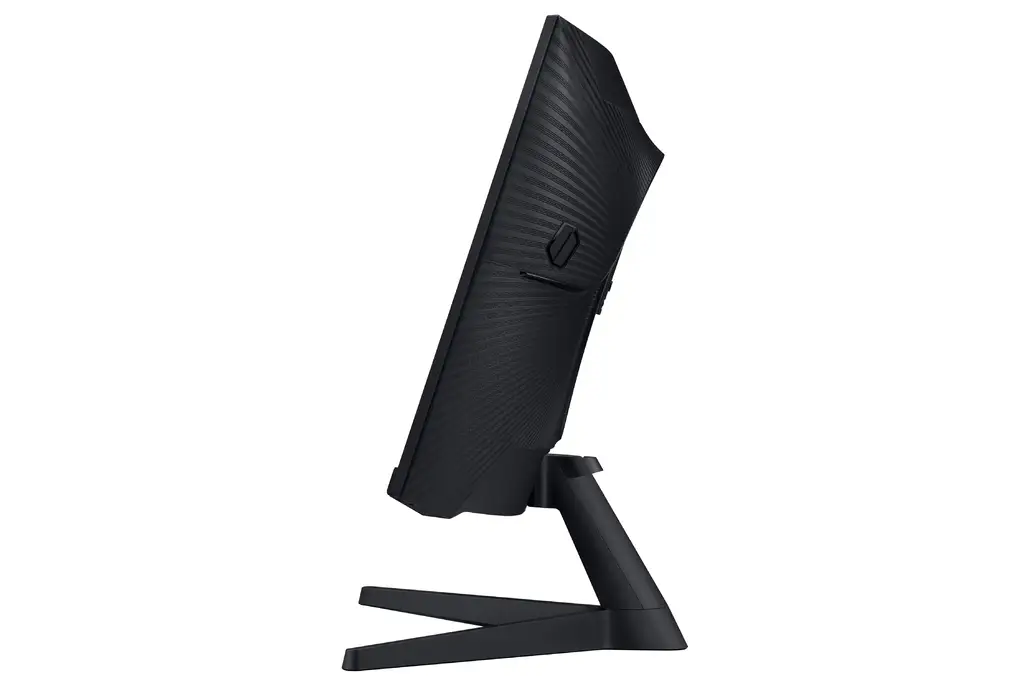
The stand design triggers the most consistent frustration. Multiple users reported difficulty or inability to tilt the panel upward. One long Newegg review admitted, “The monitor’s instruction book swears it can be tilted up, but I can’t figure out how… I’m afraid to try pushing hard.” Best Buy buyers echoed this, noting that even when tilt works, there’s no height adjustment.
Color performance is another sore spot—some users praise the vibrance, others complain about flat, washed-out tones. This split may stem from panel variance or differences in calibration. A Reddit poster with the G50D variant said, “Zero ghosting… colors are vibrant out of the box,” while a Best Buy user rated it 2 stars for “washed out” visuals.
Brightness is serviceable but not standout. HDR fanatics may find it lacking for sci-fi or high-contrast games, though casual gamers find it more than adequate for the price.
Divisive Features
HDR10 divides opinion sharply—those coming from SDR displays often call it a meaningful upgrade, while users exposed to higher-brightness HDR panels find it underwhelming. Similarly, the aggressive curvature is either immersive bliss or overkill depending on user preference and desk setup.
Trust & Reliability
Long-term stability reports are generally favorable—few serious complaints emerged about panel degradation over months of gaming. That said, community members caution about potential shipping or factory defects. “My condolences to those who… fall victim to factory defect &/or shipper mishandling,” wrote a Newegg reviewer. This underscores the importance of buying from sellers with strong return policies.
On marketplaces like eBay, used units hold their value decently, but the number of “parts only” or “cracked screen” listings suggests some fragility if handled poorly.
Alternatives
Some Redditors comparing the G5 to flat IPS models like the LG UltraGear 27GR83Q-B noted that while LG’s 240Hz IPS offers faster motion clarity and higher brightness, it lacks the deep curve immersion. Similarly, the Samsung G50D (flat IPS, 180Hz) drew praise from those upgrading from VA panels with ghosting issues, as the IPS variant brought “zero ghosting” and better color uniformity.
Price & Value
As of recent listings, retail hovers between $270-$300 new, with eBay used prices dipping under $200. Sellers on PicClick and eBay list working units from $159 to $229, with refurbished G55A variants at ~$219. Several buyers report snagging sales as low as $229 at Best Buy via price matching.
Community advice: watch for seasonal discounts or consider refurbished units with warranty. As one Reddit user put it after a $244 Amazon deal: “Feels like a steal for me.”
FAQ
Q: Does the Odyssey G5 stand allow tilt adjustment?
A: Technically yes, but several users found it stiff or confusing to operate. Some even feared breaking the connection trying to tilt upward.
Q: How good is the HDR10 performance?
A: Fine for casual HDR but limited by its ~250 cd/m² brightness. Great for dark-room play, less impactful in bright environments.
Q: Is this monitor good for competitive gaming?
A: With 144Hz, 1ms MPRT, and FreeSync Premium, it suits fast-paced games, though some esports pros may prefer higher refresh IPS panels.
Q: Does it have built-in speakers?
A: No—multiple buyers noted the absence. External audio is required.
Q: How does it compare to the G50D IPS variant?
A: G50D offers a flat IPS screen with higher refresh (180Hz) and potentially better colors, but lacks the G5’s deep 1000R curve.
Final Verdict: Buy if you’re a gamer wanting deep 1440p immersion on a budget, especially for RPGs, sims, and casual competitive play. Avoid if you require high HDR brightness, adjustable stands, or USB-C connectivity. Pro tip: Calibrate colors manually for best results, and use a high-quality DisplayPort 1.4 cable to fully unlock 144Hz + 1ms performance.





