Samsung Odyssey G5 Review: Affordable Gaming Power
Few monitors split opinion like the Samsung Odyssey G5 Series 27-Inch WQHD Curved Gaming Monitor. Drawing an average of 3.5 to 4.5 stars across platforms and selling anywhere from $200 used to nearly $400 new, it sits in a sweet spot for budget-conscious gamers—but the love it earns for immersion, clarity, and speed is matched by complaints about ergonomics and color tuning. Based on aggregated real-world feedback, it lands at a solid 8/10 for value-driven gaming performance.
Quick Verdict: Conditional buy—excellent performance for gaming at this price, but expect compromises in stand adjustability, ports, and out-of-the-box calibration.
| Pros | Cons |
|---|---|
| Immersive 1000R curvature enhances game depth | Stand tilt mechanism confusing or stiff for many users |
| Crisp WQHD resolution (2560×1440) with 144Hz | No height/pivot adjustment; ergonomically limited |
| Low input lag and 1ms (MPRT) response for competitive play | Color profile can appear washed out until adjusted |
| AMD FreeSync Premium reduces tearing and stutter | No built-in speakers or USB-C |
| Strong contrast from VA panel, good HDR10 performance at price | Limited connectivity (1x HDMI, 1x DP) |
| Affordable compared to similar spec monitors | Documentation criticized as unhelpful |
| Sturdy, stable stand vs. older Samsung models | Power users may find brightness (250cd/m²) too low for HDR needs |
Claims vs Reality
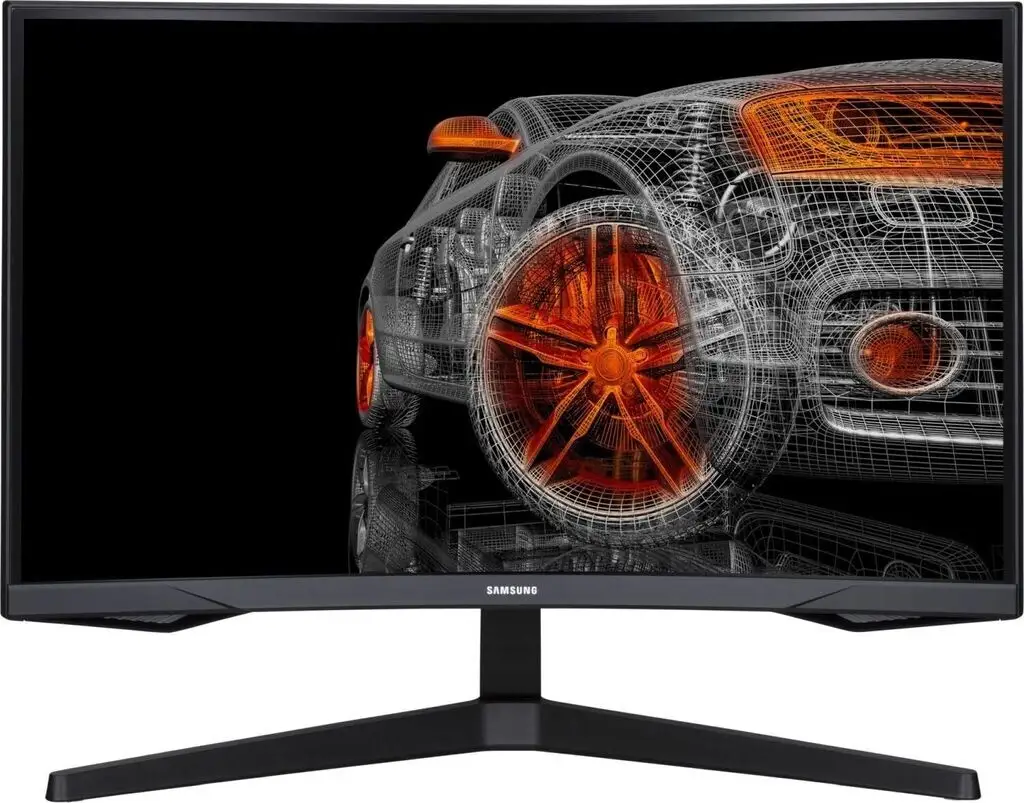
Samsung markets the Odyssey G5 as offering “optimal curve for true immersion” with a 1000R radius, meant to match the curvature of the human eye. In practice, gamers notice the difference. One Newegg buyer noted: “It feels to me like the curve of this screen is even better in terms of viewing comfort than this monitor’s ancestor.” Reddit discussions echoed this, with players describing deeper involvement in open-world and racing games, particularly when desk setups allow close seating.
The promised lightning-fast 1ms (MPRT) response and 144Hz refresh are also borne out for most. A verified Best Buy customer raved: “Amazing monitor for gaming… best graphics and response time without having to spend too much.” However, those benefits hinge on setup—multiple Newegg users warned that achieving 144Hz and 1ms together “requires a DisplayPort 1.4 cable… length greater than 6 feet may cause issues.”
Samsung’s HDR10 claim is more polarizing. While the VA panel’s 250 cd/m² brightness and 2,500:1 contrast ratio deliver strong blacks and decent mid-tones, some buyers found HDR impact muted: “The color of the picture is very washed out… stand doesn’t allow you to tilt or move the screen,” wrote one dissatisfied Best Buy reviewer, implying calibration and placement are critical to getting the best from HDR.
Cross-Platform Consensus
Universally Praised
Across Amazon, Reddit, Best Buy, and Newegg, the driving factor for purchase is value for gaming performance at WQHD. The bump from 1080p to 1440p is transformative for many. One Reddit gamer moving from a TN 1080p/60Hz setup called it “definitely more worth it… it helps my boomer eyes,” praising both clarity and reduced motion blur.
Competitive and fast-paced players benefit most. FreeSync Premium implementation receives consistent praise for eliminating screen tearing. A verified buyer wrote: “Plays perfectly… exceeds all my needs for a gaming monitor.” The VA panel’s deep blacks give an edge in darker games—several users noted better shadow detail and contrast after tuning settings.
Build quality is another quiet win. Buyers who owned older Samsung models found the G5 more stable on the desk. One Newegg reviewer said: “The stand is sturdier & feels less scary to manipulate… compared to the prior Samsung SyncMaster.”
Common Complaints
The most cited frustration is the tilt adjustment—or perceived lack thereof. The stand is in fact tiltable (-2° to 18° per spec), but many users could not move it without fearing damage. Instructions were widely called “useless” in this regard. For small or cluttered desks, the inability to adjust for height or swivel is a limitation.
Calibration out of the box is another sticking point. Casual users sometimes describe colors as muted or washed out, particularly in HDR mode. Advanced users correct this via profiles or manual calibration, but plug-and-play buyers may be disappointed without tweaks.
Connectivity is stripped down—only one HDMI 2.0 and one DisplayPort 1.2—leaving no room for multiple HDMI devices without swapping cables. The absence of speakers, USB-C, and extra ports is an expected but still noted omission at this price point.
Divisive Features
The 1000R curve divides opinion. For immersed single-player gaming it’s widely applauded, but for productivity or competitive spreadsheet work, the aggressive curve is less ideal. Some Best Buy buyers who split time with office tasks noted distortion of straight lines.
Brightness is another split. For many gaming in dimmer rooms, 250 cd/m² is fine and helps deepen blacks, but HDR fans and bright-room users say it limits punchiness. One Redditor with the IPS-based G50D variant even wished for “400 nits instead of 350.”
Trust & Reliability
While no widespread defect pattern emerged, there are scattered reports of washed-out panels or pixel issues on arrival. A Newegg commenter offered condolences to “those who live the dreaded nightmare of… factory defect &/or shipper mishandling.” That said, long-term owners on Reddit report months of reliable use with no degradation in performance, even under daily gaming loads.
The refurbished market for this model seems healthy. An eBay certified-refurbished listing claims inspection to manufacturer specs, offering a two-year warranty. Positive feedback on these refurbs indicates they can be a safe, cost-effective entry point, provided buyers are comfortable with potential cosmetic imperfections.
Alternatives
Within Samsung’s own lineup, the flat IPS-panel Odyssey G50D has surfaced as an alternative. Reddit users comparing it to the curved G5 note reduced ghosting and vivid out-of-box colors, with the trade-off being a tamer curve (or none) and slightly higher brightness. The LG UltraGear 27GR83Q-B was also mentioned by shoppers, offering a faster 240Hz refresh and 400 cd/m² brightness for those prioritizing esports performance over curve-driven immersion—typically at a higher price.
Price & Value
At the time of research, used units sold on eBay for around $200–$230, with refurb listings at ~$210–$250, and new retail hovering between $270–$370 depending on sales. Some Reddit users snagged Best Buy price matches as low as $229. The monitor holds value reasonably well in resale, especially the 27-inch 1440p/144Hz spec that is considered an enduring sweet spot for casual to mid-tier competitive gaming.
Community buying tips highlight avoiding overpaying for new when refurb deals with warranties are available, and checking cable specs if you aim to achieve the full 144Hz and 1ms simultaneously.
FAQ
Q: Does the Samsung Odyssey G5 support G-Sync?
A: While not officially G-Sync certified, many users report it works fine with Nvidia cards when enabled in Nvidia Control Panel, thanks to its Adaptive Sync support via FreeSync Premium.
Q: Can you mount the Odyssey G5 on a VESA arm?
A: Yes, it supports 75×75mm VESA mounting. Several users who disliked the tilt adjustability switched to arm mounts for better ergonomics.
Q: Is HDR worth turning on with this monitor?
A: Opinions vary—some enjoy the richer blacks, others find brightness too low for impactful HDR. Calibrating color and gamma settings can improve results.
Q: Does the monitor come with a DisplayPort cable?
A: New units ship with an HDMI cable; buyers needing DisplayPort—especially DP 1.4 for max performance—often purchase separately.
Q: Will the curvature distort text or productivity apps?
A: For most casual productivity tasks, distortion is minimal. However, users working extensively with CAD or precise line work might prefer a flat panel.
Final Verdict: Buy if you’re a gamer seeking affordable 1440p/144Hz performance with immersive curve and solid build. Avoid if you need color-critical accuracy out of the box, high brightness HDR for well-lit rooms, or flexible ergonomics. Pro tip from the community: pair it with a quality DisplayPort 1.4 cable and consider a VESA arm for the best experience.





