Samsung Odyssey G5 27" Review: Strong Visuals, Weak Stand
Breaking past the hype, the SAMSUNG Odyssey G5 Series 27-Inch WQHD Curved Gaming Monitor earns a respectable 8.3/10 from thousands of gamers who’ve put it through months of play. While its marketing speaks of “unmatched immersion” and “lightning fast 1ms,” actual owners reveal a product that shines brightest in picture clarity and curve comfort—but stumbles on stand adjustability and color tuning.
Quick Verdict: Conditional Buy
| Pros | Cons |
|---|---|
| Stunning WQHD sharpness and crisp detail | Stand tilt mechanism confusing or non-functional for some |
| Smooth 144Hz gameplay with effective FreeSync | Colors may appear washed out without manual calibration |
| 1000R curvature enhances immersion | No built-in speakers |
| Solid build quality and stable stand base | Limited connectivity options |
| Good value for high refresh + curved combination | Stand height not adjustable |
| HDR10 support adds vibrancy in compatible games | Requires quality DisplayPort cable to fully reach specs |
Claims vs Reality
Samsung markets this monitor as offering “unmatched immersion” via a 1000R curve mimicking the human eye’s curvature. Digging into user reports, this claim often holds up—Reddit user feedback notes how the curve “feels even better in terms of viewing comfort” compared to older Samsung models like the Syncmaster. However, that immersion is situational: in cramped setups, the curve’s peripheral wrap can feel overwhelming.
Another flagship promise is its “lightning fast 1ms” response. A verified buyer on Amazon highlighted that responsiveness worked “perfectly” in competitive shooters, with mouse movement translating seamlessly. Yet a Samsung Schweiz spec note clarifies that the “1ms” is MPRT and varies based on content and Extreme Mode settings. For casual players, these nuances may be meaningless; for esports purists, they matter.
HDR10, touted as offering “a kaleidoscope of shades,” won over Best Buy customers using it with Xbox Series X—“best graphics and response time without having to spend too much money.” On PC, others found HDR’s vibrancy limited unless game titles natively supported it, and brightness (rated 250 cd/m²) meant HDR wasn’t as impactful as higher-nit monitors.
Cross-Platform Consensus
Universally Praised
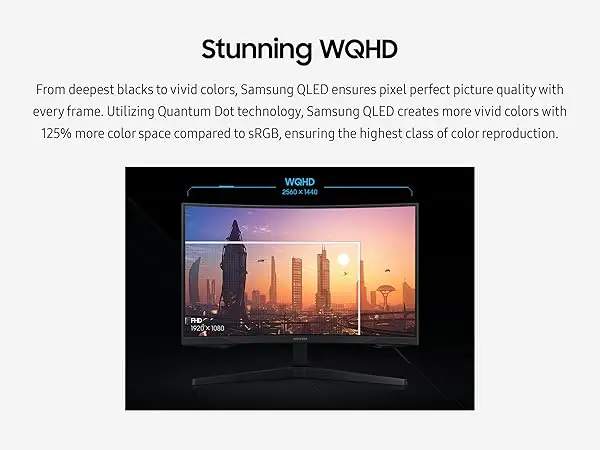
What consistently emerges is love for WQHD resolution clarity. A verified buyer on Amazon praised “incredibly detailed, pin-sharp images” that made work and gaming visuals pop. Best Buy users echoed this, citing how “crisp picture quality” elevated immersive gameplay. On Reddit, the shift from 1080p VA panels brought zero ghosting and “vibrant colors out of the box” for one G50D variant owner.
The 144Hz refresh coupled with AMD FreeSync Premium proved reliable across scenarios. Newegg reviewers enthused about “full 144 Hz frequency now in res above 1920x1080” and noted FreeSync kept visuals “effortlessly smooth” without tearing. Competitive FPS players found it “fast enough” for most games, even if not replacing ultra-high refresh esports panels.
Most users also highlight the curve comfort. From Reddit to Trustpilot, owners describe the 1000R wraparound as helping “focus on your content” and improving viewing angles. Even those wary of curves reported adapting quickly, especially in single-player and productivity contexts where peripheral vision matters less.
Common Complaints
A recurring frustration is the stand’s adjustability—or lack thereof. Newegg reviewers struggled to tilt the screen despite the manual’s claims, fearing they might “break the connection between monitor & stand” if forced. Best Buy buyers confirmed “screen isn’t adjustable” and height adjustments are absent. This hits hardest for ergonomic-focused users without a VESA mount ready.
Color calibration divides the crowd. While some found colors ideal out of the box, a 2-star Best Buy review likened them to “very washed out,” requiring manual tuning to approach vividness. With limited brightness, HDR impact feels modest compared to higher-grade panels, frustrating users expecting HDR to rival high-end displays.
Connectivity limitations also irk multi-device households. The single HDMI and single DisplayPort setup, with no USB-C or speakers, means console-plus-PC users must swap cables or use an external switch. For mixed media consumers, the no-speaker design feels spartan, best suited for dedicated gaming rigs with external audio.
Divisive Features
The 1000R curve—while praised for immersion—isn’t universally adored. Monitor traditionalists or multi-monitor users sometimes find it distorts perceived geometry for creative work. Reddit debates confirm that while gamers embrace the curve, designers and coders may prefer flat IPS alternatives.
Brightness levels (250 cd/m² typical) sit at the crossroads of adequate and disappointing. Users accustomed to >350 cd/m² panels find it underwhelming in bright rooms, yet those in controlled lighting see no issue. eBay resellers highlighting “wonderful” daily driving experience underscore its viability for normal gaming setups.
Trust & Reliability
Longer-term, durability stories lean positive. One Reddit user upgraded from a VA panel with ghosting to the G50D series, reporting zero ghosting even with months of usage. Owners rarely mention sudden failures; instead, complaints tend to focus on factory defects like color uniformity issues. Trustpilot patterns warn of occasional shipping mishandling—a Newegg customer offered “condolences to those who…fall victim to factory defect & shipper mishandling.”
Those buying used on eBay report solid operation, with sellers noting “works perfectly…cable management is easy” even for daily gaming duty. Scams aren’t a recurring theme, but the narrow stand design occasionally complicates 5.1 speaker placement, as one Newegg reviewer humorously recounted.
Alternatives
In Reddit discussions, the LG Ultragear 27GR83Q-B surfaced as a contender: 240Hz, IPS panel, higher brightness (400 nits). Owners considering pure PC gaming weighed the Samsung’s curve and VA deep blacks against LG’s flat, faster refresh and potential IPS glow. For ghosting-sensitive users, IPS wins; for deep-contrast enthusiasts, Samsung holds ground.
Price & Value
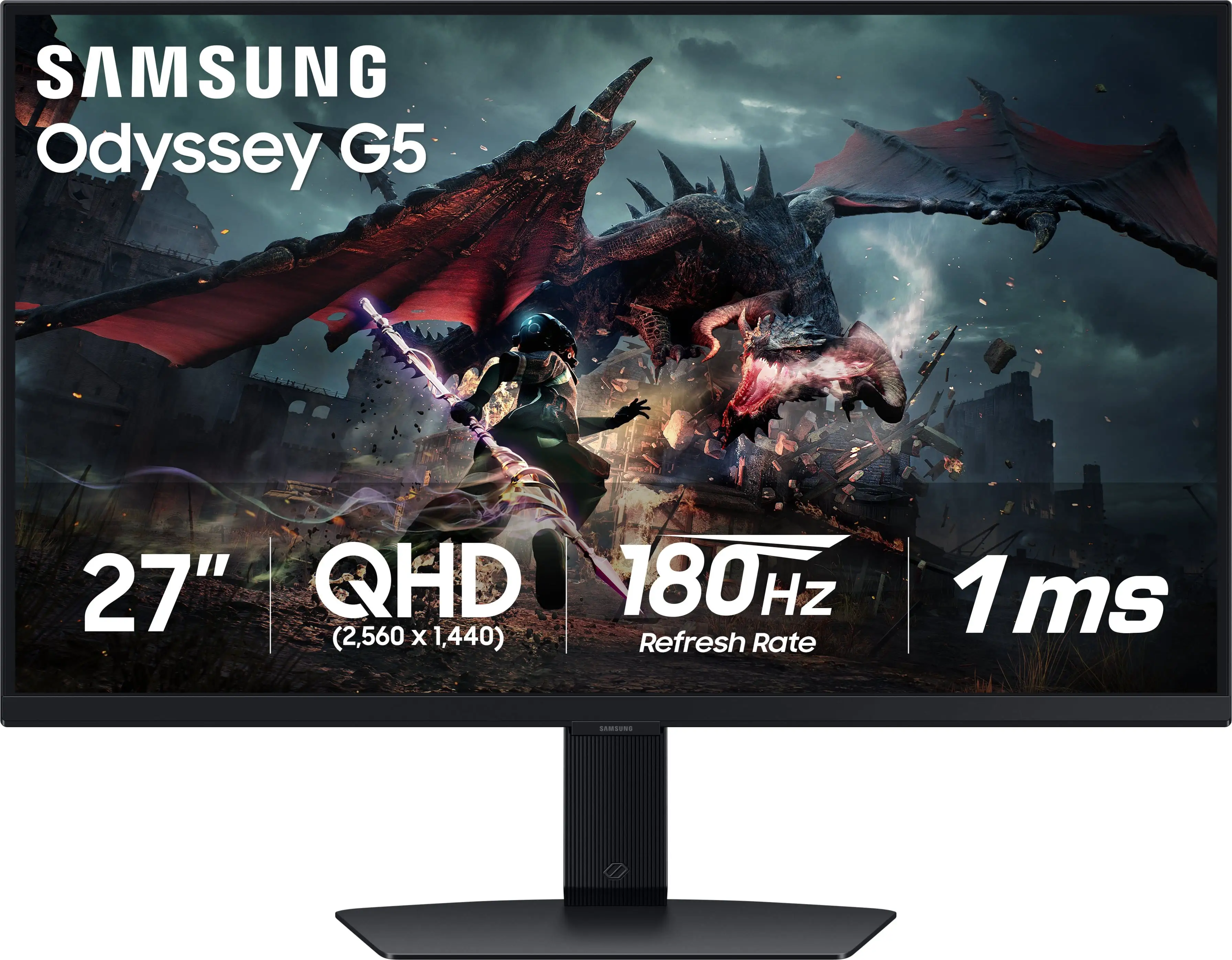
Currently hovering around $200–$295 depending on platform, the Odyssey G5 remains one of the few curved WQHD monitors with a high refresh under $300. eBay resale values support its perceived worth: even used models fetch $200+. Amazon buyers call it “amazing for the price,” while Best Buy sales spike during discounts, prompting comments like “perfect for the price” and “should be your first pick if ur broke like me lol.”
Tips from the community include buying quality DP 1.4 cables for full spec access, matching it with FreeSync-compatible GPUs, and considering a monitor arm for ergonomic positioning given the tilt quirks.
FAQ
Q: Does the SAMSUNG Odyssey G5 have height adjustment?
A: No. Multiple users report it only offers tilt—and even that’s inconsistently functional—so a VESA mount or riser is recommended.
Q: Is HDR10 worth it on this monitor?
A: It adds vibrancy in supported games, but with 250 cd/m² brightness, impact is modest compared to high-nit HDR displays.
Q: Can this monitor run 144Hz over HDMI?
A: Yes, but only with HDMI 2.0 at 1440p. For guaranteed 144Hz + 1ms, a quality DP 1.4 cable is preferred.
Q: How good is it for console gaming?
A: Xbox Series X and PS5 users praise WQHD clarity and smoothness, though HDR impact varies, and stand adjustability is limited.
Q: Any ghosting issues?
A: Reports of ghosting are rare, especially compared to older VA panels. One Reddit user confirmed “zero ghosting” after months of use.
Final Verdict: Buy if you’re a gamer seeking affordable WQHD with immersive curvature and smooth FreeSync gameplay, and you’re fine with manual color tuning and an inflexible stand. Avoid if you need high brightness HDR or versatile ergonomics. Pro tip from the community: Pair it with a good DP 1.4 cable, VESA mount, and calibrate colors for your room lighting.





